




 here!
here!
I’m your shopping assistant for PC builds, upgrades, and everything tech.
Got questions? Ask away!
Start a conversation
here!
I’m your shopping assistant for PC builds, upgrades, and everything tech.
Got questions? Ask away!
Start a conversation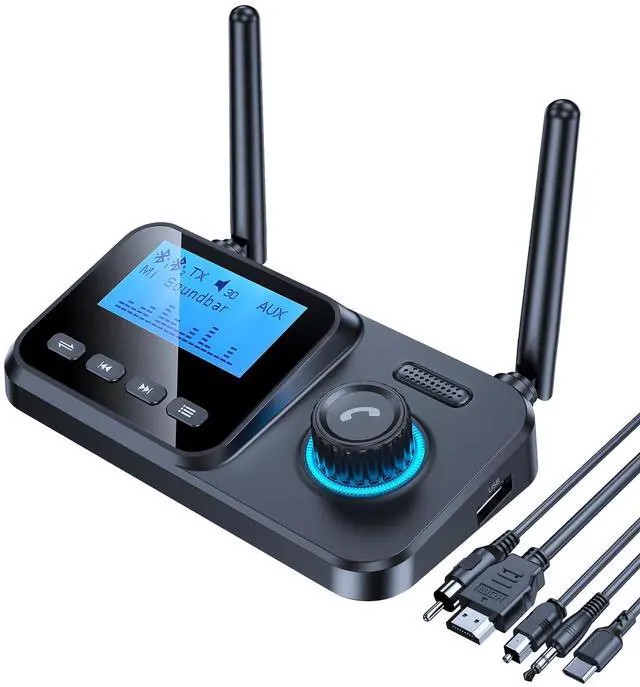
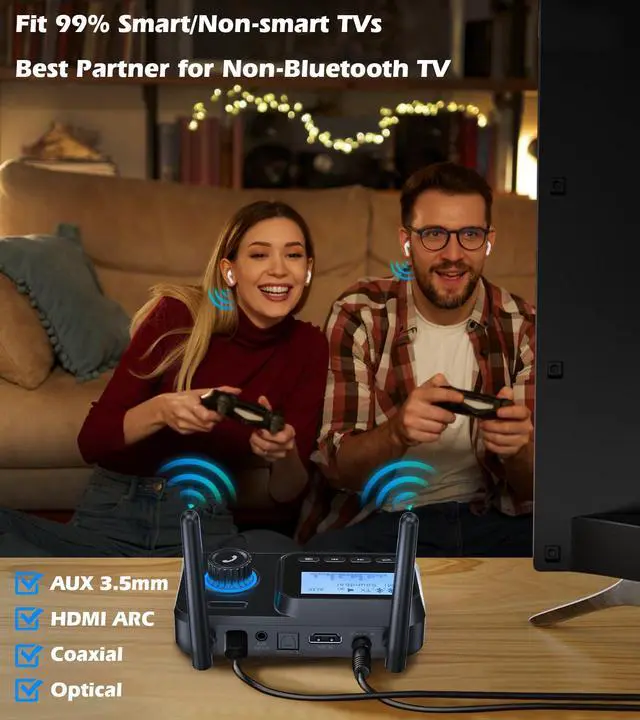
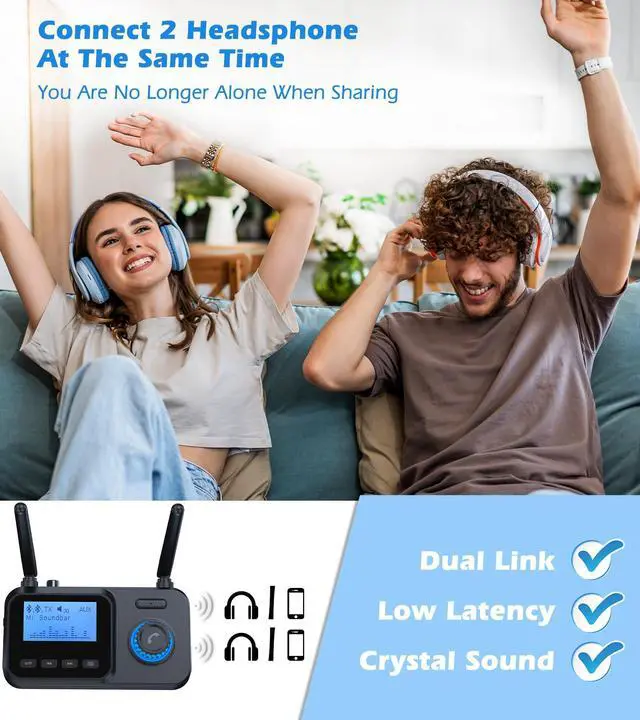
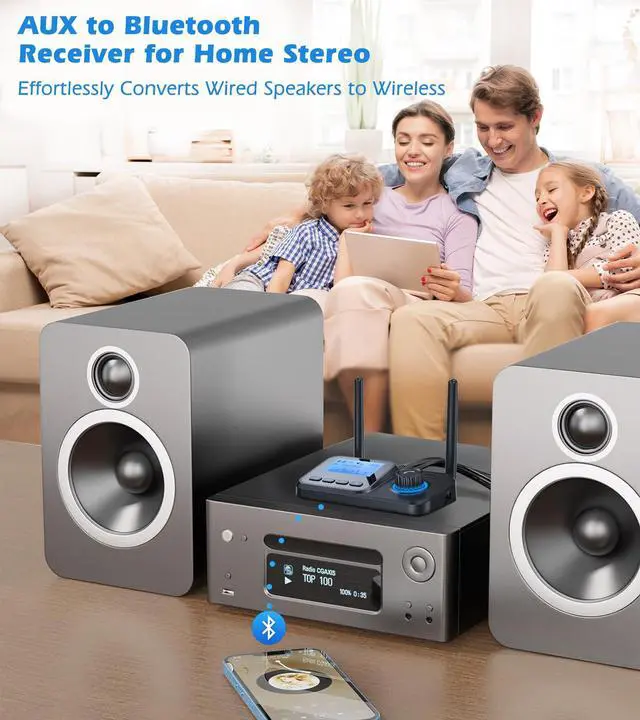



Any questions? Ask CelesteSM will help you find out quickly.


Plug the Type-C cable into the Bluetooth adapter’s charging port and connect to power (charging adapter not included).
Flip the mode switch to TX or RX.

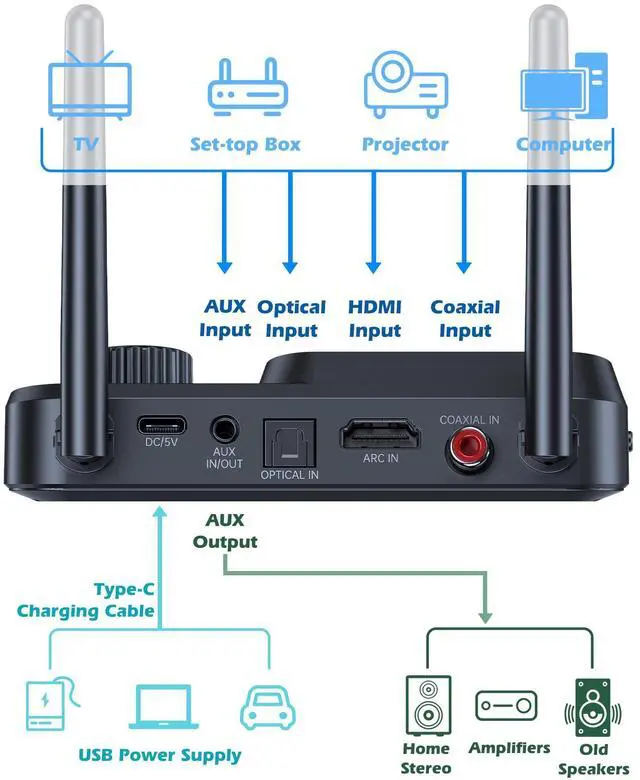
Plug the fiber ARC/Optical/AUX/Coaxial cable into Bluetooth adapter and TV’s audio OUTPUT.
When your Bluetooth headphones/speaker name shows on the adapter, press multi-function button to connect.

Plug the fiber AUX cable into the Bluetooth adapter and the home stereo’s audio INPUT.
Turn on Bluetooth on your phone/tablet, search for "HY19" and click to connect.

TX: After the first Bluetooth device successfully connects, press Menu to re-pair headphones/speakers.
RX: After the first Bluetooth device successfully connects, press Menu to re-pair phone/tablet.

Make sure the headphones/speaker are in pairing mode - this solves 95% of setup problems.
TV connection - Switch TV audio output to "External Speakers" or "Headphones".


Plug the Type-C cable into the Bluetooth adapter’s charging port and connect to power (charging adapter not included).
Flip the mode switch to TX or RX.
Plug the fiber ARC/Optical/AUX/Coaxial cable into Bluetooth adapter and TV’s audio OUTPUT.
When your Bluetooth headphones/speaker name shows on the adapter, press multi-function button to connect.
Plug the fiber AUX cable into the Bluetooth adapter and the home stereo’s audio INPUT.
Turn on Bluetooth on your phone/tablet, search for "HY19" and click to connect.
TX: After the first Bluetooth device successfully connects, press Menu to re-pair headphones/speakers.
RX: After the first Bluetooth device successfully connects, press Menu to re-pair phone/tablet.
Make sure the headphones/speaker are in pairing mode - this solves 95% of setup problems.
TV connection - Switch TV audio output to "External Speakers" or "Headphones".
bluetooth transmitter for tv bluetooth receiver for home stereo bluetooth adapter for tv bluetooth transmitter receiver tv bluetooth transmitter bluetooth extender bluetooth audio transmitter rca to bluetooth transmitter mp3 player bluetooth transmitters wireless audio transmitter and receiver bluetooth audio transmitter for tv bluetooth splitter bluetooth transmitter for speakers bluetooth tv adapter bluetooth hub for multiple speakers wireless adapter for wired speakers bluetooth reciever tv bluetooth adapter bluetooth for tv blue tooth transmitter blue tooth adapter for stereo receiver bluetooth transmitter for turntable wireless transmitter and receiver bluetooth range extender blue tooth receiver for audio wireless rear speaker kit rca bluetooth transmitter bluetooth adapter for non smart tv bluetooth tv transmitter multi-stream bluetooth transmitter bluetooth splitter multiple devices bluetooth-transmitter wireless audio transmitter bluetooth transmitter optical input wireless speaker adapter optical to bluetooth transmitter blue tooth receiver
| Special Feature | bluetooth audio transmitter for tv, bluetooth transmitter for tv, bluetooth transmitter for tv audio, optical bluetooth transmitter for tv, wireless audio transmitter and receiver |
| Brand | KAIY |
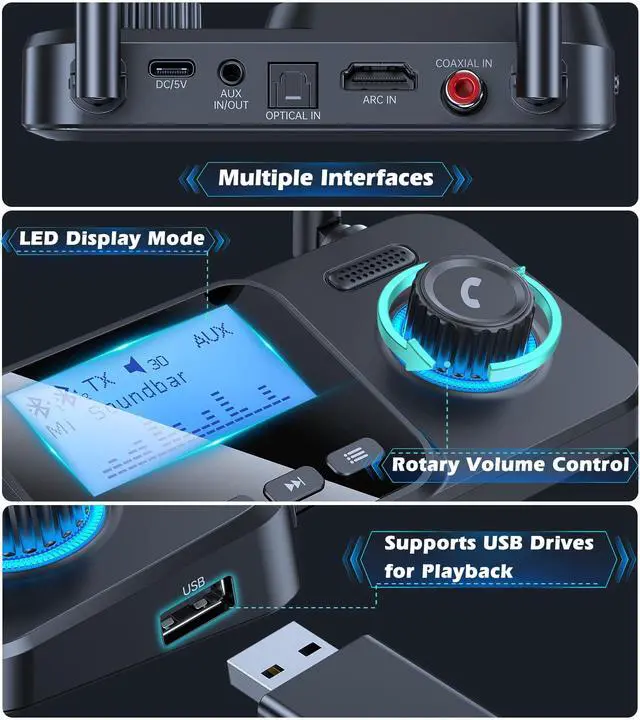
| Connectivity Technology | ARC, AUX, Coaxial, Optical, USB |
| Power Source | Corded Electric |
| Material | Metal, Plastic |
| Product Dimensions | 3.3 x 1.18 x 4.7 inches |
| Item Weight | 5.6 ounces |
| Item model number | HY19 |
| Date First Available | December 1, 2025 |
| Manufacturer | Dongguan Jieshengda Intelligent Technology Co., Ltd. |





