




Introducing Our Brand-New 3 Disco Ball Party Light
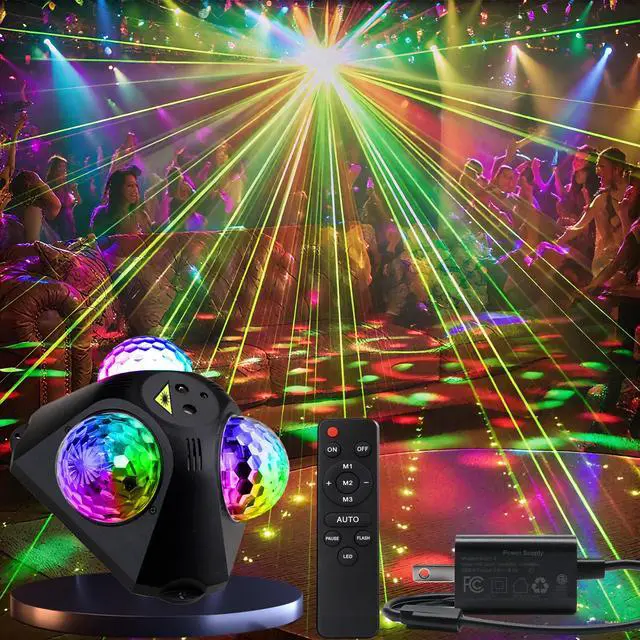
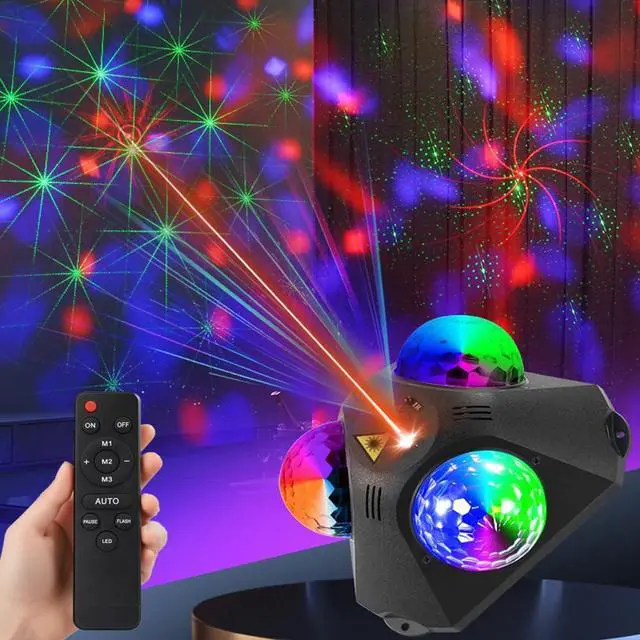
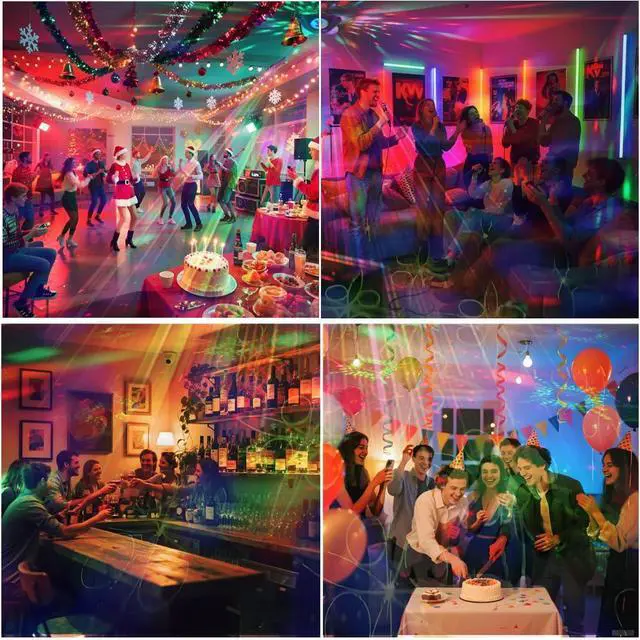
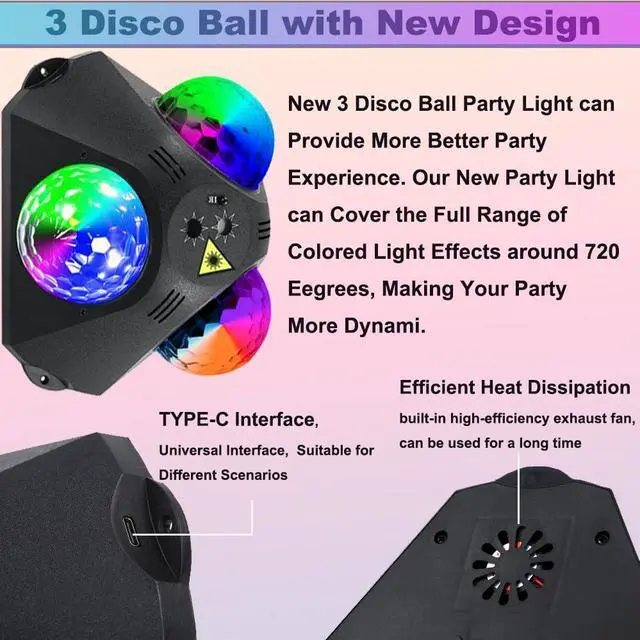
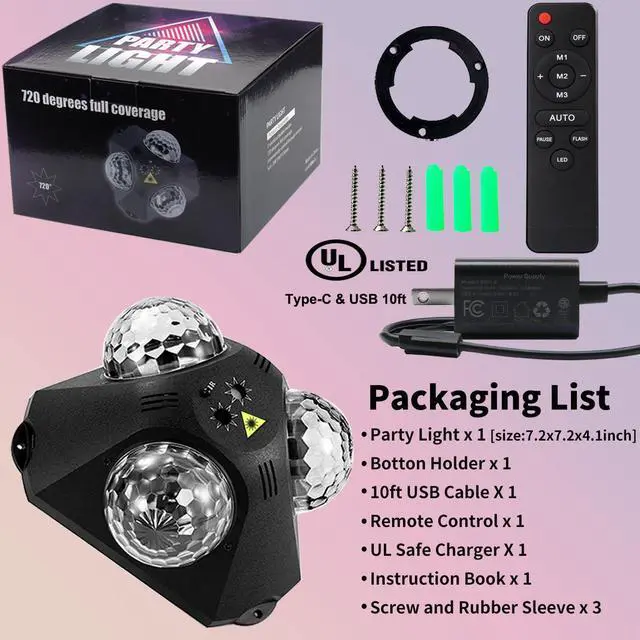
A fantastic combination of 3 magic disco balls and 2 party laser lights! This innovative disco ball lamp design ensures party lighting denser and more dynamic laser dj light show effects during parties, instantly amplifying the lively and energetic atmosphere. Whether it's a small gathering or a big celebration, this light will bathe the venue in a vibrant array of lights, making every moment of your party more thrilling and unforgettable.


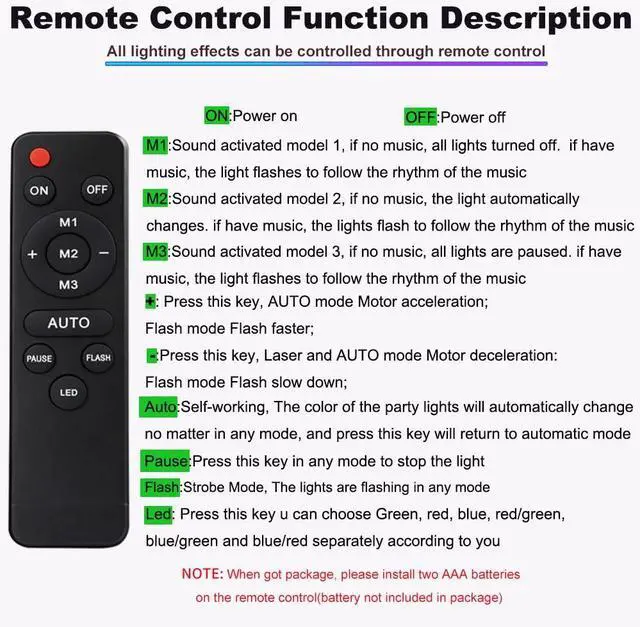
Operation of the Remote Control Function for Our Disco Ball Laser Light
Power On/Off
Press the "Power" button to turn the laser light on or off. When powered on, the indicator light on the device will illuminate.
AUTO
Auto: The "Auto" mode is a fully automatic operating mode for the party laser light and rotating disco ball . When party lights activated by auto mode, the disco ball lights will independently cycle through its preset lighting programs without the need for manual control via the remote.
M1 M2 M3
M1,M2,M3:When this mode is activated, the Led disco ball party lighting uses its built-in sound sensor to detect surrounding audio (such as music, voices, or beats). It then adjusts its output in real time.
LED 3-Color Magic Balls + Laser Mode Press the "LED" button once to activate the combined mode. In this setting, the LED light, three-color magic balls (red, green, blue), and laser party lighting effects work together, creating a layered, dynamic visual display with synchronized or complementary patterns.
Laser-Only Mode
To switch to laser-only operation, press the "LED" button 7 times consecutively. This will disable the LED light and three-color magic balls, leaving only the laser effect active for a focused, high-contrast light show.
The "Pause" mode allows you to temporarily freeze the current lighting effect of the laser light, locking in its current state (including color, pattern, brightness, and dynamic motion) until you resume operation.
Flash Mode (Strobe Mode)
The "Flash" mode (also known as "Strobe Mode") is a high-energy lighting effect where the laser light and/or LED components emit rapid, repetitive bursts of light, creating a sharp, pulsating visual impact—similar to a traditional strobe light.
+ and -
Increase Speed: Press the "Speed +" button to make dynamic effects faster. Each press increments the speed slightly—for example, accelerating the rate of color transitions, speeding up strobe flashes, or making pattern cycles quicker.
Decrease Speed: Press the "Speed -" button to slow down dynamic effects. Each press reduces the speed, resulting in slower color shifts, gentler flashes, or longer intervals between pattern changes.

Introducing Our Brand-New 3 Disco Ball Party Light
A fantastic combination of 3 magic disco balls and 2 party laser lights! This innovative disco ball lamp design ensures party lighting denser and more dynamic laser dj light show effects during parties, instantly amplifying the lively and energetic atmosphere. Whether it's a small gathering or a big celebration, this light will bathe the venue in a vibrant array of lights, making every moment of your party more thrilling and unforgettable.
Operation of the Remote Control Function for Our Disco Ball Laser Light
Power On/Off
Press the "Power" button to turn the laser light on or off. When powered on, the indicator light on the device will illuminate.
AUTO
Auto: The "Auto" mode is a fully automatic operating mode for the party laser light and rotating disco ball . When party lights activated by auto mode, the disco ball lights will independently cycle through its preset lighting programs without the need for manual control via the remote.
M1 M2 M3
M1,M2,M3:When this mode is activated, the Led disco ball party lighting uses its built-in sound sensor to detect surrounding audio (such as music, voices, or beats). It then adjusts its output in real time.
LED 3-Color Magic Balls + Laser Mode Press the "LED" button once to activate the combined mode. In this setting, the LED light, three-color magic balls (red, green, blue), and laser party lighting effects work together, creating a layered, dynamic visual display with synchronized or complementary patterns.
Laser-Only Mode
To switch to laser-only operation, press the "LED" button 7 times consecutively. This will disable the LED light and three-color magic balls, leaving only the laser effect active for a focused, high-contrast light show.
The "Pause" mode allows you to temporarily freeze the current lighting effect of the laser light, locking in its current state (including color, pattern, brightness, and dynamic motion) until you resume operation.
Flash Mode (Strobe Mode)
The "Flash" mode (also known as "Strobe Mode") is a high-energy lighting effect where the laser light and/or LED components emit rapid, repetitive bursts of light, creating a sharp, pulsating visual impact—similar to a traditional strobe light.
+ and -
Increase Speed: Press the "Speed +" button to make dynamic effects faster. Each press increments the speed slightly—for example, accelerating the rate of color transitions, speeding up strobe flashes, or making pattern cycles quicker.
Decrease Speed: Press the "Speed -" button to slow down dynamic effects. Each press reduces the speed, resulting in slower color shifts, gentler flashes, or longer intervals between pattern changes.