






About Us
We work to create unexpected surprises to our daily life. Life is more splendid than you expect. We have a great passion for designing imaginative function to meet customers' unknown needs. We hope to focus on improving product experience and making life more interesting.
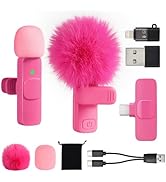
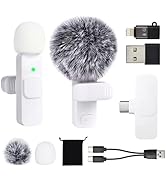
Color for Different Clothing


How could I make sure whether the microphones are connected?
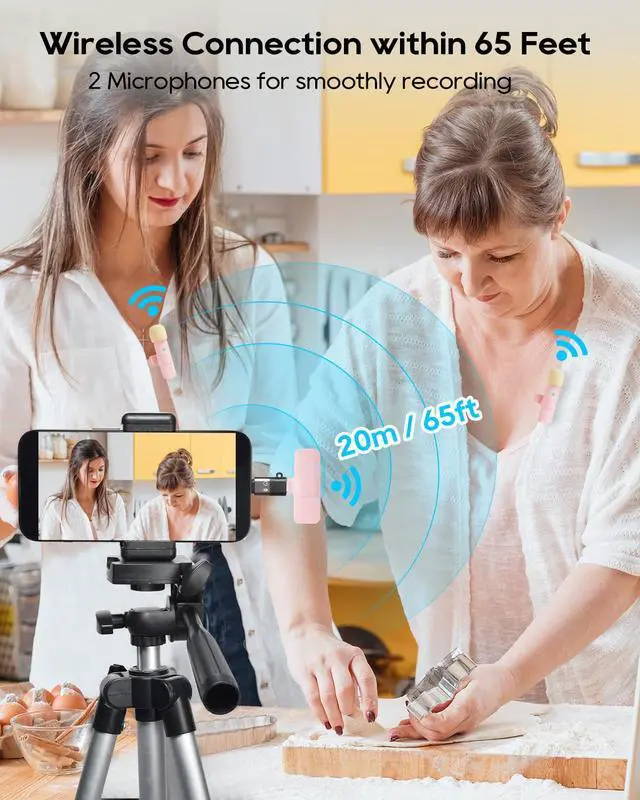
Lights flashing means connecting. Only when all lights of receiver and mics stop flashing and keep on are they connected. Tip: after connected, short press will turn on silent mode to receive no audio. But short press again will turn off silent mode.
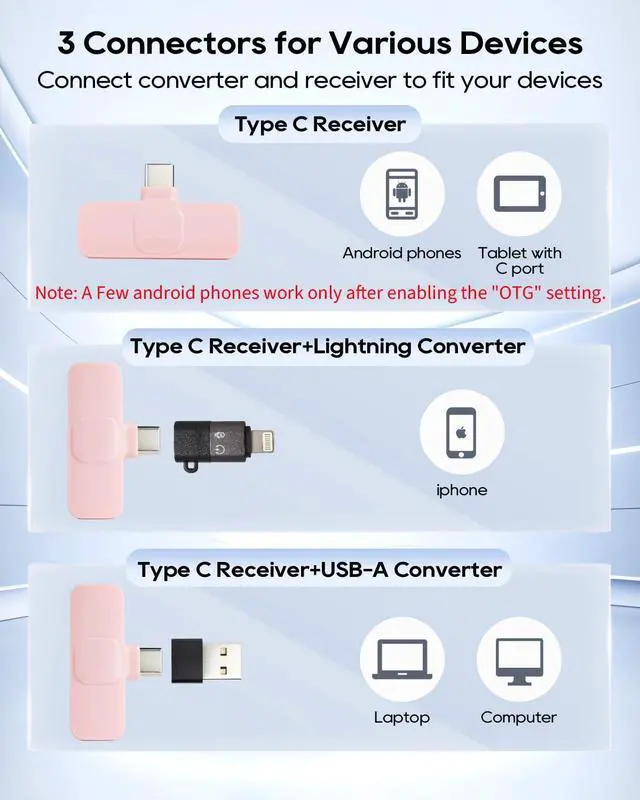
Why do I get a type C receiver? My phone is iPhone with lightning port. How to use the lightning and USB-A converter?
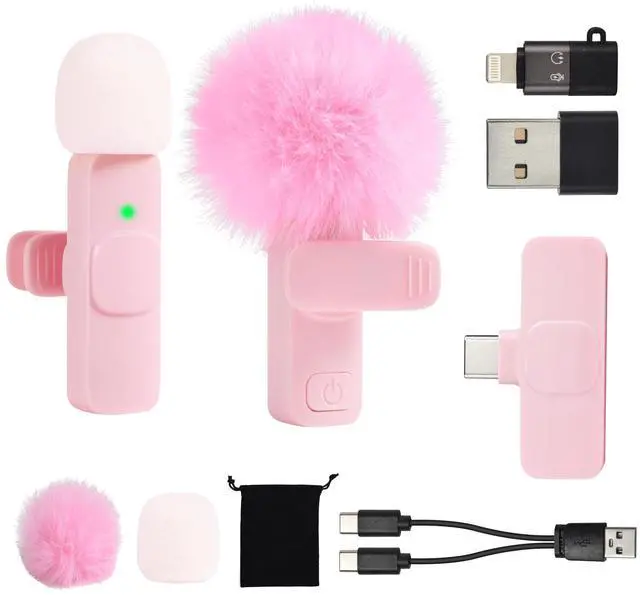
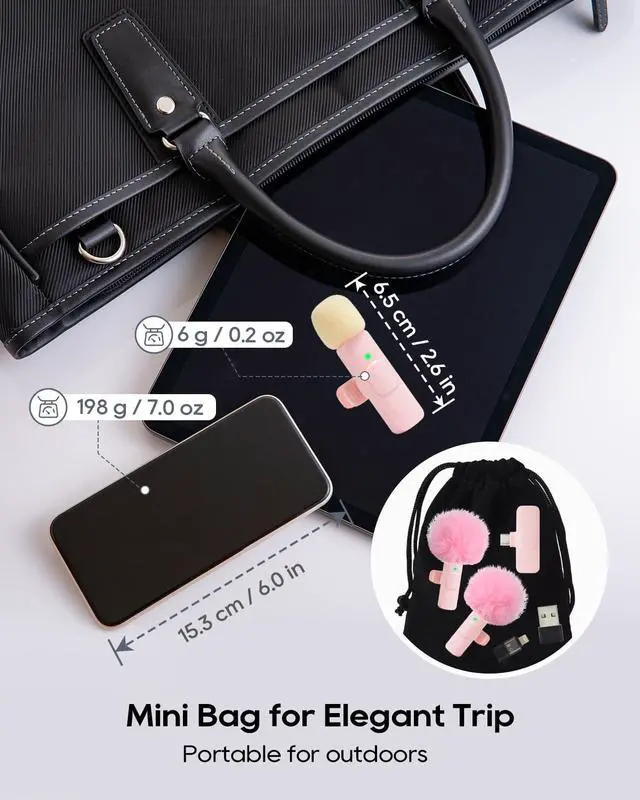
There is a lightning converter and an USB A converter in the black mini bag. You must insert type C receiver into the lightning or USB A converter to work together. Only type C receiver could connect the microphones. (No cable required to connect)
Why doesn’t my android phones work normally?
For few android phones, you need to turn on "OTG" if the mic doesn't work because of phone limitation.(Enter phone settings and search "OTG" to allow) If there is no "OTG", it means you can connect directly without any changes of phone setting.
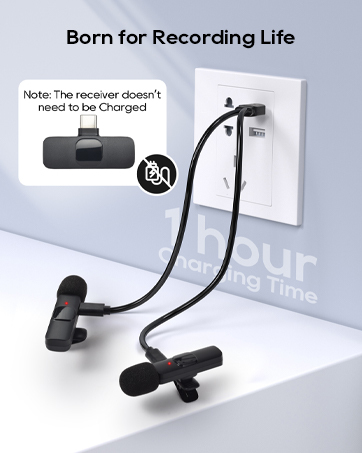
Dose the Type C receiver need to be charge before use?
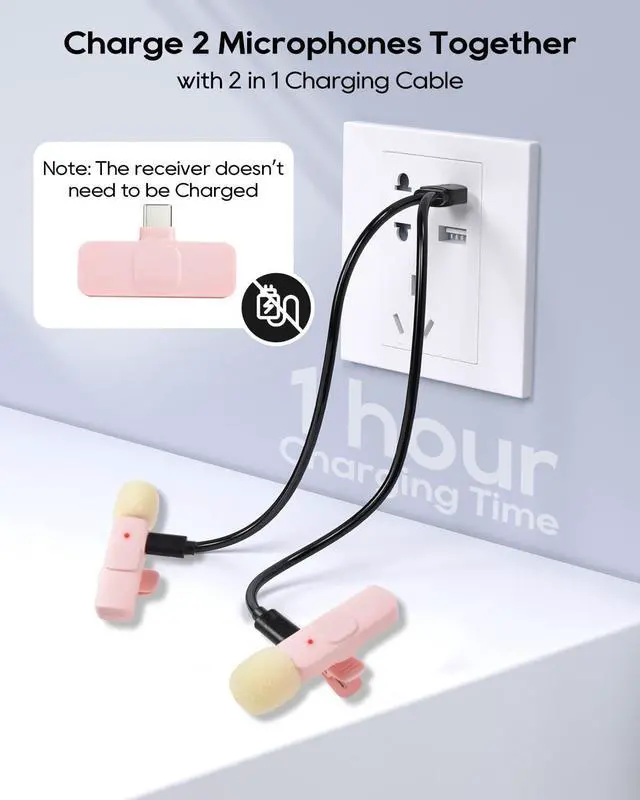
No, the Type C receiver don’t need power supply to work. Only the microphones need to be charged. The C port of the Type C receiver is for charging phone and not for charging receiver. Note: Only support type C charging cable.
How to make sure whether the microphones are fully charged? Why it can’t be charged?
When charging, the microphone shows red light. When fully charged, the light will go out. If it can’t be charged, check whether the plug is fully and tightly inserted into the type c charging port.
Stylish Colour for Different Clothing
 Pink |  Black |  White Purple |  White Gray | |
|---|---|---|---|---|
Customer Reviews | — | — | — | — |
Clothing Style | Lively | Steady | Elegant | Pure |
Shooting Scenes | For Beauty Vlog, Travel, Show | For Interview, Tech Youtuber | For Recording life, Sport Fan | For Teaching, Speech |
Connector Type | USB C, Lightning, USB A | USB C, Lightning, USB A | USB C, Lightning, USB A | USB C, Lightning, USB A |
Compatible Devices | Smartphone, Tablet, Laptop | Smartphone, Tablet, Laptop | Smartphone, Tablet, Laptop | Smartphone, Tablet, Laptop |
2 in 1 Charging Cable | ? | ? | ? | ? |


How could I make sure whether the microphones are connected?
Lights flashing means connecting. Only when all lights of receiver and mics stop flashing and keep on are they connected. Tip: after connected, short press will turn on silent mode to receive no audio. But short press again will turn off silent mode.
Why do I get a type C receiver? My phone is iPhone with lightning port. How to use the lightning and USB-A converter?
There is a lightning converter and an USB A converter in the black mini bag. You must insert type C receiver into the lightning or USB A converter to work together. Only type C receiver could connect the microphones. (No cable required to connect)
Why doesn’t my android phones work normally?
For few android phones, you need to turn on "OTG" if the mic doesn't work because of phone limitation.(Enter phone settings and search "OTG" to allow) If there is no "OTG", it means you can connect directly without any changes of phone setting.
Dose the Type C receiver need to be charge before use?
No, the Type C receiver don’t need power supply to work. Only the microphones need to be charged. The C port of the Type C receiver is for charging phone and not for charging receiver. Note: Only support type C charging cable.
How to make sure whether the microphones are fully charged? Why it can’t be charged?
When charging, the microphone shows red light. When fully charged, the light will go out. If it can’t be charged, check whether the plug is fully and tightly inserted into the type c charging port.
Stylish Colour for Different Clothing
Pink | Black | White Purple | White Gray |
|---|---|---|---|
| Customer Reviews | |||
| — | — | — | — |
| Clothing Style | |||
| Lively | Steady | Elegant | Pure |
| Shooting Scenes | |||
| For Beauty Vlog, Travel, Show | For Interview, Tech Youtuber | For Recording life, Sport Fan | For Teaching, Speech |
| Connector Type | |||
| USB C, Lightning, USB A | USB C, Lightning, USB A | USB C, Lightning, USB A | USB C, Lightning, USB A |
| Compatible Devices | |||
| Smartphone, Tablet, Laptop | Smartphone, Tablet, Laptop | Smartphone, Tablet, Laptop | Smartphone, Tablet, Laptop |
| 2 in 1 Charging Cable | |||
| ? | ? | ? | ? |
About Us
We work to create unexpected surprises to our daily life. Life is more splendid than you expect. We have a great passion for designing imaginative function to meet customers' unknown needs. We hope to focus on improving product experience and making life more interesting.
Color for Different Clothing