



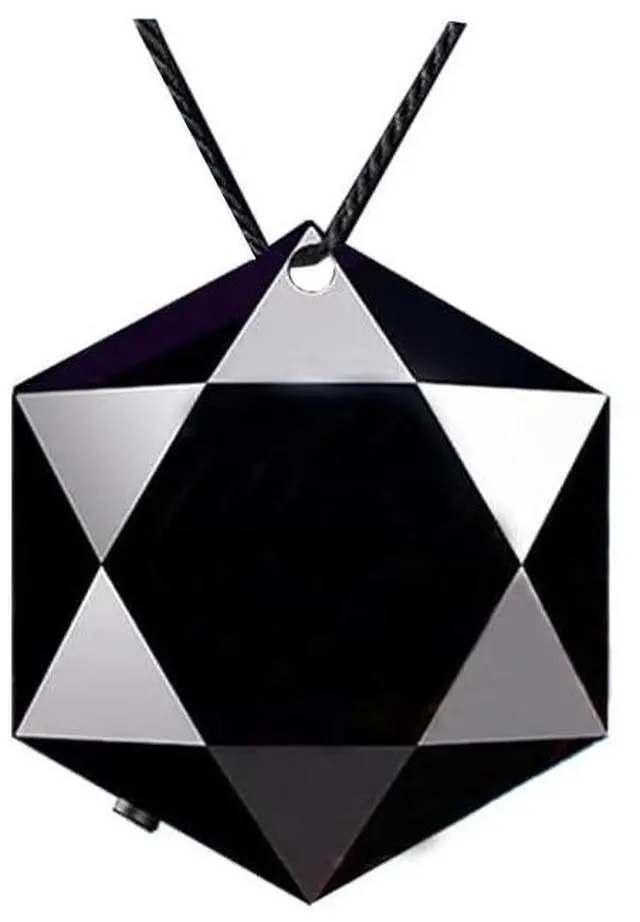



Mini Voice Recorder Digital Voice Activated Recorder Easy Carry
- Recording format: wav
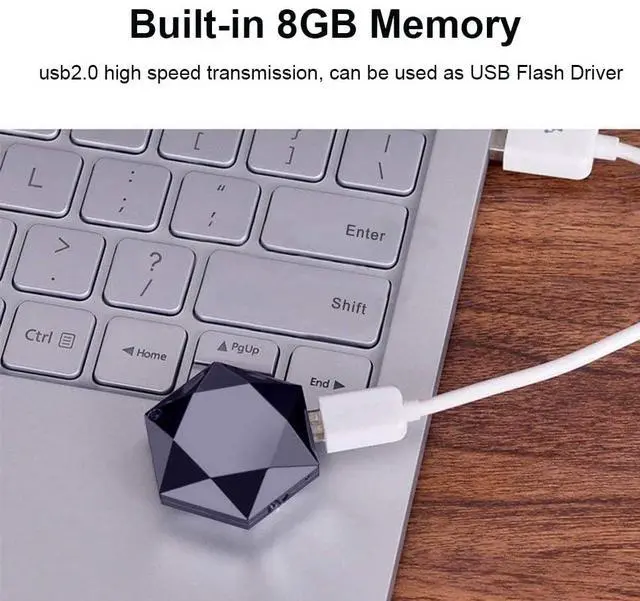
- 8GB storage capacity: store up 90-hour recording files
- Battery: support 28 hours voice recording
- Playback: playback of recording files via headphones/PC/or mobile phone.( OTG cable not included)
- Easy recording: record/save at a button
- Material: ABS
- Color: Black
- File Transfer: Transfer the recording files to Windows PCs/Macs.
- Voice Activated Function (Default is normal mode, one need to set the voice activated mode by the file of "factory.txt")
----------------------------------------------------------------------------------------------------------------------------------------------------------------------------------
A mini recorder
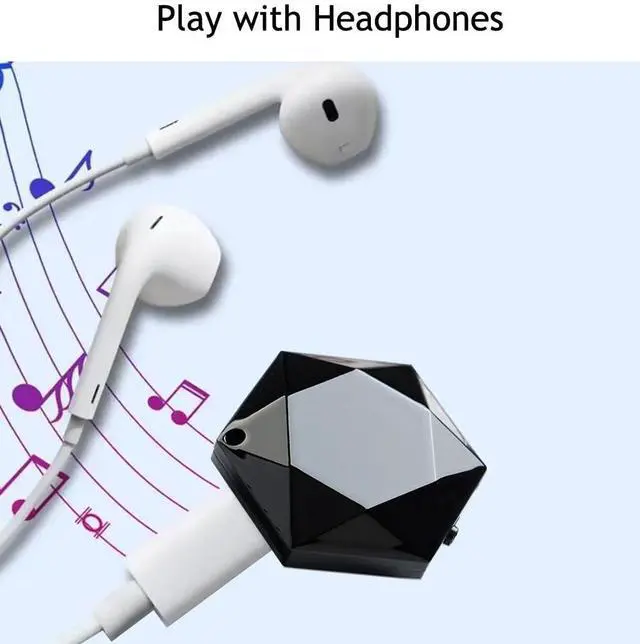
A MP3 player--- just plug in the headphones to play the saved songs.
A portable USB stick.

Easy to use
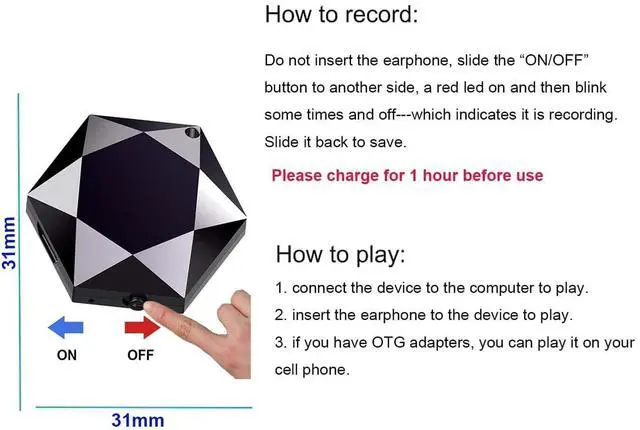
(Headphone unplugged)Push switch to "ON", a red led will light up and keep for some times and then off---which indicates it is recording. Push Switch to "OFF" to save the recording.
please charge it before using. Blue led keeps on when fully charged.

Two ways to charge:
- Connect the recorder to the USB port of the computer.
- Connect the device to a power outlet.
Please charge before use. After charging, the blue LED lights up. Turn off the device while charging to better protect it.

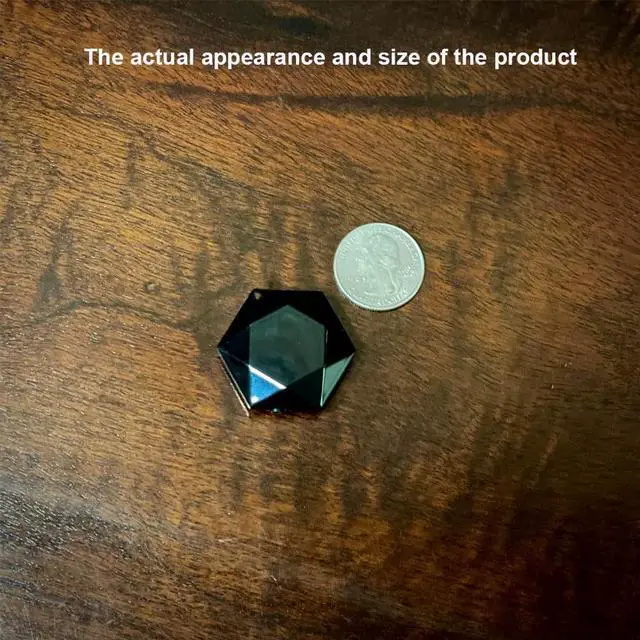
Size and Weight
Size: 31mm*31mm*11mm
Weight: 7.5g
Material: ABS

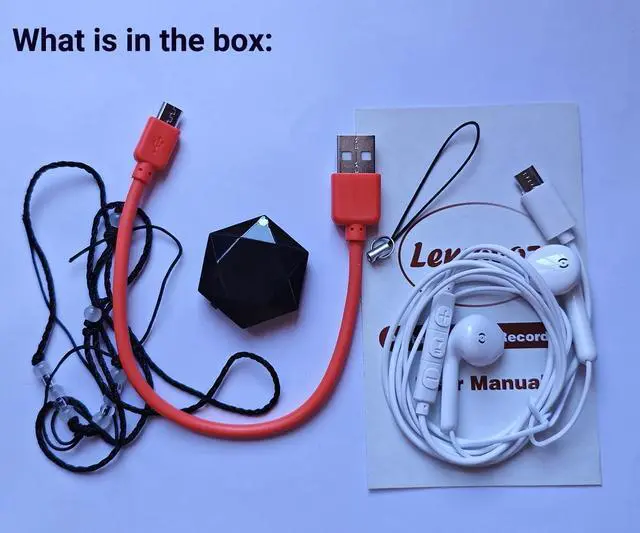
With earphone
You can play audio anywhere.
To help customers use the product and earphone better, the factory put two songs into the recorder.

Voice activated recording
When sound is detected, it will automatically start recording.(please set it first)
it can not record low volume in voice control mode. We suggest using the factory's standard recording mode.

Audio file will be timestamp named
Please connect the device to computer and find "Time Synchronization Tool---SET DISK TIME" to set the disk time.
For Mac system, please use "FACTORY.TXT" to set the disk time.

How to use the earphone?
1. Insert the earphone into the device. 2. Slide the switch on to enter play mode. You can hear the music or your recording.
Volume Adjustment:
During play mode, long press"+"or "-" to increase or decrease volume.
Song/Audio File Switching:
During play mode, short press "pause/play" to switch between songs and audio files. Press "+"or "-" to switch between previous and next song / file.
Pause Mode:
On play mode, long press"pause/play" to enter into pause mode.(red and blue led flash alternately). short press "pause/play" to enter play mode again.
Delete mode:
During pause mode, long press "-" button to enter delete mode( purple led flash). press "pause/play" button to delete a single recording. long press the "pause/play" button to delete all.

Q&A
How to set up voice activated recording:
Connect the device to the computer -->Open the device -->Open the file "factory. txt": change "vor: 0" to "vor: 1" ->Ctrl+S Save
In voice activated mode, after turning on the recorder, the blue LED flashes and goes off.
How to set the audio duration to 60 minutes:
Connect the device to the computer -->Open the device -->Open the file "factory. txt": change "Section (300)" to "Section (60)" -->Ctrl+S Save
There are noise in audio:
Please do not touch or rub clothes during the recording process and keep them in a stable position.
Warm tips:
- The device can not record if the headphone is plugged in
- The headphones are designed for the recorder and cannot be used on the phone.
- Please switch to "OFF" when charging or connecting with the computer to better protect the device.
Mini Voice Recorder Digital Voice Activated Recorder Easy Carry
- Recording format: wav
- 8GB storage capacity: store up 90-hour recording files
- Battery: support 28 hours voice recording
- Playback: playback of recording files via headphones/PC/or mobile phone.( OTG cable not included)
- Easy recording: record/save at a button
- Material: ABS
- Color: Black
- File Transfer: Transfer the recording files to Windows PCs/Macs.
- Voice Activated Function (Default is normal mode, one need to set the voice activated mode by the file of "factory.txt")
----------------------------------------------------------------------------------------------------------------------------------------------------------------------------------
A mini recorder
A MP3 player--- just plug in the headphones to play the saved songs.
A portable USB stick.
Easy to use
(Headphone unplugged)Push switch to "ON", a red led will light up and keep for some times and then off---which indicates it is recording. Push Switch to "OFF" to save the recording.
please charge it before using. Blue led keeps on when fully charged.
Two ways to charge:
- Connect the recorder to the USB port of the computer.
- Connect the device to a power outlet.
Please charge before use. After charging, the blue LED lights up. Turn off the device while charging to better protect it.
Size and Weight
Size: 31mm*31mm*11mm
Weight: 7.5g
Material: ABS
With earphone
You can play audio anywhere.
To help customers use the product and earphone better, the factory put two songs into the recorder.
Voice activated recording
When sound is detected, it will automatically start recording.(please set it first)
it can not record low volume in voice control mode. We suggest using the factory's standard recording mode.
Audio file will be timestamp named
Please connect the device to computer and find "Time Synchronization Tool---SET DISK TIME" to set the disk time.
For Mac system, please use "FACTORY.TXT" to set the disk time.
How to use the earphone?
1. Insert the earphone into the device. 2. Slide the switch on to enter play mode. You can hear the music or your recording.
Volume Adjustment:
During play mode, long press"+"or "-" to increase or decrease volume.
Song/Audio File Switching:
During play mode, short press "pause/play" to switch between songs and audio files. Press "+"or "-" to switch between previous and next song / file.
Pause Mode:
On play mode, long press"pause/play" to enter into pause mode.(red and blue led flash alternately). short press "pause/play" to enter play mode again.
Delete mode:
During pause mode, long press "-" button to enter delete mode( purple led flash). press "pause/play" button to delete a single recording. long press the "pause/play" button to delete all.
Q&A
How to set up voice activated recording:
Connect the device to the computer -->Open the device -->Open the file "factory. txt": change "vor: 0" to "vor: 1" ->Ctrl+S Save
In voice activated mode, after turning on the recorder, the blue LED flashes and goes off.
How to set the audio duration to 60 minutes:
Connect the device to the computer -->Open the device -->Open the file "factory. txt": change "Section (300)" to "Section (60)" -->Ctrl+S Save
There are noise in audio:
Please do not touch or rub clothes during the recording process and keep them in a stable position.
Warm tips:
- The device can not record if the headphone is plugged in
- The headphones are designed for the recorder and cannot be used on the phone.
- Please switch to "OFF" when charging or connecting with the computer to better protect the device.