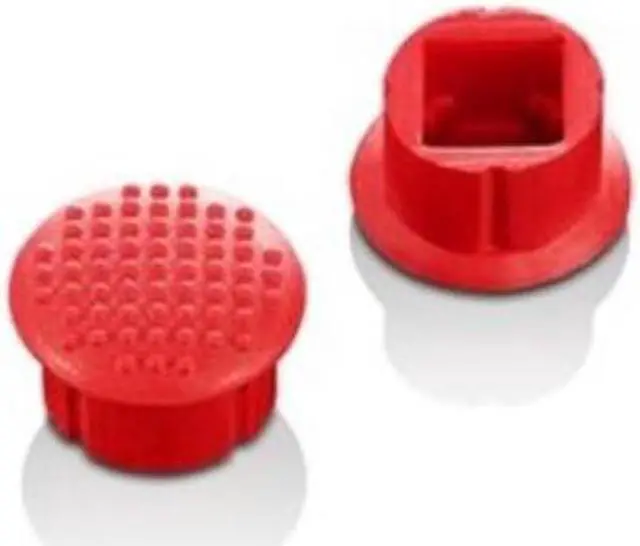
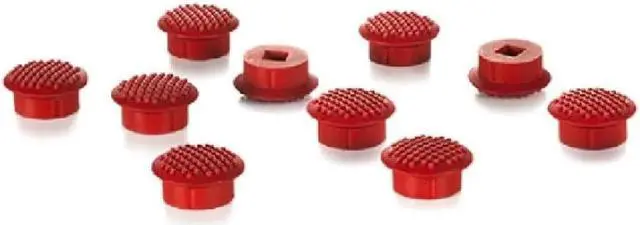
Lenovo 0A33908 is a 10-pack of low-profile, soft-dome TrackPoint caps for ThinkPad users who need replacement caps or spares; the soft surface has rubber dots for grip.
Recommended For
- ThinkPad owners with a worn or missing low-profile soft-dome TrackPoint cap who want a replacement matching that cap style; check compatibility with the specific laptop model.
- People who regularly navigate with a TrackPoint and prefer the soft-dome cap’s soft feel and rubber-dot texture for grip.
- TrackPoint users who want spare caps on hand: this package contains 10, useful when replacing a worn cap or keeping replacements available.
Real-World Use Scenarios
- When a compatible ThinkPad’s low-profile TrackPoint cap is worn or missing, replace it with one of these caps to restore the pointing stick’s contact surface; check that your device uses the low-profile cap style.
- During long typing sessions, use the TrackPoint to move the cursor without moving your hand to a separate mouse; the soft-dome cap’s textured surface is intended to provide a soft feel and grip.
- When a TrackPoint cap’s surface no longer feels grippy, swap in a fresh cap to regain the soft-dome feel; the cap changes the finger-contact surface, not the TrackPoint’s underlying functions.
- While scrolling through a document or webpage with a TrackPoint’s center-button scrolling function, keep using the pointing stick rather than reaching for a mouse; these caps provide a replacement contact surface for compatible low-profile TrackPoints.
- Keep spare caps available for future replacement on a compatible ThinkPad or TrackPoint keyboard; the package contains ten caps, but compatibility depends on using the low-profile cap style.




 here!