










TECKNET Ultrathin & Silent Wireless Keyboard
Mini Wireless Keyboard · X315-Black
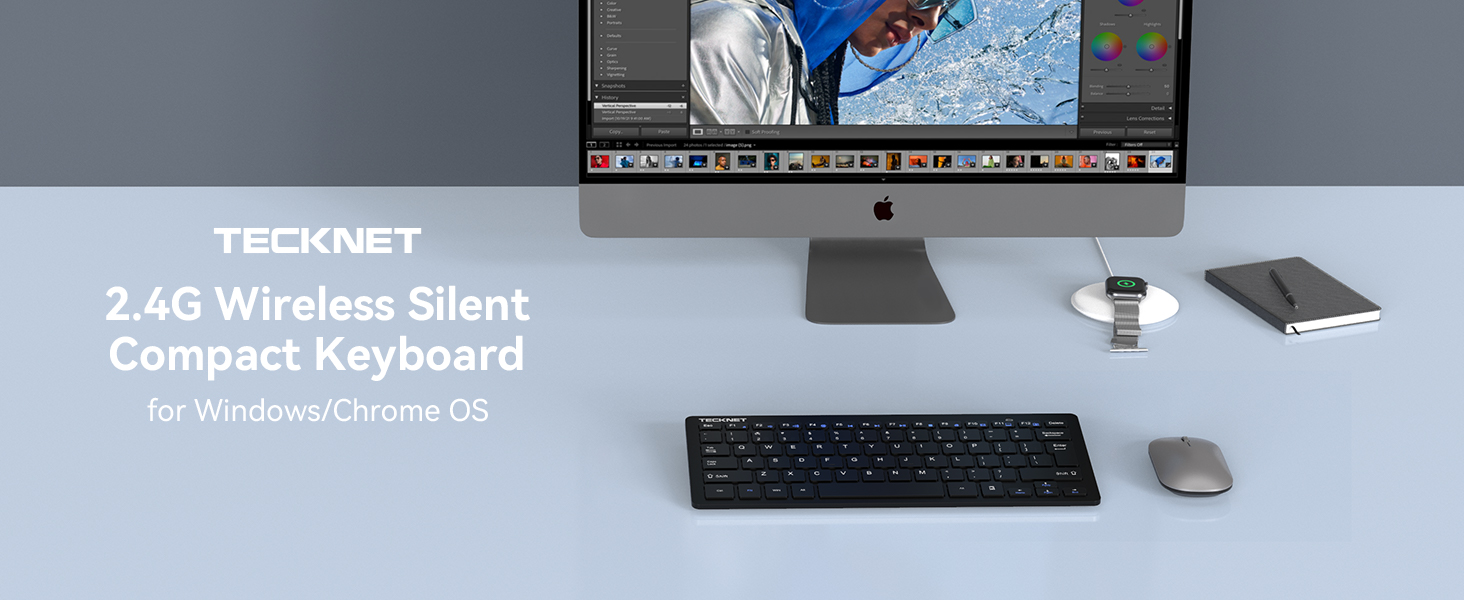
Good Companion for Your Work



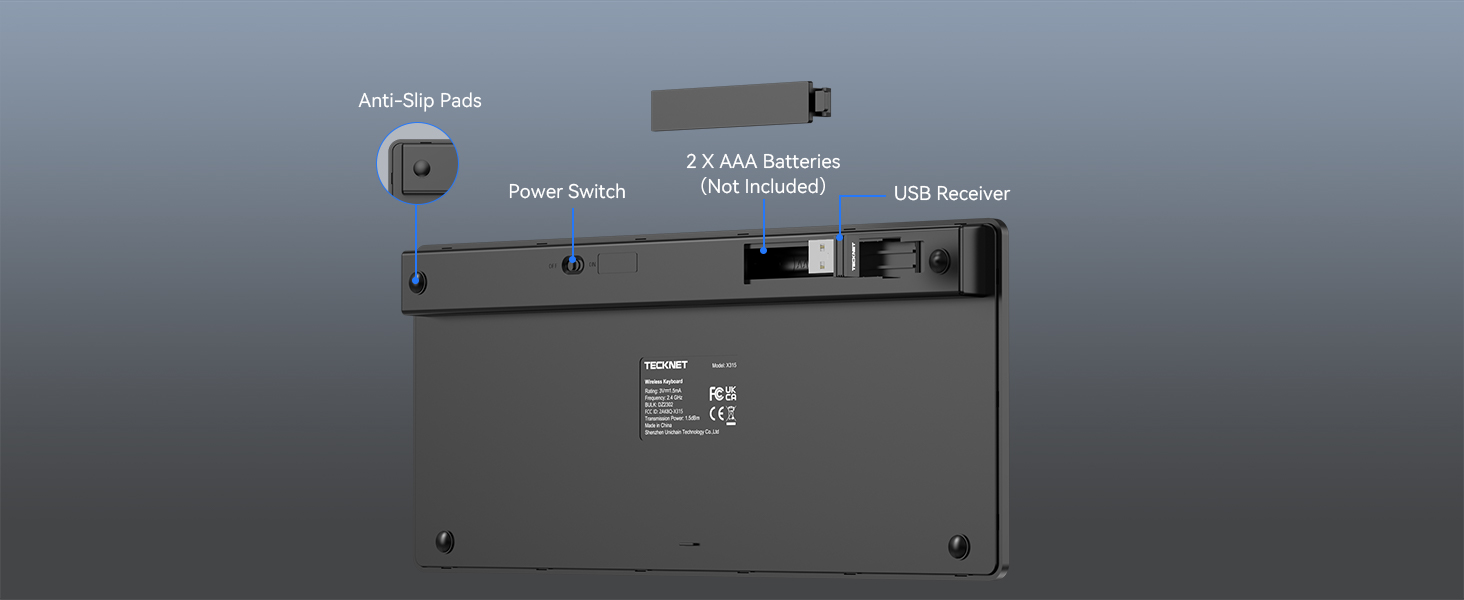
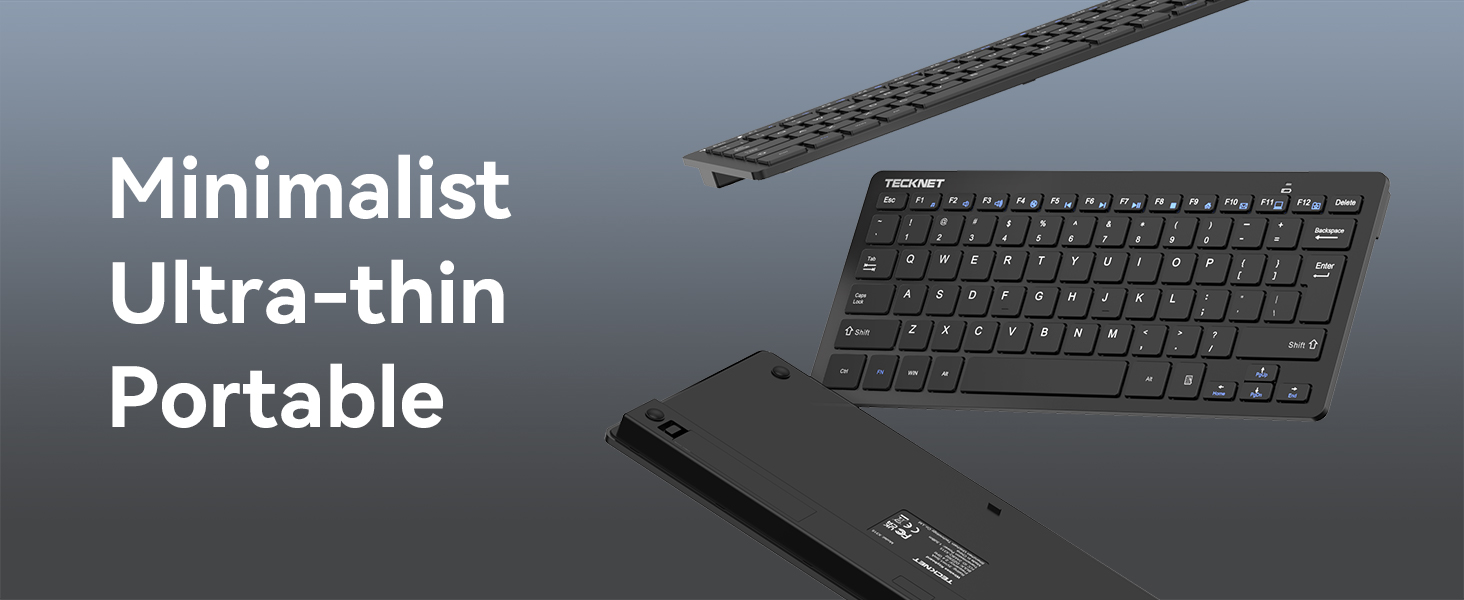
Ultra-thin & Portable Design
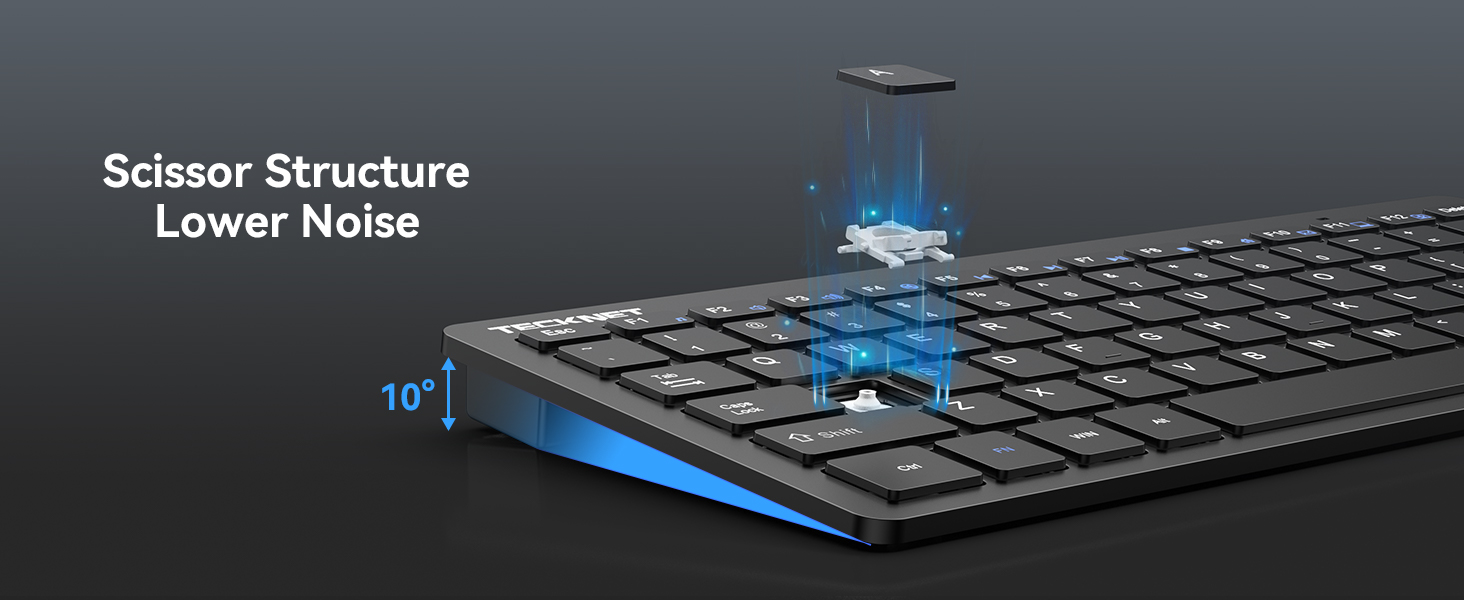
Wireless Keyboard Scissor Design Makes keys Lighter and Reduces Noise


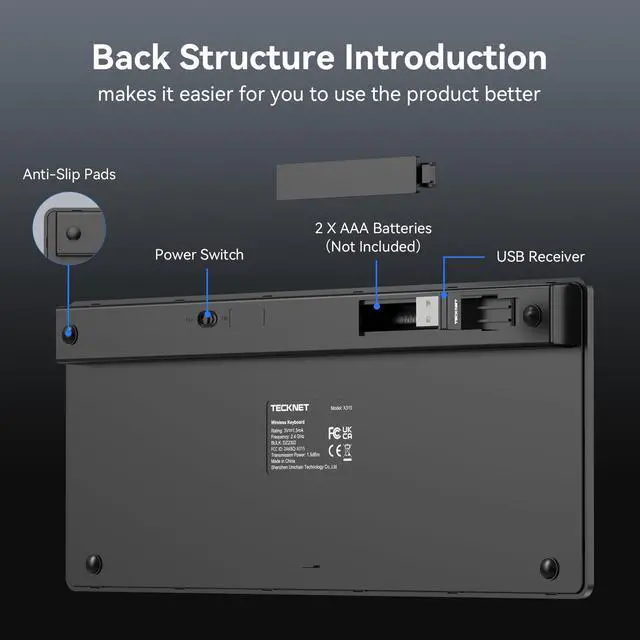
Why does the indicator light show red low battery after I change the battery?
When you install a new battery, the power indicator will light up for 2 seconds to signify that the keyboard has been successfully powered on and is ready to work. There is nothing wrong with it, so you can use it with confidence.
Why does my mini wireless keyboard stop working after not being used for a while?
This is the keyboard's smart sleep mode which activates when the keyboard is idle for a short period. Simply press any key to reactivate it. The smart sleep mode ensures a longer battery life for your convenience.
Is this small keyboard wirelessa silent keyboard?
Yes, it features a design that can reduce keypress noise by 90%, offering you a quieter user experience.
Does this wireless keyboard have a caps lock display?
YES, this keyboard is equipped with caps indicator function: Turn on caps lock, green light; After 3 seconds of suspension, the light will automatically turn off and keep the capitalization function.
Why does the compact wireless keyboard work unstable after replacing the new battery?
Please check that the batteries are not a mix of old and new, which may cause a performance fault or power warning that could affect use. If this is not the case, please feel free to contact.
TECKNET Ultrathin & Silent Wireless Keyboard
Mini Wireless Keyboard · X315-Black

Good Companion for Your Work


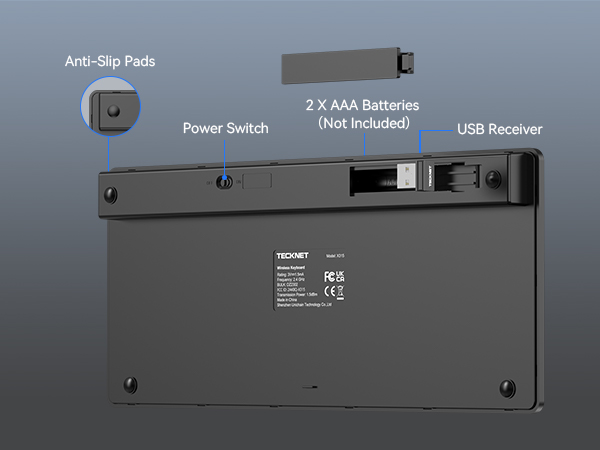
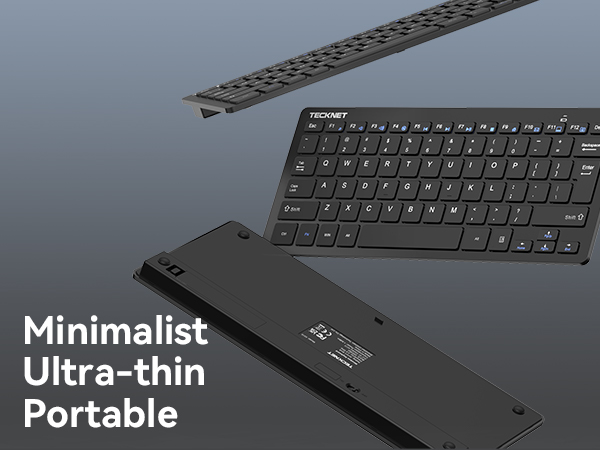
Ultra-thin & Portable Design
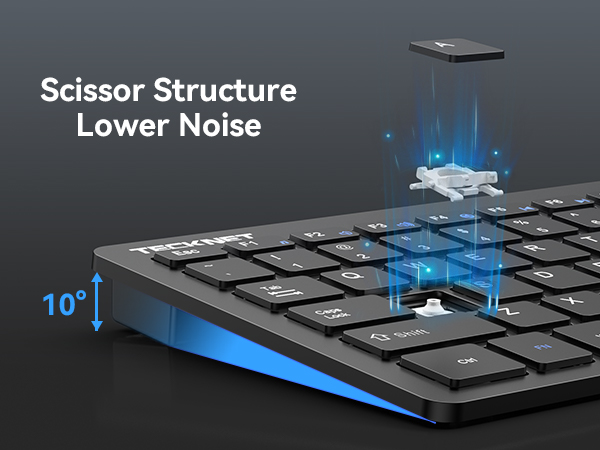
Wireless Keyboard Scissor Design Makes keys Lighter and Reduces Noise
Daily office Work
Night Work



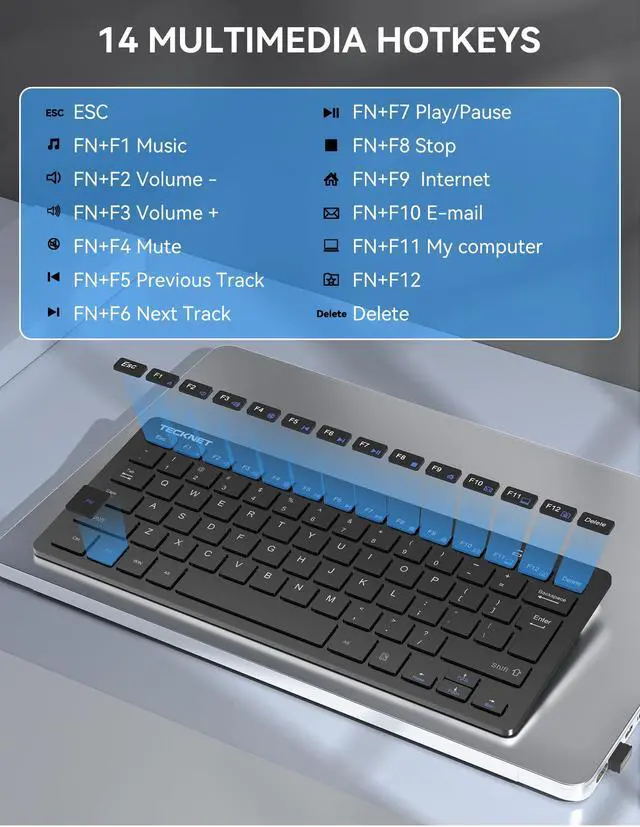
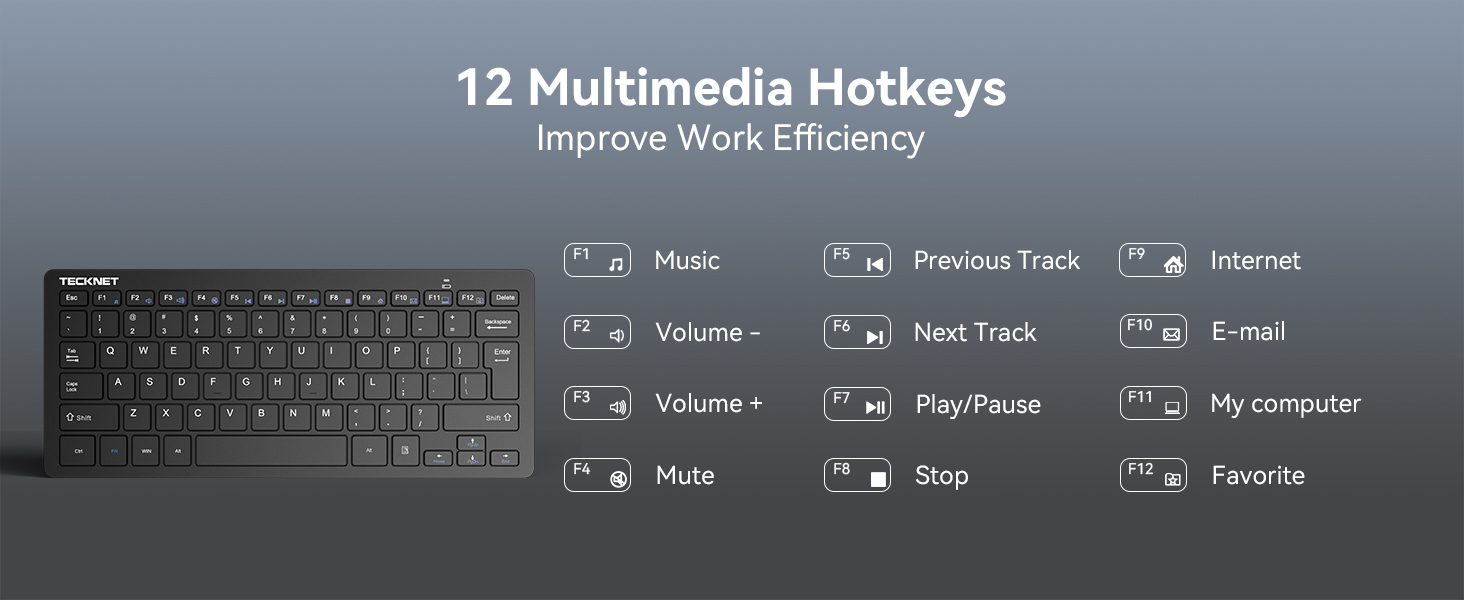
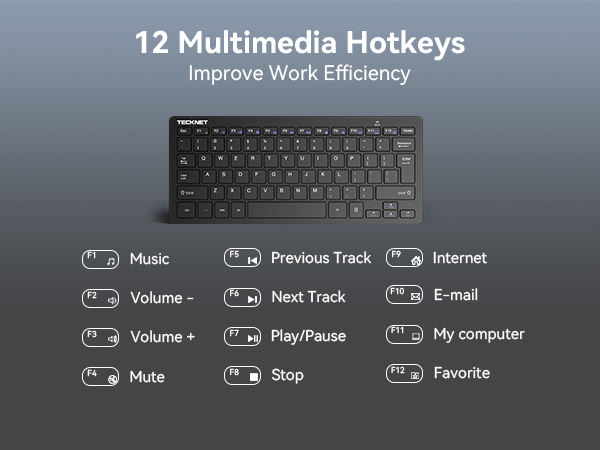
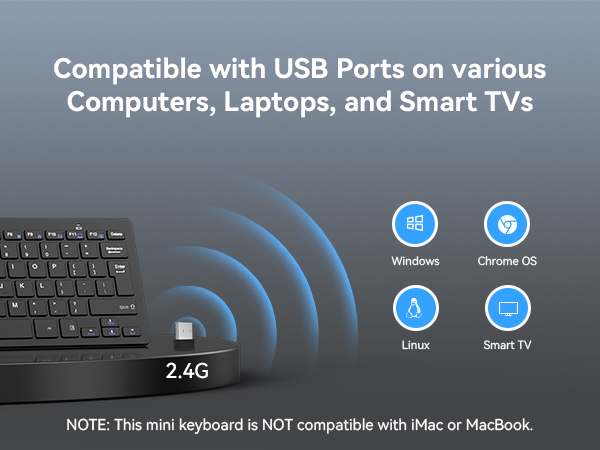
2.4G Wireless Keyboard Ultra Slim and Compact Keyboard with Media Hotkeys for Computer Desktop
Less noise and smooth typing- the keyboard's noise reduced keys and the silent click of the mouse will allow you to do your works of quiet environment
Why does the indicator light show red low battery after I change the battery?
When you install a new battery, the power indicator will light up for 2 seconds to signify that the keyboard has been successfully powered on and is ready to work. There is nothing wrong with it, so you can use it with confidence.
Why does my mini wireless keyboard stop working after not being used for a while?
This is the keyboard's smart sleep mode which activates when the keyboard is idle for a short period. Simply press any key to reactivate it. The smart sleep mode ensures a longer battery life for your convenience.
Is this small keyboard wirelessa silent keyboard?
Yes, it features a design that can reduce keypress noise by 90%, offering you a quieter user experience.
Does this wireless keyboard have a caps lock display?
YES, this keyboard is equipped with caps indicator function: Turn on caps lock, green light; After 3 seconds of suspension, the light will automatically turn off and keep the capitalization function.
Why does the compact wireless keyboard work unstable after replacing the new battery?
Please check that the batteries are not a mix of old and new, which may cause a performance fault or power warning that could affect use. If this is not the case, please feel free to contact.