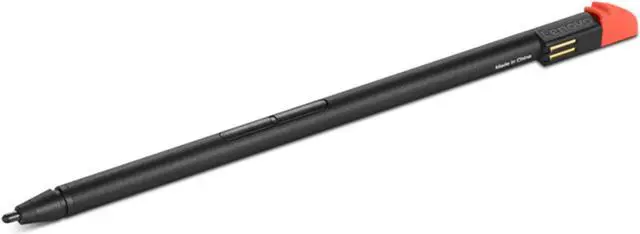
The Lenovo Integrated Pen for 13w Yoga (4X81L12875) is a compact, rechargeable stylus for compatible Lenovo 13w Yoga users who want to take handwritten notes, annotate documents, or sketch, with up to 4,096 pressure levels and storage in the notebook’s pen slot.
Recommended For
- 13w Yoga owners who take handwritten class or meeting notes and want a pen that stores and recharges in the laptop’s pen slot.
- 13w Yoga users who annotate documents, mark up work, or select items more precisely than with touch; Lenovo describes the pen for writing, sketching, and precise selection.
- 13w Yoga owners who do light sketching or pressure-sensitive drawing and want customizable pen buttons for shortcuts.
- Mobile 13w Yoga users who prefer an always-with-the-laptop stylus over carrying and charging a separate pen; the pen is designed to store and charge in the notebook.
Real-World Use Scenarios
- During a class or meeting, use the pen to jot notes directly on the 13w Yoga in tablet mode; the pen stores and charges in the notebook, so it is handy to keep with the device between sessions.
- When reviewing a document on screen, use the pen to mark passages or add handwritten comments; the direct input can make short annotations feel more natural than typing them.
- To explain an idea in a lesson or work session, sketch a quick diagram or add handwritten labels on the touchscreen; pressure-sensitive input supports varying pen strokes for simple sketches.
- For a quick on-screen task in tablet mode, use the pen to select items or interact with small controls; the pen’s buttons provide shortcuts such as right-click and eraser actions.
- When working through a handwritten idea or rough layout, use the pen to sketch directly on the screen; it is suited to quick notes and basic drawing rather than replacing a dedicated art tablet for detailed creative work.




 here!

 Hot Seller