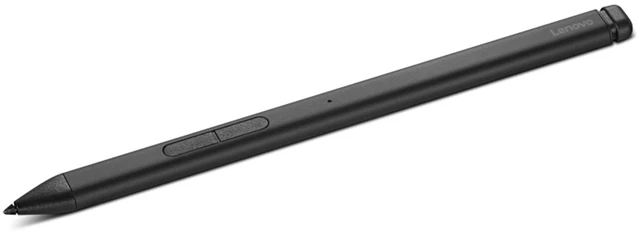
The Lenovo Slim Pen 2 (model 4X81U44702) is a gray digital stylus suited to creators who want pressure and tilt-sensitive control for drawing or other pen-based work on a compatible device.
Recommended For
- Students and professionals who take handwritten notes, mark up documents, or annotate slides on a compatible touchscreen device and want pressure-sensitive pen input.
- Sketchers and illustrators using a compatible device who want tilt detection and pressure-sensitive strokes for varying line weight and shading.
- People who work across compatible devices using supported pen protocols, such as USI 2.0, WGP, AES, or MPP, and want one rechargeable stylus for those devices.
- Mobile users with a compatible device who want a slim pen that can attach magnetically for storage between note-taking or drawing sessions.
Real-World Use Scenarios
- During a class or meeting on a compatible Lenovo touchscreen, use the pen to capture handwritten notes or quick diagrams; Lenovo’s Smart Note app provides a shortcut for opening a note-taking workflow.
- When reviewing a document on a compatible touchscreen, use the pen to mark passages, add comments, or make handwritten edits; it offers a more direct way to annotate than switching between typing and touch controls.
- For a quick sketch or concept draft in a compatible drawing app, use pressure and tilt input to vary strokes; the result depends on how the device and app support those features.
- When a touchscreen is folded into tablet mode, use the pen to select small controls, write in text fields, or navigate with more precision than a fingertip.
- While brainstorming, use the pen to jot down a short idea before it is forgotten; magnetic attachment can help keep it with a compatible device when not in use.




 here!