






Founded in 2002, RAPOO has been engaged in computer peripherals development and manufacturing for over 20 years.
RAPOO keyboards share rank is No.1 and mice share rank is No.2 in China market (ZDC Report, 2022-2023). Our products are chosen and trusted by more than 100 million customers from 50+ countries and regions.
RAPOO focused on preserving the natural world, and building a sustainable business for our customers and the planet.

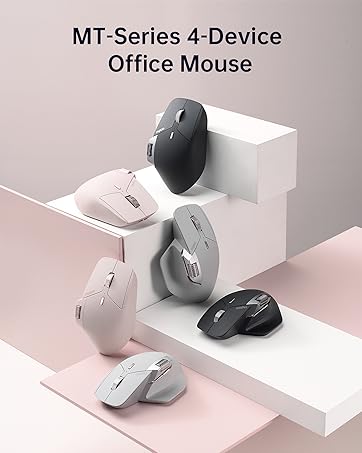


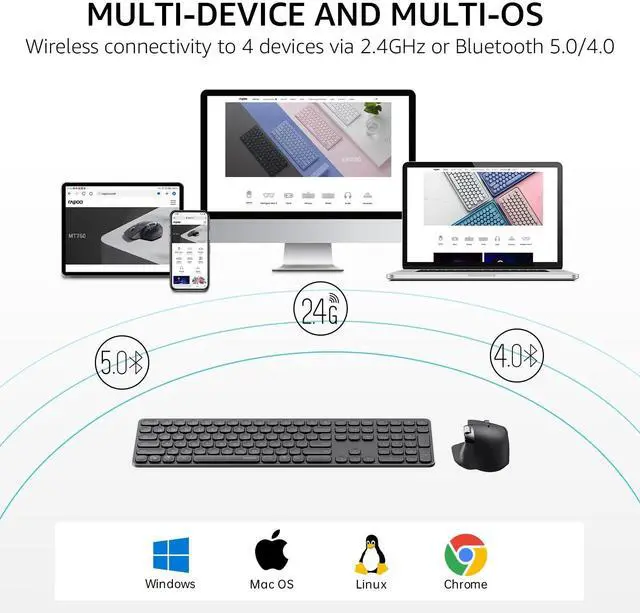
EASILY HOP ACROSS 4 DEVICES
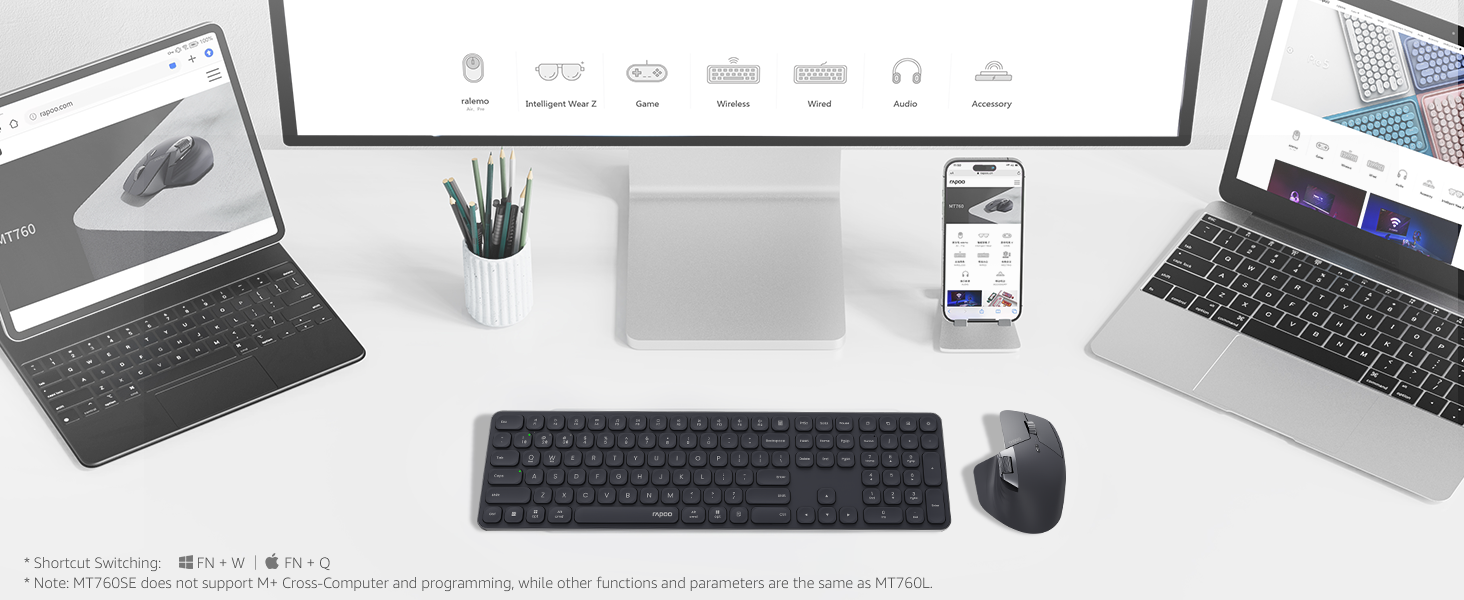
Connect up to 4 devices across OS (Windows, Mac, Chrome, Android) with a press of a button.
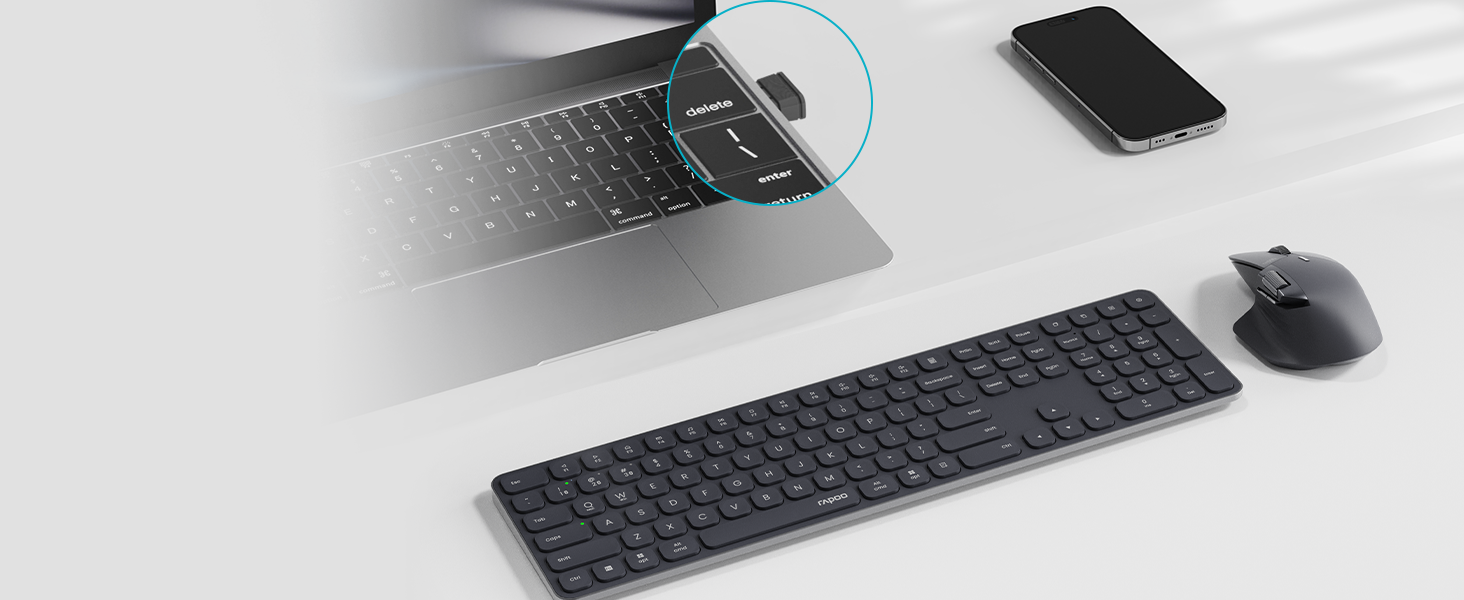
BLUETOOTH 5.0/4.0 + 2.4GHZ
Get reliable and encrypted wireless connection via Bluetooth or the plug-and-play USB receiver.
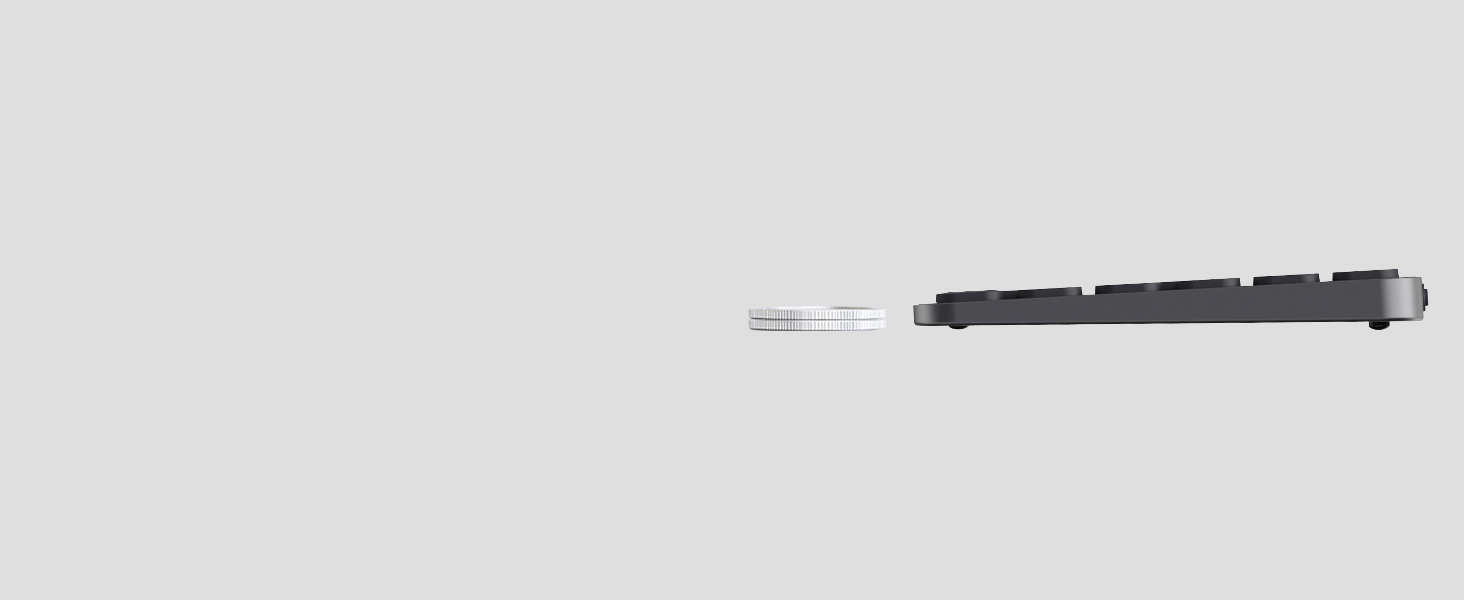
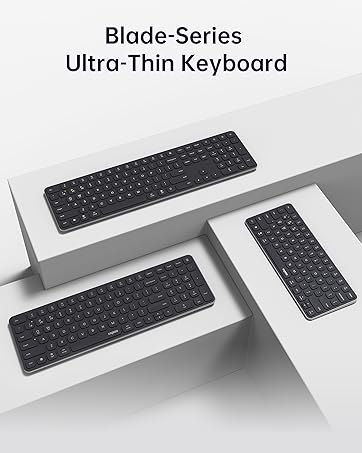
CLASSIC BLADE-SERIES, AESTHETIC & HEAVY DUTY STYLE
Inspired from blade, alloy frame w/ matte finish, stylish combination of thin, sharp and minimalism.
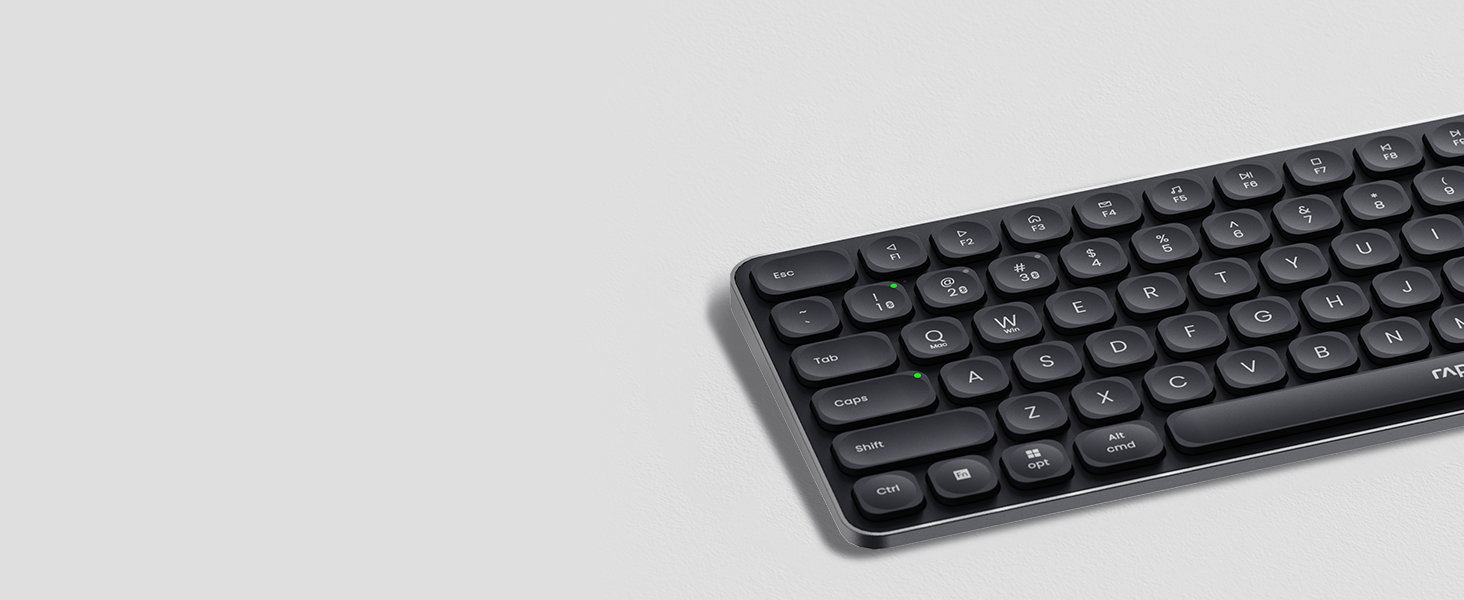
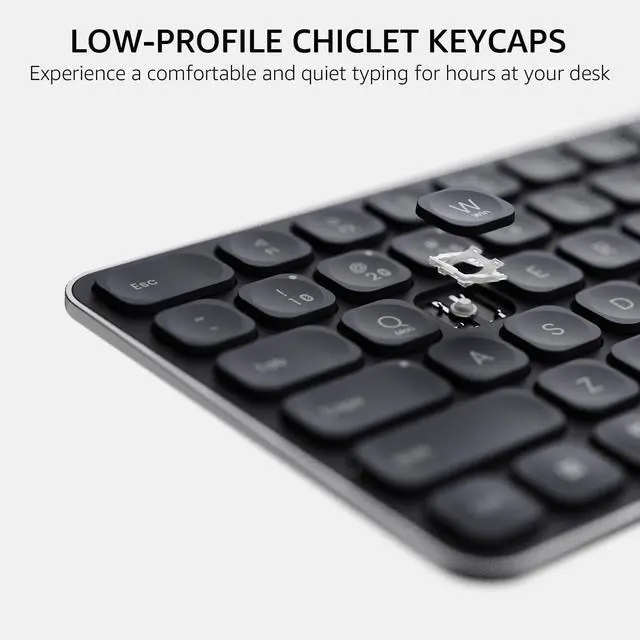
INCURVE SILENT KEYS
Concave rounded edges, type comfortably with quiet, low-profile, laptop-like chiclet keys.
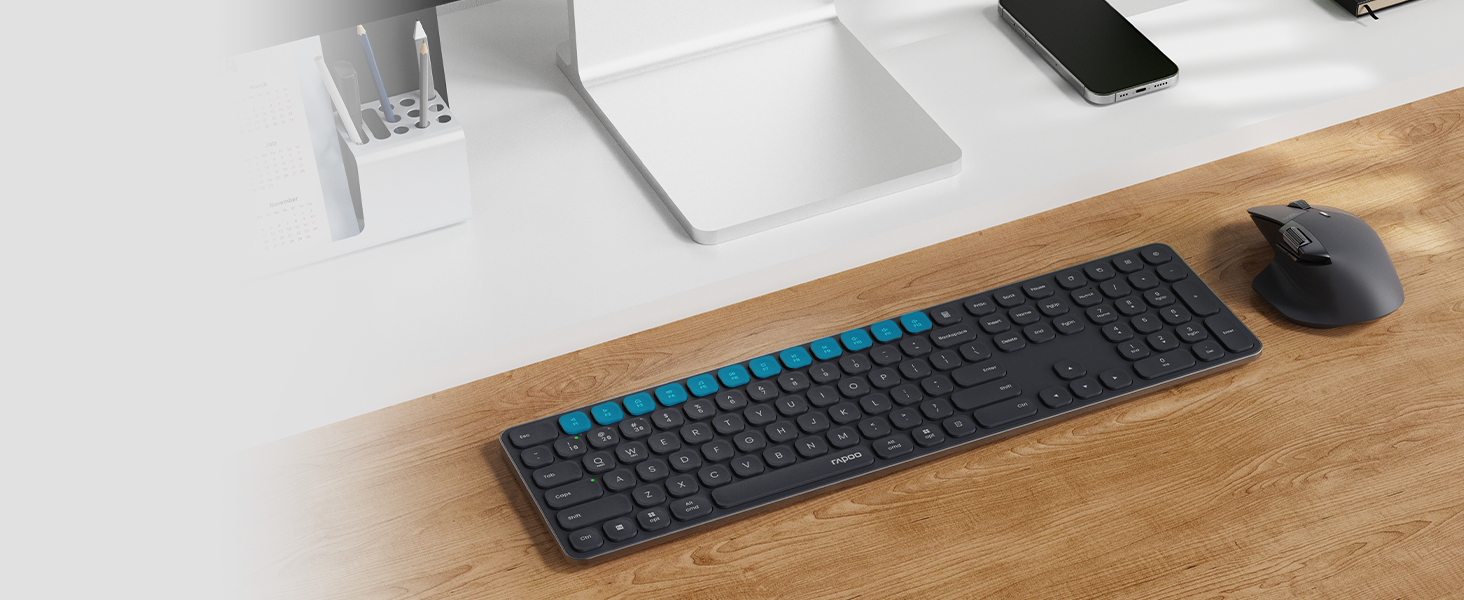
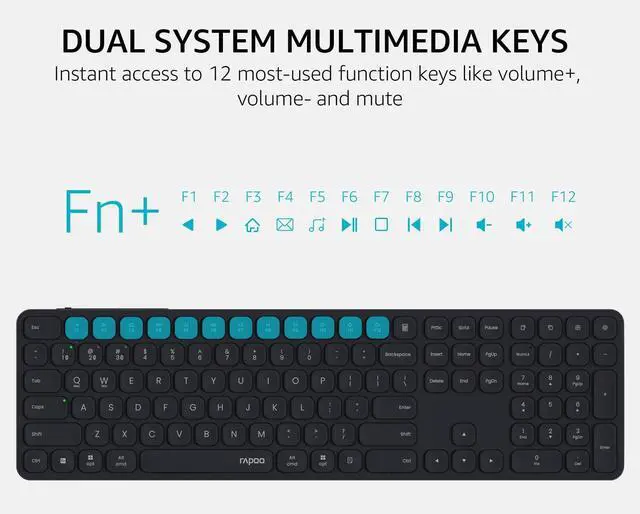
BOOST YOUR PRODUCTIVITY
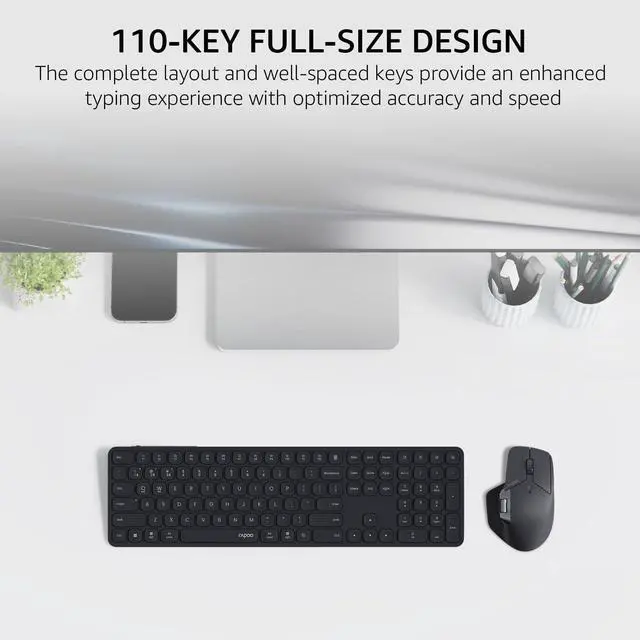
12 FN-keys support Windows and Mac OS, provide instant access to most used applications.
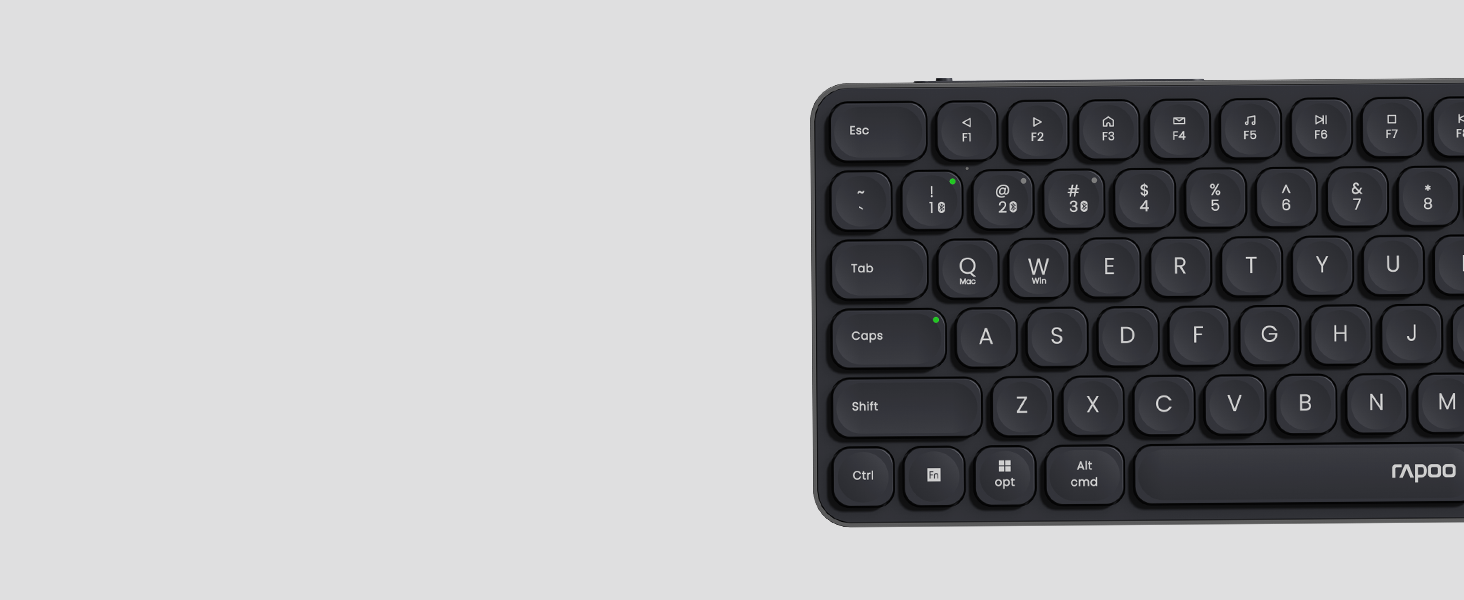
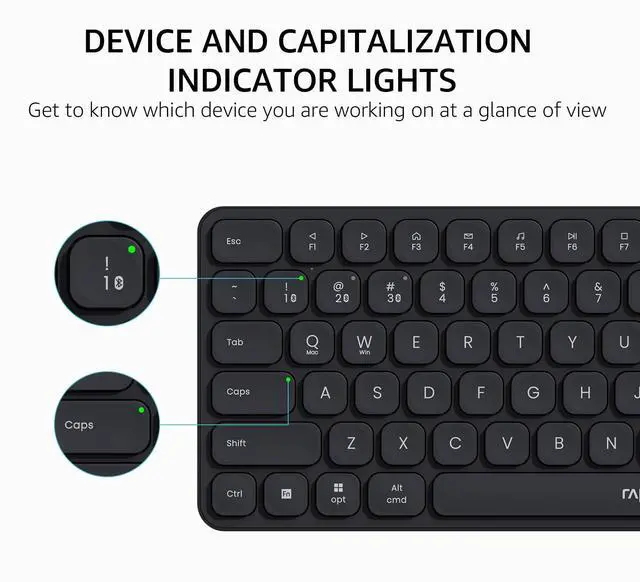
A DETAIL REFINED FROM CUSTOMER VOICE
Add indicators on Device and Caps Lock, easily switch between devices and avoid password typos.

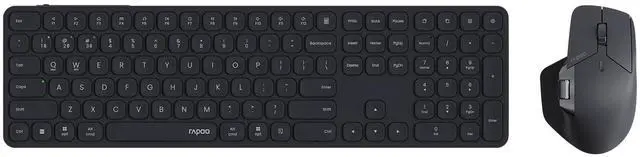
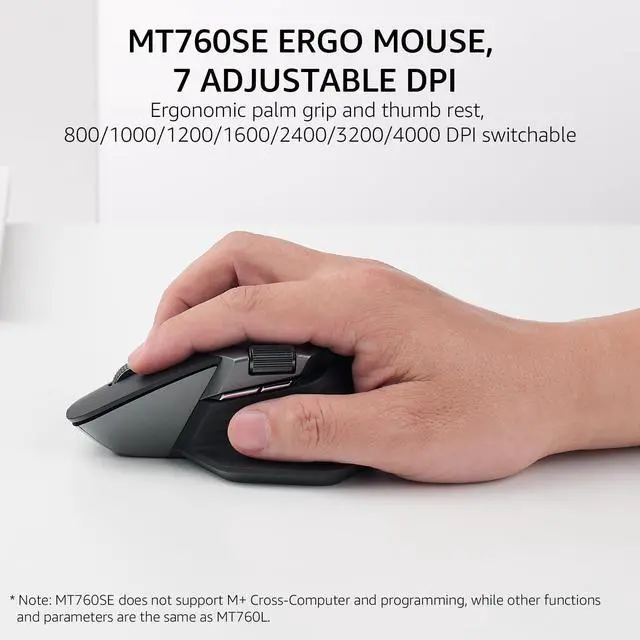
MT760SE ERGO MOUSE
Sculpted comfort shape with 7 adjustable DPI (800/1000/1200/1600/2400/3200/4000) for different resolution monitors.

90-DAY RECHARGEABLE BATTERY
Upgraded low energy Bluetooth runs up to 90 days on a full charge, added with battery indicator for better power management.

SYSTEM REQUIREMENTS
Windows/Mac OS/Chrome OS/Linux/Android with USB-A port or Bluetooth enabled.

MORE OPTIONS FOR USERS
Blade-Series come in 2 types - the alkaline version is even thinner and lighter for travel; while the lithium version stands more stable on the desk.

How to switch the wireless modes between Bluetooth 5.0/4.0 and 2.4GHz?
Just turn the mode button (BT/OFF/2.4G) according to your needs - you can find the mode button on the back side of the keyboard, and bottom of the mouse. The Bluetooth 5.0/4.0 is automatically detected and applied according to your device version.
How to pair the keyboard and mouse with different devices?
2.4GHz mode: just plug the USB dongle; Bluetooth mode: long press (> 3 seconds) key combination [FN]+[1], [FN]+[2], [FN]+[3] to pair the keyboard with 3 devices, long press the mouse's BT button to pair the mouse - keep the device orders consistent.
How to switch among the 3 Bluetooth devices?
Short press (< 3 seconds) key combination [FN]+[1], [FN]+[2], [FN]+[3] to switch the keyboard, and short press the mouse's [Device Button] to switch the mouse among 3 Bluetooth devices.
How to switch the multimedia hotkeys between Windows and Mac OS?
Windows: Press key combination [FN]+[W]; Mac OS: Press key combination [FN]+[Q].
How can I tell if the keyboard or mouse needs a recharge?
Please refer to the battery indicator status: (1) Low Power - battery indicator flashes every 2 seconds; (2) Charging - battery indicator steady on; (3) Fully Charged - battery indicator off.
Blade-Series Ultra-Thin Keyboards
 9560M |  9050S |  9010M |  E9050L |  E9310M |  E9350L |  9900M | |
|---|---|---|---|---|---|---|---|
Customer Reviews | — | — | — | — | — | — | — |
Price | — | — | — | — | — | — | — |
Release Date | 2024 Jul | 2025 Jun | 2024 Jan | 2024 Mar | 2024 Jan | 2024 Mar | 2019 Apr |
Wireless Connectivity | Bluetooth 5.0/4.0 + 2.4GHz | Bluetooth 5.0/4.0 + 2.4GHz | Bluetooth 5.0/4.0 + 2.4GHz | Bluetooth 5.0/4.0 + 2.4GHz | Bluetooth 5.0/4.0 + 2.4GHz | Bluetooth 5.0/4.0 + 2.4GHz | Bluetooth 4.0/3.0 + 2.4GHz |
Multi-Device | Keyboard: 4, Mouse: 4 | Keyboard: 4, Mouse: 2 | Keyboard: 4, Mouse: 2 | Keyboard: 4 | Keyboard: 4 | Keyboard: 4 | Keyboard: 4, Mouse: 4 |
Key Type | Scissor | Scissor | Scissor | Scissor | Scissor | Scissor | Membrane |
Number of Keys | 110 | 78 | 78 | 78 | 99 | 99 | 104 |
Numeric Pad | ? | ? | ? | ? | ? | ? | ? |
Multimedia Keys | ? | ? | ? | ? | ? | ? | ? |
Programmable Mouse Buttons | ? | ? | ? | ? | ? | ? | ? |
Sensor | Optical | Optical | Optical | N/A | N/A | N/A | Laser |
DPI | 800-4000 | 800/1000/1200/1600/2400 | 800-2400 | N/A | N/A | N/A | 600-3200 |
Keyboard Battery Type | Lithium-ion | Lithium-ion | AAA | Lithium-ion | AAA | Lithium-ion | Lithium-ion |
Mouse Battery Type | Lithium-ion | Lithium-ion | AA | N/A | N/A | N/A | Lithium-ion |

EASILY HOP ACROSS 4 DEVICES
Connect up to 4 devices across OS (Windows, Mac, Chrome, Android) with a press of a button.
BLUETOOTH 5.0/4.0 + 2.4GHZ
Get reliable and encrypted wireless connection via Bluetooth or the plug-and-play USB receiver.
CLASSIC BLADE-SERIES, AESTHETIC & HEAVY DUTY STYLE
Inspired from blade, alloy frame w/ matte finish, stylish combination of thin, sharp and minimalism.


INCURVE SILENT KEYS
Concave rounded edges, type comfortably with quiet, low-profile, laptop-like chiclet keys.
BOOST YOUR PRODUCTIVITY
12 FN-keys support Windows and Mac OS, provide instant access to most used applications.
A DETAIL REFINED FROM CUSTOMER VOICE
Add indicators on Device and Caps Lock, easily switch between devices and avoid password typos.


MT760SE ERGO MOUSE
Sculpted comfort shape with 7 adjustable DPI (800/1000/1200/1600/2400/3200/4000) for different resolution monitors.
90-DAY RECHARGEABLE BATTERY
Upgraded low energy Bluetooth runs up to 90 days on a full charge, added with battery indicator for better power management.
SYSTEM REQUIREMENTS
Windows/Mac OS/Chrome OS/Linux/Android with USB-A port or Bluetooth enabled.
MORE OPTIONS FOR USERS
Blade-Series come in 2 types - the alkaline version is even thinner and lighter for travel; while the lithium version stands more stable on the desk.

How to switch the wireless modes between Bluetooth 5.0/4.0 and 2.4GHz?
Just turn the mode button (BT/OFF/2.4G) according to your needs - you can find the mode button on the back side of the keyboard, and bottom of the mouse. The Bluetooth 5.0/4.0 is automatically detected and applied according to your device version.
How to pair the keyboard and mouse with different devices?
2.4GHz mode: just plug the USB dongle; Bluetooth mode: long press (> 3 seconds) key combination [FN]+[1], [FN]+[2], [FN]+[3] to pair the keyboard with 3 devices, long press the mouse's BT button to pair the mouse - keep the device orders consistent.
How to switch among the 3 Bluetooth devices?
Short press (< 3 seconds) key combination [FN]+[1], [FN]+[2], [FN]+[3] to switch the keyboard, and short press the mouse's [Device Button] to switch the mouse among 3 Bluetooth devices.
How to switch the multimedia hotkeys between Windows and Mac OS?
Windows: Press key combination [FN]+[W]; Mac OS: Press key combination [FN]+[Q].
How can I tell if the keyboard or mouse needs a recharge?
Please refer to the battery indicator status: (1) Low Power - battery indicator flashes every 2 seconds; (2) Charging - battery indicator steady on; (3) Fully Charged - battery indicator off.
Blade-Series Ultra-Thin Keyboards
9560M | 9050S | 9010M | E9050L | E9310M | E9350L | 9900M |
|---|---|---|---|---|---|---|
| Customer Reviews | ||||||
| — | — | — | — | — | — | — |
| Price | ||||||
| — | — | — | — | — | — | — |
| Release Date | ||||||
| 2024 Jul | 2025 Jun | 2024 Jan | 2024 Mar | 2024 Jan | 2024 Mar | 2019 Apr |
| Wireless Connectivity | ||||||
| Bluetooth 5.0/4.0 + 2.4GHz | Bluetooth 5.0/4.0 + 2.4GHz | Bluetooth 5.0/4.0 + 2.4GHz | Bluetooth 5.0/4.0 + 2.4GHz | Bluetooth 5.0/4.0 + 2.4GHz | Bluetooth 5.0/4.0 + 2.4GHz | Bluetooth 4.0/3.0 + 2.4GHz |
| Multi-Device | ||||||
| Keyboard: 4, Mouse: 4 | Keyboard: 4, Mouse: 2 | Keyboard: 4, Mouse: 2 | Keyboard: 4 | Keyboard: 4 | Keyboard: 4 | Keyboard: 4, Mouse: 4 |
| Key Type | ||||||
| Scissor | Scissor | Scissor | Scissor | Scissor | Scissor | Membrane |
| Number of Keys | ||||||
| 110 | 78 | 78 | 78 | 99 | 99 | 104 |
| Numeric Pad | ||||||
| ? | ? | ? | ? | ? | ? | ? |
| Multimedia Keys | ||||||
| ? | ? | ? | ? | ? | ? | ? |
| Programmable Mouse Buttons | ||||||
| ? | ? | ? | ? | ? | ? | ? |
| Sensor | ||||||
| Optical | Optical | Optical | N/A | N/A | N/A | Laser |
| DPI | ||||||
| 800-4000 | 800/1000/1200/1600/2400 | 800-2400 | N/A | N/A | N/A | 600-3200 |
| Keyboard Battery Type | ||||||
| Lithium-ion | Lithium-ion | AAA | Lithium-ion | AAA | Lithium-ion | Lithium-ion |
| Mouse Battery Type | ||||||
| Lithium-ion | Lithium-ion | AA | N/A | N/A | N/A | Lithium-ion |
Founded in 2002, RAPOO has been engaged in computer peripherals development and manufacturing for over 20 years.
RAPOO keyboards share rank is No.1 and mice share rank is No.2 in China market (ZDC Report, 2022-2023). Our products are chosen and trusted by more than 100 million customers from 50+ countries and regions.
RAPOO focused on preserving the natural world, and building a sustainable business for our customers and the planet.