

Your Browsing History
- Free 30-day Returns
$59.99

Meet Your Seller

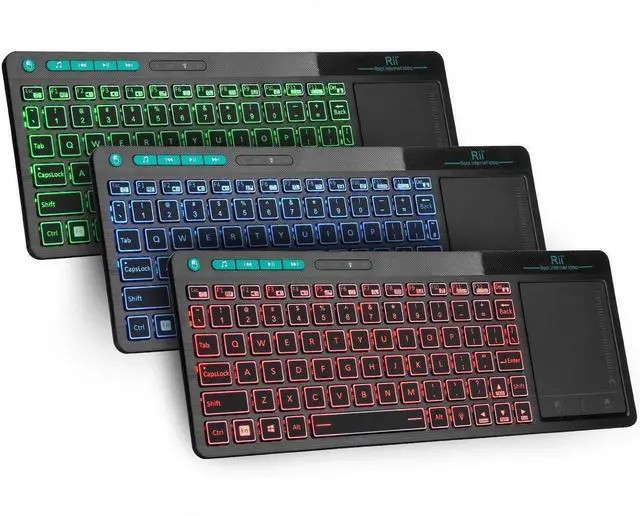
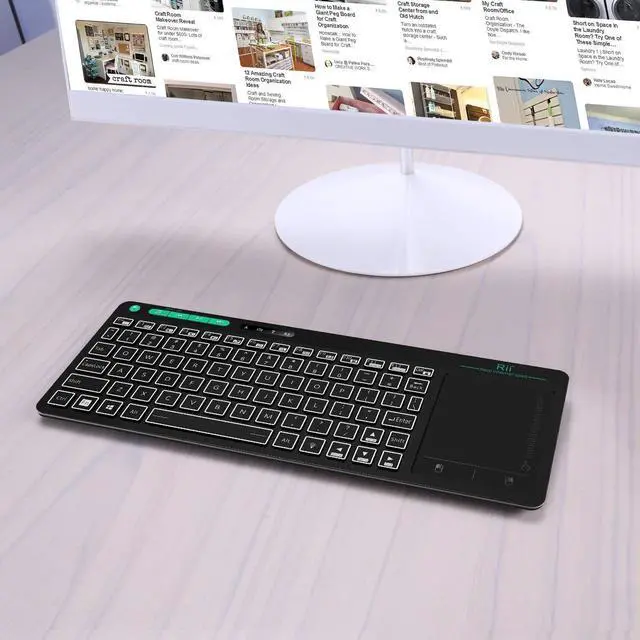


K18 Plus Wireless 3-LED Color Backlit Multimedia Keyboard with Multi-Touch Big Size Trackpad,Rechargable Keyboard for Android TV Box,PC,Smart TV,Xbox,Raspberry Pi, HTPC IPTV,Windows, MacOS
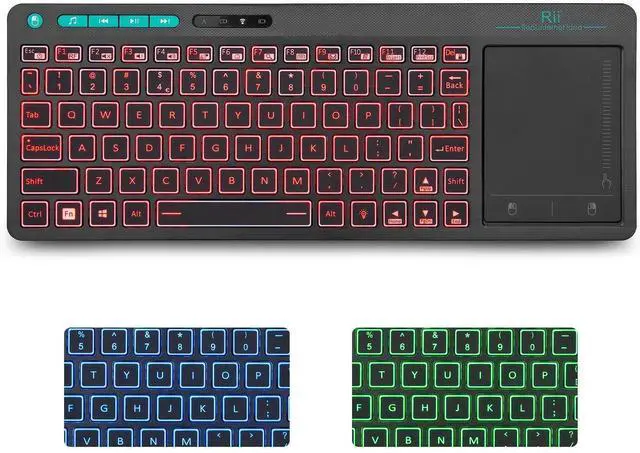
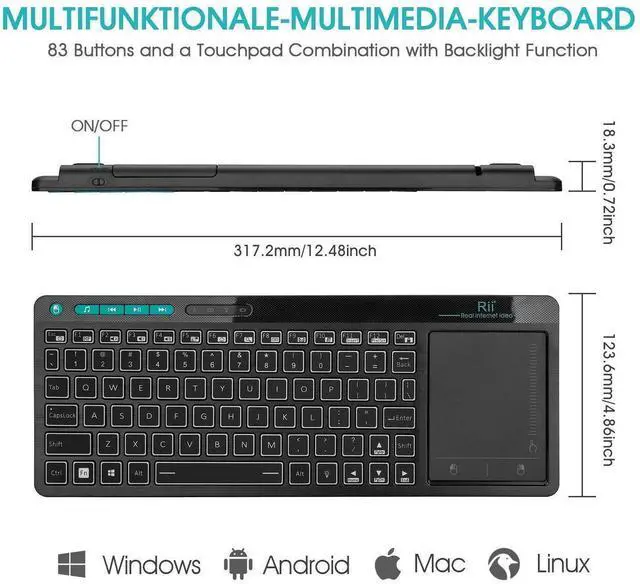
- 3-Colors BacklightWireless 3-Colors Backlight keyboard in Red ,Blue and Green colors for a darkness input;Note:the keyboard size is 12.79*4.76*0.74inch;
- Big TrackpadFirst big size trackpad with sensetive Multi-point function Touch keyboard ,Zoom in /out with two fingers.
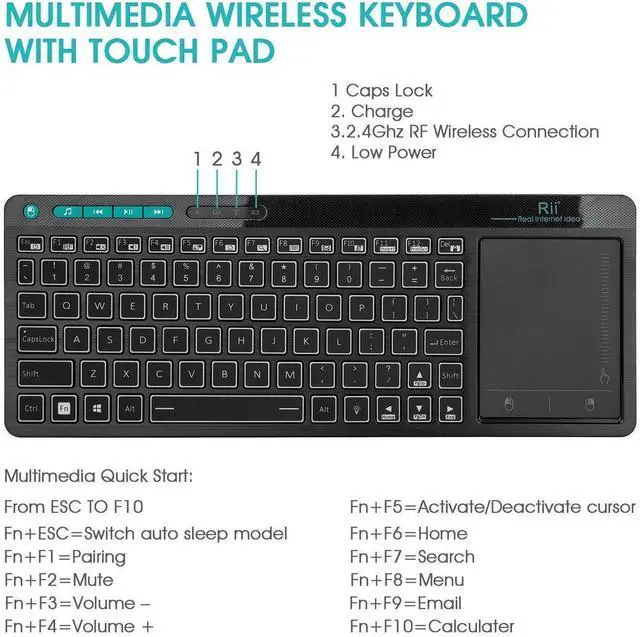
- Multi-Media FunctionsGreen colors Multi Media buttons as shortcut keys ,wireless connection keyboard.
- System CompatibilityWireless keyboard could work with Android TV BOX ,Smart TV ,PC ,Android ,Windows ,Mac OS(some media function could not work on Mac OS),Please note that the Samsung newest smart TV doesnt support all the functions of the standard keyboard and mouse.
- Warranty Term12-month warranty .Any problem during use ,send message to support team to help you solve the problems
+
+
Overview
Specs
Reviews

Any questions? Our AI mode will help you find out quickly.
Try me now
Quickview
Rii as the first mini keyboard brand ,all keyboards designed by Riitek
Team. Wireless Touch Keyboard,3-Colors Backlight Keyboard,First
Multi-Touch Big Size Trackpad ,Rechargeable keyboard for Android TV
BOX,SmartTV,Xbox,RaspberryPi,PC,Tablet,HTPC,Android ,Windows ,MacS.
Product Operation
USB Receiver Location
The USB Receiver locates the back bottom .
Open the back case ,you will find the USB receiver and the Recharge
Cable together.
3-Colors Backlight Control
1.The Bulb button at the rigth bottom side as the Backlight control button
2. Backlight colors: Red ,Green,Blue.
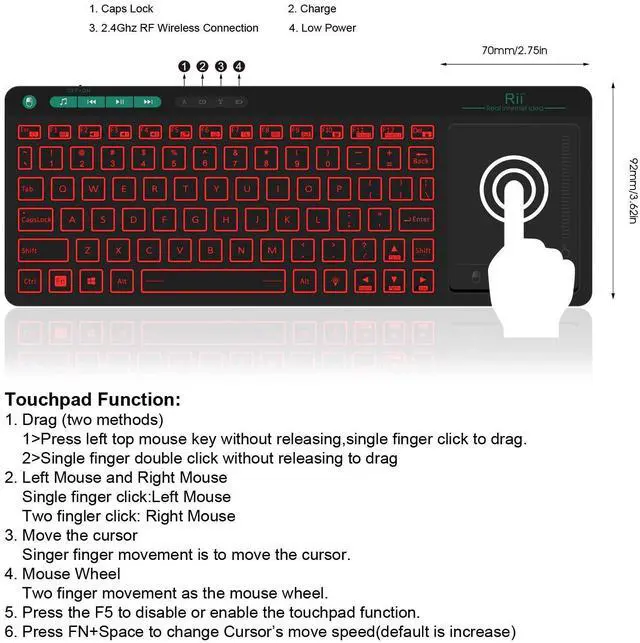
Trackpad Operation
1.Single finger click: Left Mouse
2.Two fingles click: Right Mouse
3.Two fingles slid: Zoom in/out
Rechargeable Wireless Keyboard
Built-in Rechargeable keyboard .Once recharge last about 2 weeks.
Repair Method
When the indicator LED always flash,you could try to repair as the
following two steps ,
1.Press the ESC button and turn on the keyboard at the same time
2.Insert the USB dongle into your main device's USB port and the White
LED will flash 3-5s ,then off ,that means the repair success .
Warm Tips
1.When you use the wireless keyboard on Fire TV, you need an OTG cable.
2.The Samsung newest smart TV doesnt support all the functions of
the standard keyboard and mouse.
3.When you press a but appear aaaaaa or the keyboard has very
short connection distance, because the signal is interfered.
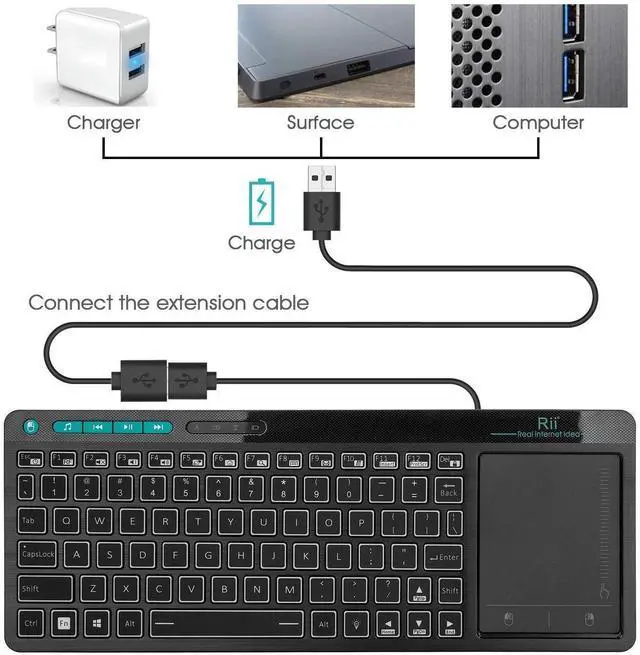
4.Here is the solution: taking out of the extension cable in the
package to connect your TV and the USB receiver.
5.If the signal indicator flashes fast, it means the keyboard lost
connection with USB receiver. Please repair it according to repair
steps in user Manual.
Warranty & Returns
Warranty, Returns, And Additional Information
Warranty
- Please contact the Seller directly for warranty information. Warranty information may also be found on the Manufacturer's website.
- CONTACT
Return Policies
- Return for refund within: 30 days
- Return for replacement within: 30 days
- This item is covered by Bright Peak Store Return Policy
Manufacturer Contact Info
- For a directory of all our manufacturers, please click below.
- Manufacturers Directory
LOADING...