








If I encounter a problem while using the product, how should I solve it?
No matter you encounter any problems, you can contact the seller at any time. The Ubxxziy team provides 24-hour online service.
Is there only one USB Receiver?
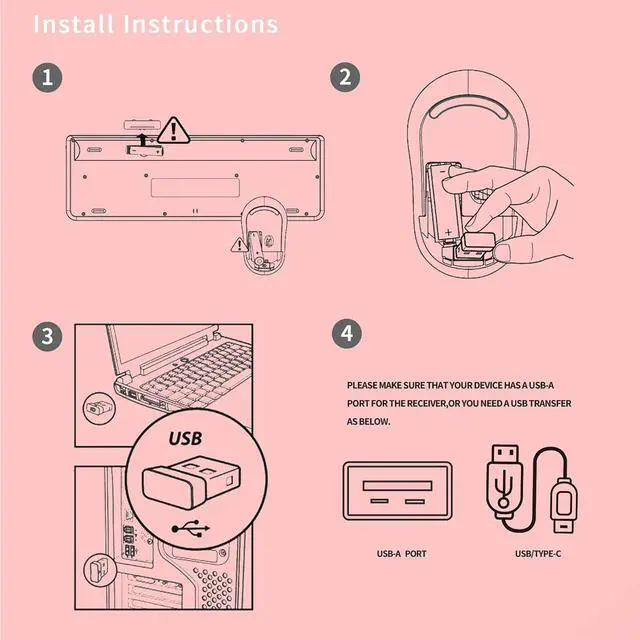
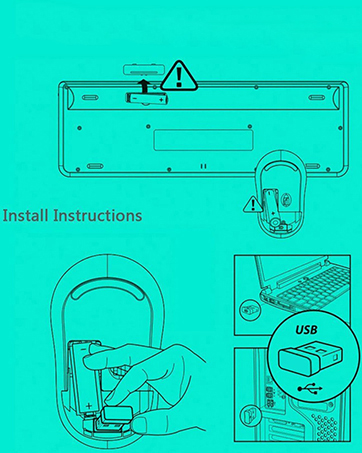
YES! The keyboard and mouse share one USB Receiver.
Plug it into the USB port of the computer, wait for the computer to recognize it successfully, and then you can start using it.
Do they have a power switch? How long does it take to enter sleep mode?
No! Keyboard and mouse have not separate power switches.
They will automatically go to sleep after 10 Mins of inactivity.
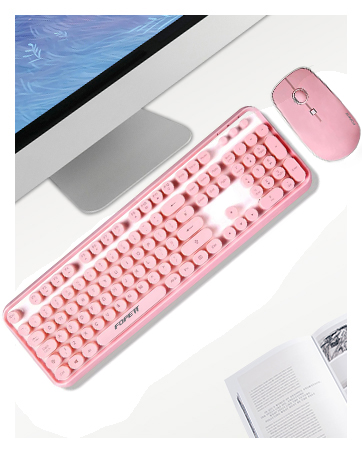
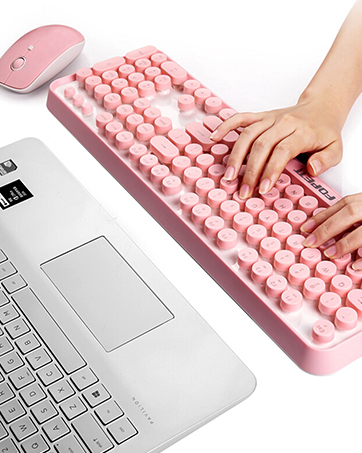

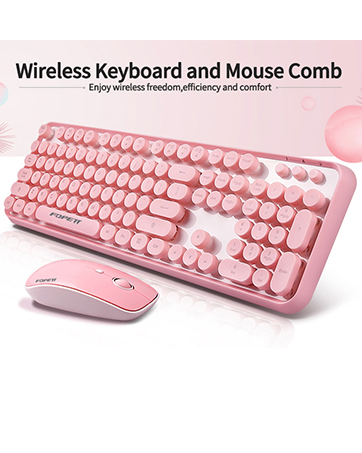

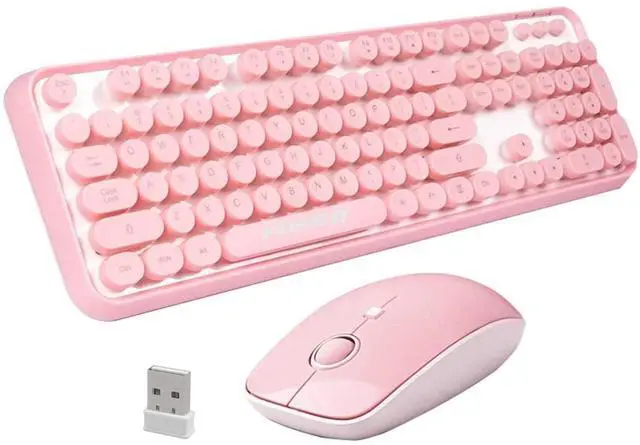
Pink Wireless Keyboard
Cordless Mouse and Keyboard,Plug and Play, No Drive Needed.
Mouse and Keyboard Combo with USB Receiver

Comfortable Tapping
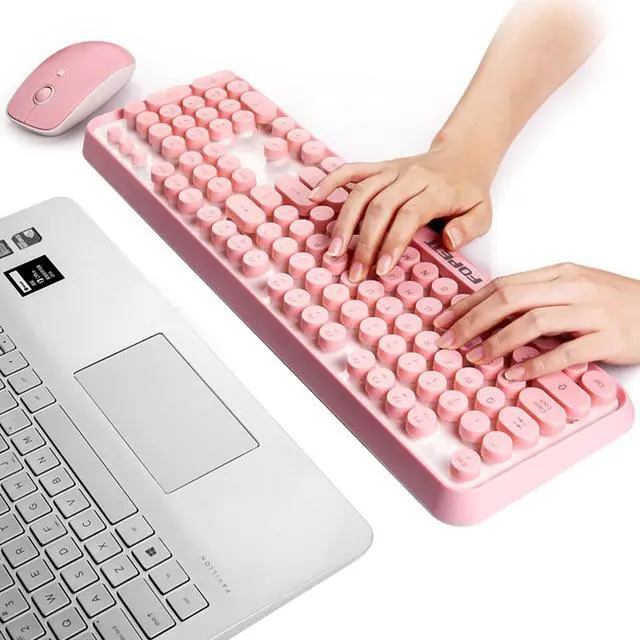
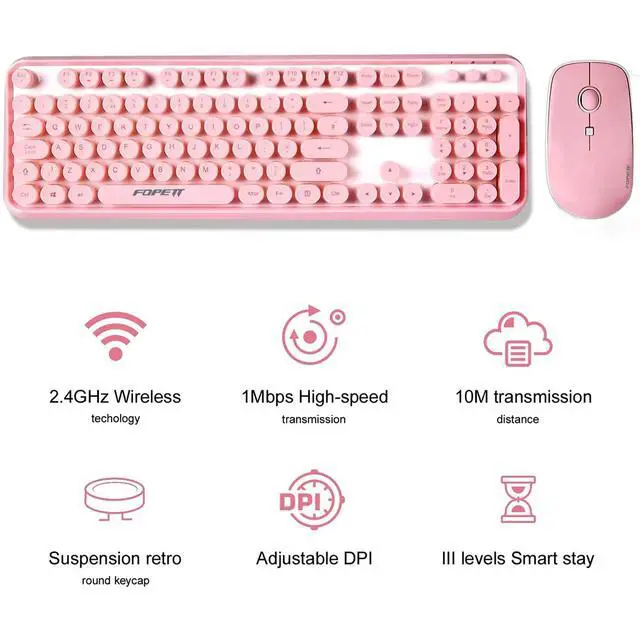
- The typewriter keyboard keys are designed with a curved surface to better fit your fingers, giving you an unprecedented thrill of hitting
- The soft curve design of the mouse surface can perfectly fit your palm, the mouse is not easy to take off, convenient for you to work and study in any occasion
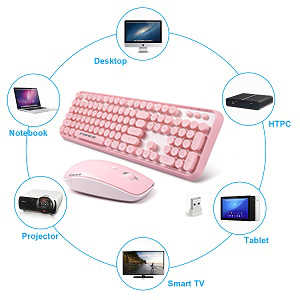
Only 1 Receiver
- Wireless keyboard and mouse has only 1 receiver the receiver is installed in the mouse
- No receiver in the keyboard

Adjustable DPI for Productivity
- With 3 DPI levels (800/1200/1600) Optical tracking technology,
- you can easily adjust the sensitivity of the mouse.
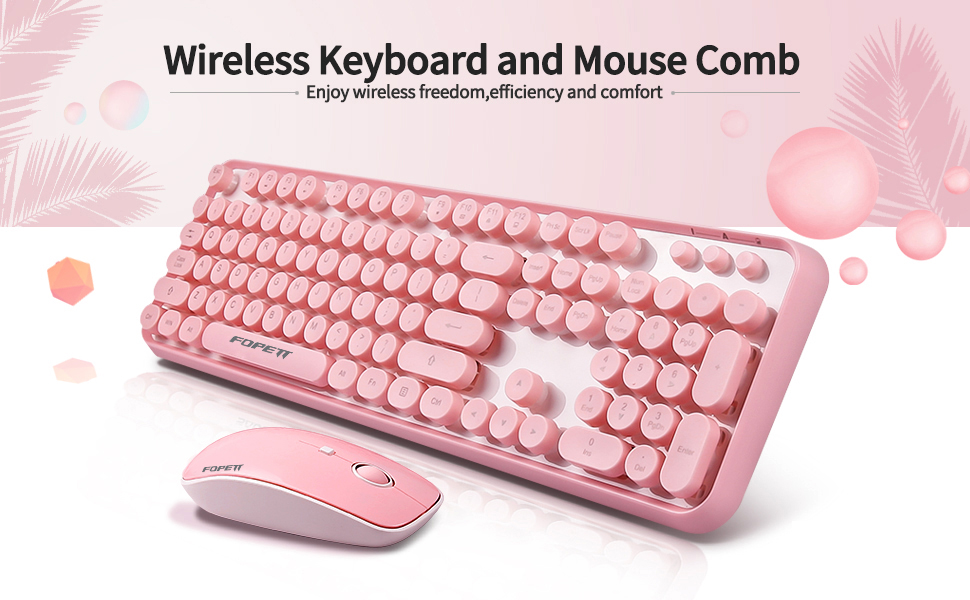
Product Description:
Design for Longer Battery Lifetime
- 1. If there is no operation with the keyboard and mouse more than 5 minutes, they will turn to sleep mode automatically. Press any key to activate them.
- 2. The LED indicator light on the keyboard will flash to remind you when to change the low battery.
Specification:
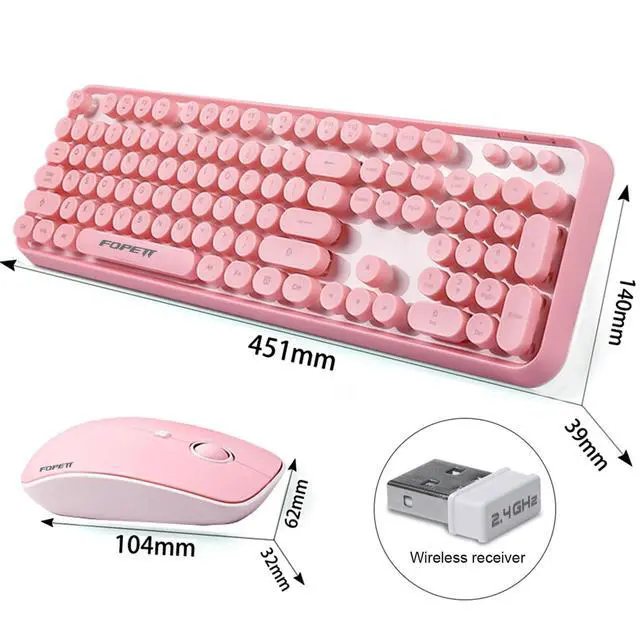
Keyboard Dimension: 13.53*4.2*1.17in (45.1*14*3.9cm)
Mouse Size: 3.42*1.86*0.96in (11.4*6.2*3.2cm)
Mouse DPI: 800, 1200, 1600
Battery: 1*AA for Keyboard, 2*AA for Mouse(Battery not Included)
Package Contents
- 1×Wireless Keyboard
- 1×Wireless Mouse
- 1×USB Receiver (in the mouse battery compartment)
- 1×User Manual
Mouse and Keyboard Combo with USB Receiver
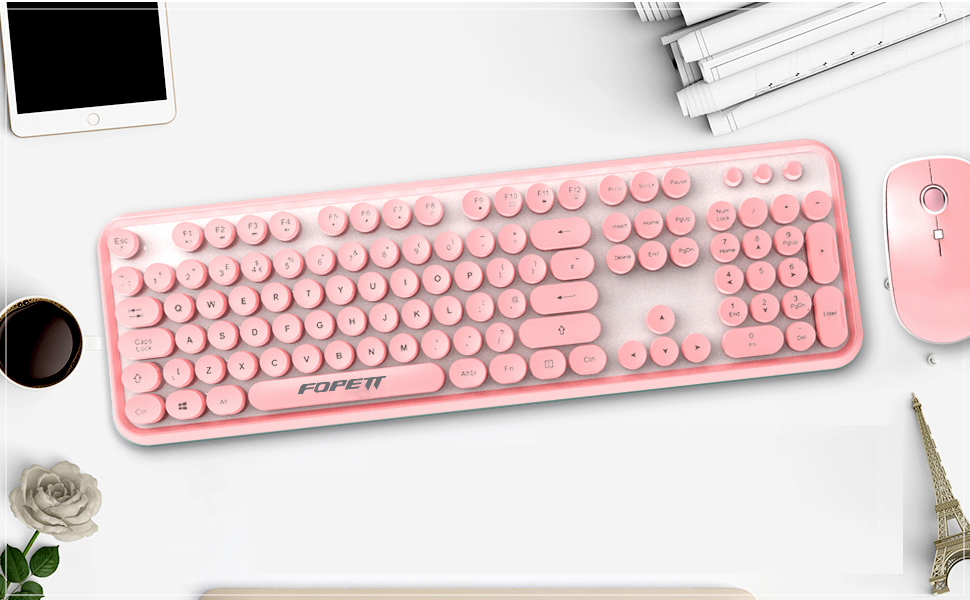
Restoring factory default settings
When you find this set doesn't work, you can make the mouse in working condition by restoring the mouse back to factory default settings.
1: Check the battery volume is normal, if the battery is used out, please replace new batteries.
2:For mouse, press the right button and middle button(under the scroll wheel simultaneously)then Wait five seconds.
3:Insert the nano receiver onto the USB port of PC or notebook.
4: For the keyboard, Press the "Esc" and "K" key simultaneously , then Wait five seconds.
5: Insert the nano receiver onto the USB port of pc or notebook.
State of standby and wake up the mouse:
Your RF2.4GHz mouse have economize model, that when your mouse no any click or scroll or moving, the mouse will come to sleep state for the economize after about 8 seconds; for the wake up, you can scroll the wheel or click any button for this. (on this economize state, the optical LED will turn off, so, the mouse moving will not be respond)
Power-Save function:
* This mouse is equipped with Traveling-Power-Save function.
When you are traveling with this mouse, the LED of the mouse will be switched off automatically for the purpose of power-save, but he pre-condition is that the receiver is disconnected with your notebook or PC.
* When your mouse no any clik or scroll or moving, the mouse will come to sleep state for the economize after about 8 seconds, for he wake up, you can scroll the wheel or click any button for this.
Ubxxziy focus on R&D and manufacturing wireless keyboard and mouse combo.
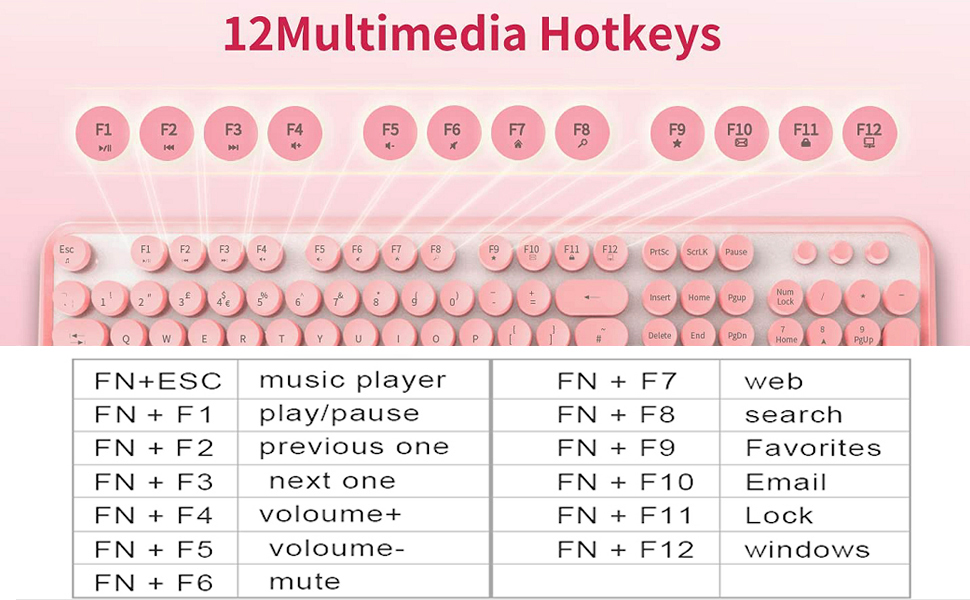
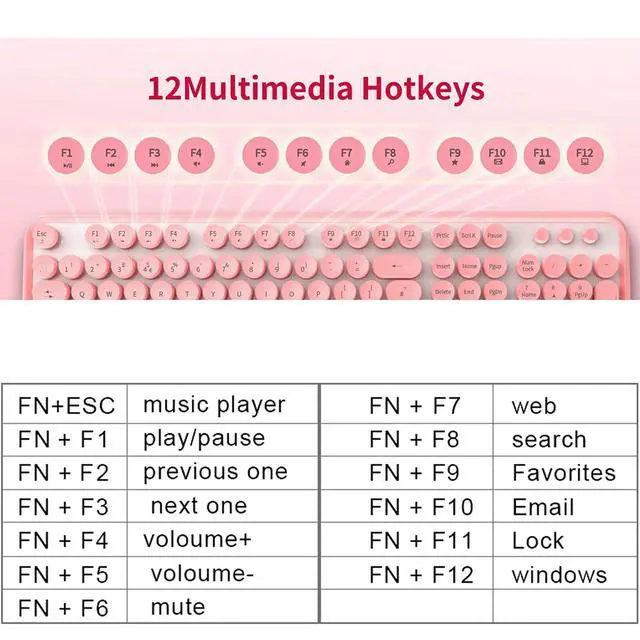
Save time with eight keyboard hot keys. They provide instant access to most-used applications like email, Internet and volume up/down.
- FN+ESC : Music Player
- FN+F1 : Player/ Pause FN+F2 : Previous One
- FN+F3 : Next One FN+F4 : Volume+
- FN+F5 : Volume- FN+F6 : Mute
- FN+F7 : Web FN+F8 : Search
- FN+F9 : Favorites FN+F10 : Email
- FN+F11 : Lock FN+F12 : Windows
PINK WIRELESS KEYBOARD AND MOUSE COMBO
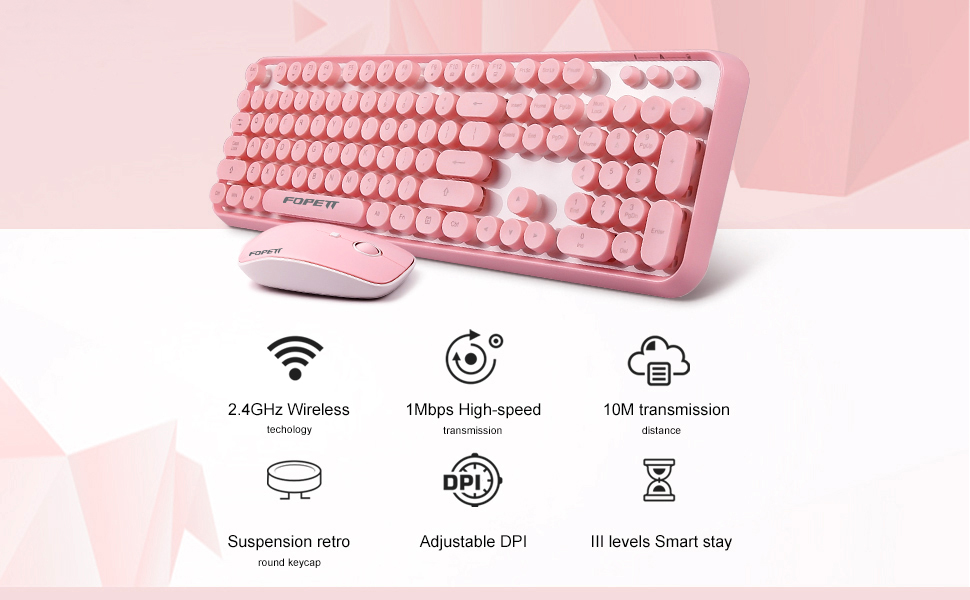
Tips: Solution to Connection Exception
Keyboard
- 1. Take out the battery and USB receiver, reload the battery and plug the receiver into the computer.
- 2. Turn on the keyboard switch, which should be within 20cm away from the receiver.
- 3. Press and hold the keyboard “ESC” + “K” keys together to pair again.
Mouse
- 1. Take out the battery and USB receiver, reload the battery and plug the receiver into the computer.
- 2. Turn on the mouse switch, which should be within 20cm away from the receiver.
- 3. Press and hold the Right button and Scroll button together to pair again.
Note: If the above solution doesn’t help, Please repeat the procedures to pair again.
PINK KEYBOARD AND MOUSE WIRELESS
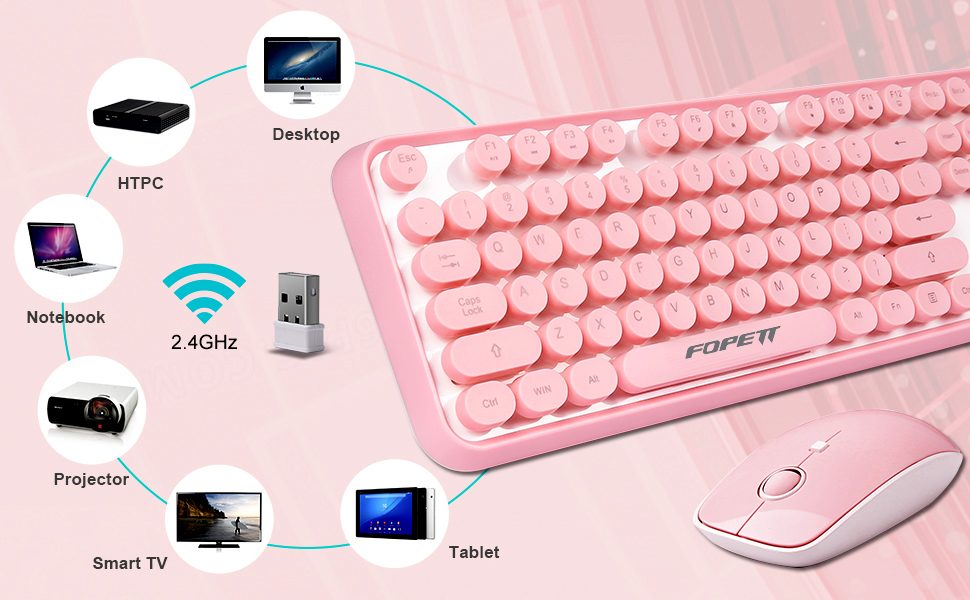
- Ubxxziy-US.aims at providing elegant, fashion and ease-of-use products for all people who need the wireless mouse and keyboard, especially for the young friends and kids with its youthful design. This V2020 blue wireless keyboard and mouse combo is designed to display personalities and young ideal.
- High-quality Nano receiver provides a comfortable, durable and silent click experience with more than 3 million times mouse's click and 5 million time click of keyboard. Available in a variety of colors , and all colors show the ideal to pursue the sunny and simple life. So wherever you use it, we are confident that this wireless combo will meet your need, and will brighten up your clicking life with its elegant and slim appearance and reliable quality.
- Glossy and smooth edge of keycaps technology is used for keyboard for the first time, just enjoy the unique keyboard now.
- This series of wireless combo is made of ABS plastic characterized by ergonomic design and comfortable feel.
- The round buttons design based on the research and development by the size of the contact area between fingers and keycaps, which provide a more comfortable typing experience.
- 104 keys design makes it more portable than full size keyboards and takes less space. The silent design offers you a quiet typing experience.
- Its simple and great appearance, good decoration for your desktop, computer, Macbook, Chromebook etc, slim shape, silent click and fresh color make you be unique in your friends/colleges/family/classmates.
Pink Wireless Keyboard
Cordless Mouse and Keyboard,Plug and Play, No Drive Needed.
Mouse and Keyboard Combo with USB Receiver
Comfortable Tapping
- The typewriter keyboard keys are designed with a curved surface to better fit your fingers, giving you an unprecedented thrill of hitting
- The soft curve design of the mouse surface can perfectly fit your palm, the mouse is not easy to take off, convenient for you to work and study in any occasion
Only 1 Receiver
- Wireless keyboard and mouse has only 1 receiver the receiver is installed in the mouse
- No receiver in the keyboard
Adjustable DPI for Productivity
- With 3 DPI levels (800/1200/1600) Optical tracking technology,
- you can easily adjust the sensitivity of the mouse.
Product Description:
Design for Longer Battery Lifetime
- 1. If there is no operation with the keyboard and mouse more than 5 minutes, they will turn to sleep mode automatically. Press any key to activate them.
- 2. The LED indicator light on the keyboard will flash to remind you when to change the low battery.
Specification:
Keyboard Dimension: 13.53*4.2*1.17in (45.1*14*3.9cm)
Mouse Size: 3.42*1.86*0.96in (11.4*6.2*3.2cm)
Mouse DPI: 800, 1200, 1600
Battery: 1*AA for Keyboard, 2*AA for Mouse(Battery not Included)
Package Contents
- 1×Wireless Keyboard
- 1×Wireless Mouse
- 1×USB Receiver (in the mouse battery compartment)
- 1×User Manual
Mouse and Keyboard Combo with USB Receiver
Restoring factory default settings
When you find this set doesn't work, you can make the mouse in working condition by restoring the mouse back to factory default settings.
1: Check the battery volume is normal, if the battery is used out, please replace new batteries.
2:For mouse, press the right button and middle button(under the scroll wheel simultaneously)then Wait five seconds.
3:Insert the nano receiver onto the USB port of PC or notebook.
4: For the keyboard, Press the "Esc" and "K" key simultaneously , then Wait five seconds.
5: Insert the nano receiver onto the USB port of pc or notebook.
State of standby and wake up the mouse:
Your RF2.4GHz mouse have economize model, that when your mouse no any click or scroll or moving, the mouse will come to sleep state for the economize after about 8 seconds; for the wake up, you can scroll the wheel or click any button for this. (on this economize state, the optical LED will turn off, so, the mouse moving will not be respond)
Power-Save function:
* This mouse is equipped with Traveling-Power-Save function.
When you are traveling with this mouse, the LED of the mouse will be switched off automatically for the purpose of power-save, but he pre-condition is that the receiver is disconnected with your notebook or PC.
* When your mouse no any clik or scroll or moving, the mouse will come to sleep state for the economize after about 8 seconds, for he wake up, you can scroll the wheel or click any button for this.
Ubxxziy focus on R&D and manufacturing wireless keyboard and mouse combo.
Save time with eight keyboard hot keys. They provide instant access to most-used applications like email, Internet and volume up/down.
- FN+ESC : Music Player
- FN+F1 : Player/ Pause FN+F2 : Previous One
- FN+F3 : Next One FN+F4 : Volume+
- FN+F5 : Volume- FN+F6 : Mute
- FN+F7 : Web FN+F8 : Search
- FN+F9 : Favorites FN+F10 : Email
- FN+F11 : Lock FN+F12 : Windows
PINK WIRELESS KEYBOARD AND MOUSE COMBO
Tips: Solution to Connection Exception
Keyboard
- 1. Take out the battery and USB receiver, reload the battery and plug the receiver into the computer.
- 2. Turn on the keyboard switch, which should be within 20cm away from the receiver.
- 3. Press and hold the keyboard “ESC” + “K” keys together to pair again.
Mouse
- 1. Take out the battery and USB receiver, reload the battery and plug the receiver into the computer.
- 2. Turn on the mouse switch, which should be within 20cm away from the receiver.
- 3. Press and hold the Right button and Scroll button together to pair again.
Note: If the above solution doesn’t help, Please repeat the procedures to pair again.
PINK KEYBOARD AND MOUSE WIRELESS
- Ubxxziy-US.aims at providing elegant, fashion and ease-of-use products for all people who need the wireless mouse and keyboard, especially for the young friends and kids with its youthful design. This V2020 blue wireless keyboard and mouse combo is designed to display personalities and young ideal.
- High-quality Nano receiver provides a comfortable, durable and silent click experience with more than 3 million times mouse's click and 5 million time click of keyboard. Available in a variety of colors , and all colors show the ideal to pursue the sunny and simple life. So wherever you use it, we are confident that this wireless combo will meet your need, and will brighten up your clicking life with its elegant and slim appearance and reliable quality.
- Glossy and smooth edge of keycaps technology is used for keyboard for the first time, just enjoy the unique keyboard now.
- This series of wireless combo is made of ABS plastic characterized by ergonomic design and comfortable feel.
- The round buttons design based on the research and development by the size of the contact area between fingers and keycaps, which provide a more comfortable typing experience.
- 104 keys design makes it more portable than full size keyboards and takes less space. The silent design offers you a quiet typing experience.
- Its simple and great appearance, good decoration for your desktop, computer, Macbook, Chromebook etc, slim shape, silent click and fresh color make you be unique in your friends/colleges/family/classmates.
If I encounter a problem while using the product, how should I solve it?
No matter you encounter any problems, you can contact the seller at any time. The Ubxxziy team provides 24-hour online service.
Is there only one USB Receiver?
YES! The keyboard and mouse share one USB Receiver.
Plug it into the USB port of the computer, wait for the computer to recognize it successfully, and then you can start using it.
Do they have a power switch? How long does it take to enter sleep mode?
No! Keyboard and mouse have not separate power switches.
They will automatically go to sleep after 10 Mins of inactivity.