here!
I’m your shopping assistant for PC builds, upgrades, and everything tech.
Got questions? Ask away!
Start a conversation
here!
I’m your shopping assistant for PC builds, upgrades, and everything tech.
Got questions? Ask away!
Start a conversation




Any questions? Ask CelesteSM will help you find out quickly.


FAQ
Does it come with a formal Unraid license?
Yes, we pre-install a formal Starter version of the Unraid license. Before formal use, you are eligible for a 30-day free trial of Unraid. After the trial period, you can redeem the formal Unraid license using the included scratch card.
Before Starting the 30-Day Free Trial for Unraid License
After connecting to the internet, please verify that your device's time is set to your local time zone before starting the trial. If you encounter any errors, feel free to contact us for assistance.
Can I adjust the color of the LED light strip on my own?
Yes, we have tutorials on how to adjust the LED lights. If you need, please contact us.
What types of hard drives are compatible with the NAS?
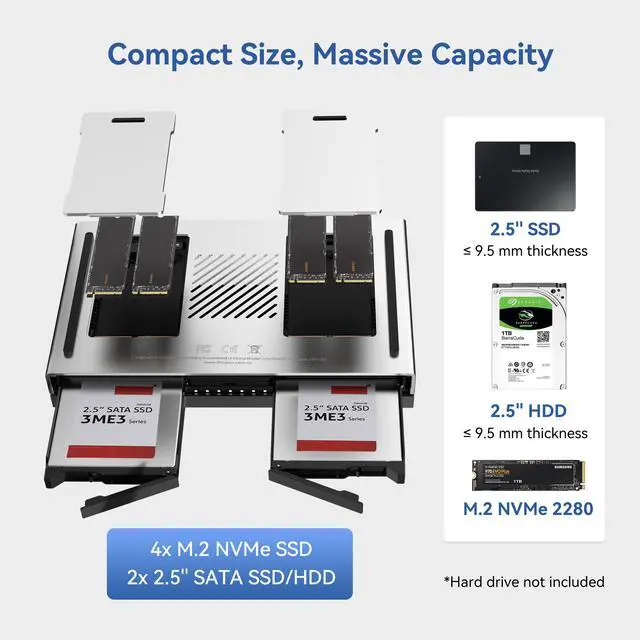
Support 4 x M.2 2280 NVMe SSDs and 2 x 2.5-inch SATA HDDs less than 9.5mm thick. Please choose a mainstream brand of SSD.
How to get seller support?
You can reach us via Newegg or through our after-sales email: [email protected].
The Ultimate Compact NAS for Speed and Flexibility
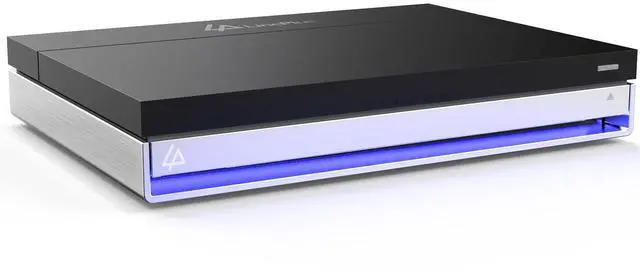
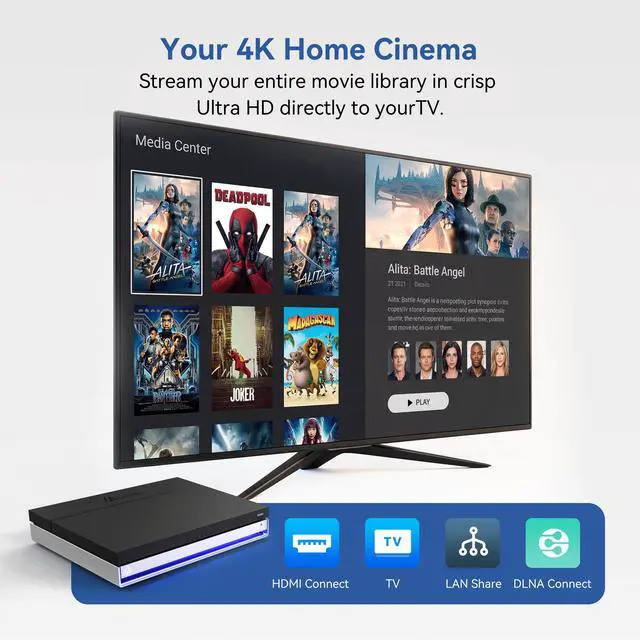
The LincStation N2 NAS Server is designed for users who demand high performance in a space-saving package. Whether you're backing up important files, streaming 4K media, or running Docker applications, this NAS delivers unmatched versatility and reliability.
Key Features:
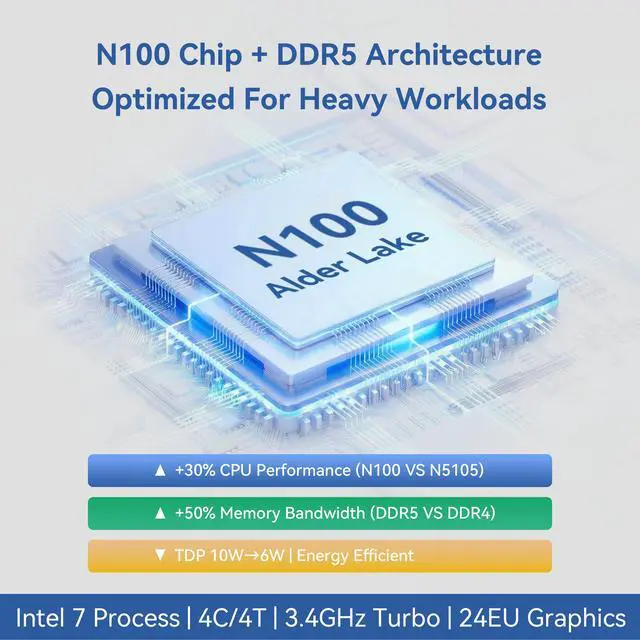
Intel N100 CPU: Energy-efficient quad-core power for seamless multitasking.
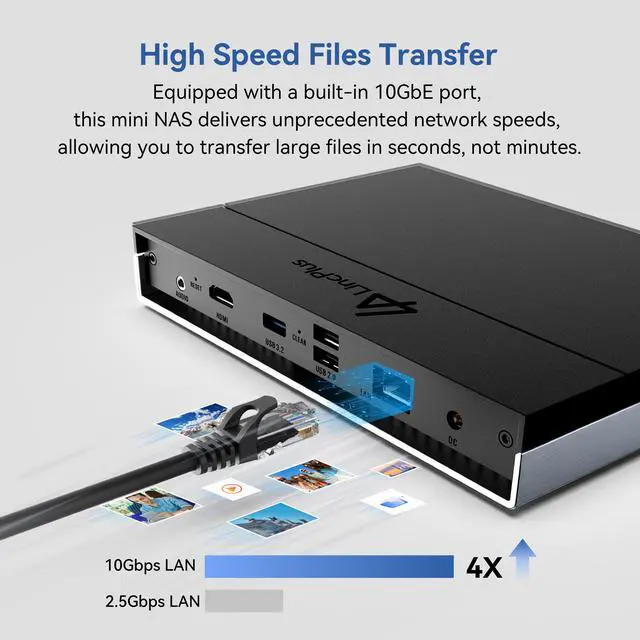
10GbE Port: Enables lightning-fast file transfers and lag-free streaming.
Unraid OS: Flexible storage pooling without RAID limitationsuse drives of any size or speed.
Tool-Free Setup: Easy-swap drive bays for hassle-free upgrades and maintenance.
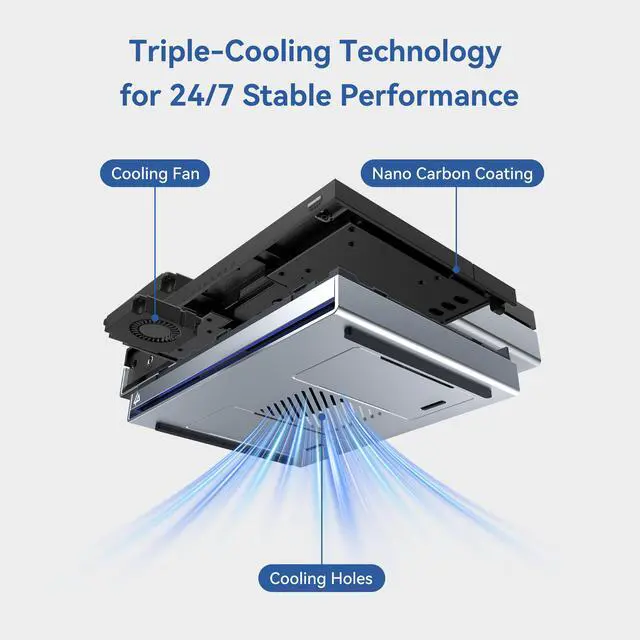
Pro Cooling: Ventilated base ensures stable performance even during heavy use.
Perfect For:
Home users needing compact, high-capacity storage.
Media enthusiasts hosting Plex/Jellyfin servers.
Professionals requiring fast backups and remote access.
Whats Included:
LincStation N2 NAS (128GB eMMC onboard) x1
Power Cord x1
Power Adapter x1
Ethernet Cable x1
Accessories Pack x1
User Manual x1
Unraid License Redemption Card x1
The LincStation N2 is a diskless 6-bay NAS for advanced home users, creators, and small teams who need fast centralized storage, backups, media streaming, and multitasking. Its Intel N100 processor, 16GB LPDDR5 memory, 10GbE networking, two 2.5-inch SATA bays, and four M.2 NVMe slots support high-speed, flexible storage configurations.
| Attribute | Value |
|---|---|
| Best For | Personal cloud backup and media streaming with 10GbE networking, a 6-bay chassis, and Unraid storage management |
| Processing And Memory | Intel N100 processor with 16GB DDR5 memory |
| Storage And Expansion | Diskless 6-bay system with two SATA drive bays and support for up to 40TB of storage |
| Networking | 10GbE RJ-45 networking for high-speed file transfers and multi-user media access |
| Ports And Display | Type-C, 4K HDMI, 3.5mm audio, one USB-A port, and two USB 2.0 ports |
| Operating System | Unraid operating system for managing the NAS storage environment |
| Power And Physical | 100–240 VAC power input at 50/60Hz in a 5.98 x 8.27 x 1.38-inch chassis |
| Included Accessories | LincStation N2 NAS, power cord, power adapter, Ethernet cable, user manual, and Unraid license redemption card |
| Model Identifiers | LincPlus LincStation N2 |
Q: Is the LincStation N2 a worthwhile upgrade over the LincStation N1?
A: Yes, the LincStation N2 is the stronger choice when you have a 10GbE network or want faster SSD-based transfers. It replaces the N1’s Celeron N5105 and 2.5GbE connection with an Intel N100 and 10GbE, while keeping the same six-drive layout of four M.2 NVMe slots and two 2.5-inch SATA bays. The N1 remains suitable for lower-speed networks and basic file storage, especially if it costs substantially less. The N2 gives up the N1’s built-in Wi-Fi and Bluetooth.
Q: Should I choose the LincStation N2 or a Synology DS224+?
A: Choose the LincStation N2 for high-speed SSD storage, 10GbE file transfers, Unraid flexibility, and a six-drive configuration. Choose the Synology DS224+ when you prefer a conventional two-bay NAS with Synology DSM, integrated backup and photo-management tools, and a more guided appliance-style setup. The DS224+ uses two 1GbE ports and supports two 3.5- or 2.5-inch SATA drives, so the N2 is better suited to NVMe workloads, multi-user transfers, and users comfortable configuring Unraid.
Q: Is the LincStation N2 or UGREEN DXP4800 Pro better for demanding NAS workloads?
A: The LincStation N2 is better suited to a compact, low-power SSD NAS with four NVMe slots, two 2.5-inch SATA bays, 16GB of memory, and 10GbE networking. The UGREEN DXP4800 Pro is the better fit for heavier multitasking, virtual machines, and sustained container or media-server workloads because it uses a higher-performance Core i3 processor, expandable memory, four 3.5-inch drive bays, and two NVMe slots. Choose the N2 for compact flash storage and efficiency; choose the UGREEN model for greater CPU, RAM, and conventional hard-drive expansion.
Q: Should I use the LincStation N2 or a portable SSD for travel?
A: Choose a portable SSD for travel when you need battery-free, direct-attached storage for one computer and minimal setup. Choose the LincStation N2 when you need shared access for multiple devices, automated backups, media services, or an always-on personal cloud. The N2 is compact and lightweight for a six-drive NAS, but it still requires external power, a network connection, and installed drives; it is designed for stationary or semi-portable use rather than pocket-sized storage.
Q: Does the LincStation N2 come with hard drives or SSDs installed?
A: No. The LincStation N2 is diskless, so the package does not include storage drives. You must add compatible 2.5-inch SATA drives, M.2 2280 NVMe SSDs, or both. The system provides two SATA bays and four M.2 NVMe slots.
Q: Can I access the LincStation N2 from multiple computers and mobile devices?
A: Yes. As a network-attached storage device, the LincStation N2 can provide shared file access to computers and mobile devices on the same network through Unraid and configured network services. Remote access over the internet requires additional setup, secure authentication, and an appropriate network configuration.
Q: Is the LincStation N2 suitable for media streaming and home backups?
A: Yes. It is designed for centralized backups and media serving, with an Intel N100 processor, 16GB of LPDDR5 memory, four NVMe slots, two SATA bays, 10GbE networking, and 4K HDMI output. Actual streaming and transfer performance depends on the installed drives, network equipment, media software, and video transcoding requirements.
Q: Is the LincStation N2 easy to set up, or is it better for experienced NAS users?
A: It is better suited to users who are comfortable installing drives, configuring Unraid, setting storage protection, and managing network access. The included Unraid starter license provides flexibility, including support for mixed drive types and sizes, but the diskless design and customizable configuration require more setup than a basic plug-and-play external drive.
Q: Does the LincStation N2 need a 10GbE network to be useful?
A: No, but a compatible 10GbE network is needed to use its maximum wired transfer potential. It can still function on a slower Ethernet network, although file transfers will be limited by the connected switch, router, cabling, and client device. The 10GbE port is most useful for large backups, high-bitrate media workflows, and multiple simultaneous users.
Q: Is the LincStation N2 worth buying for a compact, high-speed NAS?
A: It is a strong fit for buyers who want a small all-SSD NAS with 10GbE, four NVMe slots, two 2.5-inch SATA bays, and Unraid support. It is less suitable if you need large-capacity 3.5-inch hard drives, upgradeable memory, or a conventional multi-bay NAS design.
Q: Who is the LincStation N2 best suited for?
A: It is best suited for home users, homelab users, and small teams that prioritize compact size, low-power operation, fast SSD storage, media serving, backups, containers, or lightweight virtualization. Its 16GB of fixed memory and Intel N100 processor make it better for moderate workloads than for intensive server virtualization or large-scale business use.
Q: Can the LincStation N2 actually take advantage of its 10GbE port?
A: Yes, but only when the client device, network equipment, storage pool, and cables also support 10GbE. Community testing reports transfers approaching 1,100 MB/s with suitable NVMe storage, while hard drives, slower SSDs, USB storage, or a 2.5GbE network can become the limiting factor.
Q: What are the main trade-offs of the LincStation N2?
A: The main trade-offs are its reliance on 2.5-inch SATA drives and NVMe SSDs, fixed 16GB memory, limited suitability for high-capacity 3.5-inch hard drives, and potential thermal or cooling considerations during sustained SSD activity. Its compact design and 10GbE connectivity are advantages, but expansion is less flexible than with a larger conventional NAS.
Q: Can the LincStation N2 run TrueNAS or another operating system instead of Unraid?
A: The hardware is not locked to Unraid, and experienced users have discussed installing TrueNAS or another compatible x86 operating system. However, Unraid is the included and intended software environment, so switching systems may require additional configuration for booting, storage management, LEDs, hardware compatibility, and use of the bundled license.