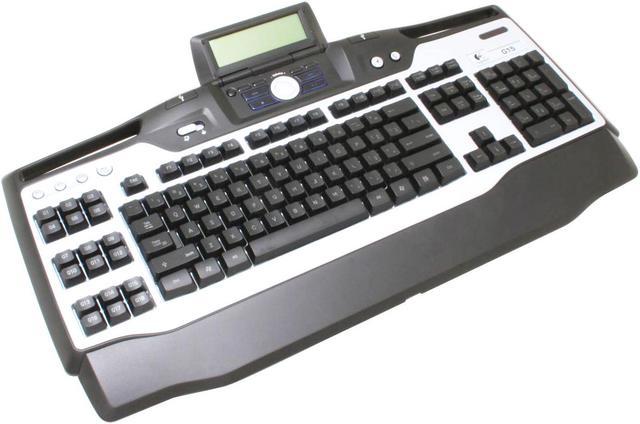
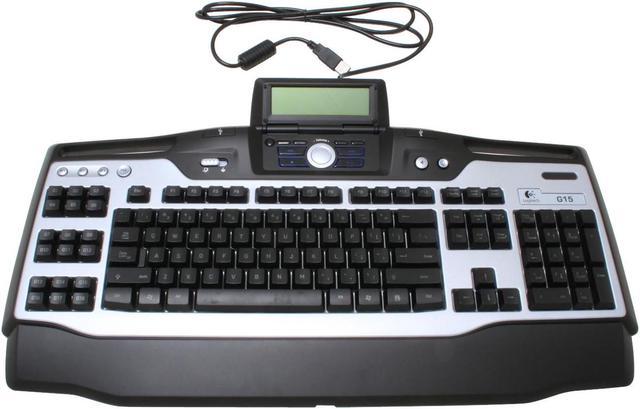
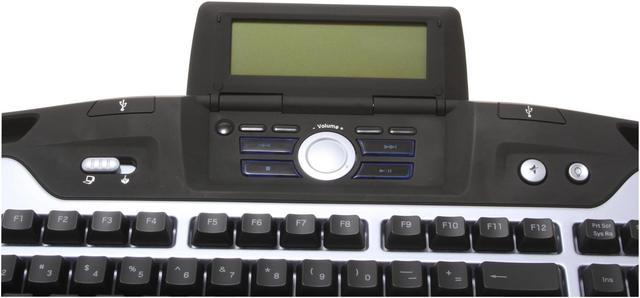
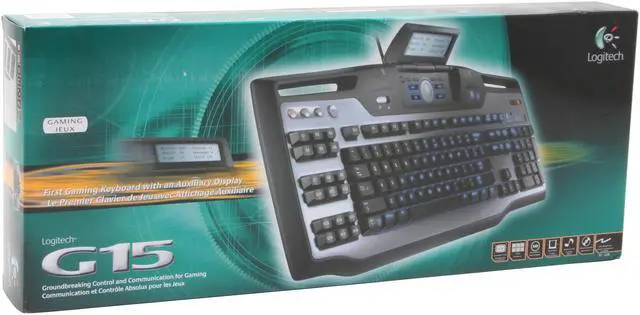
Imagine a full-featured weapons system for any game, right at your fingertips. The Logitech G15 gaming keyboard provides 18 programmable keys you can assign to any macro function within a game. In addition, you have a separate GamePanel LCD screen on the keyboard for critical in-game information, making this a killer choice for the dedicated player. Additionally, it allows you to set timers for keeping track of game events on the LCD.
The eighteen "G Keys" have three shift states each that enable you to create 54 possible custom macros for each game. Additionally, the Macro Record button provides you with the option of making on-the-fly additions to your key programming set. The G15 features a switch that turns off the 'Windows' key and helps in preventing the accidental endings of your game even if you hit the button.
Three different levels of lighting can help you play comfortably in low-lit area, or even an otherwise dark room. Even controlling audio and video playback is easy, because the keyboard provides convenient media keys for playback. You can simply route the mouse, headset, or other cables using convenient channels under the keyboard, eliminating clutter and potential for accidents with drinks.
Imagine a full-featured weapons system for any game, right at your fingertips. The Logitech G15 gaming keyboard provides 18 programmable keys you can assign to any macro function within a game. In addition, you have a separate GamePanel LCD screen on the keyboard for critical in-game information, making this a killer choice for the dedicated player. Additionally, it allows you to set timers for keeping track of game events on the LCD.
The eighteen "G Keys" have three shift states each that enable you to create 54 possible custom macros for each game. Additionally, the Macro Record button provides you with the option of making on-the-fly additions to your key programming set. The G15 features a switch that turns off the 'Windows' key and helps in preventing the accidental endings of your game even if you hit the button.
Three different levels of lighting can help you play comfortably in low-lit area, or even an otherwise dark room. Even controlling audio and video playback is easy, because the keyboard provides convenient media keys for playback. You can simply route the mouse, headset, or other cables using convenient channels under the keyboard, eliminating clutter and potential for accidents with drinks.





 here!
here!