here!
here!
I’m your shopping assistant for PC builds, upgrades, and everything tech.
Got questions? Ask away!
Start a conversation
here!
I’m your shopping assistant for PC builds, upgrades, and everything tech.
Got questions? Ask away!
Start a conversation





Any questions? Ask CelesteSM will help you find out quickly.




For Camera/Laptop/PC
For iPhone 6 -iPhone 14
Please note: Camera/Lightning accessories are sold separately.
Product Description
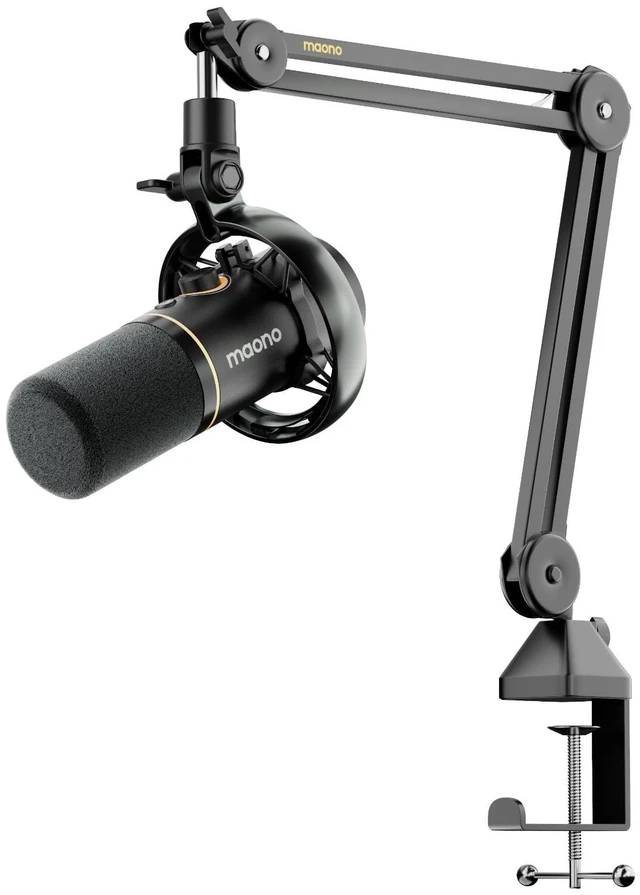
Maono Wireless Dynamic Microphone PD200W Hybrid is a next-generation wireless dynamic microphone
specifically designed by Maono for Podcasting, voice-over and live streaming.
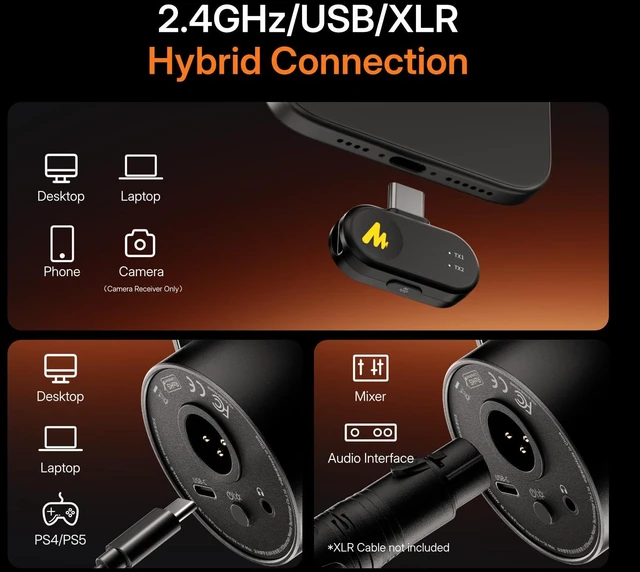
It adopts bidirectional wireless transmission technology,
enabling high-definition wireless audio capture between the microphone and devices
such as computers, smartphones, cameras, and gaming consoles.
The wireless setup frees users from cable clutter,
allowing for a more flexible recording experience while keeping the desktop cleaner and more aesthetically pleasing.
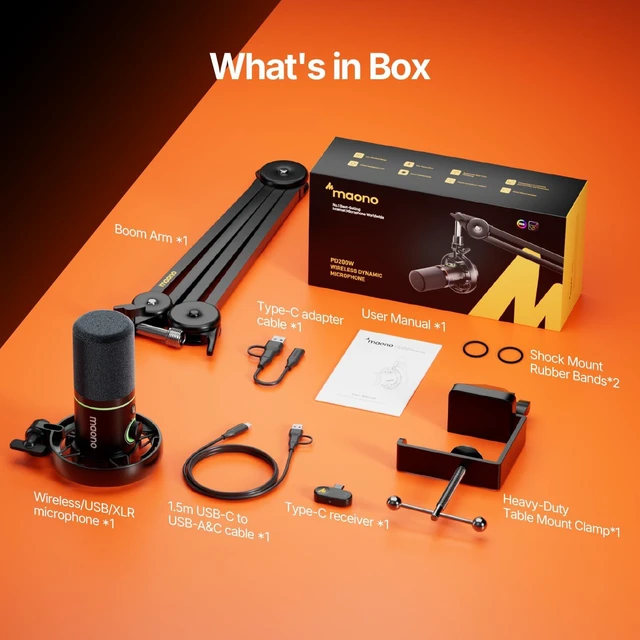
The microphone comes with three optional receiver types (selectable at purchase): camera, usb-c phone, lightning phone
ensuring compatibility with a wide range of devices.
It features a 3.5mm headphone output for computer audio playback or real-time monitoring of the microphone.
Maonos signature smart knob allows intuitive control of microphone gain and headphone volume.
A one-touch mute button enables quick muting to better protect user privacy.
The microphone also offers multiple noise reduction options, which users can freely adjust according to their environment.
The exclusive Maono Link software provides a variety of finely tuned sound presets for different usage scenarios.
With just a click in Maono Link, users can easily switch sound styles and achieve optimized audio performance
for Podcasting, voice-over, Live streaming, gaming, Youtube Vedio, and more.
By integrating Maono Link with Maono hardware,
every Maono user can easily personalize their sound and make content creation simpler and more efficient.
Product Features
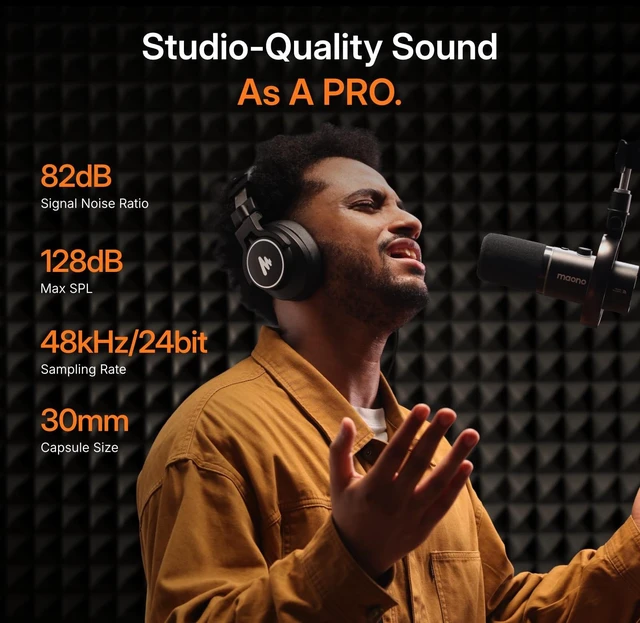
30MM Dynamic Capsule-Deliver pro-level podcast audio
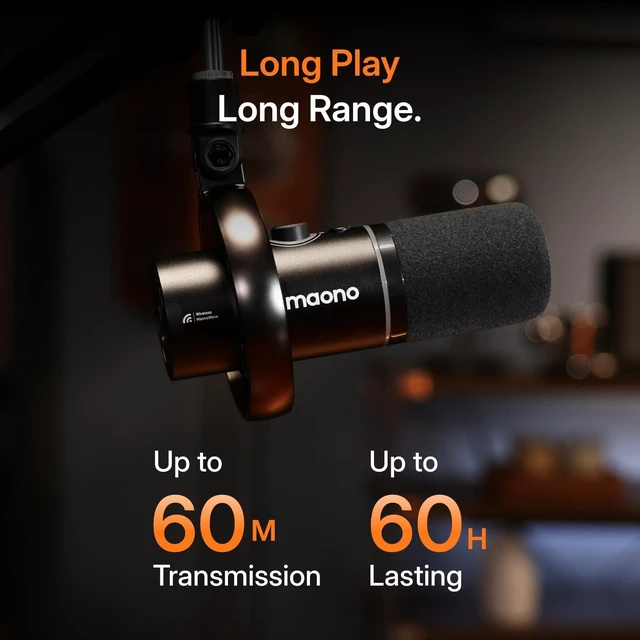
Stable 60m Wireless Range-Podcast Anywhere
Programmable RGB lights-Switch it on to create an immersive vibe, or turn it off to maintain a sleek and focused aesthetic
Switchable Real-Time Monitoring-Hear your voice in real-time with zero latency
One-touch mute-Perfect for taking breaks during live streams or confidential moments in meetings
Cardioid polar pattern-Effectively suppressing unwanted background noise and side conversations
Mic gain and headphone volume control-Take full command of your audio. Find the perfect balance
Maono Link Software Support-Unlock your microphone's full potential
Compatible with cameras, smartphones, and computers-Works effortlessly with a wide range of devices
Mic windshield cover-Get studio-ready right out of the box
All metal body-Built to last with a robust, premium all-metal construction
Shock mount included-Isolate the microphone from desk vibrations and bumps, ensuring clean, rattle-free audio
Specification
Product Name: PD200W Hybrid Podcast MicrophoneSet with mic desktop stand
Brand Name: MAONO
Microphone Type: Dynamic
Connector Type: Wireless&USB Type-C&XLR
Polar Pattern: Cardioid
Package Dimensions: 16.54*9.19*4.72inch
Package Weight: 4.23pounds
Material:All-metal (aircraft-grade aluminum alloy)
XLR Input Impedance: 580±30% ohm at 1kHz
Sensitivity:
USB: -7.0dBFS (1 kHz 94 dBSPL 0.5m)
XLR: -53.0dBV(1 kHz 94 dBSPL 0.5m)
Noise Reduction:
Three levels: weak noise reduction,medium noise reduction, strong noise reduction
Max. SPL: 128dB 0.5m Min Gain & Max Vol THD 10%
Frequency Response: 50-16000Hz
Adjustable Gain Range: 0~+36dB
Monitoring Sensitivity: -8.0dBV (1kHz 94dB VOL&GAIN Max.)
Monitor The Headphone Jack: 3.5mm
Digital Output: USB C
Simulated Output: XLR
Output Impedance Of The Headphone Jack: 32
Output Power Of The Headphone Jack: 24mW
Battery: 2600mAh, 3.7V (11.1Wh)
Charging Power Supply: USB C, 5V1A Max.
Battery Usage Time:
Approximately 38 hours with RGB on, 60 hours with RGB off(Based on Maono laboratory tests)
Wireless Working Distance:
60m Max.(under line-of-sight conditions, based on Maono laboratory tests)
Warranty Description
18-Month warranty
Your purchase is protected by our comprehensive 18-month warranty, commencing from the original date of purchase.
Should any issue arise during this period, we will repair or replace the product at our discretion,
ensuring you enjoy peace of mind and long-lasting performance.
Q1:How to connect to a computer via wired/wireless mode?
A1:
The PD200W microphone supports both wired and wireless connection methods.
Wired connection:
a. Use a data cable to connect the microphones Type-C port to your computers USB port.
b. Long-press the power button for 2 seconds to turn on the microphone (wait for it to initialize).
c. In your computers audio settings, select Maono PD200W Mic USB as the input/output device.
d. Connect your monitoring headphones to the microphone.
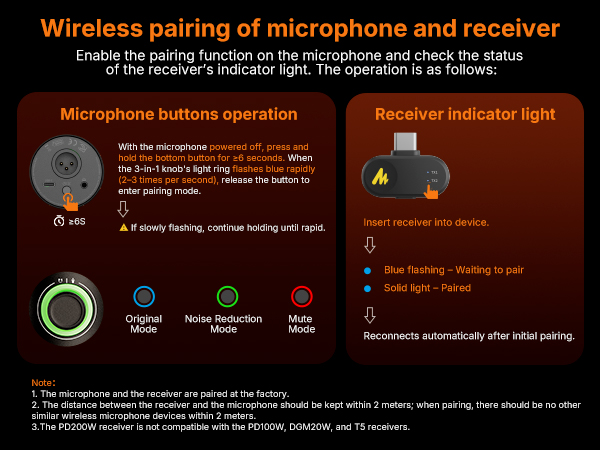
Wireless connection:
a. Connect the microphones Type-C wireless receiver to your computers USB port.
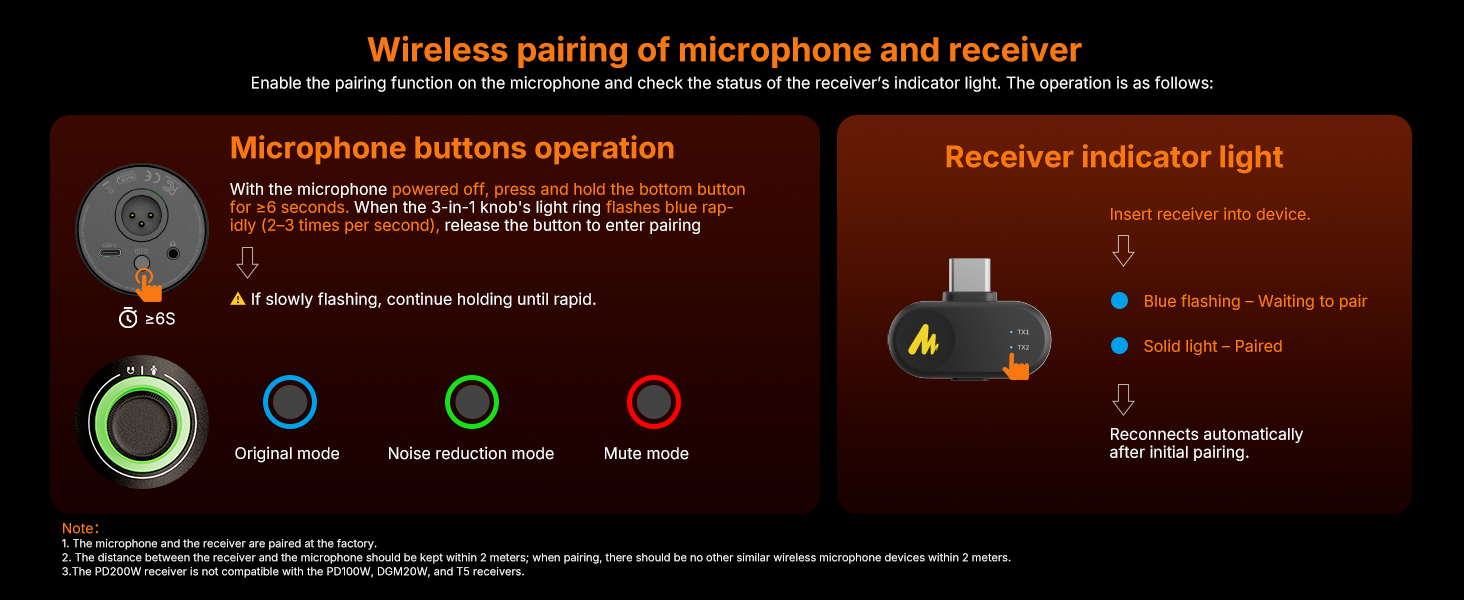
b. Long-press the microphones power button for 2 seconds to turn it on. The blue light around the microphones knob will flash to start wireless pairing; the flashing stops once pairing is successful.
c. In your computers audio settings, select Maono Wireless Mic RX as the input/output device.
d. Connect your monitoring headphones to the microphone.
Q2:How long does the microphone last, and when should l charge it?
A2:
Based on Maono laboratory testing, the microphone's battery lasts for approximately 38 hours with the RGB lights on. When the RGB lighting is turned off, the battery life extends to 60 hours.
Charge Status Indicators:
Battery 20%: Orange light flashes around the knob.
Charging: Orange light stays on around the knob.
Fully charged (power on): Green light stays on.
Fully charged (power off): Light turns off.
Q3:What is the difference between USB and XLR connection modes?
A3:
USB Mode:
Connection Requirements: Plug-and-play (no additional devices needed).
Scenarios: Live streaming, voice chat, basic recording.
Key Features: Supports software-controlled volume/monitoring; all microphone functions work normally.
XLR Mode:
Connection Requirements: Requires external audio interface or mixer.
Scenarios: Professional studios, stage performances.
Key Features: More stable audio transmission; better sound quality. Note: Microphone lights turn off and buttons become inactive (normal behavior).
Q4:How to use Al Noise Reduction? What if it doesn't work?
A4:
a. In your computers audio settings, select Maono AI Microphone as the audio input device.
b. Open the Maono Link software, find the "AI Settings" module in the upper right corner, and enable "AI Noise Reduction" and "Hear-Self".
Q5: ls 48V phantom power required?
A5:
No. The PD200W is a dynamic microphone and does not require an external 48V phantom power supply. You can use it by directly connecting it to your device.