




When using the UL11, the error message "USB accessory not supported," or "port function temporarily disabled" appears?
Unplug the UL11 microphone from the recording device, check the recording device port for dust or other debris, clean it, and then restart the recording device.
When connecting a UL11, Windows computer displays "Insufficient USB controller resources"?
1. Unplug the UL11 microphone from the Windows computer and connect it to the same USB port as the keyboard/mouse.
2. Plug the USB device into a USB 2.0 port.
3. Update the Windows computer driver.
4. Update the Windows computer system.
What devices are compatible with the UL11 microphone?
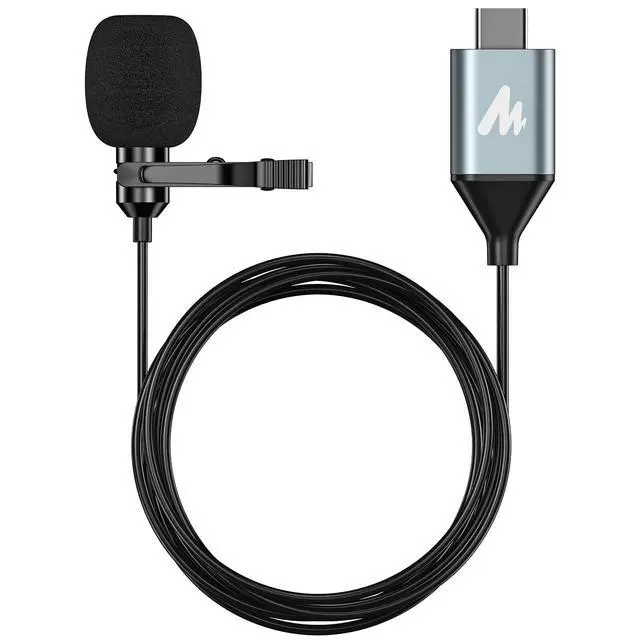
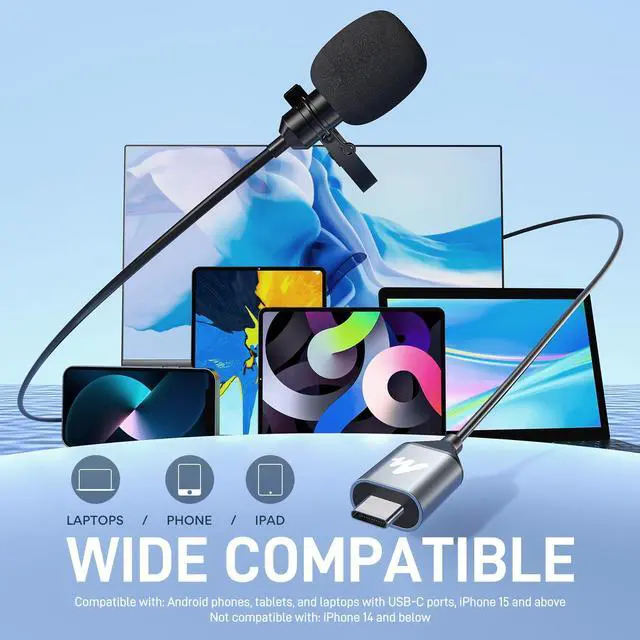
1. Android phones, tablets, Computers with USB-C ports. Examples: Google Pixel 8 Pro, Samsung Galaxy Tab S9 Ultra, Lenovo ThinkPad, etc
2. iPad and Mac with USB-C ports, iPhone 15 and above. Examples: iPhone 16, iPad Pro, MacBook Air 13, iMac 24, etc
What devices are incompatible with the UL11 microphone?
1. Android phones with a Micro USB port and laptops without USB-C port.
2. iPhone and iPad models without a USB-C port, including iPhone 14, iPhone 13, iPhone 11, iPhone XR, iPhone 8, iPhone 6, iPad 9th etc.

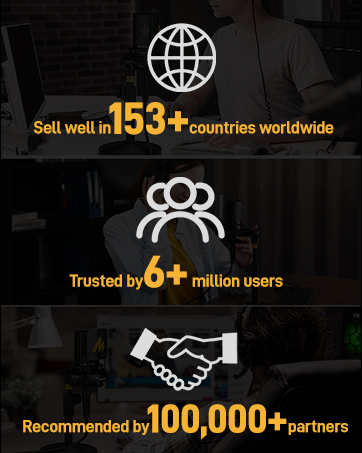
Maono['m?no?], meaning "vision" in Kiswahili, is the Global Selling Internet Microphone Brand whose products are sold well in 153 countries worldwide. With the beautiful vision of becoming a global leading brand of Internet audio products that deliver a pleasant sound experience, Maono is always working with audio professionals, influencers, and users, to make the world's better microphones and audio products.





When using the UL11, the error message "USB accessory not supported," or "port function temporarily disabled" appears?
Unplug the UL11 microphone from the recording device, check the recording device port for dust or other debris, clean it, and then restart the recording device.
When connecting a UL11, Windows computer displays "Insufficient USB controller resources"?
1. Unplug the UL11 microphone from the Windows computer and connect it to the same USB port as the keyboard/mouse.
2. Plug the USB device into a USB 2.0 port.
3. Update the Windows computer driver.
4. Update the Windows computer system.
What devices are compatible with the UL11 microphone?
1. Android phones, tablets, Computers with USB-C ports. Examples: Google Pixel 8 Pro, Samsung Galaxy Tab S9 Ultra, Lenovo ThinkPad, etc
2. iPad and Mac with USB-C ports, iPhone 15 and above. Examples: iPhone 16, iPad Pro, MacBook Air 13, iMac 24, etc
What devices are incompatible with the UL11 microphone?
1. Android phones with a Micro USB port and laptops without USB-C port.
2. iPhone and iPad models without a USB-C port, including iPhone 14, iPhone 13, iPhone 11, iPhone XR, iPhone 8, iPhone 6, iPad 9th etc.
Maono['m?no?], meaning "vision" in Kiswahili, is the Global Selling Internet Microphone Brand whose products are sold well in 153 countries worldwide. With the beautiful vision of becoming a global leading brand of Internet audio products that deliver a pleasant sound experience, Maono is always working with audio professionals, influencers, and users, to make the world's better microphones and audio products.