here!
here!
I’m your shopping assistant for PC builds, upgrades, and everything tech.
Got questions? Ask away!
Start a conversation
here!
I’m your shopping assistant for PC builds, upgrades, and everything tech.
Got questions? Ask away!
Start a conversation




Any questions? Ask CelesteSM will help you find out quickly.


Why did my TV sound mute after plugging in this keyboard? Is it broken?
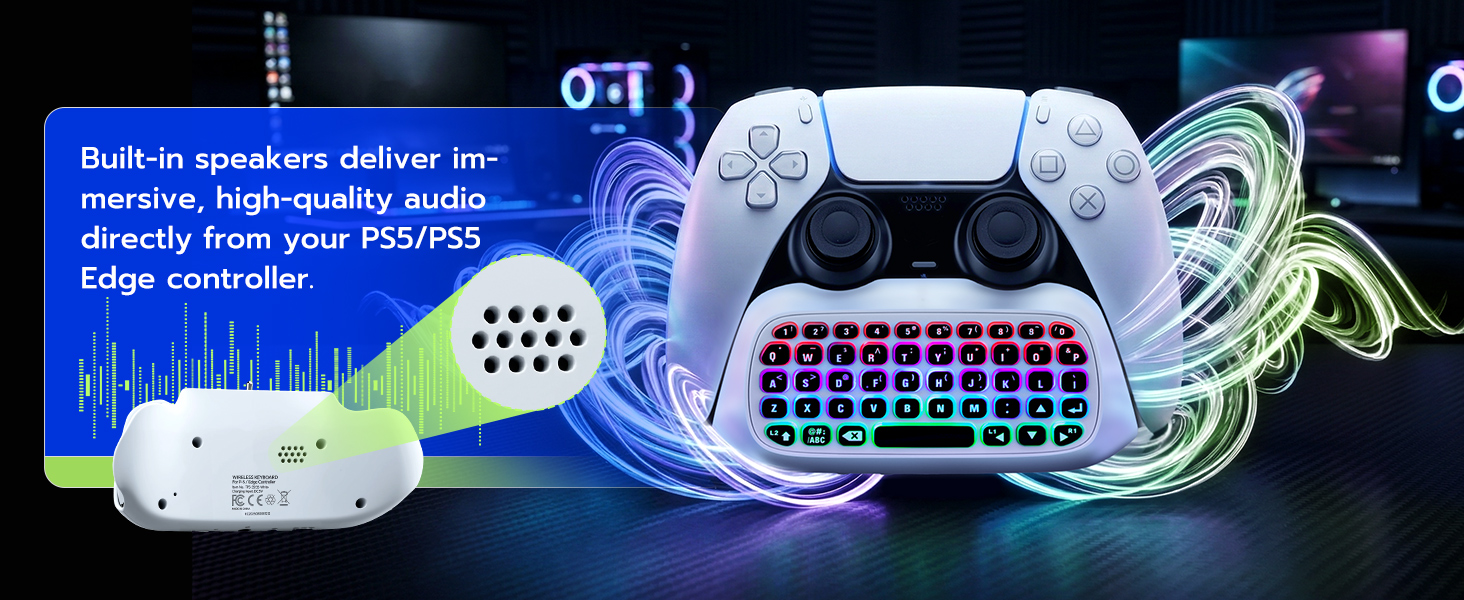
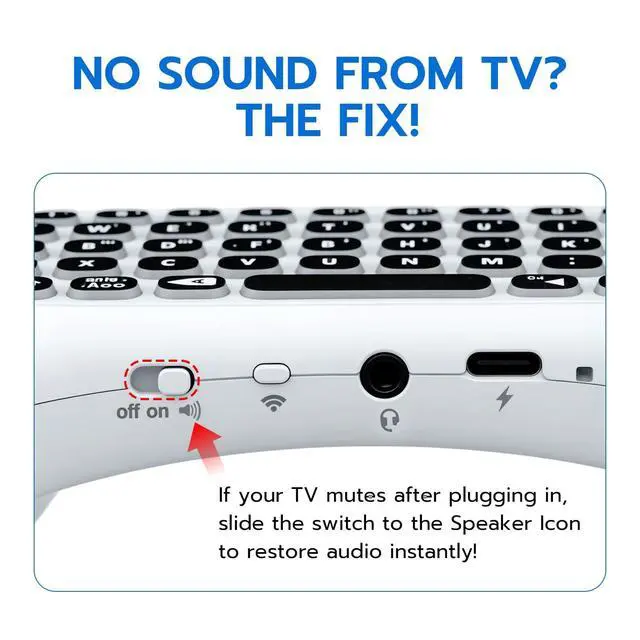
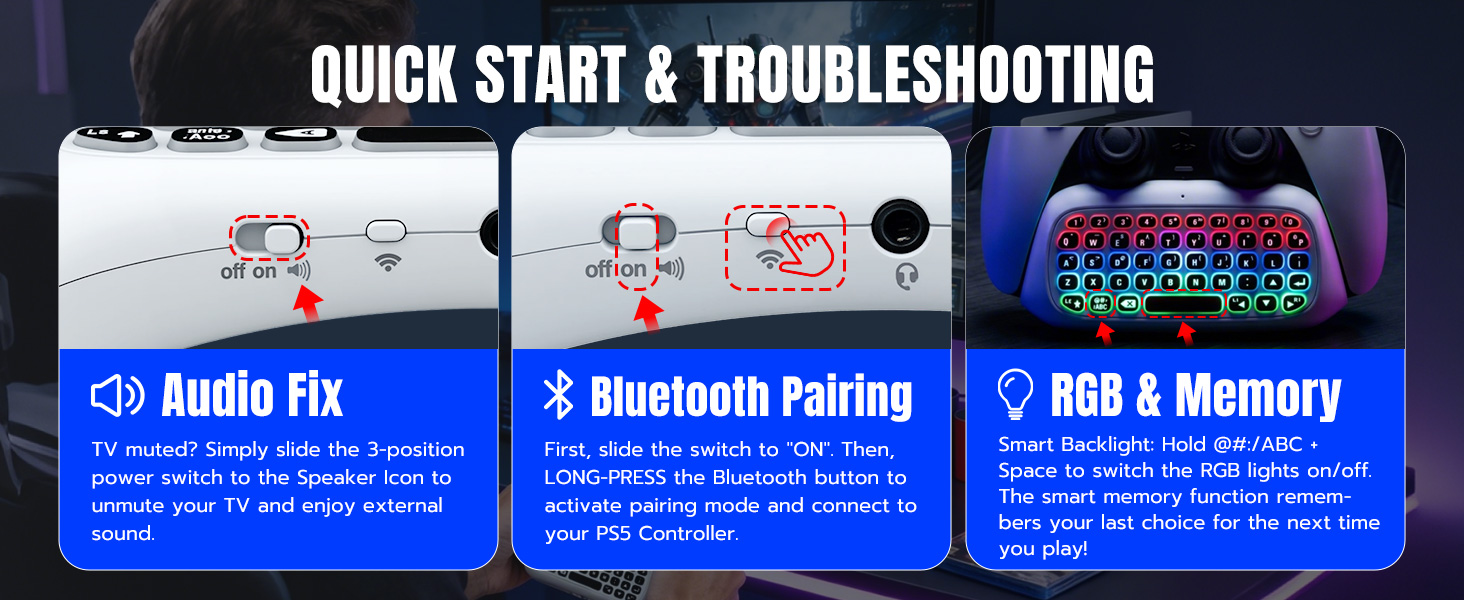
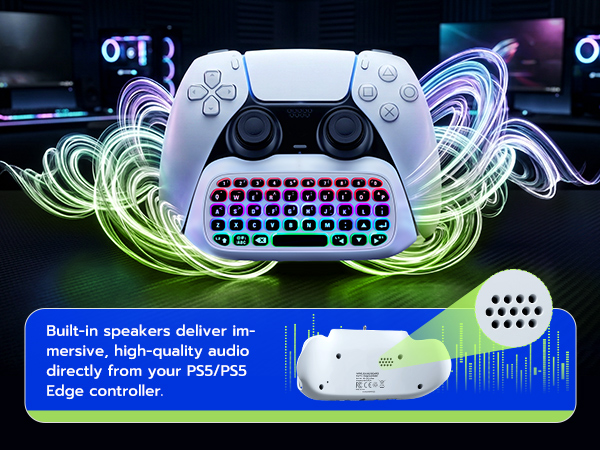
It's not broken! The PS5 mutes TV sound when using the 3.5mm jack. To restore TV audio instantly, slide the keyboard's power switch all the way to the right to the "Speaker" icon.
How do I turn on the RGB backlight? Mine didn't light up when turned on.
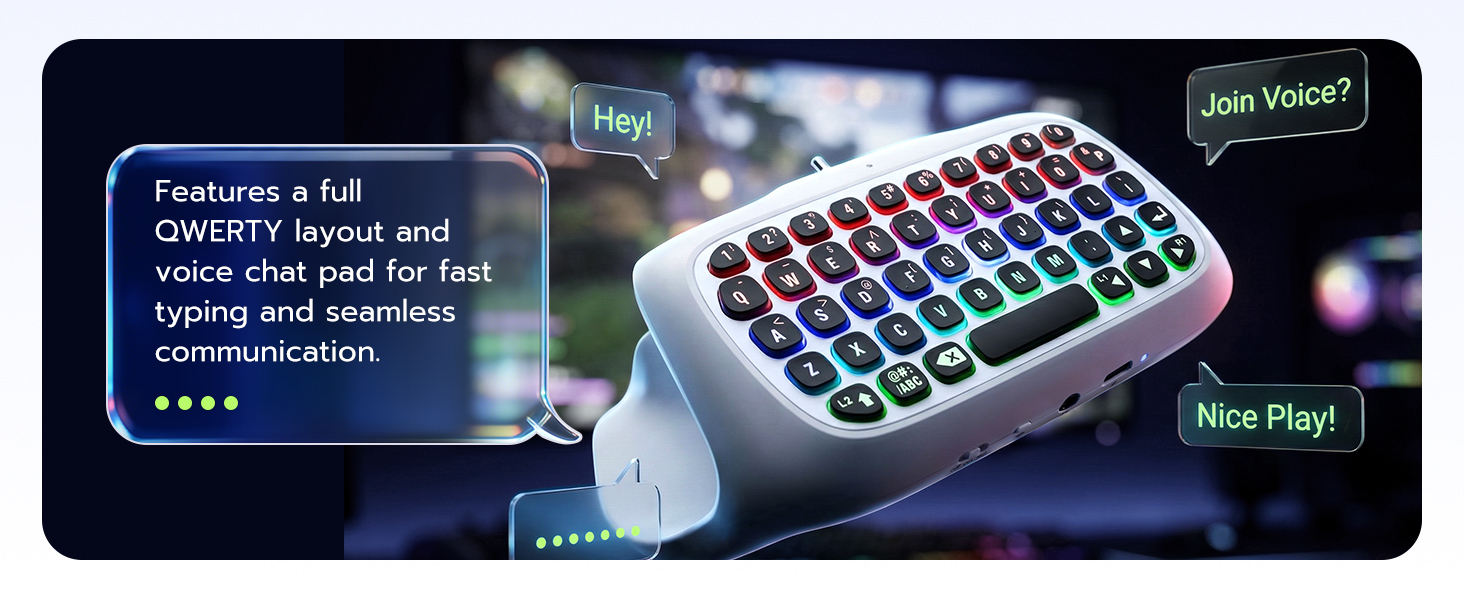
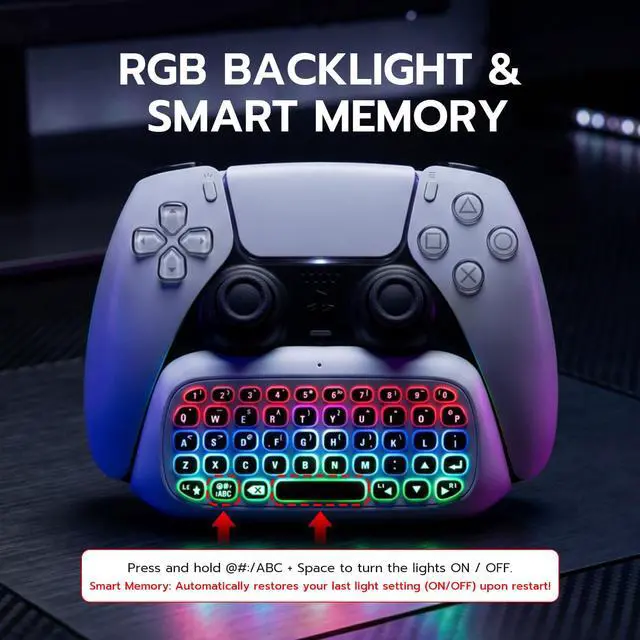
Press and hold the "@#:/ABC" key + "Spacebar" simultaneously to toggle the RGB lights. It features a smart memory function, so it will automatically restore your last on/off light setting the next time you power it on!
I slid the switch to "ON" but my PS5 can't find it on Bluetooth. How to pair?
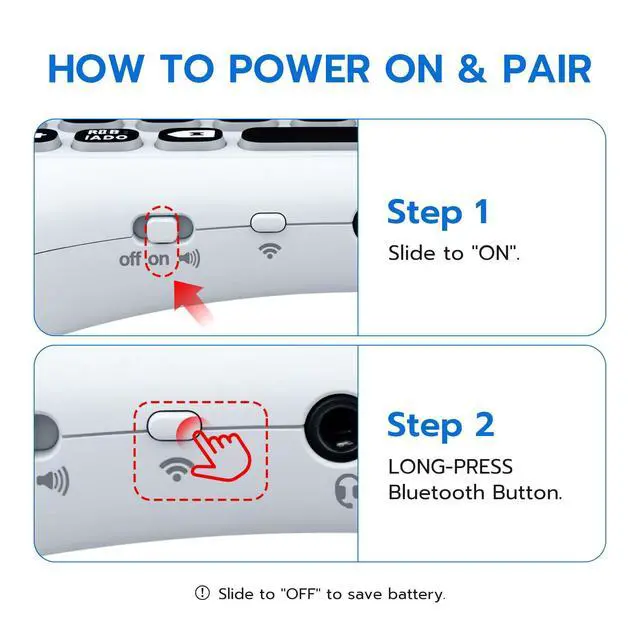
Sliding to "ON" only powers the device. To pair, slide to "ON", then LONG-PRESS the Bluetooth button (next to the switch) until the light flashes. Your PS5 will then detect the keyboard.

Why did my TV sound mute after plugging in this keyboard? Is it broken?
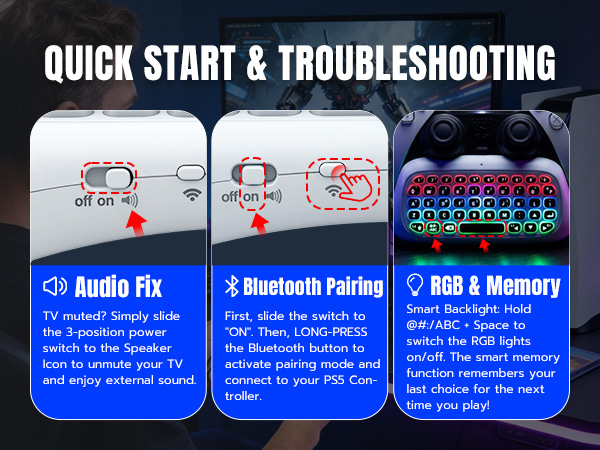
It's not broken! The PS5 mutes TV sound when using the 3.5mm jack. To restore TV audio instantly, slide the keyboard's power switch all the way to the right to the "Speaker" icon.
How do I turn on the RGB backlight? Mine didn't light up when turned on.
Press and hold the "@#:/ABC" key + "Spacebar" simultaneously to toggle the RGB lights. It features a smart memory function, so it will automatically restore your last on/off light setting the next time you power it on!
I slid the switch to "ON" but my PS5 can't find it on Bluetooth. How to pair?
Sliding to "ON" only powers the device. To pair, slide to "ON", then LONG-PRESS the Bluetooth button (next to the switch) until the light flashes. Your PS5 will then detect the keyboard.