







- NOTE
Some old TV resolution do not support 1080P, only upto 1080i.
Therefore, when using this product, the resolution cannot be adjusted to 1080P. The resolution can only be adjusted to the highest resolution 1080i or 720P supported by the TV.

- Q5: Why is it only supports 1080i or 720P when switching the resolution? Can't it be adjusted to 1080P?
- A5: Please check the resolution of your TV/Monitor. Some old TV/Monitor resolution do not support 1080P, only upto 1080i or 720P. Therefore, when using this product, the resolution cannot be adjusted to 1080P. The resolution can only be adjusted to the highest resolution 1080i or 720P supported by the TV.
HOW TO USE


Package Lists
- HDMI to Component 1080P Converter *1PCS
- Power Adapter *1PCS
- Male YPbPr Cable *1PCS
- Male L/R Audio Cable *1PCS
- User Manual *1PCS
Product Description
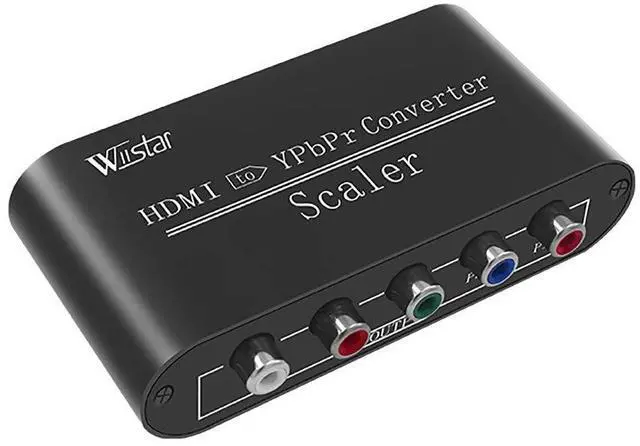
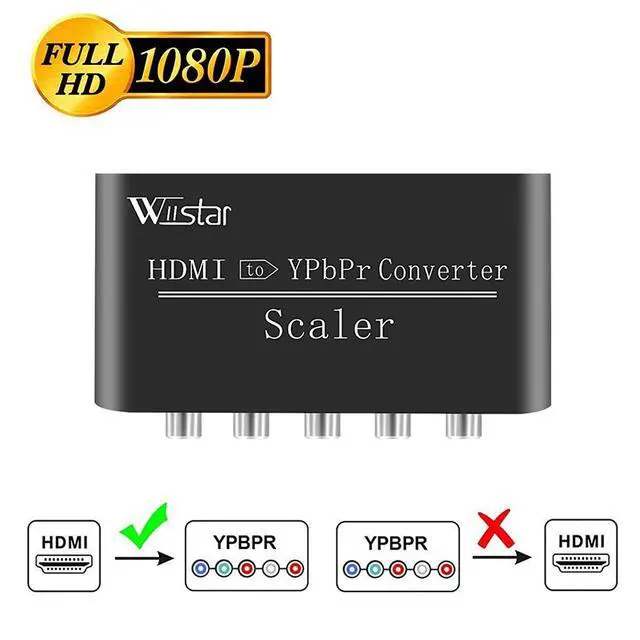
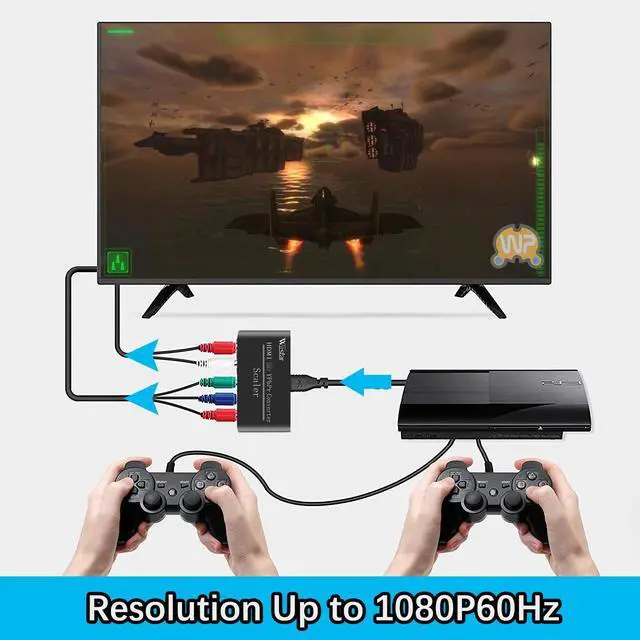
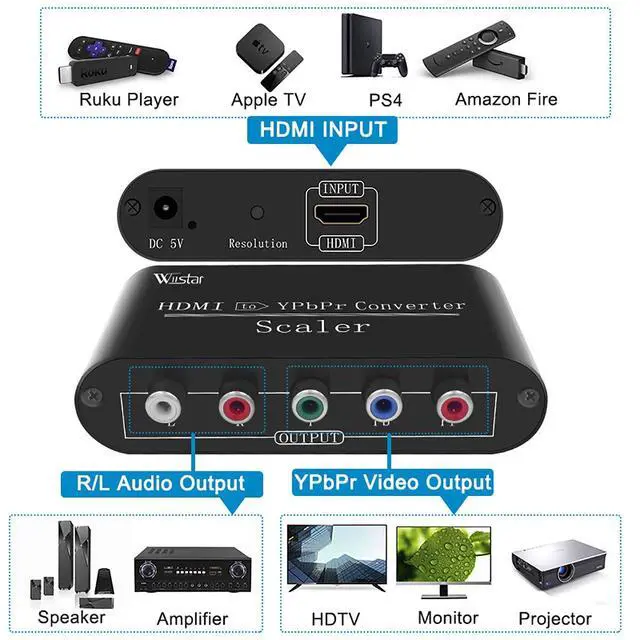
- This converter converts HDMI signal to component video signal +L/R audio signal. It doesn't support component to HDMI.
- It allows modern home theater to be integrated seamlessly into the older analog devices and digital audio.
- It only support HDCP1.2, HDCP2.2 is not supported.
- HDMI input resolution: 480I/P, 576I/P, 720P, 1080I/P
- YPbPr output resolution: 480P60, 576P60, 720P50/60, 1080P50/60
Specifications
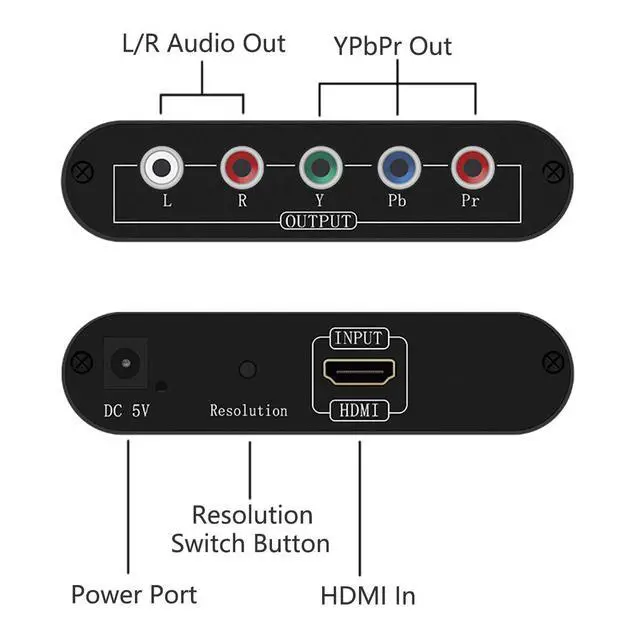
- Input ports:1×HDMI Female.
- Output ports:1×YPBPR(Green,Blue,Red),1×Audio(Red,White) Female
- HDMI input Resolution:480P60,576P50,720P50/60,1080P50/60
- YPBPR VIDEO output Resolution:480P60,576P50,720P50/60,1080P50/60
- Compliant with HDMI 1.3 Support HDCP 1.2 ; does not support HDMI 2.0 or above, does not support HDCP2.2
Support YPbPr Output Resolution Scaler
Support output resolution up-scaling and down-scaling function.
Press the button on the product to change the resolution you need.
NOTE
- This converter only convert HDMI signal to YPbPr signal. Does not support YPbPr to HDMI.
- Output resolution up to 1080P60Hz.
- NOTE
Some old TV resolution do not support 1080P, only upto 1080i.
Therefore, when using this product, the resolution cannot be adjusted to 1080P. The resolution can only be adjusted to the highest resolution 1080i or 720P supported by the TV.
- Q5: Why is it only supports 1080i or 720P when switching the resolution? Can't it be adjusted to 1080P?
- A5: Please check the resolution of your TV/Monitor. Some old TV/Monitor resolution do not support 1080P, only upto 1080i or 720P. Therefore, when using this product, the resolution cannot be adjusted to 1080P. The resolution can only be adjusted to the highest resolution 1080i or 720P supported by the TV.
HOW TO USE
Package Lists
- HDMI to Component 1080P Converter *1PCS
- Power Adapter *1PCS
- Male YPbPr Cable *1PCS
- Male L/R Audio Cable *1PCS
- User Manual *1PCS