


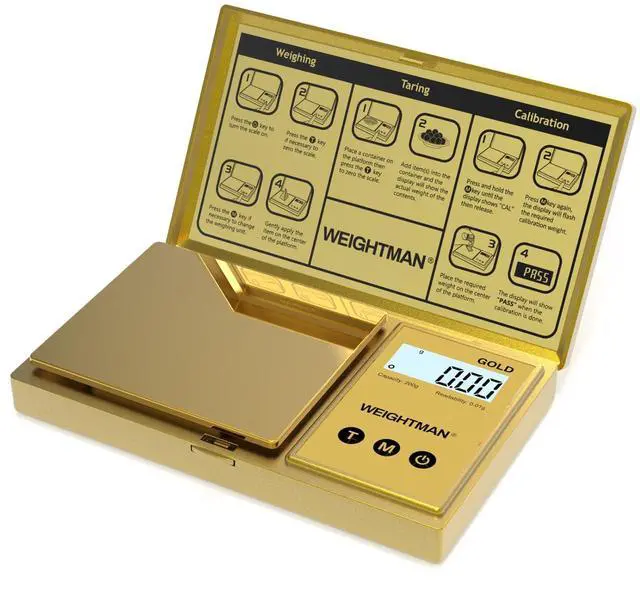


GOLD Digital Pocket Scale/ Scale's Weight: 100g

NOTE:
- Place the scale on a flat and level surface.
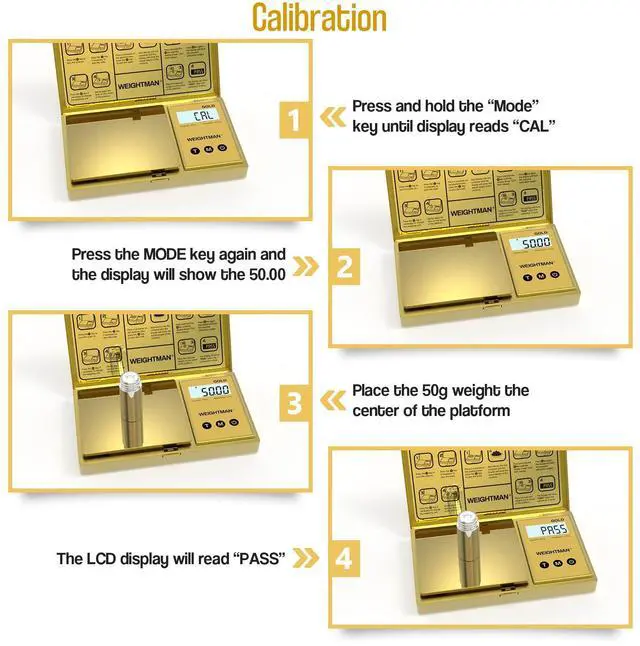
- Recalibration can fix most problems. Only use trusted weights to calibrate.
- Don't put it into water, wipe is ok.
- "UnSt": The scale is not on a leveled surface.
- "Lo": Low voltage. Please replace the batteries.
- "O-Ld": Over load. Please remove item to protect the scale.
Powerful Funcitons & New Design
Super Easy:
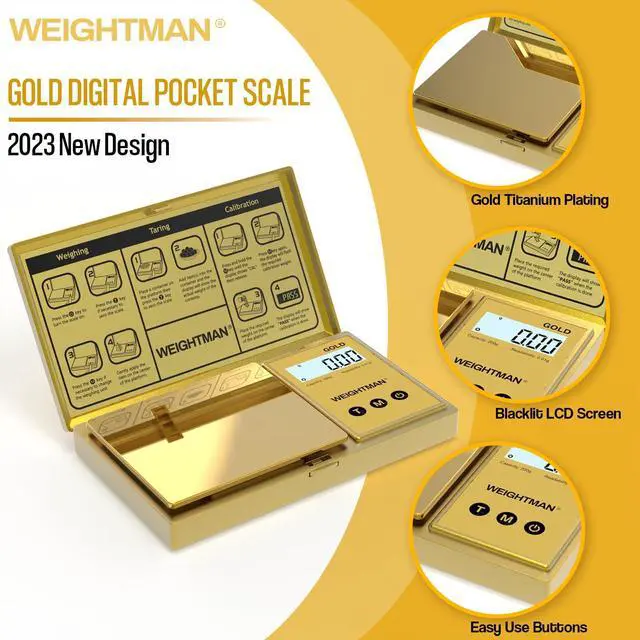
This scale only have 3 buttons, easy to use.
Tare Function:
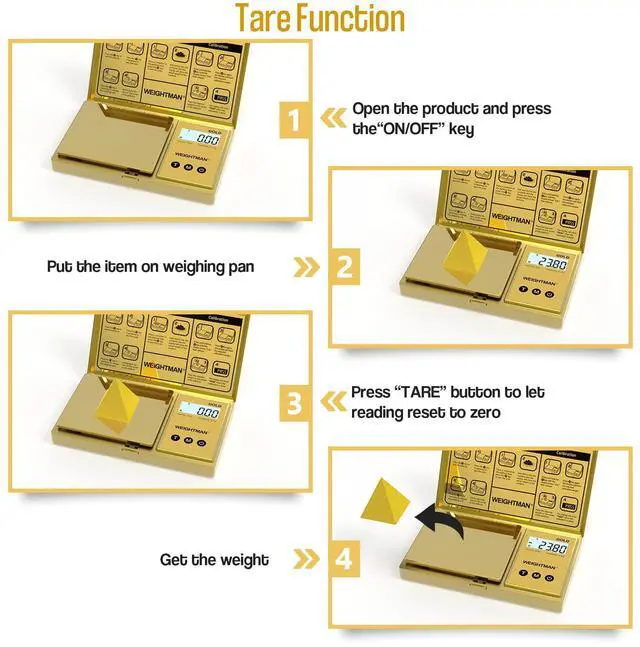
You can zero out the weight by pressing the TARE button once.
NEW Titanium Plating:
The weighing platform all plated by gold titanium, shining like a mirror.
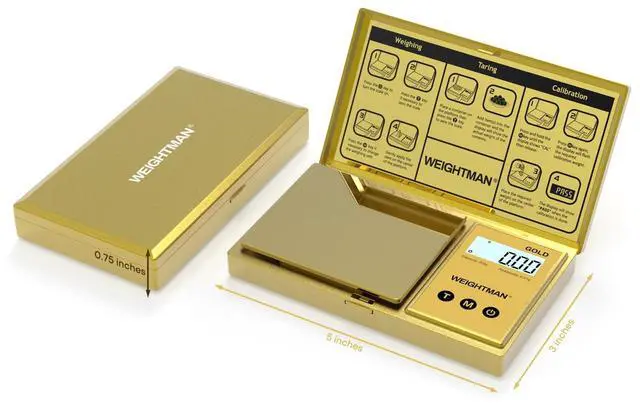
- Size: 5 inch x 3 inch x 0.75 inch
- Measure Range: 0.05g - 200g
- Divsion: 0.01g
- Tolerance: ± 0.03g
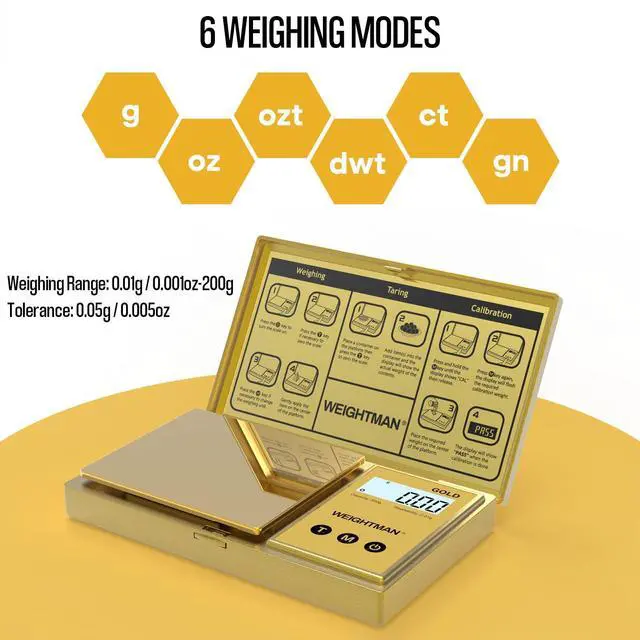
- Unit Modes: g, oz, ozt, dwt, ct, gn
- Display: LCD Backlit
- Battery: 2 x AAA
- Calibration Weight: 50g (Sold Separately)
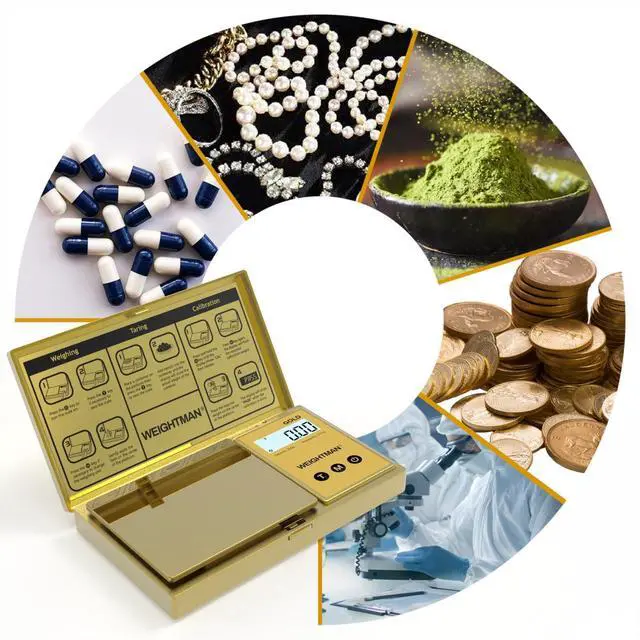
Perfect Choice for Weighing Small Objects


Powerful·Portable·Pretty

6 Weighing Modes
There are 6 modes(g, oz, ozt, dwt, ct, gn), which almost meets the weighing needs of all your small objects

Portable Design
It's a pocket size scale with a very light weight. You can easily put it in your pocket or bags for travel.

Upgraded Titanium Plating
We add a new gold titanium plating on the ordinary model. It's like a shiny mirror but not gaudy.
 Pocket Scale |  Coffee Scale |  Milligram Scale |  Pocket Scale |  Shipping Scale | |
|---|---|---|---|---|---|
| Customer Reviews | — | — | — | — | — |
| Price | — | — | — | — no data | — no data |
| Material | Stainless Steel | Stainless Steel | Stainless Steel | Stainless Steel | Stainless Steel |
| Color | Rainbow | Black | Black | Red | Black |
| Capacity | 200g | 1000g | 50g | 200g | 440lb |
| Readout | 0.01g | 0.1g | 0.001g | 0.01g | / |
| Power | AAA Batteries | AAA Batteries | USB Cable and AAA Batteries | USB Cable and AAA Batteries | USB Cable and AAA Batteries |
FAQs:
The primary reasons for inaccuracy or malfunctionare low batteries, incorrect calibration, overload oroperating on an unstable surface.Please keep this inmind and maintain and operate your scale properly.Q: My scale will not turn on, any help?
A: Check the batteries and battery contacts, or trya set of new batteries.
Q: Display shows a strange sign instead of the weight,what does that mean?
A: Please check the "Warning lndicators" section ofthis manual for explanations.
Q: The displayed weight is not steady, the last digit ofthe reading jumps up and down to the adjacentnumbers, is it normal?
A: If it is within+0.05g, then it is fine, because thetolerance of the scale is 0.05g.
Q: I'm pretty sure that the displayed weight isinaccurate,how to fix it?
A: Check the batteries first, if the problem is still there,perform a calibration adjustment.
Q: l put a tiny item (about 0.03g) on the weighingplatform, the display remains zero, why?
A: For any digital scale, there is a starting point ofweighing. For this scale, it needs to be at least 0.05gto register on your scale. lf you really need to weighsomething less than 0.05g, you may have to buy amilligrams scale.
Q: Not accurate to 0.01 gram as advertised, l weighedthe same item multiple times right away and thenumbers varied by 0.02-0.03 grams. ls my scaledefective?
A: The manufacturing tolerence is typically plus orminus 0.05g for this scale. lf the readings are withinthis tolerance, the scale is performing as designed.
Q: How to clean my scale?
A: Please use a slightly damp cloth to clean it; you mayuse a mild detergent to wipe hard-to-clean areas, DONOT immerse the scale in water or use chemical /abrasive cleaning agents. If powder caught in thearea between the platform and the body of the scale,use a soft brush or gently blow it out with compressedair.
Powerful Funcitons & New Design
NOTE:
- Place the scale on a flat and level surface.
- Recalibration can fix most problems. Only use trusted weights to calibrate.
- Don't put it into water, wipe is ok.
- "UnSt": The scale is not on a leveled surface.
- "Lo": Low voltage. Please replace the batteries.
- "O-Ld": Over load. Please remove item to protect the scale.
GOLD Digital Pocket Scale/ Scale's Weight: 100g
Super Easy:
This scale only have 3 buttons, easy to use.
Tare Function:
You can zero out the weight by pressing the TARE button once.
NEW Titanium Plating:
The weighing platform all plated by gold titanium, shining like a mirror.
- Size: 5 inch x 3 inch x 0.75 inch
- Measure Range: 0.05g - 200g
- Divsion: 0.01g
- Tolerance: ± 0.03g
- Unit Modes: g, oz, ozt, dwt, ct, gn
- Display: LCD Backlit
- Battery: 2 x AAA
- Calibration Weight: 50g (Sold Separately)
Perfect Choice for Weighing Small Objects
Powerful·Portable·Pretty
6 Weighing Modes
There are 6 modes(g, oz, ozt, dwt, ct, gn), which almost meets the weighing needs of all your small objects
Portable Design
It's a pocket size scale with a very light weight. You can easily put it in your pocket or bags for travel.
Upgraded Titanium Plating
We add a new gold titanium plating on the ordinary model. It's like a shiny mirror but not gaudy.
Pocket Scale | Coffee Scale | Milligram Scale | Pocket Scale | Shipping Scale | |
|---|---|---|---|---|---|
| Customer Reviews | — | — | — | — | — |
| Price | — | — | — | — no data | — no data |
| Material | Stainless Steel | Stainless Steel | Stainless Steel | Stainless Steel | Stainless Steel |
| Color | Rainbow | Black | Black | Red | Black |
| Capacity | 200g | 1000g | 50g | 200g | 440lb |
| Readout | 0.01g | 0.1g | 0.001g | 0.01g | / |
| Power | AAA Batteries | AAA Batteries | USB Cable and AAA Batteries | USB Cable and AAA Batteries | USB Cable and AAA Batteries |
FAQs:
The primary reasons for inaccuracy or malfunctionare low batteries, incorrect calibration, overload oroperating on an unstable surface.Please keep this inmind and maintain and operate your scale properly.Q: My scale will not turn on, any help?
A: Check the batteries and battery contacts, or trya set of new batteries.
Q: Display shows a strange sign instead of the weight,what does that mean?
A: Please check the "Warning lndicators" section ofthis manual for explanations.
Q: The displayed weight is not steady, the last digit ofthe reading jumps up and down to the adjacentnumbers, is it normal?
A: If it is within+0.05g, then it is fine, because thetolerance of the scale is 0.05g.
Q: I'm pretty sure that the displayed weight isinaccurate,how to fix it?
A: Check the batteries first, if the problem is still there,perform a calibration adjustment.
Q: l put a tiny item (about 0.03g) on the weighingplatform, the display remains zero, why?
A: For any digital scale, there is a starting point ofweighing. For this scale, it needs to be at least 0.05gto register on your scale. lf you really need to weighsomething less than 0.05g, you may have to buy amilligrams scale.
Q: Not accurate to 0.01 gram as advertised, l weighedthe same item multiple times right away and thenumbers varied by 0.02-0.03 grams. ls my scaledefective?
A: The manufacturing tolerence is typically plus orminus 0.05g for this scale. lf the readings are withinthis tolerance, the scale is performing as designed.
Q: How to clean my scale?
A: Please use a slightly damp cloth to clean it; you mayuse a mild detergent to wipe hard-to-clean areas, DONOT immerse the scale in water or use chemical /abrasive cleaning agents. If powder caught in thearea between the platform and the body of the scale,use a soft brush or gently blow it out with compressedair.