




Digital Voice Recorder: Function Introduction

Digital Voice Recorder: Function Introduction
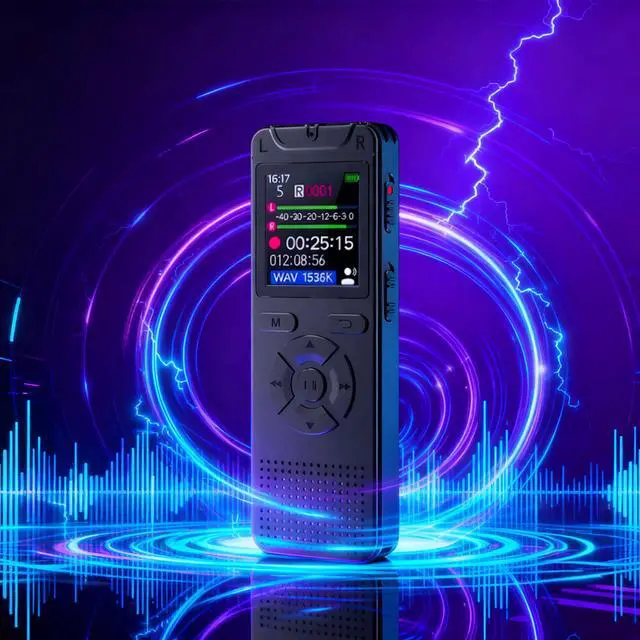
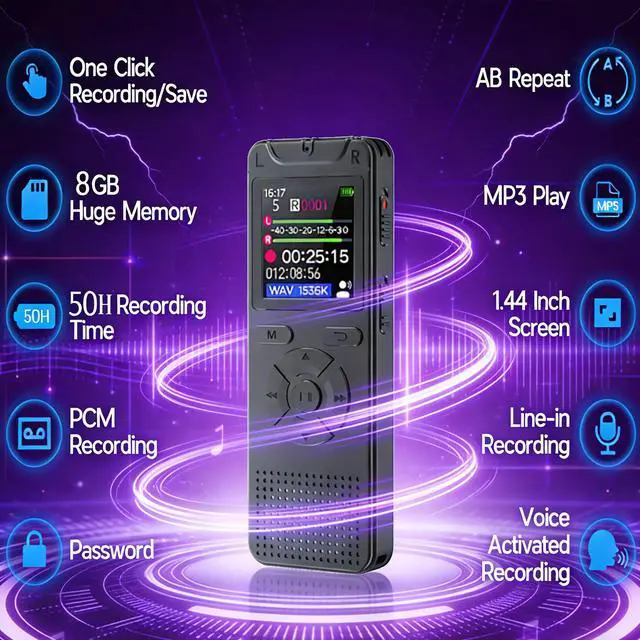
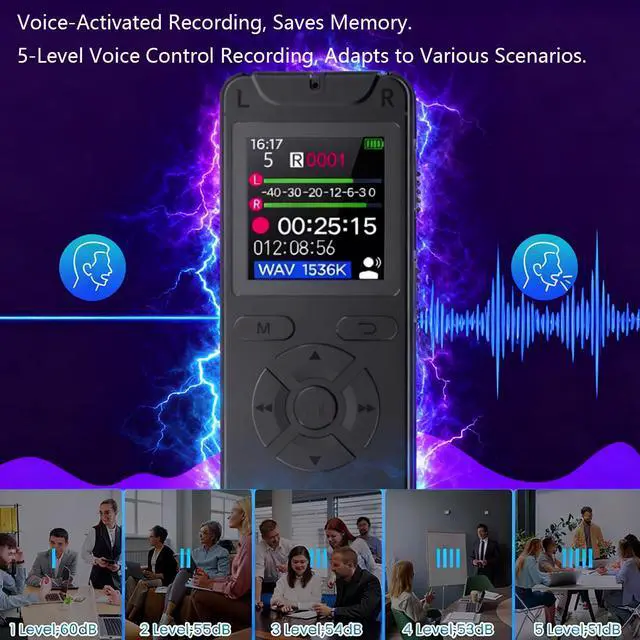
1-Functions: One-key recording, voice-activated recording, 512kbps noise reduction, clock setting, scheduled recording, voice & music playback, repeat function, password protection, Line-in, auto-save & shutdown when low on power.
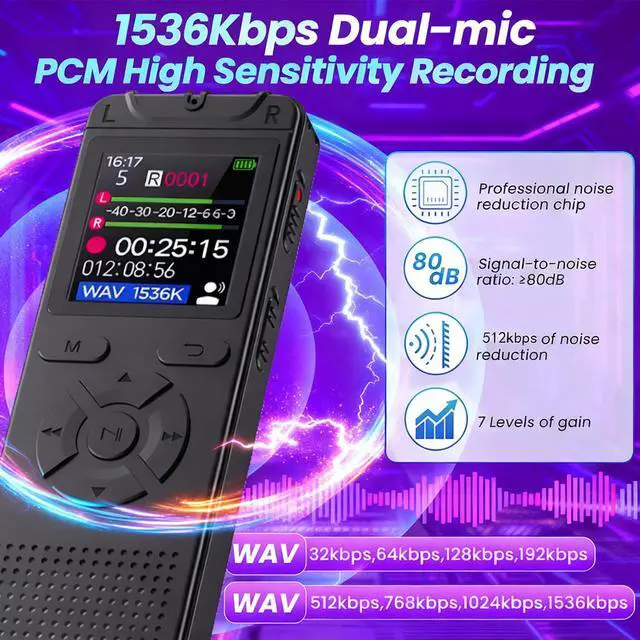
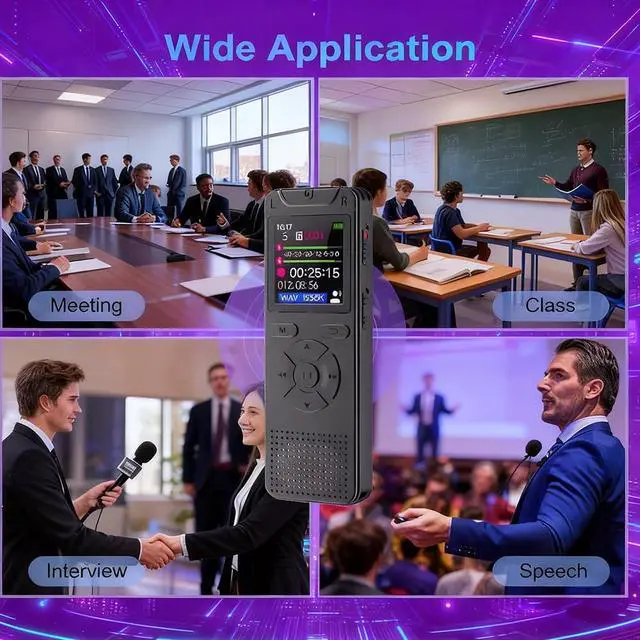
2-This digital voice recorder supports 1536kbps high-quality audio recording, with one-key recording and saving functions for easy operation. Built-in 8GB large capacity (expandable up to 128GB), it’s ideal for meetings, interviews, daily conversations, and perfect for interviewers, students, senior undergraduates, professors, writers, bloggers, etc.
3-It supports USB connection to computers for fast file transfer, deletion, charging, and storage (compatible with USB flash drive function). Also serving as a music player, it works with multiple audio formats including MP3, WMA, WAV, APE, FLAC, AAC-LC, M4A, and OGG for seamless music playback. Equipped with a relatively large screen and line-by-line recording support, it’s an excellent companion for speeches, interviews, and other activities.

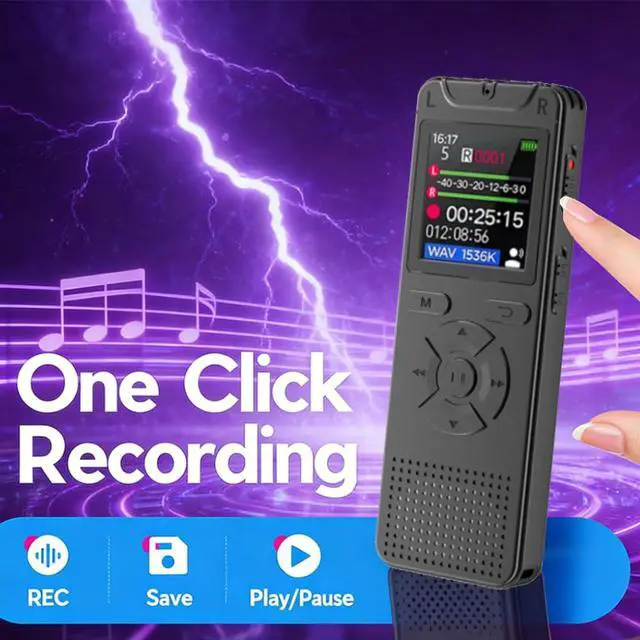
One-Click Recording & Saving
One-Click Recording & Saving
This digital voice recorder boasts a simple one-touch recording and saving function. Even in shutdown mode, a light press of the side button is all it takes to record and save effortlessly—eliminating cumbersome steps.

A-B Repeat
A-B Repeat
Supports A-B loop playback for audio files, facilitating focused learning of specific segments—making it a valuable learning tool. In playback mode: simply short-press the M button on the panel to access the menu and select the A-B Repeat function.

300mAh Rechargeable Battery
300mAh Rechargeable Battery
When fully charged, it supports continuous recording for 50-60 hours in 512kbps WAV format. When only one battery bar is displayed, please charge the device in advance. If the battery is low during recording, it will automatically save the recorded files and shut down. Note: Please charge it regularly if not in use for a long time.

Password Protection
Password Protection
This recorder features a password protection function. After setting a power-on password, a 6-digit code is required to turn on and use the device—preventing unauthorized access to its contents and safeguarding data security. If you forget the password, refer to the master password in the user manual. Enter it, then long-press the M button to clear the password and power on the device.

Fast File Transfer
Connect the included Type-C cable to a computer, and a removable disk will pop up—allowing you to easily transfer files and charge the device.Fast File Transfer & Charging
- Once connected to a computer, it functions as a USB flash drive: supports uploading/downloading files and storing data, movies, photos, etc.
- It charges simultaneously while connected to a computer and stops automatically when fully charged.
- Charge via a computer or use a charger with an output of less than 2A to avoid damaging the battery.
Note: Files stored in the recorder's internal memory should be backed up.

Timestamp
Files are saved with timestamps for easy classification and management. Can easily identify the recording time
Supported systems: Mac and Windows
Attention: Before recording for the first time, please set the time in the recording device.

Storage Specifications
I. Storage Specifications & Settings 1. Built-in storage: 8GB. Supports external TF card expansion, with a capacity range of 8GB–128GB. 2. You can freely switch the recording storage location in **System Settings > Storage Settings**. 3. Note: External memory card is not included and must be purchased separately. ##
II. FAQ & Troubleshooting 1. **Issue**: Prompt showing "Disk Error" after inserting the memory card. 2. **Cause & Solution**: This indicates that the memory card is faulty or not supported by the device. The problem can be resolved by replacing the memory card. 3. **Note**: Please purchase genuine branded memory cards. Do not use inferior or uncertified cards, to avoid damage to recording content or files.

Noise Reduction Technology Description
Noise Reduction Technology Description
1. **Function Activation**: The noise reduction function can be manually enabled in **Recording Settings**.
2. **Function Effect**: Once enabled, it will perform 512KBPS noise reduction recording, which can effectively eliminate part of the background noise.
3. **Default Status**: This function is disabled by default.

Package Accessories List
Package Accessories List
1. Digital Voice Recorder ×1
2. Charging Cable ×1
3. 3.5mm Jack Earphones ×1
4. User Manual ×1

FAQs
1. Continuous Recording & Charging Time : Continuous recording for about 50-60 hours(512kbps); fully charged in approximately 2 hours.
2. Speaker Function : Built-in speaker supported; better audio quality with headphones.
3. Housing Material : High-hardness ABS plastic, lightweight and portable.
4. Recording Channel : Mono.
5. Recording Format : WAV high-definition format.
6. Maximum Recording Bitrate : 1536 kbps.
7. Direct Recording : Supported; record audio from other devices via a 3.5mm audio cable (cable not included, sold separately).
8. Storage Expansion : Built-in 8GB memory; supports TF card expansion from 8GB to 128GB (card not included, sold separately; use reputable brands to avoid recording errors or file corruption).
9. Voice Activation : Supported; enable and adjust sensitivity levels in settings.
10. Power-On Password : Supported; set a 6-digit password in system settings for security.
11. Recording Noise Reduction : 512 kbps real noise reduction supported (effectively reduces background noise); disabled by default, enable in recording settings.
12. Low Power/Shutdown Protection : Automatically saves recordings and powers off when battery is low or depleted.
13. Standby Time : Over 180 days in standby mode; ready to use when powered on. Charge before use; recharge every 180 days if stored long-term for stable performance.
14. Computer Connection : Connect to a computer with the included USB charging cable to access storage, delete/rename files, or use as a flash drive for documents, photos, and other data.
15. On-Device File Deletion : Supported; select a recording, press the M key to open the menu, then choose "Delete".
Digital Voice Recorder: Function Introduction
Digital Voice Recorder: Function Introduction
1-Functions: One-key recording, voice-activated recording, 512kbps noise reduction, clock setting, scheduled recording, voice & music playback, repeat function, password protection, Line-in, auto-save & shutdown when low on power.
2-This digital voice recorder supports 1536kbps high-quality audio recording, with one-key recording and saving functions for easy operation. Built-in 8GB large capacity (expandable up to 128GB), it’s ideal for meetings, interviews, daily conversations, and perfect for interviewers, students, senior undergraduates, professors, writers, bloggers, etc.
3-It supports USB connection to computers for fast file transfer, deletion, charging, and storage (compatible with USB flash drive function). Also serving as a music player, it works with multiple audio formats including MP3, WMA, WAV, APE, FLAC, AAC-LC, M4A, and OGG for seamless music playback. Equipped with a relatively large screen and line-by-line recording support, it’s an excellent companion for speeches, interviews, and other activities.
One-Click Recording & Saving
One-Click Recording & Saving
This digital voice recorder boasts a simple one-touch recording and saving function. Even in shutdown mode, a light press of the side button is all it takes to record and save effortlessly—eliminating cumbersome steps.
A-B Repeat
A-B Repeat
Supports A-B loop playback for audio files, facilitating focused learning of specific segments—making it a valuable learning tool. In playback mode: simply short-press the M button on the panel to access the menu and select the A-B Repeat function.
300mAh Rechargeable Battery
300mAh Rechargeable Battery
When fully charged, it supports continuous recording for 50-60 hours in 512kbps WAV format. When only one battery bar is displayed, please charge the device in advance. If the battery is low during recording, it will automatically save the recorded files and shut down. Note: Please charge it regularly if not in use for a long time.
Password Protection
Password Protection
This recorder features a password protection function. After setting a power-on password, a 6-digit code is required to turn on and use the device—preventing unauthorized access to its contents and safeguarding data security. If you forget the password, refer to the master password in the user manual. Enter it, then long-press the M button to clear the password and power on the device.
Fast File Transfer
Connect the included Type-C cable to a computer, and a removable disk will pop up—allowing you to easily transfer files and charge the device.Fast File Transfer & Charging
- Once connected to a computer, it functions as a USB flash drive: supports uploading/downloading files and storing data, movies, photos, etc.
- It charges simultaneously while connected to a computer and stops automatically when fully charged.
- Charge via a computer or use a charger with an output of less than 2A to avoid damaging the battery.
Note: Files stored in the recorder's internal memory should be backed up.
Timestamp
Files are saved with timestamps for easy classification and management. Can easily identify the recording time
Supported systems: Mac and Windows
Attention: Before recording for the first time, please set the time in the recording device.
Storage Specifications
I. Storage Specifications & Settings 1. Built-in storage: 8GB. Supports external TF card expansion, with a capacity range of 8GB–128GB. 2. You can freely switch the recording storage location in **System Settings > Storage Settings**. 3. Note: External memory card is not included and must be purchased separately. ##
II. FAQ & Troubleshooting 1. **Issue**: Prompt showing "Disk Error" after inserting the memory card. 2. **Cause & Solution**: This indicates that the memory card is faulty or not supported by the device. The problem can be resolved by replacing the memory card. 3. **Note**: Please purchase genuine branded memory cards. Do not use inferior or uncertified cards, to avoid damage to recording content or files.
Noise Reduction Technology Description
Noise Reduction Technology Description
1. **Function Activation**: The noise reduction function can be manually enabled in **Recording Settings**.
2. **Function Effect**: Once enabled, it will perform 512KBPS noise reduction recording, which can effectively eliminate part of the background noise.
3. **Default Status**: This function is disabled by default.
Package Accessories List
Package Accessories List
1. Digital Voice Recorder ×1
2. Charging Cable ×1
3. 3.5mm Jack Earphones ×1
4. User Manual ×1
FAQs
1. Continuous Recording & Charging Time : Continuous recording for about 50-60 hours(512kbps); fully charged in approximately 2 hours.
2. Speaker Function : Built-in speaker supported; better audio quality with headphones.
3. Housing Material : High-hardness ABS plastic, lightweight and portable.
4. Recording Channel : Mono.
5. Recording Format : WAV high-definition format.
6. Maximum Recording Bitrate : 1536 kbps.
7. Direct Recording : Supported; record audio from other devices via a 3.5mm audio cable (cable not included, sold separately).
8. Storage Expansion : Built-in 8GB memory; supports TF card expansion from 8GB to 128GB (card not included, sold separately; use reputable brands to avoid recording errors or file corruption).
9. Voice Activation : Supported; enable and adjust sensitivity levels in settings.
10. Power-On Password : Supported; set a 6-digit password in system settings for security.
11. Recording Noise Reduction : 512 kbps real noise reduction supported (effectively reduces background noise); disabled by default, enable in recording settings.
12. Low Power/Shutdown Protection : Automatically saves recordings and powers off when battery is low or depleted.
13. Standby Time : Over 180 days in standby mode; ready to use when powered on. Charge before use; recharge every 180 days if stored long-term for stable performance.
14. Computer Connection : Connect to a computer with the included USB charging cable to access storage, delete/rename files, or use as a flash drive for documents, photos, and other data.
15. On-Device File Deletion : Supported; select a recording, press the M key to open the menu, then choose "Delete".