here!
here!
I’m your shopping assistant for PC builds, upgrades, and everything tech.
Got questions? Ask away!
Start a conversation
here!
I’m your shopping assistant for PC builds, upgrades, and everything tech.
Got questions? Ask away!
Start a conversation Top Rated




Any questions? Ask CelesteSM will help you find out quickly.
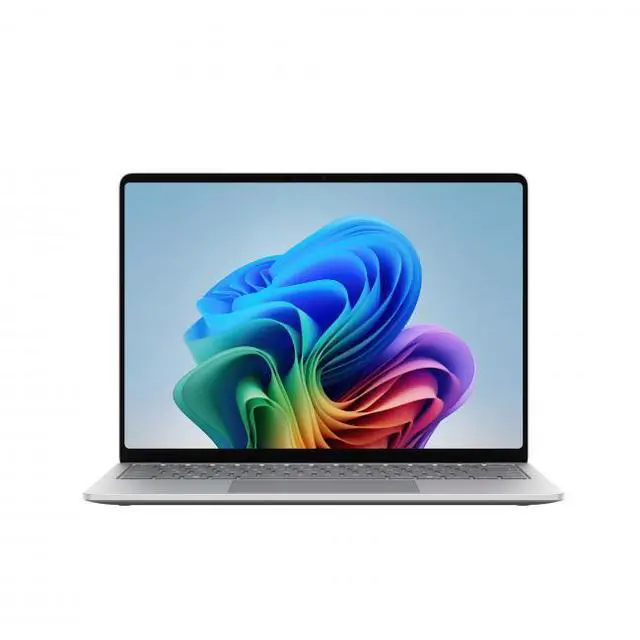
The Microsoft Surface Laptop 13.8-inch is a thin-and-light Windows 11 notebook with a Snapdragon X2 Elite processor, 16GB LPDDR5x memory, and a 120Hz touchscreen, making it a strong fit for students, professionals, and home users who want premium portability for everyday work, web apps, streaming, and creative tasks.
| Attribute | Value |
|---|---|
| Best For | Mainstream content creation and everyday home/personal productivity on a thin-and-light 13.8" touchscreen laptop with stylus support and long battery life (spec'd up to 20 hours) |
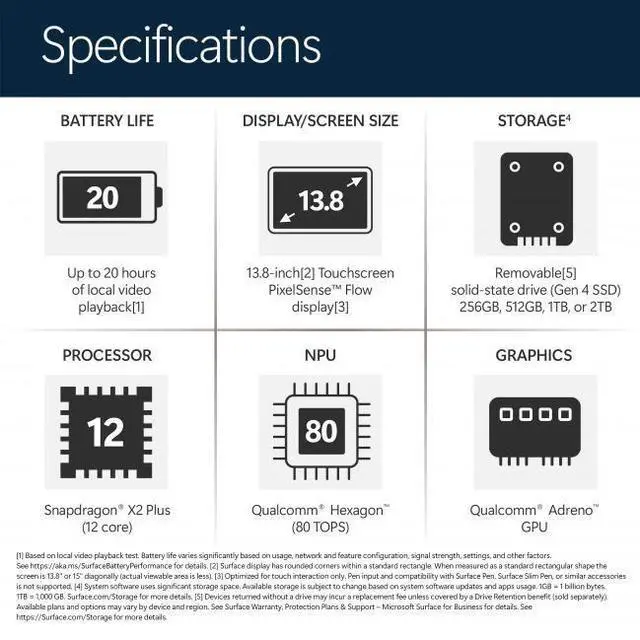
| Processor And Core Count | Qualcomm Snapdragon X2 Elite 12-core processor, up to 4 GHz (CPU model X2E-78-100) |
| GPU And VRAM | Qualcomm Adreno integrated graphics using shared system memory |
| Memory Configuration | 16 GB LPDDR5x RAM installed (RAM technology LPDDR5X; maximum reported 16 GB) |
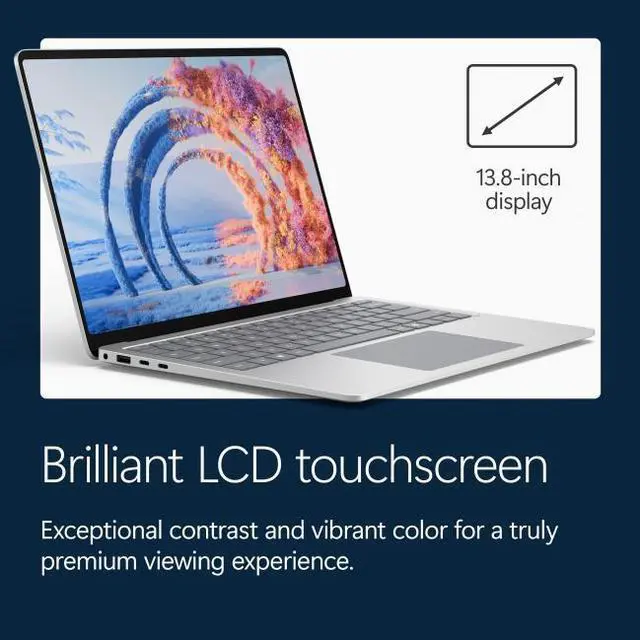
| Display Spec | 13.8" capacitive touchscreen LCD, native 2304 x 1536 resolution, 120 Hz refresh rate, up to 600 nits brightness; supports stylus input |
| Storage And Expansion | 512 GB SSD (internal solid-state storage; no optical drive) |
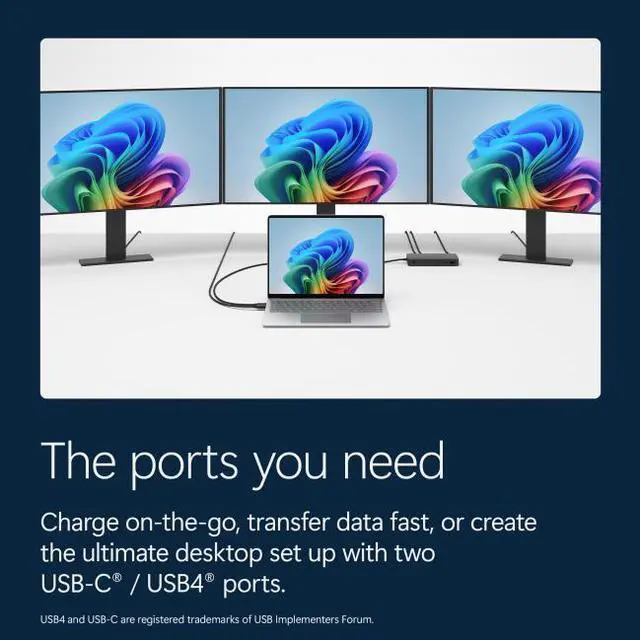
| High Speed I O | 2 × Thunderbolt 4 / USB4 (USB-C), 1 × USB-A, DisplayPort over USB-C supported, 3 total USB ports reported, no HDMI ports, 1 × 3.5mm headphone/microphone combo jack |
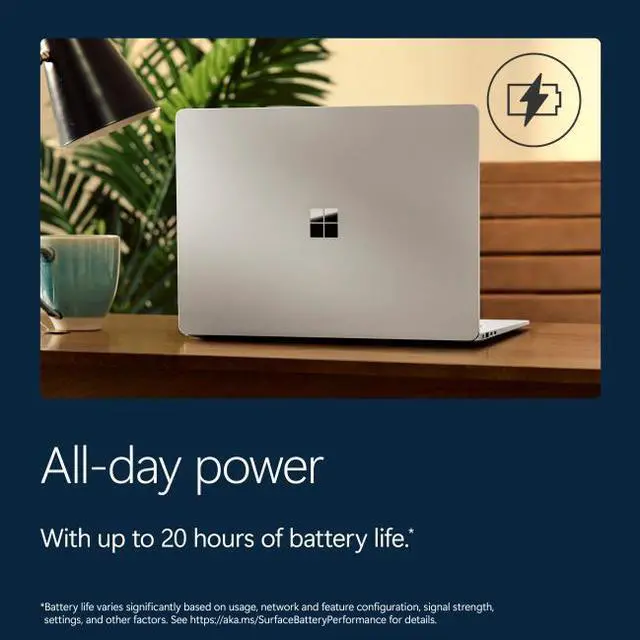
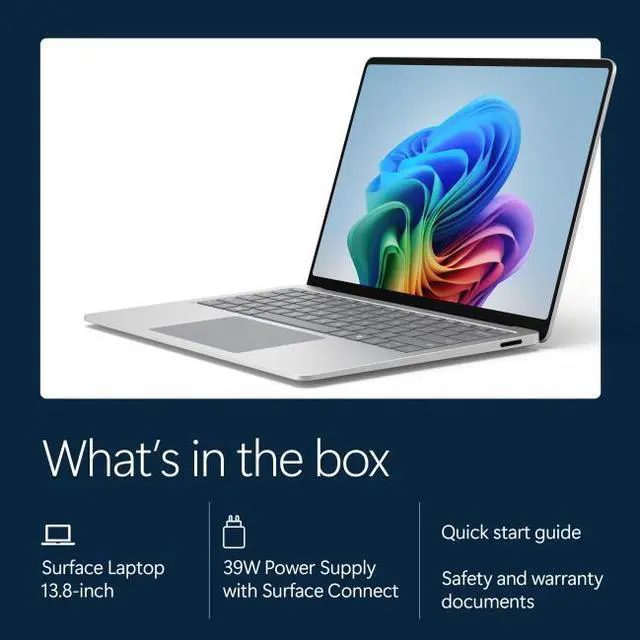
| Battery And Power | 6-cell lithium-ion battery (6 cells, 54.12 Wh) rated up to 20 hours battery life; includes 39 W USB-C power adapter |
| Wired And Wireless Networking | Wi‑Fi 7 (802.11be) wireless LAN and Bluetooth 5.4; USB-C/Thunderbolt ports provide DisplayPort capability |
| Webcam And Privacy | 1080p FHD webcam |
| Keyboard And Control | Built-in full-size keyboard and touchpad, plus capacitive touchscreen with stylus support |
| Audio Setup | Integrated audio with 1 × 3.5mm headphone/microphone combo jack |
| Portability | Thin-and-light design, dimensions 11.85" x 8.67" x 0.69" and weight 2.97 lbs |
| Operating System | Windows 11 Home |
| Model Identifiers | Microsoft Surface Laptop — Model/Part EP2-59488 (Model Name: Surface Laptop); manufacturer Microsoft; model year 2026; CPU model X2E-78-100 |
Q: Should I buy this 13.8-inch Surface Laptop with Snapdragon X2 Elite or the 13-inch Surface Laptop with Snapdragon X Plus?
A: Choose the 13.8-inch Surface Laptop with Snapdragon X2 Elite if you want the more premium Surface setup: a sharper 2304 x 1536 touchscreen, 120 Hz refresh rate, more USB-C/Thunderbolt connectivity, and stronger overall performance headroom. The 13-inch Surface Laptop makes more sense if lower cost and a simpler everyday setup matter more than display quality and peak speed. This 13.8-inch model is the better fit for buyers who expect longer useful life, heavier multitasking, or more demanding productivity workloads.
Q: Is this Surface Laptop a better choice than a MacBook Air 13 for everyday work?
A: This Surface Laptop is the better choice if you want a premium thin-and-light Windows laptop with a high-resolution 120 Hz touchscreen, native Windows workflow, and strong battery-focused ARM performance. A MacBook Air 13 remains the better fit if your apps and accessories are centered on macOS or if you want to avoid Windows-on-ARM compatibility checks. In practice, the decision usually comes down to operating system preference first, with this Surface Laptop appealing most to buyers who want MacBook Air-style portability without leaving Windows.
Q: Should I get this Surface Laptop or a 15-inch Surface Laptop?
A: Buy this 13.8-inch model if portability comes first and you want the most balanced Surface Laptop size for travel, commuting, and mixed home-office use. Step up to the 15-inch version if you value a larger display and more workspace for split-screen productivity more than compactness. For most buyers, the 13.8-inch model is the easier everyday carry, while the 15-inch model is the more desk-oriented option.
Q: Is this Snapdragon X2 Elite Surface Laptop worth choosing over the older Snapdragon X Elite Surface Laptop 7?
A: Choose this newer X2 Elite model if you want the same core Surface Laptop idea with more performance headroom and a stronger long-term upgrade path. Early coverage of the 2026 Surface generation points to meaningful graphics and overall performance gains, while the older X Elite model still remains a sensible value option if priced clearly lower. The practical buying decision is simple: the older model is for value, while this newer model is for buyers who want the fresher platform and better forward-looking performance.
Q: Should I choose this Surface Laptop for portability or pick a performance-first laptop instead?
A: Choose this Surface Laptop if you want a thin, light Windows system for office work, web use, media, communication, and AI-enabled everyday tasks with strong battery expectations. A performance-first laptop is the better fit if your priority is heavier GPU work, broader game compatibility, or software that still benefits more from traditional x86 performance and driver support. This Surface Laptop is the better choice when mobility, battery life, and premium everyday usability matter more than maximum graphics performance.
Q: Is this a good laptop for travel, meetings, and everyday office work?
A: Yes. This Surface Laptop is well suited for mobile productivity: it is light at 2.97 lbs, has a 13.8-inch touchscreen, a 1080p webcam for video calls, and USB-C charging support in addition to its included charger. Retail Q&A for comparable Surface Laptop Snapdragon models repeatedly centers on battery life, portability, and all-day use, which matches this model’s thin-and-light design and office-oriented feature set. The main caveat is that it is better positioned for productivity than for heavy workstation or gaming use.
Q: Is it good for note-taking, web apps, Microsoft 365, and video calls?
A: Yes, for standard productivity workloads. The combination of a high-resolution 13.8-inch touchscreen, 16GB RAM, 512GB SSD, Windows 11 Home, and a 1080p webcam makes it a practical fit for email, documents, browser-based work, meetings, and light multitasking. It can also work for note-taking with a stylus on the touchscreen, but it is not a 2-in-1 and the display does not fold flat, so handwritten use is more limited than on a convertible or Surface Pro.
Q: Who is this laptop best for?
A: It is best for buyers who want a premium Windows laptop for portable work: students, remote workers, frequent travelers, and general home-office users. Its strongest fit is everyday productivity, communication, and media use in a light chassis. It is less ideal for buyers who need dedicated graphics, upgrade-heavy configurations, or specialized software that depends on x86 drivers or tools that may not yet run optimally on Snapdragon-based Windows laptops.
Q: What is the main trade-off versus an Intel or AMD laptop at a similar price?
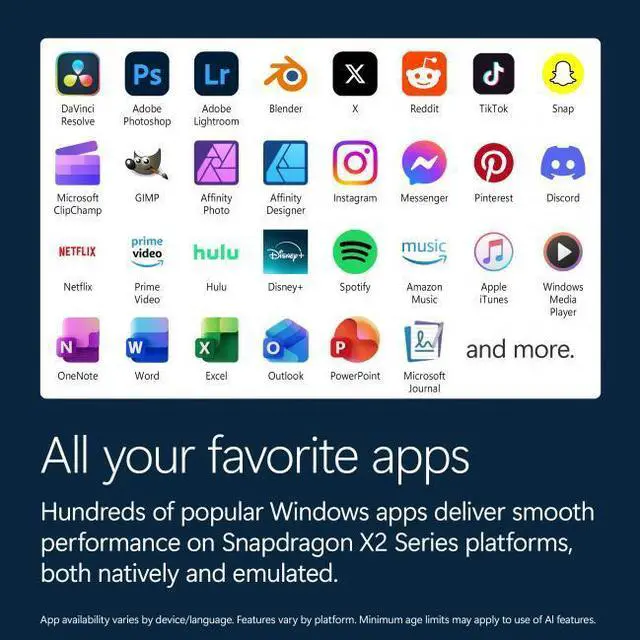
A: The key trade-off is efficiency and portability versus software certainty. A Snapdragon-based Surface Laptop can be attractive for battery life, low-noise operation, and mobile productivity, but some buyers on retail Q&A pages repeatedly ask about app compatibility because Windows on ARM can still be less predictable for niche desktop software, older utilities, and certain drivers. If your workflow is mostly browser, Microsoft 365, video calls, and mainstream apps, it is a safer fit. If you rely on specialized Windows programs or peripherals, an Intel or AMD laptop is usually the lower-risk choice.
Q: Is this a good choice for gaming or heavy creative work?
A: Not primarily. It can handle everyday graphics, streaming, photo tasks, and general content work, but its integrated Adreno graphics and thin-and-light design make it a weaker choice for demanding gaming, 3D workloads, or creator workflows that depend on GPU acceleration and broad software certification. Buyers choosing between this and a performance laptop should view this Surface as a productivity-first device, not a gaming or workstation model.
Q: Is this Surface Laptop a good everyday work and travel laptop?
A: Yes, if your workload is mostly web, Office, video calls, streaming, documents, and light creative work. Its 13.8-inch size, 2.97 lb weight, 16 GB RAM, 512 GB SSD, 1080p webcam, Wi‑Fi 7, and touchscreen make it a strong fit for portable daily use. The main decision caveat is software compatibility: if your work depends on older Windows apps, niche tools, or drivers that may not run well on Windows on Arm, it is less predictable than an x86 laptop.
Q: Who is this model best suited for?
A: This configuration is best for students, remote workers, frequent travelers, and home users who want a thin, light Windows laptop with a high-resolution 120 Hz touchscreen and modern wireless features. It is a better fit for general productivity than for specialized technical workflows, because the Snapdragon platform is strongest when your apps already work well on Windows on Arm.
Q: What are the main trade-offs of buying the Snapdragon version instead of a typical Intel or AMD laptop?
A: The main trade-off is compatibility versus efficiency. This Surface Laptop offers a thin-and-light design, modern connectivity, and hardware that suits mainstream use well, but some buyers specifically question Windows on Arm app support, developer tooling, virtualization, peripherals, and niche software. If your apps are browser-based or mainstream Windows apps, the trade-off is usually acceptable. If your workflow depends on specific legacy, engineering, or enterprise tools, an Intel or AMD model is the safer choice.
Q: Is this a good choice for software development or technical workloads?
A: It can work for development, but only if your toolchain is known to run well on Windows on Arm. Community discussion repeatedly raises questions about WSL, virtualization, Linux workflows, and app support on Snapdragon Surface devices. With 16 GB RAM and a 512 GB SSD, this model is adequate for mainstream coding and cloud-based development, but it is not the safest pick for developers who depend on specific x86 tools, VMs, or specialized local environments.
Q: Is the Snapdragon X Elite version worth buying over a lower-tier Snapdragon option?
A: Only if you know you need the extra performance. Community discussion around Surface Laptop Snapdragon configurations often treats the higher-end chip as more useful for heavier multitasking or graphics-related work, while everyday tasks show less clear benefit. For general home, school, and office use, the value comes more from the overall Surface Laptop design and portability than from chasing the top Snapdragon tier.