


Out of stock
This item is currently out of stock and it may or may not be restocked.
Most customers receive within 2-6 days.
Shop it at NeweggBusiness.

Meet Your Seller

Microsoft Surface Dock 2, 9-in-1 Docking Station with Max 199W Power Supply, Dual Monitors 4K Display, Ethernet, 4X USB-C, Compatible Surface Pro 8 9 X 10 11 / Go 3 4 / Book 2 3 / Laptop 4 5 6 7

  • Transform your Surface into a desktop powerhouse with the Surface Dock 2. It offers efficient charging and connectivity to monitors, keyboards, and mice, streamlining your workspace.
  • Compatible with most Surface devices: Supports Surface Pro 5-11, Surface Go 2-4, Surface Laptop 1-7, Laptop Studio 1/2, Laptop Go 1-3, and Surface Book 2/3. Not for Surface Pro 3, 4, Book 1, or Studio 2+.
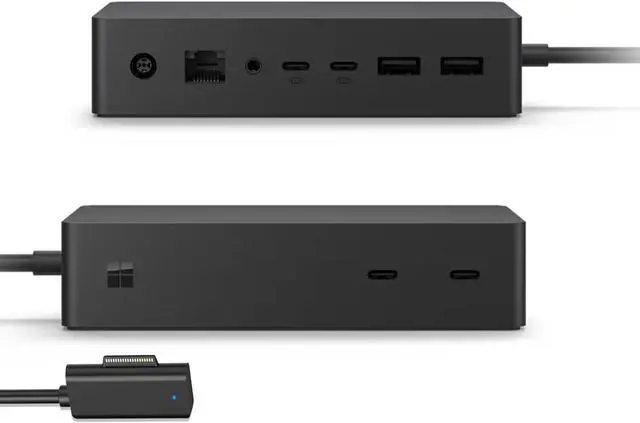
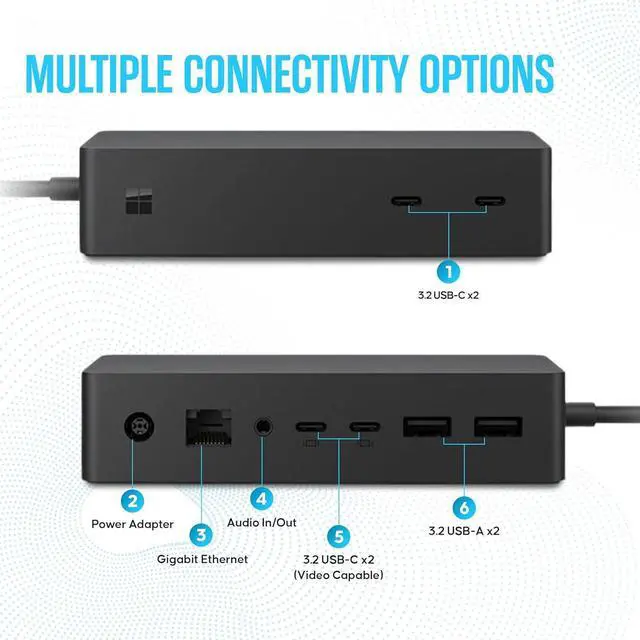
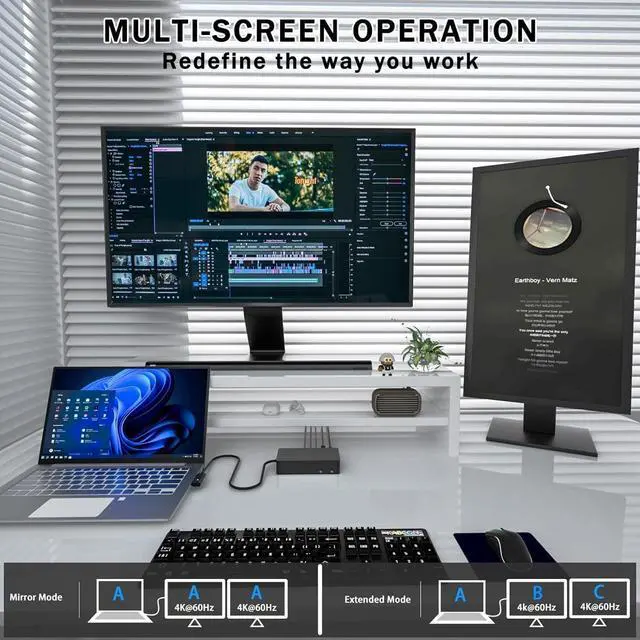
  • High-speed data and charging: The Surface Dock 2 has four USB-C 3.2 Gen 2 ports for 10 Gb/s data speeds. Front ports allow fast charging, while rear ports support dual 4K monitors at 60 Hz.
  • Enhanced connectivity: The Gigabit Ethernet jack ensures stable internet. Connect headphones via the 3.5mm audio jack. A Kensington lock slot adds security to your dock.
  • Compact design: The Surface Dock 2 is sleek and space-efficient, measuring 5.12" x 2.75" x 1.18". It includes the dock and power supply to enhance your Surface experience.
Overview
Specs
Reviews
avatar

Any questions? Our AI beta will help you find out quickly.

1

1
1

All the connections you need

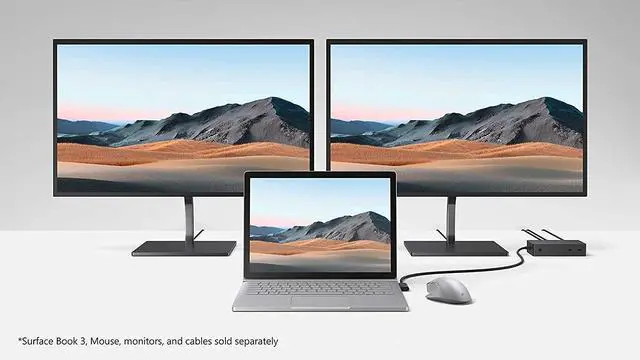
Instantly turn your Surface into a desktop PC with the next-gen ports in new Surface Dock 2. Simply plug in the Surface Connect cable to charge your device and access external monitors, a keyboard, mouse, and more.

Keep it powered up

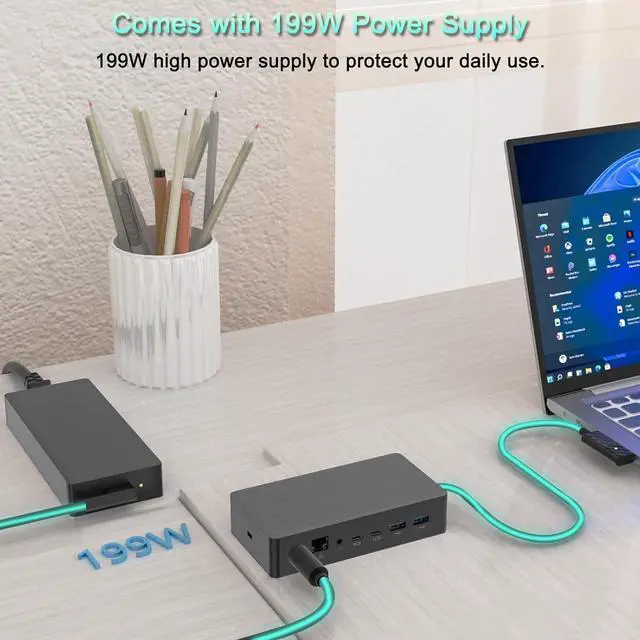
The 199 W power supply is strong enough to charge Surface Book 3 and nearly every other Surface device under full load.

1
Next-gen ports for next-gen performance

Next-gen ports for next-gen perform a Two front-facing USB-C ports provide faster charging and faster data transfers. Two rear-facing USB-C ports are video enabled to support dual 4K monitors at 60 Hz.

1
Compatible most Surface devices
  • Surface X / Surface Laptop 1/2/3/4/5/6/7
  • Surface Pro 5/6/7/8/9
  • Surface Go 2/3/4 / Surface Laptop Go1/2/3
  • Surface Book 2/3
  • Surface Laptop Studio 1/2

1

1
Technical Specifications
Power supply 199W power supply
Compatible operating systems Windows 11; Windows 10
Weight 1.13 lb
Security management Standard Kensington lock slot
Dimensions (W X D X H) 5.12" x 2.75" x 1.18"
What's in the box Dock, Surface Connect cable

Microsoft Surface Dock 2


Transform your Surface device into a powerful desktop PC with the Microsoft Surface Dock 2. Designed with a sleek black finish, this accessory is an essential addition to any professional workspace. The Dock 2 is equipped with a robust 199W power supply, allowing you to seamlessly charge your device while connecting to external monitors, keyboards, mice, and more. Its compatibility spans a wide range of Surface devices, including Surface Pro 5/6/7/8/9/X/10/11, Surface Go 2/3/4, Surface Laptop 1/2/3/4/5/6/7, Surface Laptop Studio 1/2, Surface Laptop Go 1/2/3, and Surface Book 2/3, though it is not compatible with Surface Pro 4, Surface Pro 3, Surface Book (1st Gen), or Surface Studio 2+.


Features


  • Streamlined Connectivity: Transform your Surface into a desktop PC with ease using the Surface Connect cable.

  • High-Speed USB-C/A Ports: Includes four USB-C 3.2 Gen 2 ports with data transfer rates up to 10 Gb/s. Two front-facing USB-C ports offer faster charging and data transfers, while two rear-facing USB-C ports support dual 4K monitors at 60 Hz. Additionally, two USB-A 3.2 Gen 2 ports deliver 10 Gb/s and 7.5W power delivery.

  • Reliable Ethernet & Audio: Features a Gigabit Ethernet RJ45 LAN jack for a stable wired connection and a 3.5mm audio jack for headphone connectivity.

  • Security: The Kensington lock slot ensures your dock remains secure.


Specifications


  • Dimensions: 5.12" x 2.75" x 1.18"

  • Included in the Box: Dock, power supply


The Microsoft Surface Dock 2 is a versatile and powerful solution for enhancing your Surface device's capabilities, making it an ideal choice for professionals seeking to maximize productivity and connectivity in their workspace.

Warranty & Returns

Warranty, Returns, And Additional Information

Warranty

  • Please contact the Seller directly for warranty information. Warranty information may also be found on the Manufacturer's website.
  • Read full details
  • CONTACT

Return Policies

Manufacturer Contact Info

LOADING...