Newegg.com - A great place to buy computers, computer parts, electronics, software, accessories, and DVDs online. With great prices, fast shipping, and top-rated customer service - Newegg shopping upgraded ™
If you are reading this message, Please click this link to reload this page.(Do not use your browser's "Refresh" button). Please email us if you're running the latest version of your browser and you still see this message.
Newegg.com - Computer Parts, Laptops, Electronics, HDTVs, Digital Cameras and More!
Ships from United States.
Sold and Shipped by Newegg
Please note that this product is non-returnable and non-refundable.
LOADING...
Do things confidently.
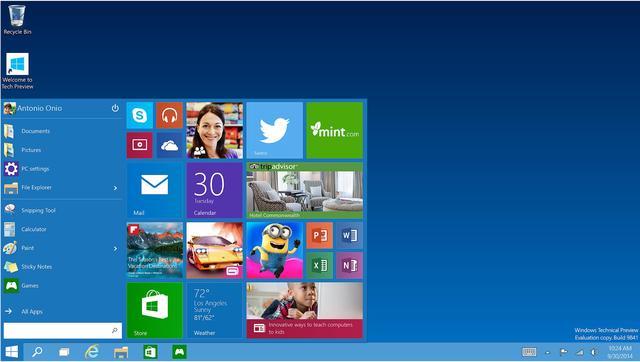
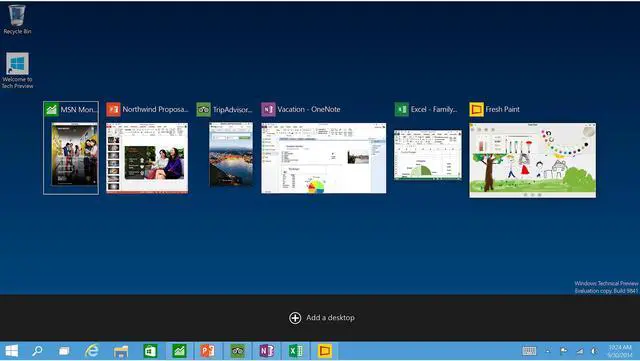
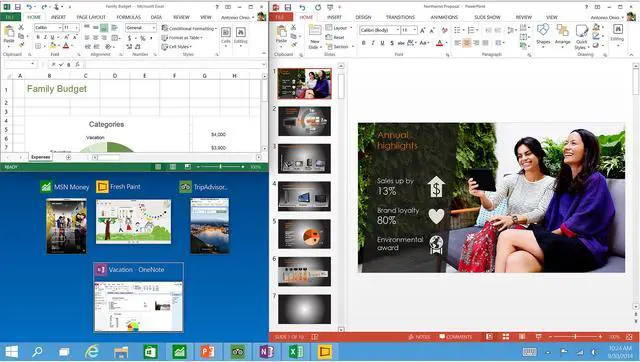
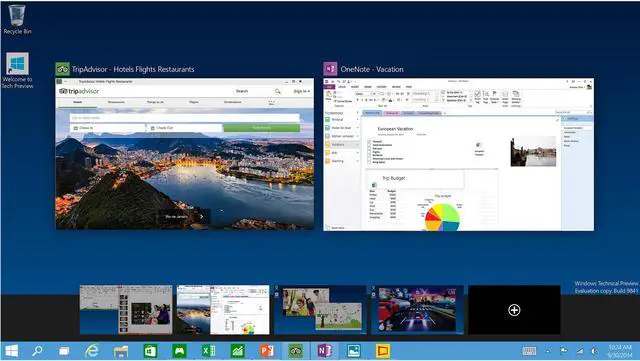
Windows 10 was developed using feedback from millions of people, so you can feel confident that Windows 10 works the way you want it to. Additionally, Windows 10 helps you stay current for a worry-free experience with the greatest features and our latest protection against, viruses, phishing and malware.
A web that works the way you do.
The all-new browser is great for getting things done online. Write or type directly on webpages and easily share the mark-ups; you’ll also like reading online articles free of distractions. The address bar gives you personalized recommendations to get you quickly to your online destination.
Take your gaming further.
Great Xbox titles, the best of Xbox Live, and your Xbox community, achievements, and game collection via the Xbox app. You can even use your Xbox Controller and stream Xbox One games on your home Windows 10 PC, laptop, or tablet.
Do things across your devices.
Take your movies, music, and photos with you across all your devices with OneDrive. Plus, with OneDrive, you get 15GB of free storage space included.
Do things magically.
Cortana is your truly personal digital assistant who learns more about you over time. Cortana works across all your devices, from phone to tablet to PC, to help you do more and forget less.
*Features only available in supported games in Xbox Live-supported countries, see xbox.com/live/countries. Limited number of games available in 2015 support cross-device play; additional games to follow. Stream to one device at a time; Streaming with multiplayer from Xbox One requires home network connection and Xbox Live Gold membership (sold separately); Gold also required for multiplayer play on Xbox One. DirectX 12 only available with supported games and graphics chips.
**Cortana available in select global markets at launch. Cortana experience may vary by region and device.
Pre-release product shown, subject to change. Apps sold separately.
Pros: Easy and fast
Cons: Couldn't boot off DVD in my system.
Overall Review:
Took me a while to figure this out. I have really slow internet connection so downloading install tool would take several hours. I installed Win10 to a M2 hard drive. On bootup, This DVD wouldn't read.
How to INSTALL without downloading : (Using a computer that works.)
1. Format a USBstick of 6G or larger to FAT32.
2. Copy and Paste contents of DVD to the USB stick
3. Plug USB stick in to new computer (with only the instended install drive connected)
4. Power up. Thats it. Select the drive you want win10 installed too and go.
Overall Review: Get a external DVD drive
Pros:
OEM license is cheap.
The key that comes with this also works with USB flash drive created by the downloadable media creation tool.
Cons:
OEM license can't be moved around
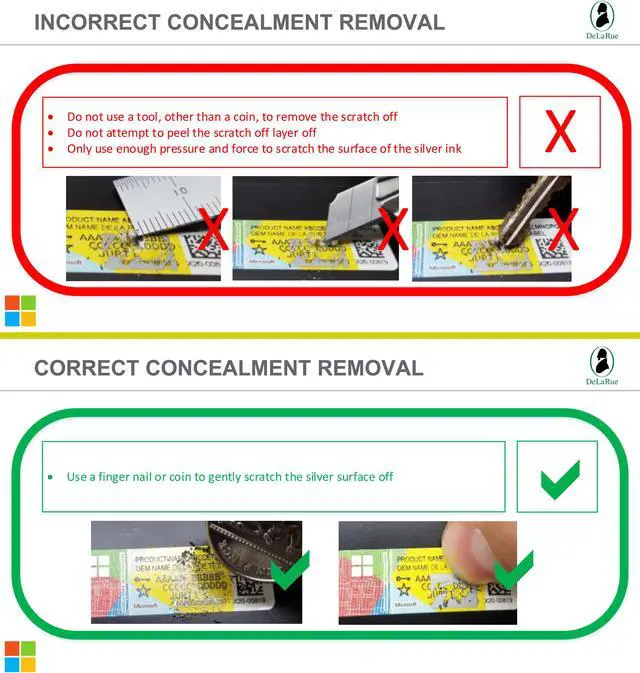
The scratch and sniff key reveal is pretty annoying.
Overall Review: Would buy again.
Pros:
Fully legit, included a DVD that was mailed in M$ packaging.
Bought on sale at a great price (typical Newegg - great products / prices).
Overall Review: Didn't use DVD. Downloaded Win 10 Pro from MS site, installed on new build with Nvme drive multi-booting with a couple of Linux distros. Entered Product Key, no problems at all.
Overall Review: fast freight, product as expected
Pros: It still does what windows does.
Cons: Why does it cost more to get this on a thumb drive? Why is there a disc at all?
Overall Review: I downloaded windows onto a usb from the microsoft website and just used the key that was with the disc.
Pros:
- Product Key works.
- Package and DVD look genuine.
Cons: OEM package looks horrible.
Overall Review:
If your new computer does not have a DVD drive, you can create a bootable USB key by downloading latest Windows 10 binaries from Microsoft website. Of course, you need a working computer to create the USB key.
I use Windows 10 Professional to run Docker for Windows, which requires Hyper-V. Otherwise, I would get Windows 10 Home.
Loading...

Newegg’s website and online services use cookies and similar technology for a number of reasons: Some technologies allow the site to function. These functional cookies are required to use the site and complete purchases. Another set of technologies improve the browsing experience and personalize it. Here are all the details about Newegg’s Cookie and Privacy Policies. Please select and accept your settings before you continue. Thank you.
To use this third-party content we need your approval to share your data with them. Here are all the details about Newegg’s Cookie and Privacy Policies. Please accept if you wish to continue with third-party features. Thank you.
Pros: Purchased to re-condition HP RP-5800. Downloaded Windows 10 iso to USB drive using MediaCreation tool. Booted USB drive and installed Win10. Entered Windows 10 OEM authentication key per install prompt; key authenticated with Microsoft properly.
Cons: None, YET!
Overall Review: Did not use included CD. Used Media Creation Tool and latest Win10 ISO via USB DRIVE. The authentication key Included DID register with Microsoft.