here!
here!
I’m your shopping assistant for PC builds, upgrades, and everything tech.
Got questions? Ask away!
Start a conversation
here!
I’m your shopping assistant for PC builds, upgrades, and everything tech.
Got questions? Ask away!
Start a conversation


Any questions? Ask CelesteSM will help you find out quickly.
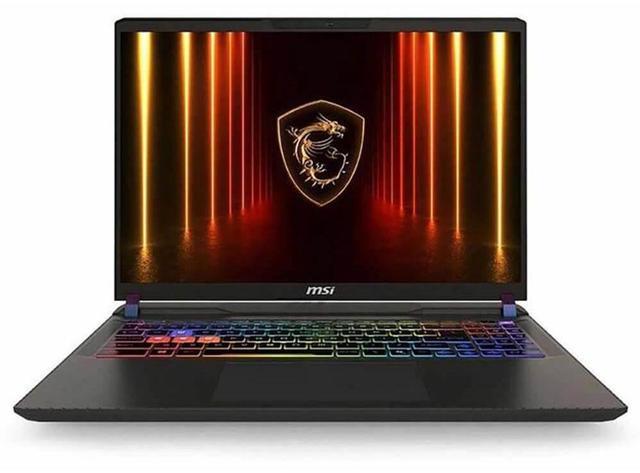
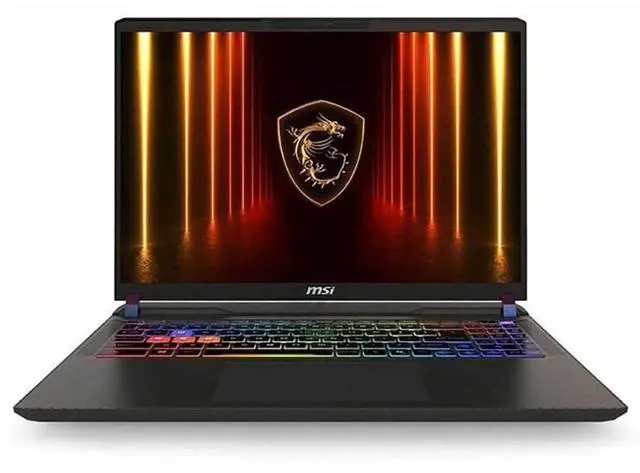
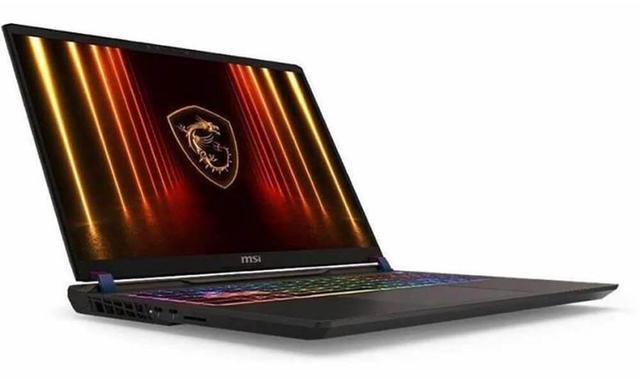
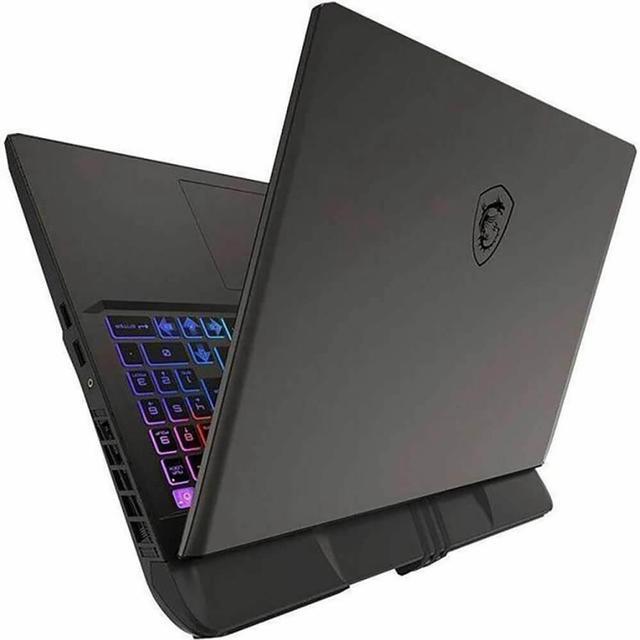
The MSI Vector 16 HX AI A2XW is a 16-inch QHD+ gaming laptop with an Intel Core Ultra 7 255HX, GeForce RTX 5070 Ti Laptop GPU, 32GB RAM, and a 240Hz IPS display, making it a strong fit for gamers, creators, and power users who want high-refresh performance with desktop-style connectivity.
| Attribute | Value |
|---|---|
| Best For | 16-inch high-refresh gaming and mainstream home/personal use with AI-ready features—suits fast-paced gaming and general creative/multitasking workloads on a thin-and-light notebook |
| Processor And Core Count | Intel Core Ultra 7 255HX (Series 2) 20-core (8P+12E) processor, up to 5.2 GHz peak, with 36MB L2 and 30MB L3 cache |
| GPU And VRAM | NVIDIA GeForce RTX 5070 Ti laptop GPU with 12GB dedicated video memory, supports RTX 50-series laptop GPU features including NVIDIA DLSS 4 and NVIDIA Reflex 2 with Frame Warp |
| Display Spec | 16.0" QHD+ / WQXGA (2560 x 1600, 16:10) IPS panel, 240 Hz refresh rate, non-touch |
| Memory Configuration | 32GB (2 x 16GB) DDR5-5600 installed, 2 memory slots (0 available), expandable to 64GB maximum |
| Storage And Expansion | 1TB M.2 NVMe SSD (M.2 form factor, NVMe/Solid State interface) |
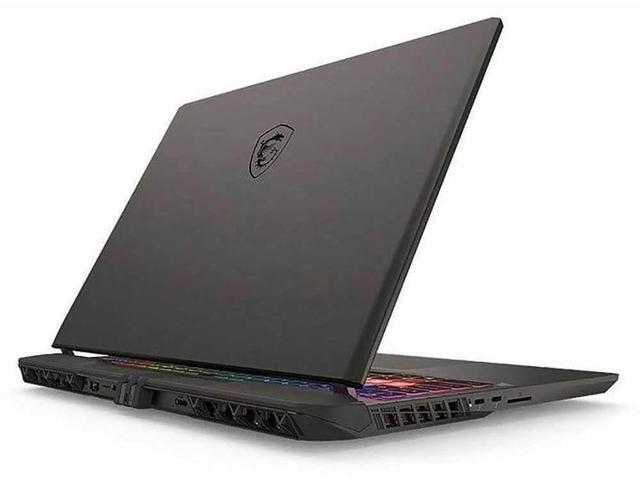
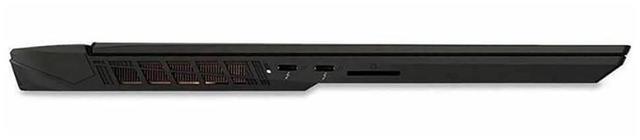
| High Speed I O | 2 x USB 3.2 Gen 2 Type-A (system reports a total of 4 USB ports), 2 x Thunderbolt 5, 1 x HDMI 2.1, video outputs include HDMI and DisplayPort, 1 x RJ-45 (2.5 Gbps), 1 x headphone/microphone combo jack |
| Battery And Power | 4-cell 90 Wh Li‑Ion battery, 300-watt AC adapter included |
| Wired And Wireless Networking | Wi‑Fi 7 (802.11be) wireless LAN and Bluetooth 5.4, wired networking via 2.5 Gbps Ethernet |
| Webcam And Privacy | IR FHD webcam with physical shutter |
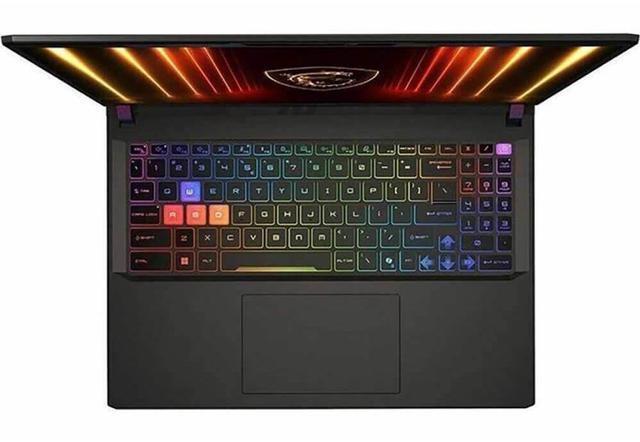
| Keyboard And Control | SteelSeries 24-zone RGB backlit gaming keyboard (99-key) with anti-ghosting, QWERTY layout; multi-touch touchpad |
| Audio Setup | Headphone/microphone combo jack for external audio; no internal speaker specs provided |
| Portability | 14.05 x 11.18 x 1.12 inches, weight 5.95 lbs |
| Operating System | Windows 11 Home |
| Model Identifiers | MSI Vector 16 HX AI A2XW (Model/Series Vector 16 HX AI A2XW / VECTOR16HXA2285), Cosmo Gray, A2XW edition |
| Other Features | AI Ready platform with GeForce RTX 50-series laptop GPU capabilities; marketed as a thin-and-light gaming notebook for home/personal mainstream use |
Q: Should I buy the MSI Vector 16 HX AI with RTX 5070 Ti or step down to an RTX 5070 gaming laptop?
A: Choose the Vector 16 HX AI with RTX 5070 Ti if you want a clearer jump in gaming headroom at QHD settings, especially for newer AAA games and longer-term use with 12GB of VRAM. Step down to an RTX 5070 laptop if lower cost, lower power draw, or a thinner design matters more than the extra GPU margin. MSI positions the Vector 16 HX AI as a high-power platform, and review data commonly shows the 5070 Ti tier landing above the 5070 tier in real game results rather than just on paper.
Q: Is the MSI Vector 16 HX AI RTX 5070 Ti worth it over an RTX 5080 laptop?
A: The Vector 16 HX AI with RTX 5070 Ti is the better fit when you want strong upper-midrange gaming performance without moving into a pricier RTX 5080 class system. Move up to RTX 5080 if your priority is the highest frame rates, more GPU headroom for heavier ray tracing, or more VRAM for demanding creative and gaming workloads. In most buying decisions, the 5070 Ti tier is the more balanced choice, while RTX 5080 is the performance-first upgrade.
Q: Should I choose the MSI Vector 16 HX AI or a more portable 14-inch or thin-and-light gaming laptop?
A: Choose the Vector 16 HX AI if sustained gaming performance, a 16-inch QHD 240Hz display, wired 2.5GbE, and expansion such as dual Thunderbolt 5 matter more than travel weight. Choose a 14-inch or thinner gaming laptop if you carry it daily and battery life, smaller size, and lighter power setup matter more than maximum sustained performance. The Vector is better aligned with desk-first gaming and heavier mixed workloads than portability-first use.
Q: Is this MSI Vector 16 HX AI a good upgrade from an older RTX 4070 or previous-generation gaming laptop?
A: Yes, it is a sensible upgrade if you want more GPU performance for QHD gaming, newer platform features such as Wi‑Fi 7 and Thunderbolt 5, and a current-generation Intel Core Ultra HX processor. If your current RTX 4070 laptop already handles your games well and you mainly play esports titles, the upgrade is more about gaining headroom and newer I/O than changing the experience in every title. This model makes the most sense for buyers moving up from older midrange gaming laptops and planning to keep the system for several years.
Q: Is this a good choice for gaming first and work second?
A: Yes. This model is best suited to buyers who want a desktop-replacement gaming laptop that can also handle office work, meetings, coding, and content creation. Its strongest points are the 20-core Intel Core Ultra 7 255HX, RTX 5070 Ti Laptop GPU with 12GB VRAM, 32GB DDR5, 1TB SSD, and 16-inch 2560x1600 240Hz display. The trade-off is portability: at 5.95 lb with a 300W charger, it is more of a performance laptop than a light daily-carry machine.
Q: Is it worth buying as a travel work device?
A: Usually no, unless you specifically need high-end GPU power while traveling. It can do travel work, but the 16-inch chassis, 5.95 lb weight, and 300W power brick make it less convenient than thinner productivity laptops. It makes more sense for users who travel occasionally and still want strong gaming, 3D, AI, or video-editing performance on the road.
Q: Is it good for note-taking, meetings, and office work?
A: Yes, but it is more machine than most office users need. For productivity, the 32GB RAM, fast CPU, 16:10 QHD display, Wi‑Fi 7, IR webcam with shutter, and Thunderbolt 5 are all useful. The main downside is that this is a gaming-class laptop, so it is heavier, bulkier, and likely louder under load than a typical office notebook. If your work is mostly documents, web apps, and video calls, a lighter laptop would usually be the more practical choice.
Q: What are the main trade-offs versus a thinner alternative like the ASUS ROG Zephyrus G16?
A: The MSI Vector 16 HX AI favors raw performance, upgrade flexibility, wired connectivity, and sustained gaming power. Compared with a thinner model like the Zephyrus G16, it is likely the better fit if you care more about GPU-heavy workloads, RJ-45 Ethernet, dual Thunderbolt 5 ports, socketed DDR5 memory, and fewer portability compromises around peak performance. A thinner alternative is usually better if you care more about lower carry weight, a smaller charger, and a more everyday-friendly design.
Q: Can this laptop be upgraded later, or should I treat the 32GB/1TB configuration as fixed?
A: This configuration should not be treated as fixed. Based on the provided specs, it has two memory slots, both occupied with 16GB modules, and supports up to 64GB total, so RAM is upgradeable later. That makes it a better long-term choice than laptops with soldered memory. You should still confirm storage-slot details before purchase if adding a second SSD matters to you, because the supplied product data only confirms the included 1TB NVMe drive.
Q: Is the MSI Vector 16 HX AI a good buy if I want strong gaming performance without paying for a flagship model?
A: Yes, if your priority is high gaming performance per dollar. Reddit discussions around the Vector 16 HX AI repeatedly focus on its value because it pairs a high-power RTX 5070 Ti class GPU with a fast Intel HX processor, 32GB RAM, a 240Hz 2560x1600 display, and 1TB storage. The main trade-off is that it is not a quiet or especially portable machine, so it makes more sense as a desk-first gaming laptop than as a premium all-rounder.
Q: Is the MSI Vector 16 HX AI good for school, work, or travel as well as gaming?
A: It can handle work and school tasks easily, but it is not ideal if portability and unplugged use matter a lot. The hardware is more than enough for office work, coding, multitasking, and content creation, but the 5.95 lb weight, 1.12-inch chassis, and gaming-oriented cooling make it better suited to home, office, or campus desk use than frequent travel. It is a practical desktop replacement, not a lightweight carry-everywhere laptop.
Q: What are the main trade-offs of buying the MSI Vector 16 HX AI?
A: The main trade-offs are fan noise, heat under load, and size. Reddit posts about this model often discuss loud fans and the need for tuning such as undervolting or custom profiles to improve acoustics and temperatures. In return, buyers get stronger performance than thinner and quieter laptops in the same general price tier. If you want maximum performance and do not mind noise, it fits well; if you want a quiet laptop out of the box, it is a weaker choice.
Q: Who is the MSI Vector 16 HX AI best suited for?
A: It is best suited for buyers who want a powerful 16-inch gaming laptop that can also serve as a main PC. The combination of a Core Ultra 7 255HX, RTX 5070 Ti laptop GPU, 32GB RAM, and a 240Hz QHD display makes it a strong fit for high-refresh gaming, demanding multitasking, and heavier creator workloads. It is less suitable for buyers who care most about quiet operation, slim design, or frequent battery-powered use.