

Your Browsing History

- Free 30-day Returns
$379.00




Meet Your Seller
Get Educated
Make informed decisions with expert advice. Learn More
Sponsored Products

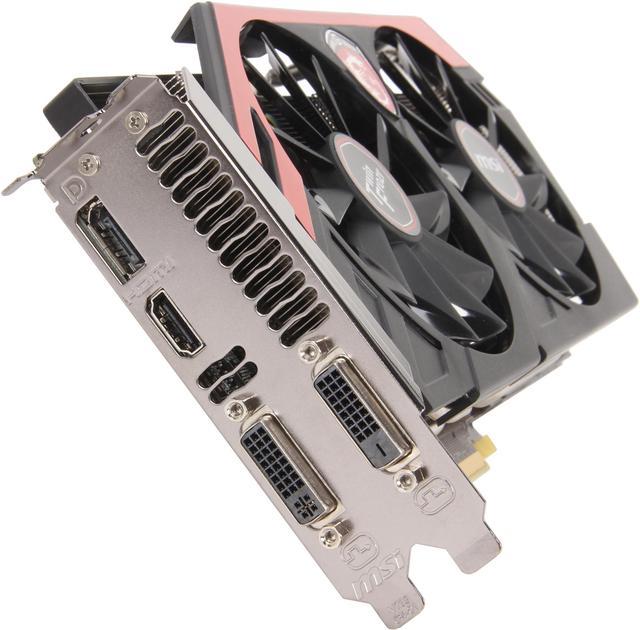
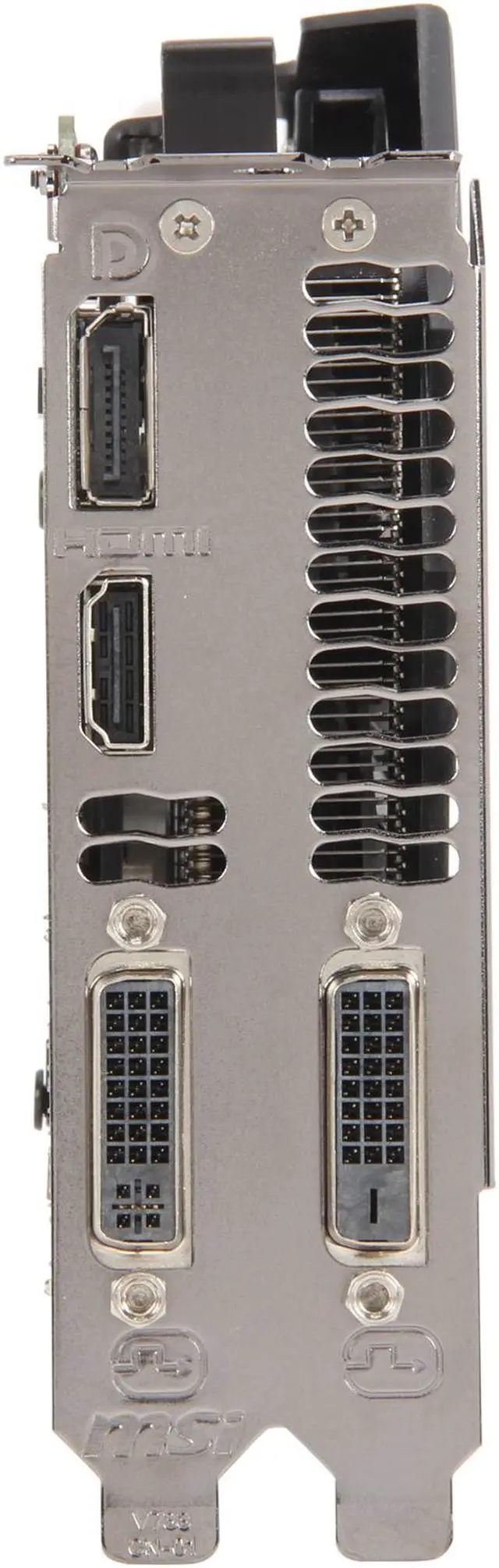
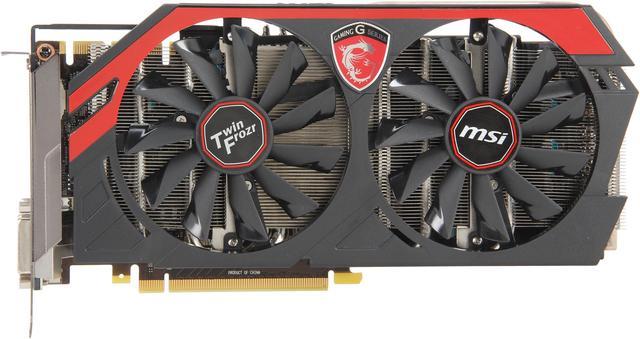
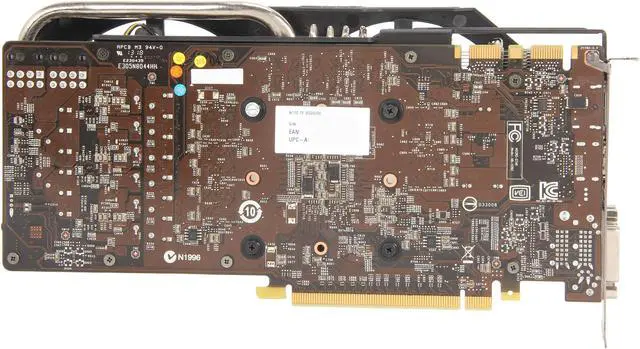
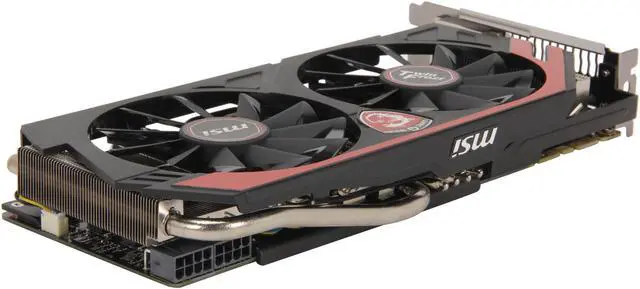


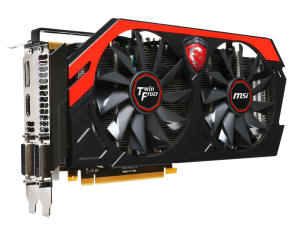
MSI Gaming N770 TF 2GD5/OC G-SYNC Support GeForce GTX 770 2GB 256-Bit GDDR5 PCI Express 3.0 SLI Support Video Card
- 1536 CUDA Cores
- 2GB 256-Bit GDDR5
- PCI Express 3.0
+
+
Overview
Specs
Reviews (174)
See all Q & A 
Any questions? Our AI mode will help you find out quickly.
Try me now
MSI GTX 770 2GB/OC
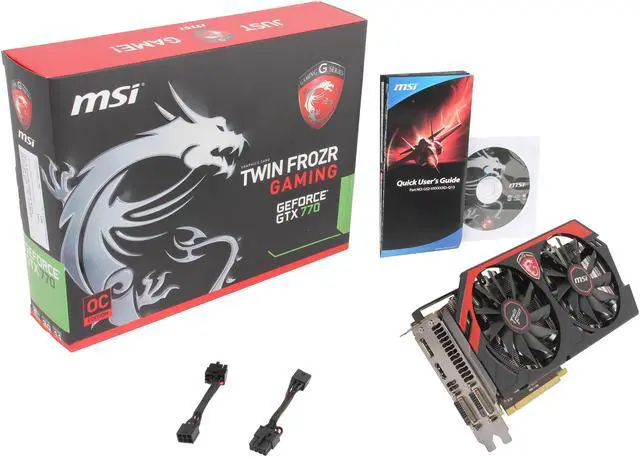
MSI has had a dynamic shift in the packaging it now uses with its Gaming series hardware. Instead of the whites and blues of days past you get a red and black graphic with the Gaming series badge to the right and a tribal dragon graphic on the left. At the bottom left is an indicator that this is a factory overclocked version of the MSI GTX 770 and it is equipped with MSI's own Twin Frozr cooling solution. On the back side of the package MSI illustrates the main feature set as it applies to the gamer and how best to use the GTX 770 with its supplied utilities such as the Gaming App and Predator (a part of MSI's Afterburner utility). Also discussed are the benefits of the Twin Frozr cooling solution that to be honest are not far off the mark. MSI's Military Class 4 construction is used with components that meet or exceed the MIL-STD-810G rating. Parts such as Hi-C Caps, Super Ferrite chokes, and aluminum solid capacitors all team together to improve stability, efficiency, and longevity.
FEATURES
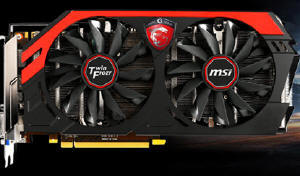
Now You're Gaming with MSI
A graphics card is the single most important element for more FPS. As gamers, we understand that not just any graphics card "will do." That's why we bring you the best of the best. We don't want to bug you with noise and heat, but we do want to give you more performance. With MSI GAMING series graphics cards you get just that.
Pre-Overclocked Performance
Most MSI Gaming graphics cards come pre-overclocked out of the factory. This simply means you get more performance out of your card, without spending any time on checking for maximum clocks and stability. Pre-overclocked graphics cards simply give more performance, and you don't have to worry about damaging your card since it is completely covered by our warranty!

Experience - "Predator"
Share for Fun
With MSI GAMING series gA built-in screen and video capturing tool - Predator - which captures your screen as still images or videos with the push of a button and allows you to capture and record your coolest, goofiest and most awesome gaming moments on your PC!
GAMING APP
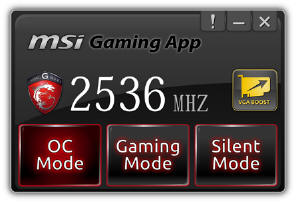
- OC Mode OC Mode cranks up the core clock and fan speed to achieve a mind-blowing gaming experience.
- Gaming Mode (Default) This setting provides a stable gaming environment using higher core clock speeds.
- Silent Mode Silent mode is a low-power operating environment that maintains very low noise levels.
Easy Tune, Easy Play
ADVANCED TWIN FROZR IV
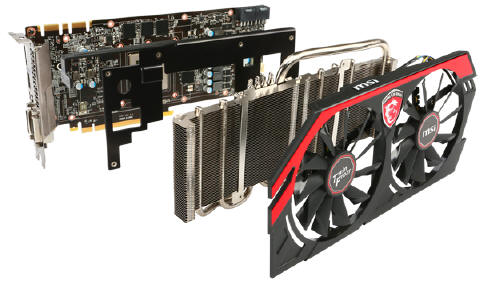
MSI's Twin Frozr has been the industry defining graphics card cooler. The first Twin Frozr kicked of the dual-fan trend and today MSI stays true to its dual-fan dual-slot design where others have to resort to less effective means.
The other part that the Twin Frozr cooler uses is a large Aluminium fin grid array that provides a huge amount of surface area for cooling. Heat from the GPU is transferred to the fin grid array by virtue of heat pipes with MSI's special SuperPipe technology. SuperPipes transfer heat twice as fast as regular heat pipes enabling an MSI GAMING graphics card to stay cooler than the competition.
Futhermore, MSI provide all new Airflow Control technology on Twin Frozr. This new thermal tech. is leading airflow to heat pipe by spcial defletor on heatsink, so it can deflect more airflow to heat pipes directly. In addtion,This exclusive heatsink design is increasing the area of heatsink so that enhacing the efficiency of dissipation much more.
DETAILS
Military Class Component
One of the deciding factors in performance is the quality of the components used. That is why MSI only uses MIL-STD-810G certified components for its Gaming cards because only these components have proven to be able to withstand the torturous circumstances of extreme gaming and overclocking.
New Super Ferrite Chokes
New Super Ferrite Chokes use a Ferrite core that is Super-Permeable. This allows the Super Ferrite Chokes to run around 100°F (35°C) lower temperatures, have a 30% higher current capacity, a 20% improvement in power efficiency and better overclocking power stability.
 Hi-C Caps
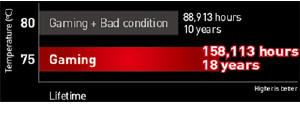
A Hi-c CAP is a very small, but super-efficient capacitor. Besides ensuring enough spacing around a CPU socket to install large coolers, it also allows for 93% energy efficiency. Thanks to Hi-c CAP's MSI mainboards are the most energy efficient in the market.
 Solid Cap
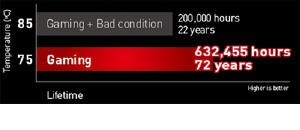
One With their aluminum core design, Solid CAP's have been a staple in high-end mainboard designs and provides lower Equivalent Series Resistance (ESR) as well as its over-10-year lifespan.
AFTERBURNER
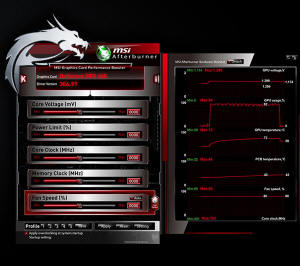
MSI Afterburner has quickly become the favorite overclocking software for media, overclockers and end-users. Because of its simple interface, it's easy to learn, but it packs a lot of powerful features like an integrated benchmark utility called Kombustor that can check your system performance in benchmarking mode, or run as a stability test.
Don't speak English? No problem: MSI Afterburner is translated in many languages including Russian, Spanish, Chinese and Korean! Not satisfied with the looks? Just change to one of the many different skins or create one yourself with ease!
Now this utility is also available on portable platform. Download the MSI Afterburner App from Google Play or the Apple store and start overclocking wit on your smartphone or tablet.
WHAT'S IN THE BOX

- MSI GeForce GTX 770 Gaming Video Card
- Driver CD
- Installation Guide
- DVI to VGA Dongle
- Two 8-Pin Power Cables
Warranty & Returns
Warranty, Returns, And Additional Information
Warranty
- Please contact the Seller directly for warranty information. Warranty information may also be found on the Manufacturer's website.
- Read full details
- CONTACT
Return Policies
- Return for refund within: 30 days
- Return for replacement within: 30 days
- This item is covered by Alliance Group (USA) Return Policy
Manufacturer Contact Info
- For a directory of all our manufacturers, please click below.
- Manufacturers Directory
LOADING...
LOADING...