
 Holiday Shipping Details & Extended Holiday Returns




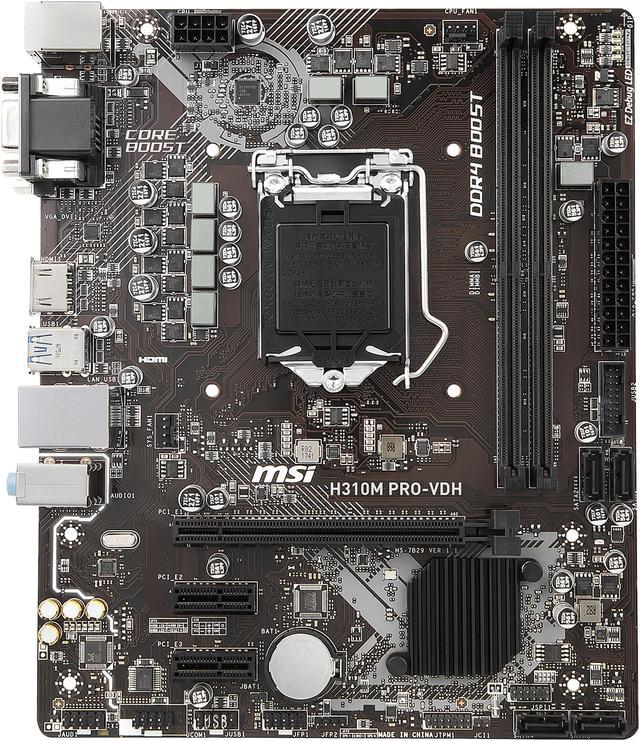
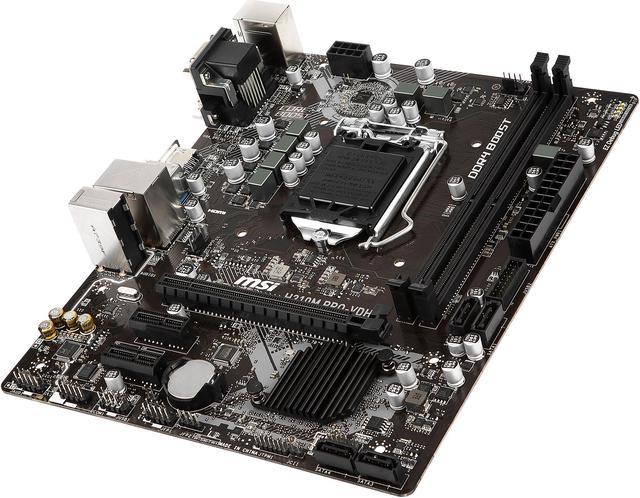
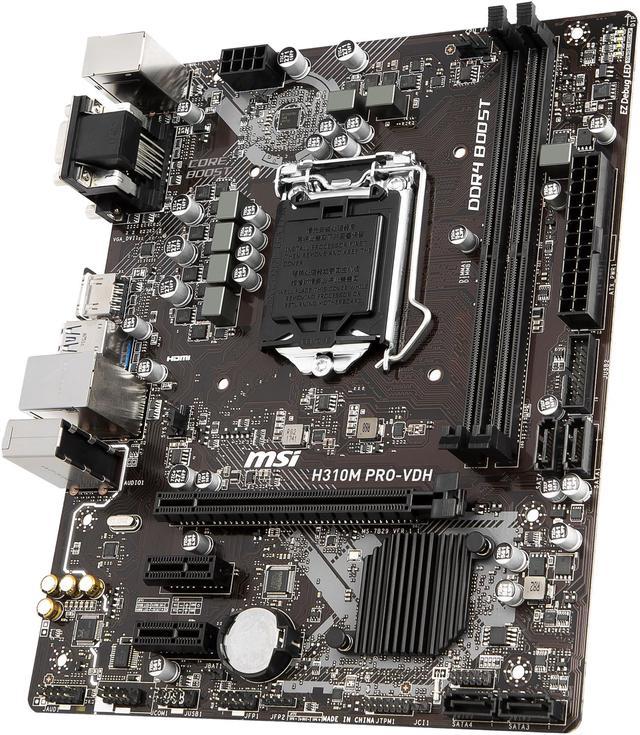
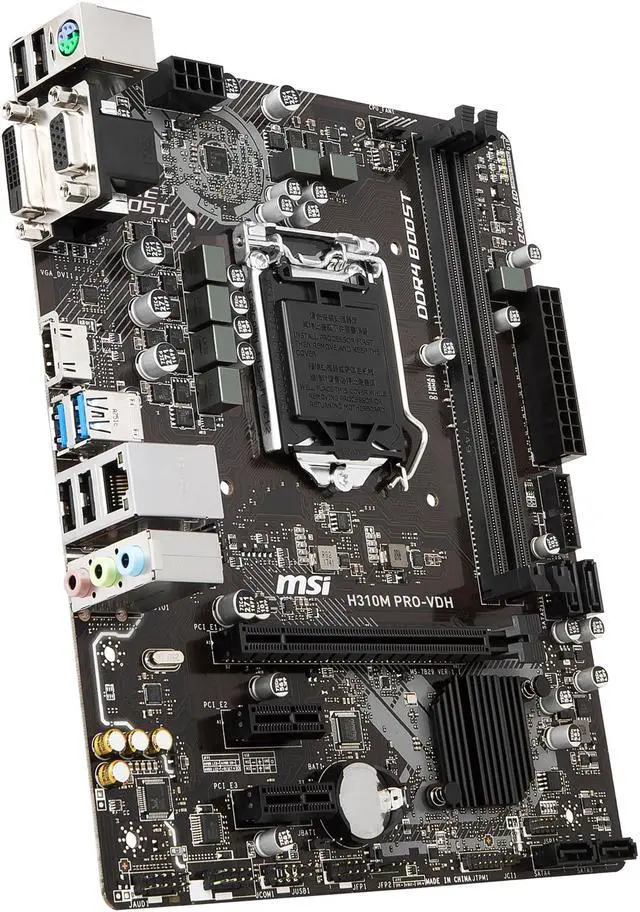
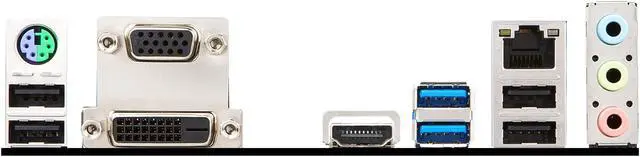
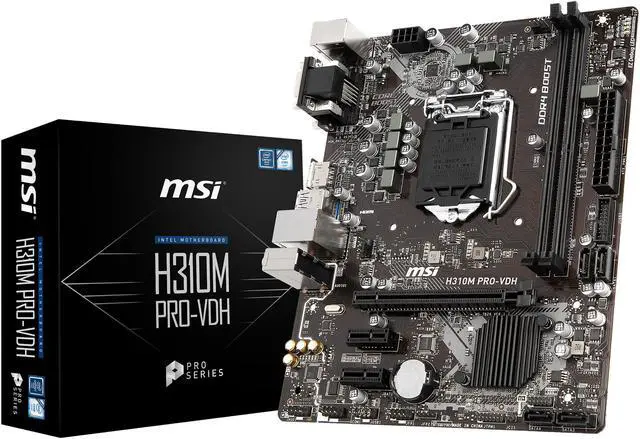


Based on Intel H310 chipset, this motherboard works flawlessly with 8th generation Intel Core processors, which brings quad-core computing to Core i3 series, and six-core processing to i5 & i7 lineup. It's packed with performance and features to fuel your needs in home & office use and gaming. It is also built with premium components and incorporates MSI’s decades’ experience of engineering and manufacturing, so you can count on the MSI H310M PRO-VDH to deliver stable and reliable performance in various conditions.
Cooling
Cooling your PC is essential for reliable performance. We've made sure to include enough fan headers with full control to allow you to cool your system to the max.
MSI motherboards let you manage speeds and temperatures for all your system and CPU fans, giving you full control to set up a cool & silent system. The fan headers are conveniently placed with the most popular CPU coolers in mind.

MSI fan headers automatically detect fans running in DC or PWM mode for optimal tuning of fan speeds and silence. Hysteresis also makes your fans spin up fluently to make sure your system stays silent, no matter what.
* This feature may vary according to your platform and model

Total Fan Control allows you to take control of your fans and check your primary system characteristics in a simplified graphical interface. You can also set up to 4 temperature targets for CPU and motherboard, which will adjust the fan speeds automatically.

Display
Supporting the latest display connectors for new technologies (OLED, HDR) and legacy connectors for beamers, MSI motherboards are designed to make life easier for any professional user.

Professional monitors, TVs, beamers and other displays, are all supported by the VGA and DVI-D outputs on MSI motherboard. No matter what screen type you want to connect, using a dedicated graphics card or an onboard connector, MSI motherboards have you covered.

Enjoy awesome 4K UHD (2160p ultra-high definition) video playback with MSI motherboards.
This motherboard is equipped with a HDMI port supporting the latest 4K Ultra-HD 4096×2160p resolution @ 24Hz to provide a breathtaking visual experience.
Audio
Get the most immersive sound experience. MSI Audio Boost delivers the highest sound quality through the use of premium quality audio components. This lets you enjoy breathtaking, game-changing sound to create the most dynamic soundscapes.
Built on years of experience in building motherboards dedicated to giving gamers true Hi-Fi sound. Audio Boost has developed into a high quality audio unit, offering a clear advantage over your opponents when gaming. Locate your enemies with your eyes closed using Audio Boost.


Audio Boost operates like a dedicated soundcard by being physically isolated from the rest of the motherboard circuitry to ensure the purest audio signal possible. A bright border illuminated by LEDs showcases and protects the Hi-Fi audio unit.

Using separated layers in the PCB ensures equally pristine sound quality for both left and right audio channels.

Audio Boost protects your ears by eliminating those annoying loud popping sounds when you plug/unplug devices or turn your PC on/off.

Audio Boost is powered by an EMI-shielded high quality HD audio processor, making sure you enjoy the purest sound quality in both stereo and surround sound.

By dedicating golden audio capacitors to the front output, a high fidelity sound experience with exceptional acoustics and realism for studio level headphones is ensured. The Chemi-Con audio capacitors are widely considered to be one of the great choices for the best sound output.

With high quality audio connectors you get the best possible signal output with less chance of distortion.
Network
Optimized for professional and multimedia use, this generation comes equipped with a high quality network solution ready to serve you with 24/7 reliability when transferring big data.
Featuring anti-surge protection to shield your network from lightning strikes and static electricity, the LAN Protect connector is designed to give you a reliable networking experience.

Memory
MSI motherboards are crammed with features to fuel your system's memory with more speed, higher overclockability and increased stability.
Optimized traces and a fully isolated memory circuitry ensures perfect stability and performance, so you never have to worry about your system crashing.

MSI conducts thorough memory testing with the most popular memory brands under extreme conditions to ensure your system runs stable no matter what. Our memory partners include brands like Corsair, Crucial, Kingston, G.Skill and many more to optimize memory modules, configurations and even improve overclocking.

Enable Intel® Extreme Memory Profile with ease using a single option in the BIOS to gain performance and create a perfectly stable system.

Tuning
Founded on experience and with a long history of creating the best performing motherboards packed with smart features, you can count on this motherboard to deliver the best performance under the most extreme conditions. Countless system tuning and troubleshooting tools are at your disposal to push your system to new heights and satisfy even the most demanding tweaker.

Core Boost technology combines MSI's premium layout and optimized power design which allows for faster and undistorted current delivery to the CPU at pin-point precision. Not only supporting multi-core CPU, also creating the perfect conditions for your CPU

Prevents potential short-circuit damage to the CPU and other critical components.

Run into trouble? Onboard LEDs for key components will indicate the source of the problem so you know exactly where to look to get up and running again.
USB
Transfer lots of data, music and movies over USB faster than ever. MSI offers a wide variety of options to connect and boost your USB 3.1 devices, delivering lightning-fast transfer speeds!

When enabled, X-Boost optimizes your devices for even better transfer speeds, saving a lot of time when transferring data. This handy tool is very easy to use and automatically detects & optimizes the USB devices connected to your system.
MSI Super Charger USB ports charge any connected device faster. It delivers more power than regular USB ports to your smartphone, tablet, USB peripherals or other battery-powered gear.


Never worry about damage caused by defective USB devices. The USB ports on MSI motherboards are shielded by a set of protective ICs to prevent damage caused by Electrostatic Discharge (ESD) from plugging/unplugging USB devices.
Software
With years of experience in creating performance enhancing tools that are easy to use, only the highest quality applications are at your disposal. Use these tools to get the most out of your motherboard and achieve victory when gaming.
This unique and exclusive software allows you to boost the performance of any storage or USB device connected to your system. Simply use X-BOOST’s Easy or Advanced mode to tune your system speed for increased, higher system responsiveness and faster loading of data.


MSI’s Command Center software is the perfect tool to get the most out of your motherboard. With an intuitive interface, Command Center allows you to tune settings to increase system stability, maximize performance and optimize your system’s cooling features.

Never miss out on important updates. MSI Live Update automatically downloads and installs the latest drivers, BIOS and software so you can focus on your game.
"...the best update package available on any motherboard." - Anandtech


MSI motherboards include RAMDisk, allowing you to create a virtual drive from your system RAM memory. Instantly load your software, speed up your browser or your page file to significantly speed up your system!
- Speed up system performance, over 25x faster than a SATA SSD
- Speed up games, apps and browser
- Increase SSD lifespan

With the latest operating systems supporting UEFI fast booting methods, we have added a “Fast Boot” option to take full advantage of this. Simply enable “Fast Boot” either in the BIOS or with the convenient application for faster boot times.

Avoid having to mash your DEL/F2 button to get into the BIOS with the Go2BIOS button in the MSI Fast Boot application. Your PC will automatically go to the BIOS on the next reboot for quick. Some models even have an onboard Go2BIOS button.

MSI has worked closely with the CPUID team to develop a special edition of CPU-Z featuring the famous MSI GAMING dragon. Use CPU-Z to gather key information of your system’s key components, like CPU speed, Memory speed and timings, motherboard BIOS version and much more.

Quality & Protection
Using only the finest quality components and integrating the latest technological innovations delivers the best possible professional experience. Rigorous quality testing under the most extreme conditions ensures a super reliable, long-lasting and high performance motherboard.
We’ve made sure you can enjoy your system endlessly. MSI motherboards feature Double ESD protection with double layer grounding around the motherboard mounting holes, preventing Electrostatic discharge (ESD) surges from damaging the motherboard.

DOUBLE ESD PROTECTION - BEST

SINGLE ESD PROTECTION - AVERAGE

SEMI ESD PROTECTION - POOR
MSI uses components with the latest evolution of the industries’ highest quality standard. MSI quality approved components are shielded with the best protection and make sure your system run smoothly under the most extreme gaming conditions.

JAPANESE CAP is a key ingredient for high-end motherboard design, which has lower Equivalent Series Resistance (ESR) and longer lifespan.

DARK CHOKE, a special core design, allows your system to run at a lower temperature and offers better power efficiency and stability.
BIOS
We made sure our BIOS contains all the latest options and is easy to use for everyone. The extensive features found in CLICK BIOS 5 let you fine-tune your system to deliver reliable maximum performance.
When you just want to get back to work, EZ-mode presents you with basic BIOS settings and functions for some quick adjustments. If you feel like spending more time fine-tuning options to boost your system’s performance, the Advanced mode is the way to go.

Can't find a specific BIOS setting? Don’t worry, a permanent search option in the top right corner can be used to find what you need. Want quick access to important settings? My Favorites gives easy access to selected Favorite settings, supporting up to 5 groups of Favorites.

Updating your motherboard BIOS will not be a nightmare anymore. MSI motherboards are easily for entering Flash BIOS menu, just press CTRL+F5 and one click for updating your motherboard BIOS.

Hardware monitor lets you take control of your system and check your primary system vitals in a simplified graphical interface. You can also set up to 4 temperature targets for CPU and motherboard, which will adjust the fan speeds automatically.
* The formal interface will vary by model.

When using an SSD, its performance will slowly decrease over time as more and more data is written onto it. This will slow down Read/Write speeds and increase access times of your SSD, making your system feel sluggish. Using an optimized formatting algorithm, Secure Erase+ lets you enjoy your SSD at maximum speed, making your system feel brand new!
