




 here!
I’m your shopping assistant for PC builds, upgrades, and everything tech.
Got questions? Ask away!
Start a conversation
here!
I’m your shopping assistant for PC builds, upgrades, and everything tech.
Got questions? Ask away!
Start a conversation




Any questions? Ask CelesteSM will help you find out quickly.
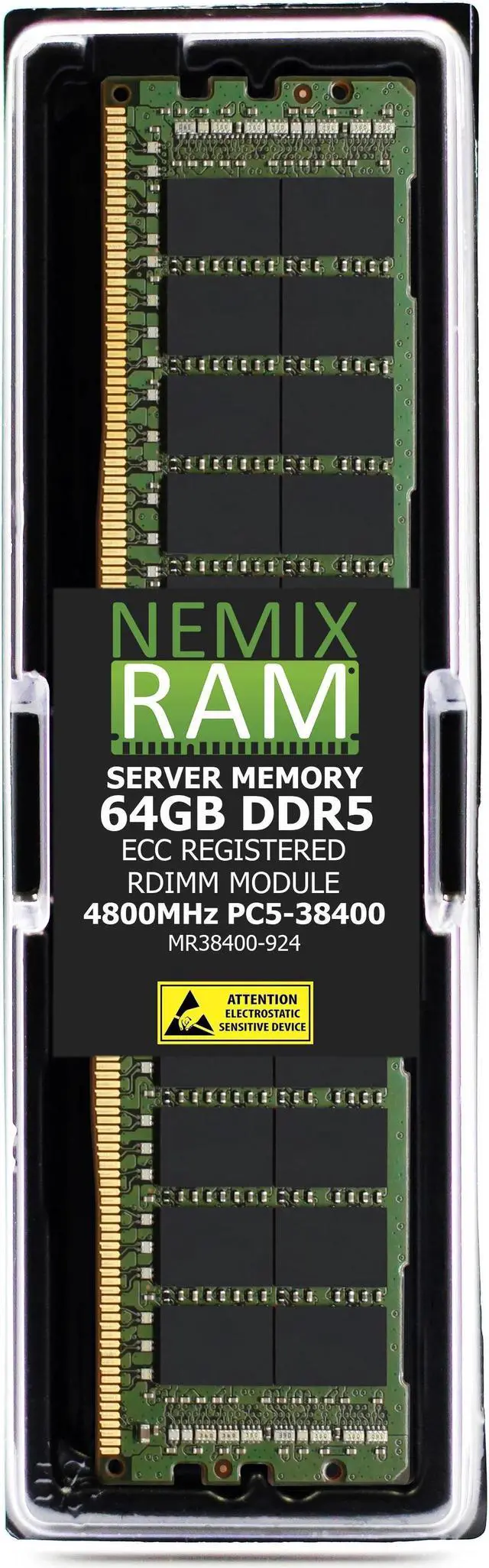
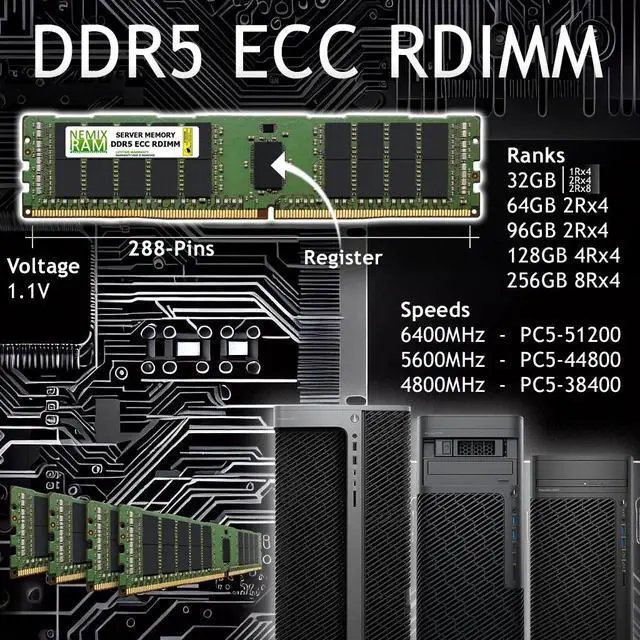
The NEMIX RAM 64GB DDR5-4800 ECC Registered RDIMM is a 288-pin, 2Rx4 server-memory module for compatible systems, including the ASRock Rack GENOAD12M3-2Q. It suits server builders and administrators seeking a board-matched memory upgrade; check the motherboard manual for capacity and DIMM-population requirements.
| Attribute | Value |
|---|---|
| Best For | 64GB DDR5 ECC registered-memory upgrades for ASRock Rack systems, including the GENOAD12M3-2Q motherboard |
| Capacity And Configuration | 64GB single-module configuration, organized as 2Rx4 |
| Memory Type And Form Factor | DDR5 ECC RDIMM with a 288-pin registered DIMM form factor |
| Speed And Timing | DDR5-4800 (PC5-38400) with CL40 CAS latency |
| Voltage | 1.10V |
| Model Identifiers | NEMIX RAM Original Series Server Memory, model DDR5 ECC RDIMM Registered Server Memory, part number MR38400-924K1 |
Q: NEMIX 64GB DDR5-4800 or 32GB DDR5-4800 RDIMM—which should I choose?
A: Choose this 64GB module when you want twice the capacity per DIMM compared with a 32GB module at the same DDR5-4800 speed. Choose the 32GB option when you are planning a lower-capacity configuration. For the ASRock Rack GENOAD12M3-2Q, check the motherboard’s DIMM population rules when planning the full memory configuration. ([nemixram.com](https://nemixram.com/collections/all-products/products/ddr5-4800mhz-pc5-38400-rdimm-2rx4?utm_source=openai))
Q: For the ASRock Rack GENOAD12M3-2Q, should I choose NEMIX DDR5-4800 or DDR5-5600 RDIMM?
A: This 64GB DDR5-4800 module matches the motherboard’s listed maximum DIMM frequency of 4800MHz. NEMIX also offers DDR5-5600 RDIMMs; choose a higher-rated speed when it matches the target platform’s memory specifications. ([download.asrock.com](https://download.asrock.com/Manual/GENOAD12M3-2Q.pdf?utm_source=openai))
Q: Should I use one NEMIX 64GB RDIMM or two 32GB RDIMMs for a 64GB configuration?
A: Choose this single 64GB module when you want 64GB from one DIMM slot. Choose two 32GB modules when you want the same total capacity distributed across two slots. The GENOAD12M3-2Q has 12 DIMM slots, and its manual specifies that matching DIMMs are required for a twelve-channel configuration; follow the manual’s population guidance when selecting either layout. ([nemixram.com](https://nemixram.com/collections/all-products/products/ddr5-4800mhz-pc5-38400-rdimm-2rx4?utm_source=openai))
Q: Will this memory work with the ASRock Rack GENOAD12M3-2Q?
A: It is specified as compatible with the ASRock Rack GENOAD12M3-2Q and matches the board’s DDR5-4800, 1.1V RDIMM requirements. Check the motherboard manual for the required DIMM slots and population order before installing it.
Q: Can I use this RAM in a regular desktop PC?
A: Usually not. This is a 288-pin DDR5 ECC Registered DIMM (RDIMM), intended for a system that specifically supports registered server memory—not a standard desktop UDIMM. Confirm your motherboard and processor support DDR5 RDIMMs before buying.
Q: Will it run at 4800MHz in my server?
A: The module is rated for DDR5-4800, and the specified motherboard supports up to 4800MHz. Actual speed can depend on the processor and memory configuration, so verify the supported settings for your complete system.
Q: Can I add this to the memory already installed in my server?
A: Only if the system supports this DDR5-4800 ECC RDIMM and its 2Rx4 rank, and the existing memory follows the system’s mixing rules. Check the motherboard or server manual for supported combinations and DIMM population order; matching the installed memory configuration is the safer approach.
Q: Will this 64GB NEMIX DDR5-4800 RDIMM work in my system?
A: Only if the motherboard and processor support DDR5 ECC registered RDIMMs and the 64GB 2Rx4 configuration. The product is listed as compatible with the ASRock Rack GENOAD12M3-2Q; verify your system’s memory support and DIMM population rules before buying. A Reddit discussion of the same NEMIX 64GB DDR5-4800 RDIMM on a different motherboard describes difficulty reaching POST, so compatibility on another platform should not be assumed.
Q: If the system does not POST with this memory, does that mean the DIMM is defective?
A: Not necessarily. A Reddit user discussing the same NEMIX 64GB DDR5-4800 ECC RDIMM reported POST problems on a different motherboard and later reported booting after changing memory-training settings. That anecdote does not diagnose this product or your system; check the supported slot and configuration, and consult the board manual before concluding the DIMM is defective.


