• $54.99
  • $79.99
  • Save: $25.00 (31%)
  • Free 15-day Returns
  • Login to Make an Offer
    Sold by Newegg

    Shipped by Newegg

    Price alert
    Add to Wish List(Found on 2 wish lists)
    Shop it at NeweggBusiness.
    Get Educated

    Make informed decisions with expert advice. Learn More

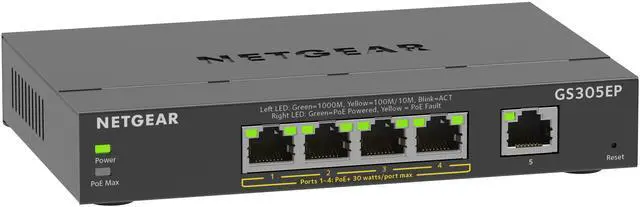
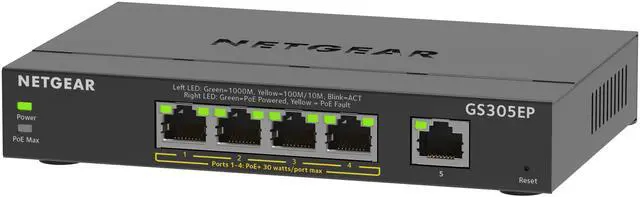
    Netgear GS305EP 5-Port Gigabit Ethernet SOHO Plus Easy Smart Managed Essentials PoE+ Switch with 4-Port PoE+ (63W), GS305EP-100NAS

    • GS305
    • GS305E
    • GS305EP
    • GS305EPP
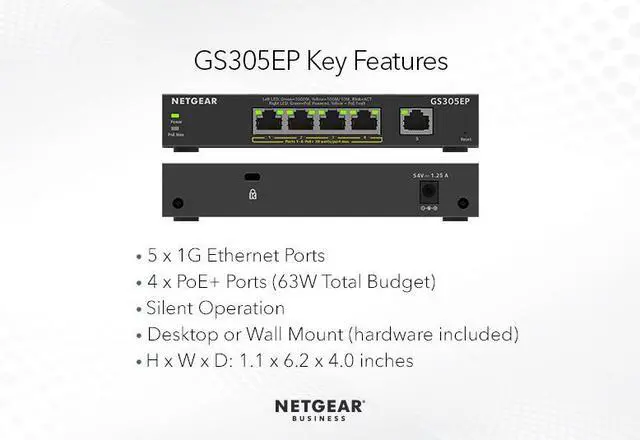
    • 5 Gigabit Ports: Gigabit connection delivers up to 1000 Mbps of dedicated, non-blocking bandwidth per port
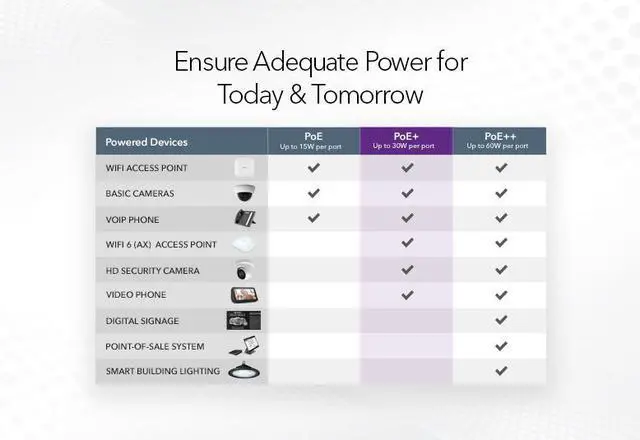
    • PoE+ Support: 4 ports PoE+ for a total of 63W of power enabling powering of all types of PoE devices
    • Easy Management: Plug-and-play Easy Smart switch fundamental network management features
    • Comprehensive QOS: Advanced controls for optimized network performance and better delivery of mission-critical traffic such as voice and video
    • VLANS: Port-based and 802.1Q-based network separation into smaller groups for more secure and efficient use of network resources
    +
    +
    Overview
    Specs
    Reviews (145)
    See all Q & A

    Any questions? Ask CelesteSM will help you find out quickly.

    NETGEAR

    BUSINESS

    Netgear GS305EP 5-Port Gigabit Ethernet SOHO Plus Easy Smart Managed Essentials PoE+ Switch

    5 Port Gigabit Easy Smart Managed Essentials Switch with PoE+ (63W)

    [ GS305EP ]

    Control and Configure Beyond Plug-and-Play

    Netgear GS305EP 5-Port Gigabit Ethernet SOHO Plus Easy Smart Managed Essentials PoE+ Switch

    Highlights

    • Enable network configuration and management at the price point of unmanaged switches
    • Simple, yet useful network set-up on top of plug-and-play connectivity
    • Business-friendly and easy-to-use web browser-based management GUI
    • VLAN support for traffic segmentation
    • Quality of Service (QoS) for traffic prioritization
    • Auto “denial-of-service” (DoS) prevention
    • Troubleshoot connection issues via cable test
    • Loop prevention1, loop detection2, and broadcast storm controls
    • Rate limiting for better bandwidth allocation
    • Port mirroring for network monitoring
    • Jumbo frame support
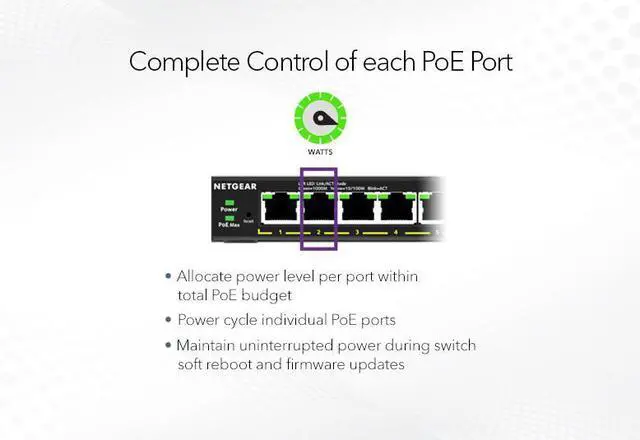
    • Advanced features such as per-port PoE controls
    • Uninterrupted PoE keeps PoE power on even when the switch is updating firmware or performing software reboot
    • 802.3at standard offering 30W/port
    • Fanless and versatile mounting option (desktop and wall-mountable)

    Small Office/Home Office Network Diagram Labels

    Netgear GS305EP 5-Port Gigabit Ethernet SOHO Plus Easy Smart Managed Essentials PoE+ Switch

    1. Applies to GS316EP, GS316EPP

    2. Applies to GS305EP, GS305EPP, GS308EP, GS308EPP

    Technical Specifications

    Features

    GS305EP

    GS305EPP

    GS308EP

    GS308EPP

    GS316EP

    GS316EPP

    10/100/1000 RJ45 Copper Ports (Auto Uplink) 5 5 8 8 16 16
    Enclosure Metal Metal Metal Metal Metal Metal
    Connector Type Metal Metal Metal Metal Metal Metal

    PoE

    # of PoE ports 4 4 8 8 15 15
    # of PoE+ 802.3at Ports 4 4 8 8 15 15
    SFP ports 0 0 0 0 1 1
    Total PoE/PoE+ Budget 63W 120W 62W 123W 180W 231W
    Advanced PoE Controls Yes Yes Yes Yes Yes Yes
    PoE Scheduling No No No No Yes Yes
    Uninterrupted PoE Yes Yes Yes Yes Yes Yes

    Warranty & Returns

    Warranty, Returns, And Additional Information

    Warranty

    • Limited Warranty period (parts): 5 years
    • Limited Warranty period (labor): 5 years
    • Read full details

    Return Policies

    LOADING...

    The NETGEAR GS305EP is a five-port Gigabit Ethernet smart-managed switch with four PoE+ ports and a shared 63W power budget, suited to small offices or home offices connecting wired devices and powering compatible network equipment.

    Recommended For

    • Small-home or small-office camera setups with up to four PoE cameras can use the GS305EP to carry network traffic and power devices over Ethernet, provided their combined power needs fit within its 63 W budget.
    • Small offices or home workspaces adding a few PoE VoIP phones can use its four PoE+ ports while keeping Gigabit Ethernet connections for phones and other wired devices.
    • A small workspace deploying one or a few PoE Wi-Fi access points can use the switch for wired backhaul and device power, as long as the access points’ power draw and the number of wired connections fit its budget and port count.
    • A home-network hobbyist with a small, fixed setup can use its web-managed Layer 2 features to separate compatible devices into VLANs without moving to a larger switch.

    Real-World Use Scenarios

    • At a small home or office with several wired security cameras near one cable run, connect the cameras and an uplink to the switch; it can provide network access and PoE power to up to four cameras, subject to the shared 63 W power budget.
    • When adding a wired Wi-Fi access point in a room or small office, use the switch to share one Ethernet run with the access point and nearby wired devices; a PoE-compatible access point can receive power over its network cable.
    • For a small office replacing separate power injectors, connect compatible VoIP phones to PoE ports; the switch can carry their network traffic and supply power over Ethernet, while QoS settings can help prioritize voice traffic.
    • In a home lab or small business separating cameras or IoT devices from everyday computers, configure VLANs to group traffic; this can help organize network access, but the router or other network equipment must also support the intended VLAN setup.
    • At a desk or media area with too few Ethernet ports, connect the switch to the existing network and plug in nearby wired devices; it provides additional Gigabit connections, with PoE available for compatible devices such as a camera or access point.

    Spec Summary

    AttributeValue
    Best ForSmall-office and home-office wired networks needing five gigabit ports, PoE+ power for up to four devices, and easy smart management
    Ports And Network StandardsFive RJ45 ports support 10/100/1000 Mbps Ethernet and IEEE 802.3, 802.3ab, and 802.3u standards
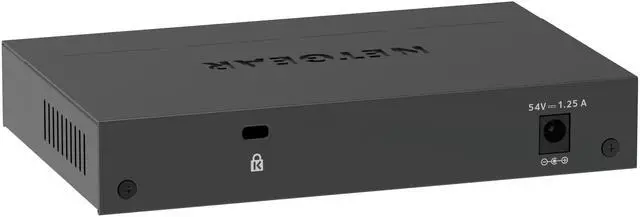
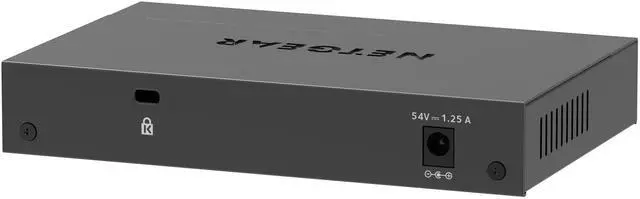
    PoE And PowerFour PoE+ ports provide a shared 63 W budget; powered through the included power adapter, with PoE power delivered over RJ45
    Switching And ManagementLayer 2 smart-managed switch with a 4K MAC address table, support for 64 VLANs, port mirroring, QoS, 9216-byte jumbo frames, and 192 KB buffer memory
    Installation And IndicatorsDesktop format; wall-mountable, with per-port speed, link, activity, and PoE LEDs plus power, system, and PoE Max indicators
    Operating EnvironmentOperating temperature: 0–40°C; storage temperature: −20–70°C. Maximum relative humidity: 90% operating and 95% storage, non-condensing
    Physical SpecificationsBlack plastic housing; device dimensions are 6.2 × 4 × 1.1 inches and listed item weight is 1 kg
    Package ContentsPower adapter, wall installation kit, rubber feet, and installation guide
    Model IdentifiersNETGEAR GS305EP-100NAS