




 here!
I’m your shopping assistant for PC builds, upgrades, and everything tech.
Got questions? Ask away!
Start a conversation
here!
I’m your shopping assistant for PC builds, upgrades, and everything tech.
Got questions? Ask away!
Start a conversationShipped by Newegg

Make informed decisions with expert advice. Learn More






Any questions? Ask CelesteSM will help you find out quickly.


We want to ensure your holiday shopping this year is hassle-free. That’s why we’re automatically extending our return policies on almost every product! For purchases placed between November 1st, 2026 and December 31, 2026 you will have until January 31, 2027 to return your product.
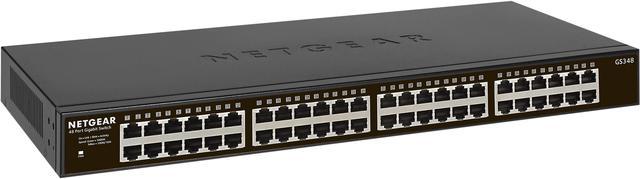
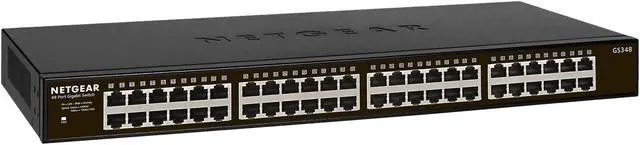
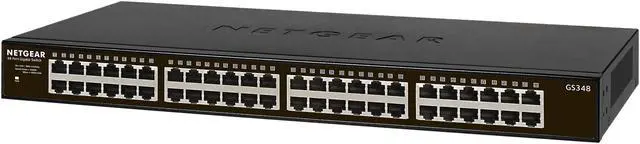
The NETGEAR GS348 is a 48-port unmanaged Gigabit Ethernet switch for offices, labs, and other wired networks that need many connections with minimal setup; it offers plug-and-play operation, rack or desktop mounting, and fanless, silent operation.
| Attribute | Value |
|---|---|
| Best For | Expanding a wired Ethernet network with a 48-port unmanaged switch for devices such as laptops |
| Ports And Switching | 48 RJ45 ports support 10/100/1000 Mbps Ethernet, with 96 Gbps non-blocking switching, a 16K MAC address table, 9216-byte jumbo frames, and 1.5 MB of buffer memory; PoE is not supported |
| Network Management And Standards | Layer 2 unmanaged operation with TCP/IP support, plug-and-play setup, 802.1p priority QoS, and support for 10BASE-T, 100BASE-TX, Gigabit Ethernet, flow control, and Energy Efficient Ethernet |
| Power And Efficiency | Internal AC power supply accepts 110–240 V at 50–60 Hz, with maximum and standby power consumption of 23 W and 8.81 W; supports Energy Efficient Ethernet |
| Physical Design And Mounting | Metal, fanless design with desktop placement or rack mounting; measures 1.70 × 17.32 × 8.03 inches and weighs 6.94 lb |
| Status Indicators | Power and link/activity LEDs |
| Operating Environment | Operating temperature 0–50°C with up to 90% non-condensing relative humidity; storage temperature -20–70°C with 5–95% relative humidity |
| Package Contents | Switch with internal power supply, regional power cord(s), rack-mounting kit, tabletop rubber footpads, and quick installation guide |
| Model Identifiers | NETGEAR GS348-100NAS |


