






FAQ
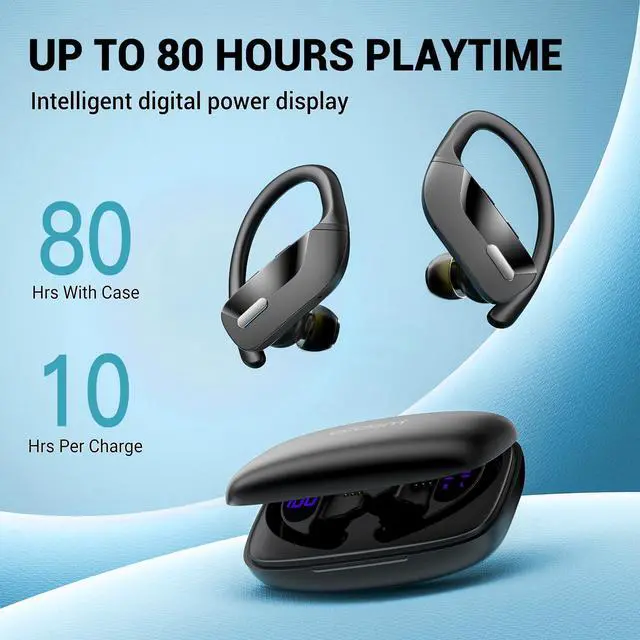
Friendly Reminder : It is recommended to charge the charging case at least once a week to maintain its optimal performance. In the event that the charging case has discharged its power completely, you may experience a delay in the LED display showing up when you plug in the charging cable. In such cases, please wait patiently for approximately 15 minutes, and the LED display should appear later. This delay is normal and allows the charging case to regain sufficient power before displaying the charging status.
After using the earbuds for an extended period, you may encounter issues where they don't charge or fail to turn on. This could be due to debris or dirt obstructing the charging pins or contacts, resulting in a poor connection. To resolve this problem, you can use a rag soaked in alcohol to clean the magnet connectors on both the earbuds and the charging case. Gently wipe the charging pins and contacts to remove any buildup or residue that may be interfering with the charging process. Once cleaned, you should be able to restore a reliable connection and ensure proper charging and functionality of the earbuds.
Does only one earbud play sound?
If you just receive the earbuds, please don't open the bluetooth of mobile phone firstly, we need get twin earbuds paired with each other firstly, otherwise, only one earbud connects to your mobile. When only one connects to your mobile, we can see the led indicator of workable one light off, and another one still flashes blue and red alternatively, after a while , it will shut off, at this time it is easy for us to think another one is not workable.
How to pair with mobile?
Empty the bluetooth list of mobile phone, then turn off the bluetooth of mobile phone. When both earbuds have power, take them out from charging case, the led indicator of one earbud flashes blue slowly, and the led indicator of another earbud flashes red and blue alternatively, that means "both earbuds are got paired with each other successfully", then open the bluetooth of your phone to search T17 to connect.
How to reset?
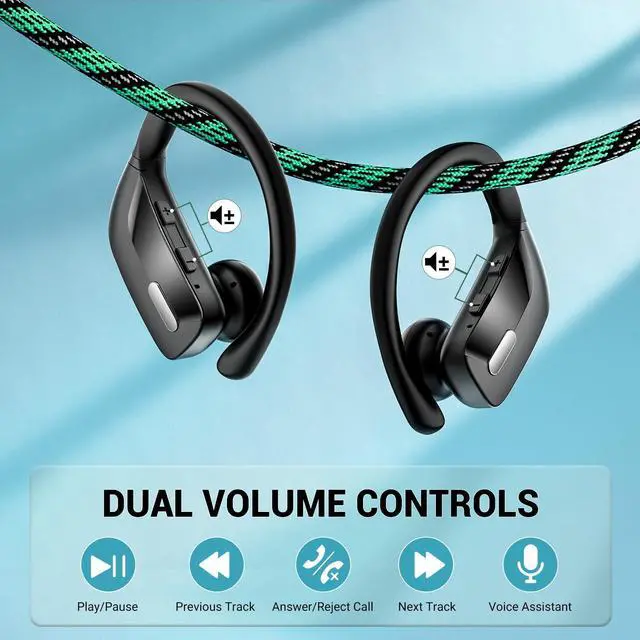
To clear the previous pairing memory, start by emptying the Bluetooth list on your mobile phone. Next, turn off the Bluetooth on your mobile phone. Then, quickly press the silver button on each earbud four times, specifically on the left earbud four times and the right earbud four times. This process will clear the previous pairing memory.


FAQ
Friendly Reminder : It is recommended to charge the charging case at least once a week to maintain its optimal performance. In the event that the charging case has discharged its power completely, you may experience a delay in the LED display showing up when you plug in the charging cable. In such cases, please wait patiently for approximately 15 minutes, and the LED display should appear later. This delay is normal and allows the charging case to regain sufficient power before displaying the charging status.
After using the earbuds for an extended period, you may encounter issues where they don't charge or fail to turn on. This could be due to debris or dirt obstructing the charging pins or contacts, resulting in a poor connection. To resolve this problem, you can use a rag soaked in alcohol to clean the magnet connectors on both the earbuds and the charging case. Gently wipe the charging pins and contacts to remove any buildup or residue that may be interfering with the charging process. Once cleaned, you should be able to restore a reliable connection and ensure proper charging and functionality of the earbuds.
Does only one earbud play sound?
If you just receive the earbuds, please don't open the bluetooth of mobile phone firstly, we need get twin earbuds paired with each other firstly, otherwise, only one earbud connects to your mobile. When only one connects to your mobile, we can see the led indicator of workable one light off, and another one still flashes blue and red alternatively, after a while , it will shut off, at this time it is easy for us to think another one is not workable.
How to pair with mobile?
Empty the bluetooth list of mobile phone, then turn off the bluetooth of mobile phone. When both earbuds have power, take them out from charging case, the led indicator of one earbud flashes blue slowly, and the led indicator of another earbud flashes red and blue alternatively, that means "both earbuds are got paired with each other successfully", then open the bluetooth of your phone to search T17 to connect.
How to reset?
To clear the previous pairing memory, start by emptying the Bluetooth list on your mobile phone. Next, turn off the Bluetooth on your mobile phone. Then, quickly press the silver button on each earbud four times, specifically on the left earbud four times and the right earbud four times. This process will clear the previous pairing memory.
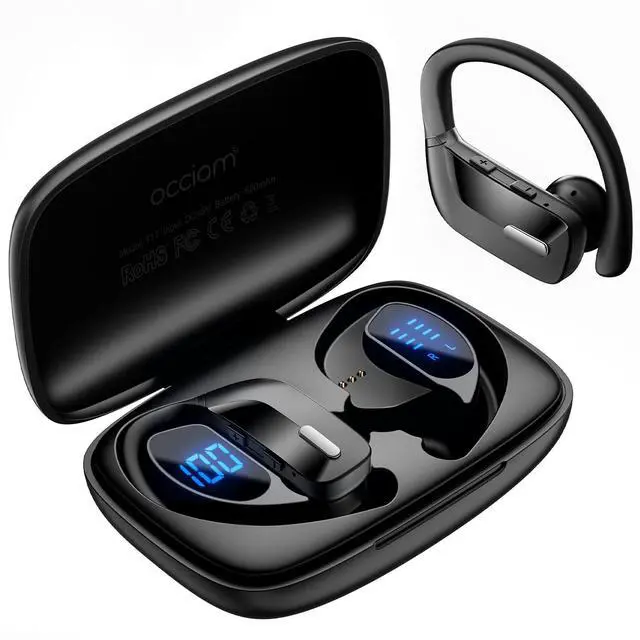
Occiam Wireless Sport Earbuds
Pair, play, perfection—your ears deserve the best.