




 here!
I’m your shopping assistant for PC builds, upgrades, and everything tech.
Got questions? Ask away!
Start a conversation
here!
I’m your shopping assistant for PC builds, upgrades, and everything tech.
Got questions? Ask away!
Start a conversation








Any questions? Ask CelesteSM will help you find out quickly.


Note:The new SSD needs to be partitioned and formatted for the first use, otherwise the device cannot recognize the SSD. Confirm whether the hard disk format is consistent with the SSD format supported by the system. If not, please format the SSD into a hard disk format supported by the system(If you encounter problems with recognition, you also can recheck the product's interface/cable/whether the new hard drive is formatted/whether the file format is compatible with the system, etc.)
1*m.2 ssd enclosure
1*USB C to C cable +1*USB A to C cable or 1*ALL-NEW 2-in1 data cable
1*Thermal Pad
2*Rubber Fastener
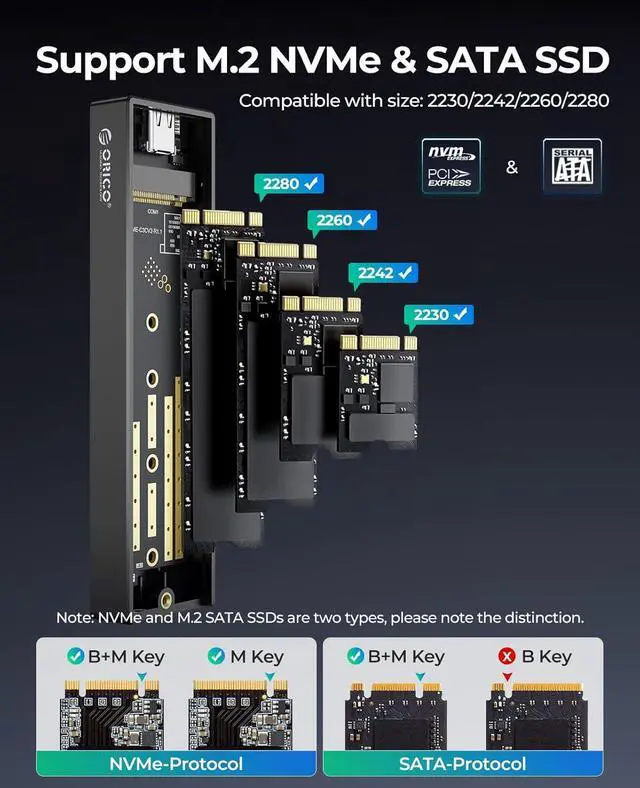
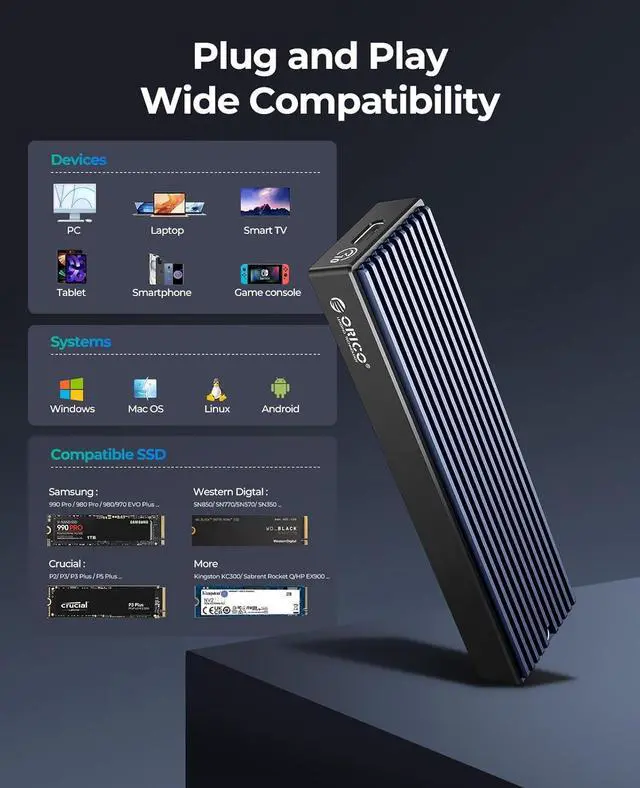
The ORICO M2PVM is a single-drive USB-C enclosure for M.2 NVMe PCIe and SATA/NGFF SSDs, with a USB 3.1 Gen 2 connection rated for up to 10 Gbps. It suits users who want to reuse or carry a compatible M.2 drive with Windows, Mac, or Linux systems.
| Attribute | Value |
|---|---|
| Best For | Adding a single M.2 NVMe or SATA SSD as USB-C external storage, with support for Windows, Mac, and Linux |
| Drive Compatibility | Supports M.2 NVMe and NGFF (SATA) SSDs in 2230, 2242, 2260, and 2280 sizes |
| Storage Capacity And Bays | Single-SSD, one-bay enclosure supporting up to 4TB per bay |
| Interface And Transfer Speeds | USB Type-C connection; theoretical transfer speed is up to 10Gbps for NVMe SSDs and 6Gbps for NGFF (SATA) SSDs |
| Construction And Cooling | Aluminum-and-plastic construction with an aluminum-alloy heat-dissipation design; no fan |
| Power And Operation | No AC adapter; supports drive-free plug-and-play operation, hot swapping, and intelligent sleep after 10 minutes |
| Status Indicators | LED stays on when powered and flashes during data reading |
| Dimensions | 108 × 29.5 × 13.5 mm |
| Model Identifiers | ORICO M2PVM, black |




