• $30.99
  • $39.99
  • Save: $9.00 (22%)
  • Free 30-day Returns
  • Price alert
    NAS Builder
    Shop it at NeweggBusiness.

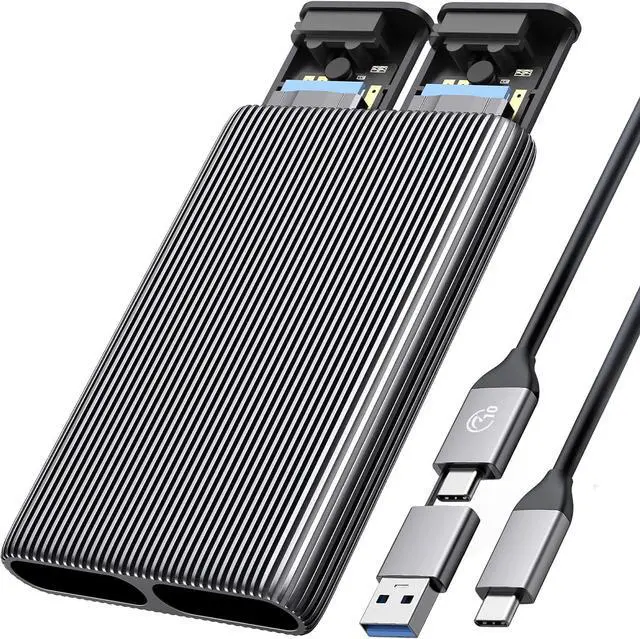
    ORICO M.2 SSD Enclosure | Dual Slot (1 NVMe PCIe + 1 SATA NGFF), USB C 10Gbps Adapter for 2230/2242/2260/2280, Tool-Free Aluminum Case, Support Trim UASP, Up to 8TB Total Capacity

    Lowest Price
    in 30 Days
    • Single SSD
    • Dual SSD
    • 1 Bay
    • 2 Bay
    • M.2 NGFF SSD|1 Bay
    • M.2 NVMe / NGFF SSD|2 Bay
    • M.2 NVMe 40Gbps|1 Bay
    • M.2 NVME SSD|1 Bay
    • M.2 NVME SSD|2 Bay
    • M.2 NVME SSD|With Cover
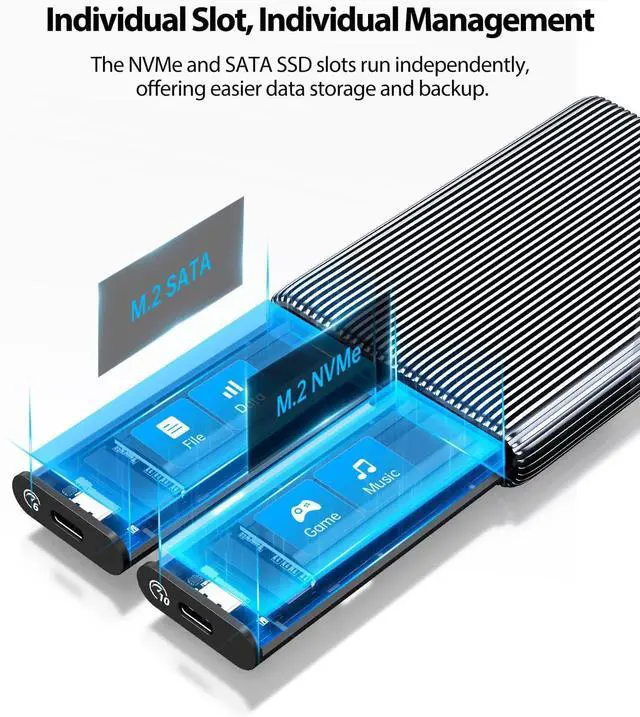
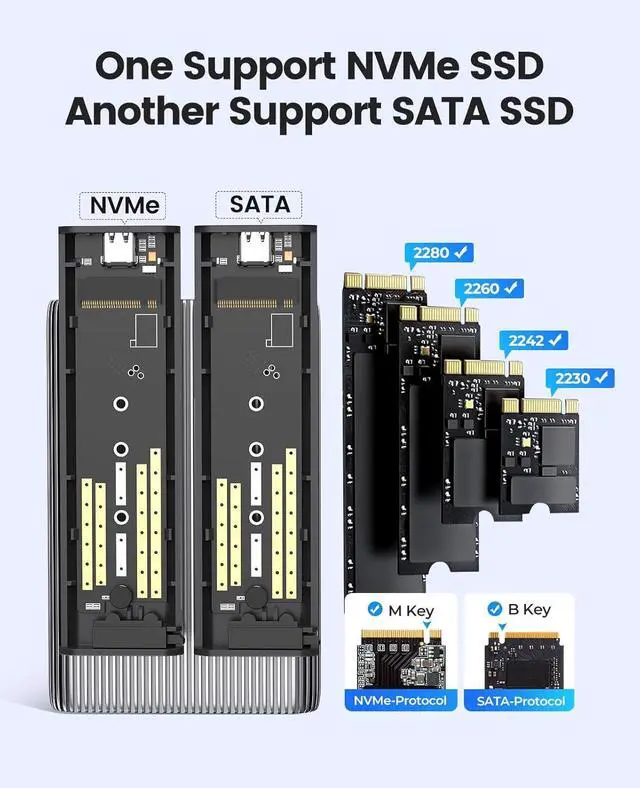
    • NOTEOne slot support M.2 NVMe SSD(M Key). Another slot support M.2 SATA SSD(B+M Key)
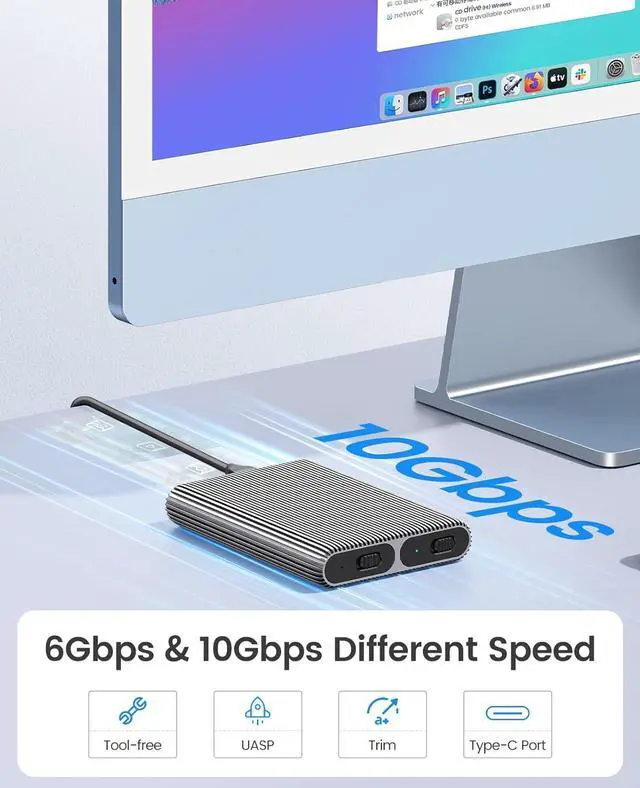
    • Dual NVMe & SATA EnclosureThis dual-slot M.2 adapter has two independent M.2 SSD enclosures for M.2 NVMe and SATA SSD(10Gbps bay only for NVMe SSD, another 6Gbps bay only for M.2 SATA SSD, please note the enclosure marks.), run a single SSD independently, and connect two data cables simultaneously to read two SSDs. No power adapter required.
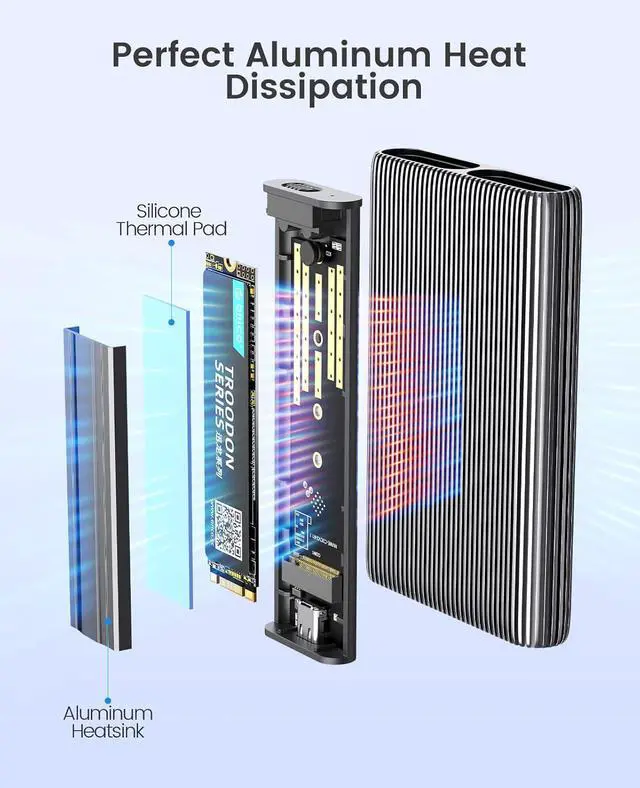
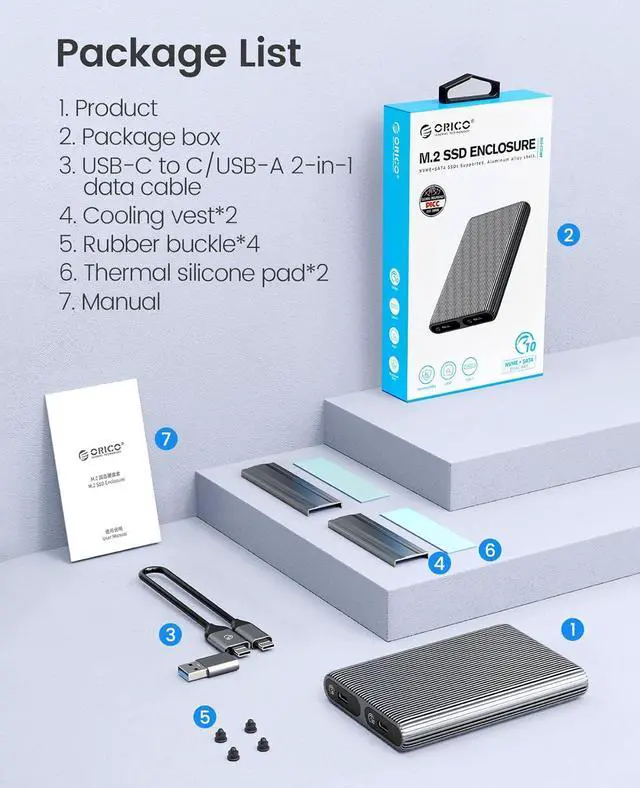
    • Fully aluminum heat Dissipation The ORICO M.2 NVMe SATA case adopts aluminum alloy striped fin design to extend the heat Dissipation zone, with two heat Dissipation vests (heat sinks) and two silicone heat pads to reduce the damage of high-speed SSD.
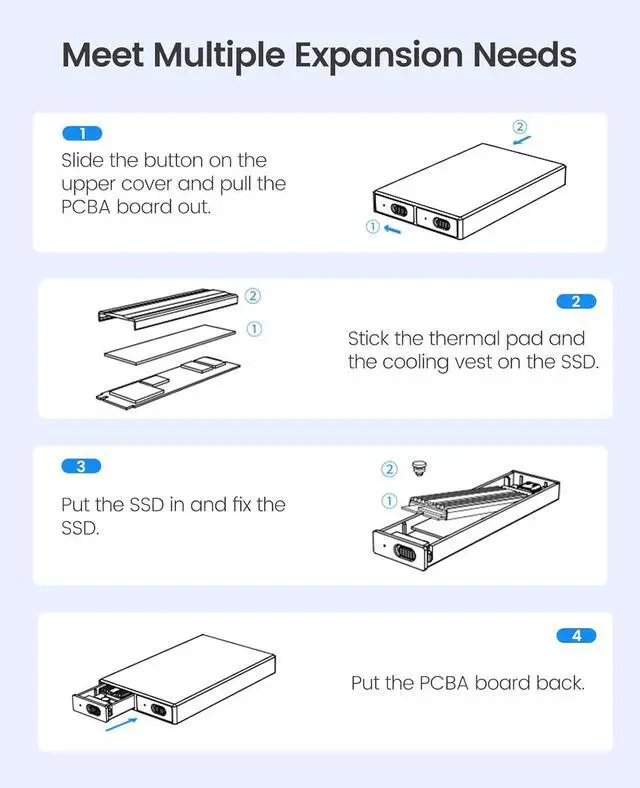
    • Tool-free Installation Simply insert your SSD into this M.2 USB adapter, fix the SSD with a rubber cap, and then connect the USB cable to your device to use it.
    • High speed The ORICO M.2 case with the latest USB3.2 Gen2 Type-C connector supports NVME NGFF SATA SSD, running faster and more stable.
    +
    +
    Overview
    Specs
    Reviews (35)
    See all Q & A
    avatar

    Any questions? Our AI beta will help you find out quickly.

    AM2
    AM2
    image for this item
    Auto Sleep Function

    Features 10-min Auto Sleep Mode to let your HDD or SSD stop spinning to have a rest. Good to extend the lifespan of the hard drives.

    image for this item
    Max up to 8TB

    Support M.2 NVME PCIe M-Key SSD and NGFF SATA B-Key and B + M-Key SSD. All MAC SSD is not supported.

    image for this item
    Universal Compatibility

    Compatible with Windows 10/8.1/8/7/XP/Vista, Mac OS, Linux or Chrome OS; Game consoles like PS4, PS4 Pro, PS3, Xbox one, Xbox 360; Raspberry Pi; TV; Router, etc.

    image for this item
    Warm Tips

    1. Please properly back up all data on the SSD to prevent data loss.

    2. In any case, during data transfer, please do not unplug the M.2 SSD case from the PC, otherwise data may be lost. Please unplug the cable before taking out the SSD after use.

    3. Once connected, your PC/Laptop's OS will initialize the M.2 SSD. This process may take a minute. You can access the data if the SSD is partitioned and the data is on the SSD.

    4. Be careful to check compatibility before installing an SSD.

    5. Please be as gentle as possible when installing the SSD to avoid scratching the components on the printed circuit board. When installing an SSD, be careful of static electricity. On the other hand, for safety reasons, it is also recommended to not connet device before proceeding with the installation.

    Warranty & Returns

    Warranty, Returns, And Additional Information

    Warranty

    • Please contact the Seller directly for warranty information. Warranty information may also be found on the Manufacturer's website.
    • Read full details
    • CONTACT

    Return Policies

    Manufacturer Contact Info

    LOADING...