








ORIGBELIE focuses on the external CD/DVD drive, you can find us all over the world.
Our external CD/DVD drives don't just read/burn CDs DVDs for your computer, they offer the tech experience you want with zero restrictions.
What problem are we solving?
ORIGBELIE is dedicated to solving the problem of customers' anxiety being unable to read/burn CDs, DVDs, USB flash and SD/TF cards, whether they're on the go or using their computers daily.
Why do we love what we do?
We felt immensely proud when a recent customer told us that they had been using our product for five years without any issues.
What makes our products unique?
Every ORIGBELIE external CD/DVD drive has passed RoHS CE FCC UKCA certification and we have received countless positive reviews from our customers regarding our support and assistance.
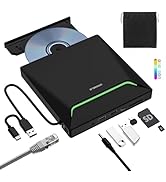
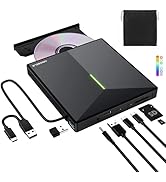
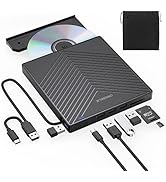
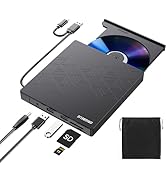
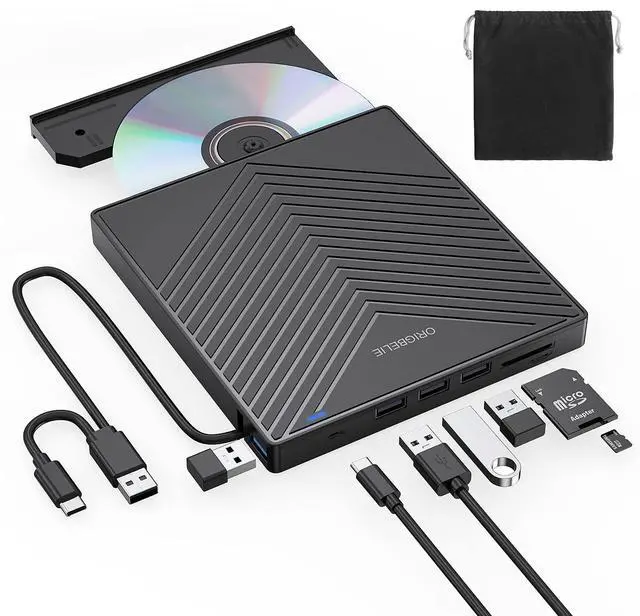
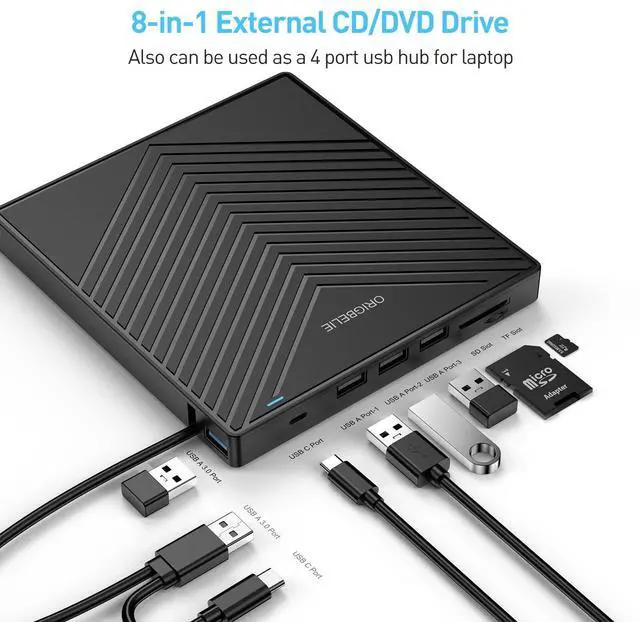
USB HUB+SD/TF Reader+DVD Drive
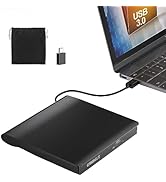
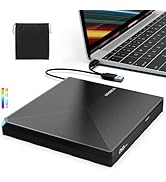
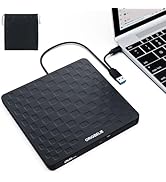
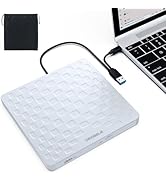
2 in 1 USB 3.0 CD/DVD Drive
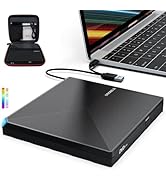
CD/DVD Drive with RGB LED
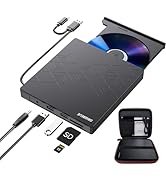
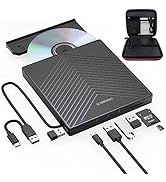
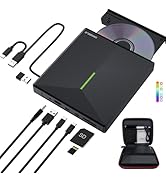
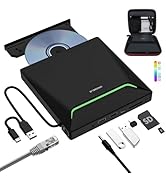
DVD Drive with Carrying Case


ORIGBELIE External CD/DVD Reader and Burner
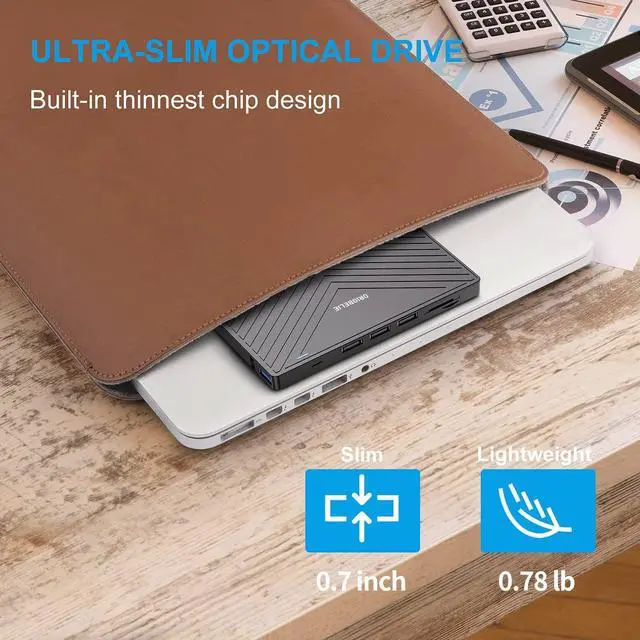
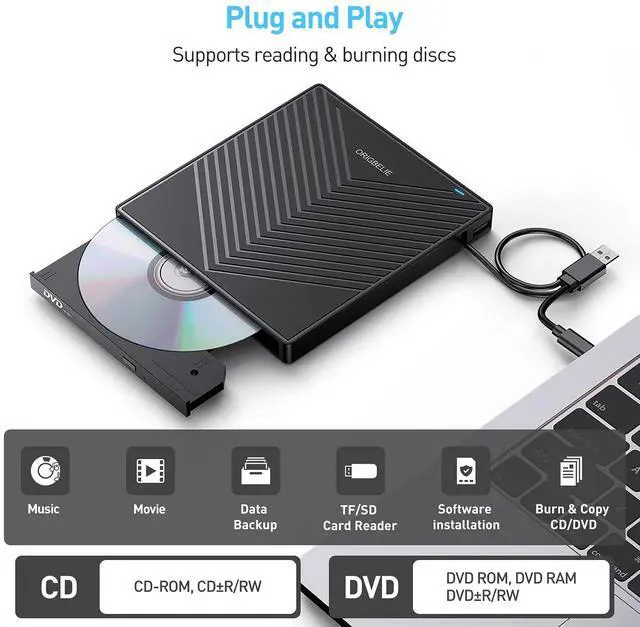
with this external CD/DVD RW Drive, you can read movies DVDs, play music CDs, burn and rip discs, copy photos, install software/games/system, backup data and more. and just slips easily into your travel bag, perfect companion for DVD lovers, using everywhere.

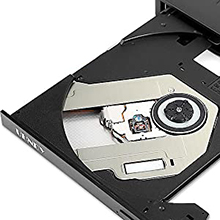
Powerful Performance
New upgraded DVD loader with faster speed, low impedance & anti-interference ability, bring you a fast and more smooth experience.
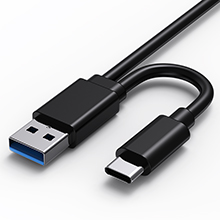
2-in-1 USB 3.0 Connector
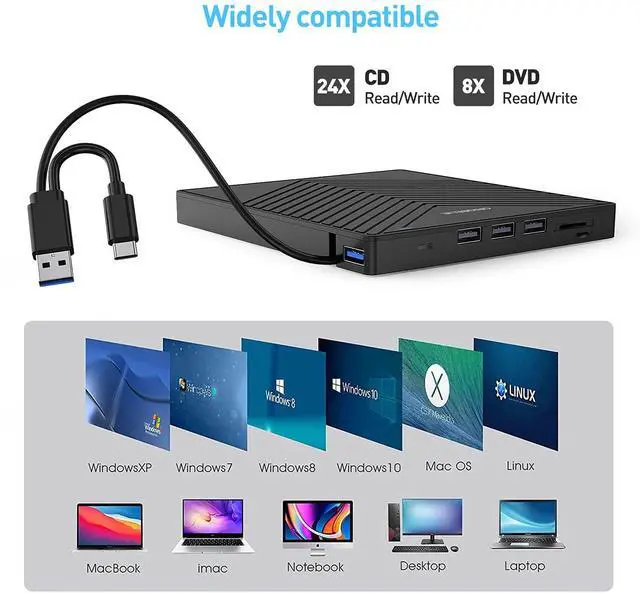
Equipped with USB-C and USB-A connectors make it easier to connect to more laptops and desktop computers, no USB hub/adapter required. Plug and Play

Extra SD/TF Slot
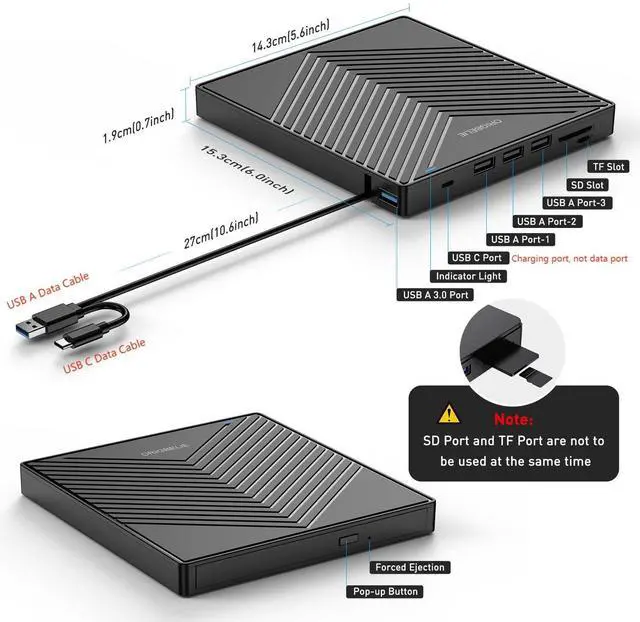
It is not only CD/DVD burner, but also a SD/TF card Reader. Extra built-in SD/TF card slot is perfect for you to transfer photos shooting or videos by your camera from memory cards to your computers

Package Contain
- 1*External CD/DVD Drive
- 1*User Manual
- 1*USB Power Supply Cable
- 1*Drive Storage Bag
- 1*Packaging Box
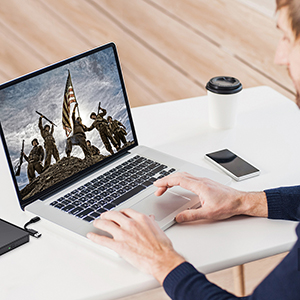
Play a DVD movie on laptop

Play a CD on a Desktop Computer

Back Up Computer Files to CD/DVD

Install Software If PC Lacks an Optical Drive

For troubleshooting steps
Please check if your computer is recognizes to the optical drive (if your computer recognizes the optical drive, you can see the icon of "DVD RW Drive" in your computer's "My Computer". The Mac OS computer will not display the device icon until the disc is placed in the optical drive and the disc is read successfully. ).
If the optical drive is not recognized by the computer, the following are suggestions for solutions.
*Method 1:Check external connections.
1. Use the Type A and Type C cables on the back of the machine to connect the laptop. (The cable comes with the package is only for current transmission, not for data transmission.)
2. Connect the machine to other USB ports.
*Method 2: Update or reinstall the driver.
Drivers for your CD, DVD drive is included within the Operating System and hence does not require you to install a specific driver. Uninstalling the driver and restarting the computer will reinstall the driver which will resolve most issues related to the device driver.
*Method 3: Run the Hardware and Devices troubleshooter.(Windows 7, Windows 8, Windows 8.1 and Windows 10)
You can run the Windows Hardware and Devices troubleshooter which is built-in to Microsoft Windows. The Hardware and Devices troubleshooter is available in Microsoft Windows 7, Windows 8/8.1 & Windows 10 only.
If the optical drive is recognized by the computer, the product problem you encounter may be caused by the following two reasons:
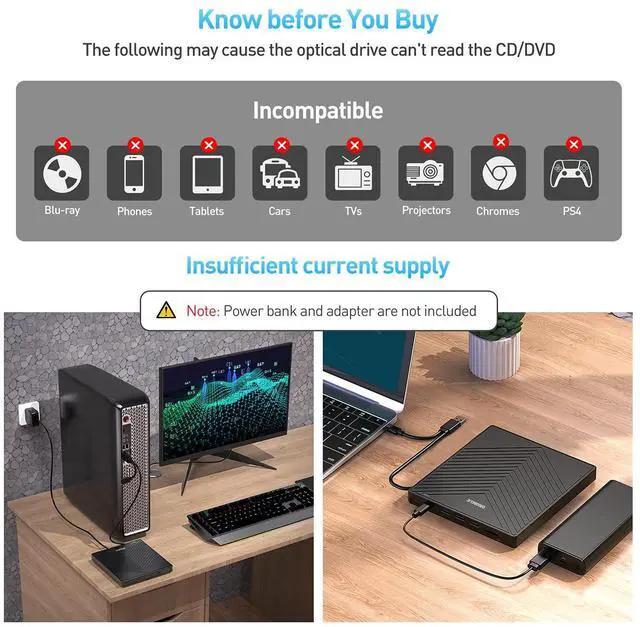
1. The power supply of the product is insufficient - Please use a 5V charger / power bank supply to supplement it.
(Note: For the Apple computers, you need to connect the external CD/DVD drive to the computer first, and then connect the supplementary power supply to the external CD/DVD drive, otherwise the Apple computer will not recognize the external CD/DVD drive.)
2. WINDOWS 11 needs a media player (such as VLC ) and a network connection.
These things you need to know before buying
 8 in 1 |  All in 1 with RGB LED |  8 in 1 with RGB LED |  6 in 1 |  2 in 1 with RGB LED |  2 in 1 | |
|---|---|---|---|---|---|---|
| Customer Reviews | — | — | — | — | — | — |
| Price | — | — | — | — | — no data | — |
| USB 3.0 Port | 3 | 3 | 3 | 2 | 2 | 2 |
| USB Conector | USB C and USB A | USB C and USB A | USB C and USB A | USB C and USB A | USB C and USB A | USB A and USB C |
| USB HUB Port | 4 | 3 | 4 | 2 | no data | no data |
| SD/TF Card Reader | ? | ? | ? | ? | no data | no data |
| RJ45 Ethernet LAN Network Port | no data | ? | no data | no data | no data | no data |
| CD/DVD Reader & Burner | ? | ? | ? | ? | ? | ? |
| RGB LED Light | no data | ? | ? | no data | ? | no data |
| Compatible with | Laptop, Macbook, Desktop, PC, Mac, iMac | Laptop, Macbook, Desktop, PC, Mac, iMac | Laptop, Macbook, Desktop, PC, Mac, iMac | Laptop, Macbook, Desktop, PC, Mac, iMac | Laptop, Macbook, Desktop, PC, Mac, iMac | Laptop, Macbook, Desktop, PC, Mac, iMac |
| Support Operating System | Windows 11/10/8/7/XP/Vista, Mac OS, Linux | Windows 11/10/8/7/XP/Vista, Mac OS, Linux | Windows 11/10/8/7/XP/Vista, Mac OS, Linux | Windows 11/10/8/7/XP/Vista, Mac OS, Linux | Windows 11/10/8/7/XP/Vista, Mac OS, Linux | Windows 11/10/8/7/XP/Vista, Mac OS, Linux |
| Tips | Cars, TVs, Tablets, Ipads, PS4/5, Xbox, Cellphones, Projectors, Surface, Chromebook, Blu-ray disk and Ubuntu system are not supported | Cars, TVs, Tablets, Ipads, PS4/5, Xbox, Cellphones, Projectors, Surface, Chromebook, Blu-ray disk and Ubuntu system are not supported | Cars, TVs, Tablets, Ipads, PS4/5, Xbox, Cellphones, Projectors, Surface, Chromebook, Blu-ray disk and Ubuntu system are not supported | Cars, TVs, Tablets, Ipads, PS4/5, Xbox, Cellphones, Projectors, Surface, Chromebook, Blu-ray disk and Ubuntu system are not supported | Cars, TVs, Tablets, Ipads, PS4/5, Xbox, Cellphones, Projectors, Surface, Chromebook, Blu-ray disk and Ubuntu system are not supported | Cars, TVs, Tablets, Ipads, PS4/5, Xbox, Cellphones, Projectors, Surface, Chromebook, Blu-ray disk and Ubuntu system are not supported |
ORIGBELIE External CD/DVD Reader and Burner
with this external CD/DVD RW Drive, you can read movies DVDs, play music CDs, burn and rip discs, copy photos, install software/games/system, backup data and more. and just slips easily into your travel bag, perfect companion for DVD lovers, using everywhere.
Powerful Performance
New upgraded DVD loader with faster speed, low impedance & anti-interference ability, bring you a fast and more smooth experience.
2-in-1 USB 3.0 Connector
Equipped with USB-C and USB-A connectors make it easier to connect to more laptops and desktop computers, no USB hub/adapter required. Plug and Play
Extra SD/TF Slot
It is not only CD/DVD burner, but also a SD/TF card Reader. Extra built-in SD/TF card slot is perfect for you to transfer photos shooting or videos by your camera from memory cards to your computers
Package Contain
- 1*External CD/DVD Drive
- 1*User Manual
- 1*USB Power Supply Cable
- 1*Drive Storage Bag
- 1*Packaging Box
How to Play a DVD Movie on Your Laptop
You need to ensure that there is a program or app on your laptop for playing DVD. Windows 10, unlike some of its predecessors, no longer ships with a built-in DVD player.
- Click “Start” button on the desk of your laptop. Search “Windows Media Player” to start the program.
- Connect an external DVD drive to your laptop via a USB cable and insert the DVD disc to the external DVD drive.
- Choose your DVD Disk and click “Play” button. Then you can watch DVD movie on your laptop.
How to Play a CD on a Desktop Computer
If you haven’t ripped your music CDs to audio files on your computer yet, it’s not too late. All it takes is a ORIGBELIE CD drive and a bit of time. When you’re done, your physical music collection will become your digital music collection, You can then listen to that music on your computer or copy it over to your smartphone. There are even many services that will let you store that music online and stream it from anywhere!
- Connect an external cd drive to your laptop via a USB cable
- Press the Eject button on the cd reader.
- Place the disc in the tray label-side up, and close the tray by pushing it
- Click choose what to do with audio CDs, then Double-click your audio CD in the menuand you'll see all of the tracks appear in the center of the window. If nothing happens when you insert your disc, you can start Windows Media Player yourself.
How to Back Up Computer Files to CD/DVD
You’ve put a lot of work into creating your computer files, so you’ll want to remember to back them up. If you back up your computer files, if your computer is damaged or loses data, you’ll have a copy safely tucked away.
- Place a blank writable CD-R/RW (read/writable) or DVD-R/RW in your CD-RW /DVD-RW drive and then choose Start?Documents.
- Select all the files that you want to copy to disc. Right-click the files that you want and then choose Copy To Folder.
- In the Copy Items dialog box, click the CD-R/RW or DVD-RW drive and click Copy.
- Your files are copied.
How can i install software that’s stored on a CD or DVD If my PC lacks an optical drive?
When software comes on a CD or DVD and you want to install it on a laptop, you may can’t just pop open the disc drive or slide a disc into a slot, like you would on a computer with an optical drive. Generally speaking, the latest laptops forgoes the optical drive to keep it thin and small.
- So you can resort to ORIGBELIE external CD/DVD drive to get your programs installed.
- The ORIGBELIE external usb 3.0 drive equipped with USB-C and USB-A connectors make it easier to connect to more laptops and desktop computers, Plug and Play, Compatible with Windows 10 / 8 / 7 / Vista / XP, Linux and all versions of Mac OS. Ideal for laptop and desktop PC.
For troubleshooting steps
Please check if your computer is recognizes to the optical drive (if your computer recognizes the optical drive, you can see the icon of "DVD RW Drive" in your computer's "My Computer". The Mac OS computer will not display the device icon until the disc is placed in the optical drive and the disc is read successfully. ).
If the optical drive is not recognized by the computer, the following are suggestions for solutions.
*Method 1:Check external connections.
1. Use the Type A and Type C cables on the back of the machine to connect the laptop. (The cable comes with the package is only for current transmission, not for data transmission.)
2. Connect the machine to other USB ports.
*Method 2: Update or reinstall the driver.
Drivers for your CD, DVD drive is included within the Operating System and hence does not require you to install a specific driver. Uninstalling the driver and restarting the computer will reinstall the driver which will resolve most issues related to the device driver.
*Method 3: Run the Hardware and Devices troubleshooter.(Windows 7, Windows 8, Windows 8.1 and Windows 10)
You can run the Windows Hardware and Devices troubleshooter which is built-in to Microsoft Windows. The Hardware and Devices troubleshooter is available in Microsoft Windows 7, Windows 8/8.1 & Windows 10 only.
If the optical drive is recognized by the computer, the product problem you encounter may be caused by the following two reasons:
1. The power supply of the product is insufficient - Please use a 5V charger / power bank supply to supplement it.
(Note: For the Apple computers, you need to connect the external CD/DVD drive to the computer first, and then connect the supplementary power supply to the external CD/DVD drive, otherwise the Apple computer will not recognize the external CD/DVD drive.)
2. WINDOWS 11 needs a media player (such as VLC ) and a network connection.
These things you need to know before buying
| Incompatible devices and discs | This CD/DVD drive cannot play Blu-ray discs. And it is not compatible with cars, trucks, TVs, projectors, smartphones, iPhones, tablets, iPads, PS4/5, Nintendo Switch, Xbox, surface (some models), Chromebooks and Ubuntu OS. |
| Open the tray | For Windows, simply press the button on the front of the drive to eject the tray. For mac OS, the drive button is limited by mac OS and cannot open the tray, right-click the icon on the desktop and select "Eject", or select "File" - "Eject". If the device fails and cannot be opened, don't worry, we will solve the problem or resend you a new product. |
| Use it on Windows | 1. Take out the USB A/C data cable built into the back of the drive. 2. Plug the USB A or USB C connector into your computer's USB port (not through a USB hub). 3. Your computer will recognize the drive. 4. Set the region code to number 1 to play US or Canadian DVDs (CDs do not have region code). 5. Insert your CD or DVD. 6. Use a media player (such as Windows Media Player, VLC Player, etc.) or burning/ripping software to read/write the disc. |
| Use it on Mac OS | 1. Click “Finder” , select “Preferences” , make sure “CDs, DVDs, and iPods” is selected. 2. Take out the USB A/C data cable built into the back of the drive. 3. Plug the USB A or USB C connector into your mac/macbook/imac USB port (not through a USB hub). 4. Insert your CD or DVD. 5. Your Mac will recognize the drive, read the disc and an icon will appear on the desktop. 6. Use a media player (such as Apple Music, iTunes, DVD Player, etc.) or burning/ripping software to read/write the disc. |
| Setting Region Code in Windows | 1. Right-click the "DVD-RW Drive" icon and select "Properties". 2. Select the "Hardware" tab. 3. Select the corresponding CD/DVD-ROM drive and click to open the "Properties" tab at the bottom. 4. Select the "DVD Region" tab. 5. Select the corresponding country region (USA is 1) and then click "OK". Note: You are only allowed to change the region code 4-5 times. |
| Make sure computer recognizes | Insert the external optical drive into the computer. After the Windows system recognizes the optical drive, the "DVD RW Drive" icon will be displayed. The Mac OS computer will not display the device icon until the disc is placed in the optical drive and the disc is read successfully. If the computer fails to recognize the optical drive, it may be that the computer's driver is missing or the output current is insufficient. |
| Update/reinstall the PC driver | 1.Press the Windows logo key + R to open the Run dialog box. 2.Type devmgmt.msc in the Run dialog box, then press Enter. 3.In Device Manager, expand DVD/CD-ROM drives, right-click the CD and DVD devices, and then select Uninstall. 4.When you are prompted to confirm that you want to uninstall the device, select OK. 5. Restart the computer. After the computer restarts, the drivers will be automatically installed. |
| Supplement power to the drive | It's better to use the 5V charger/power bank to increase the power if your computer don't have enough power to support the external drive. Note: For the Apple computers, you need to connect the external CD/DVD drive to the mac/macbook/imac through the USB A/C data cable first, and then connect the 5V charger/power bank to the external CD/DVD drive through the charging cord, otherwise the Apple computer will not recognize the external CD/DVD drive. |
| Data cable and charging cord | The USB A/C data cable is built into the bottom of the drive, and the charging cord is a separate USB cord that comes with the package. The charging cord cannot be used as a data cable alone, it must be used together with the USB A/C data cable built into the back of the drive. |
| WINDOWS 11 Requirements | WINDOWS 11 needs a media player (such as VLC ) and a network connection. |
| The USB A/C data cable length | This USB A/C cable is embedded on the back of the cd drive. Due to the size of the drive enclosure, the total length of the data cable is only about 10.6 inches / 27 cm. |
| Reading and writing speed | This CD/DVD drive supports USB 3.0 and can provide data transfer speeds of up to 5Gbps. Although it has up to 8x DVD read/write speed and 24x CD read/write speed, the drive reads and writes CD/DVD discs at speeds that increase from the inner circle to the outer circle, and the starting speed is usually lower, reaching the maximum speed when reaching the outermost circle. |
8 in 1 | All in 1 with RGB LED | 8 in 1 with RGB LED | 6 in 1 | 2 in 1 with RGB LED | 2 in 1 | |
|---|---|---|---|---|---|---|
| Customer Reviews | — | — | — | — | — | — |
| Price | — | — | — | — | — no data | — |
| USB 3.0 Port | 3 | 3 | 3 | 2 | 2 | 2 |
| USB Conector | USB C and USB A | USB C and USB A | USB C and USB A | USB C and USB A | USB C and USB A | USB A and USB C |
| USB HUB Port | 4 | 3 | 4 | 2 | no data | no data |
| SD/TF Card Reader | ? | ? | ? | ? | no data | no data |
| RJ45 Ethernet LAN Network Port | no data | ? | no data | no data | no data | no data |
| CD/DVD Reader & Burner | ? | ? | ? | ? | ? | ? |
| RGB LED Light | no data | ? | ? | no data | ? | no data |
| Compatible with | Laptop, Macbook, Desktop, PC, Mac, iMac | Laptop, Macbook, Desktop, PC, Mac, iMac | Laptop, Macbook, Desktop, PC, Mac, iMac | Laptop, Macbook, Desktop, PC, Mac, iMac | Laptop, Macbook, Desktop, PC, Mac, iMac | Laptop, Macbook, Desktop, PC, Mac, iMac |
| Support Operating System | Windows 11/10/8/7/XP/Vista, Mac OS, Linux | Windows 11/10/8/7/XP/Vista, Mac OS, Linux | Windows 11/10/8/7/XP/Vista, Mac OS, Linux | Windows 11/10/8/7/XP/Vista, Mac OS, Linux | Windows 11/10/8/7/XP/Vista, Mac OS, Linux | Windows 11/10/8/7/XP/Vista, Mac OS, Linux |
| Tips | Cars, TVs, Tablets, Ipads, PS4/5, Xbox, Cellphones, Projectors, Surface, Chromebook, Blu-ray disk and Ubuntu system are not supported | Cars, TVs, Tablets, Ipads, PS4/5, Xbox, Cellphones, Projectors, Surface, Chromebook, Blu-ray disk and Ubuntu system are not supported | Cars, TVs, Tablets, Ipads, PS4/5, Xbox, Cellphones, Projectors, Surface, Chromebook, Blu-ray disk and Ubuntu system are not supported | Cars, TVs, Tablets, Ipads, PS4/5, Xbox, Cellphones, Projectors, Surface, Chromebook, Blu-ray disk and Ubuntu system are not supported | Cars, TVs, Tablets, Ipads, PS4/5, Xbox, Cellphones, Projectors, Surface, Chromebook, Blu-ray disk and Ubuntu system are not supported | Cars, TVs, Tablets, Ipads, PS4/5, Xbox, Cellphones, Projectors, Surface, Chromebook, Blu-ray disk and Ubuntu system are not supported |
ORIGBELIE focuses on the external CD/DVD drive, you can find us all over the world.
Our external CD/DVD drives don't just read/burn CDs DVDs for your computer, they offer the tech experience you want with zero restrictions.
What problem are we solving?
ORIGBELIE is dedicated to solving the problem of customers' anxiety being unable to read/burn CDs, DVDs, USB flash and SD/TF cards, whether they're on the go or using their computers daily.
Why do we love what we do?
We felt immensely proud when a recent customer told us that they had been using our product for five years without any issues.
What makes our products unique?
Every ORIGBELIE external CD/DVD drive has passed RoHS CE FCC UKCA certification and we have received countless positive reviews from our customers regarding our support and assistance.
USB HUB+SD/TF Reader+DVD Drive
2 in 1 USB 3.0 CD/DVD Drive
CD/DVD Drive with RGB LED
DVD Drive with Carrying Case