




 here!
I’m your shopping assistant for PC builds, upgrades, and everything tech.
Got questions? Ask away!
Start a conversation
here!
I’m your shopping assistant for PC builds, upgrades, and everything tech.
Got questions? Ask away!
Start a conversation








Any questions? Ask CelesteSM will help you find out quickly.
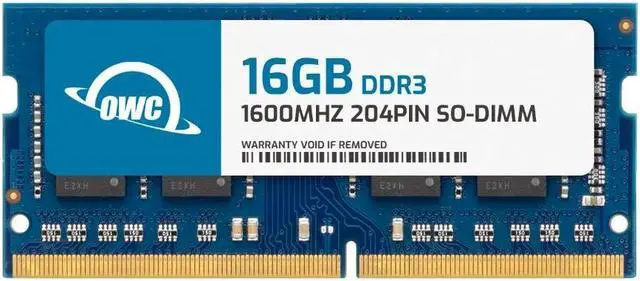
| Technology | DDR3 |
|---|---|
| Speed | PC3L-12800 1600MHz CL11 |
| Form Factor | 204PIN DIMM |
| ECC Type | NON ECC |
| Voltage | 1.35v |
| Compatibility | LAPTOP, MINI PC, NAS SYSTEM |
















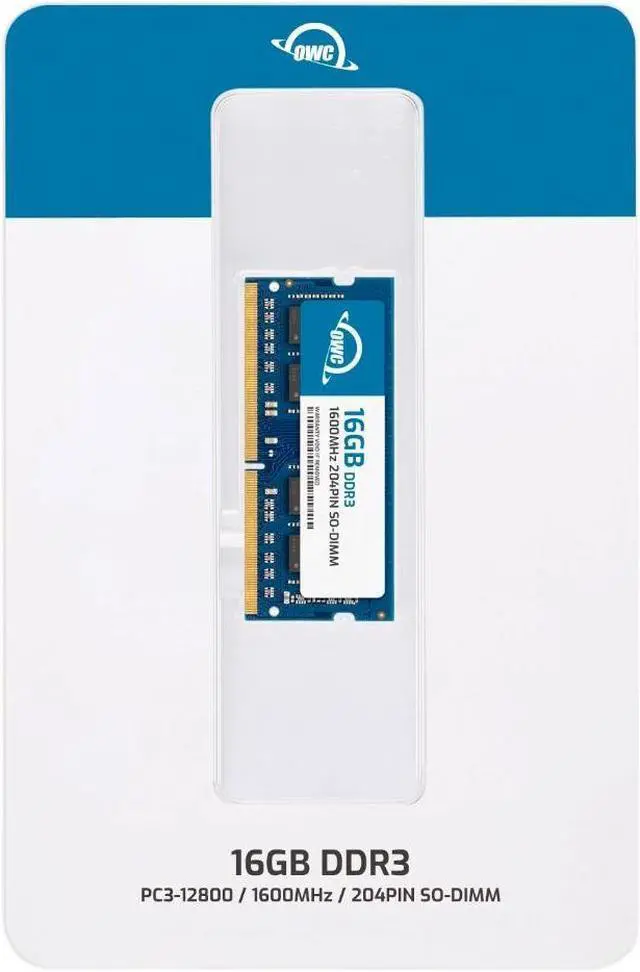
The OWC 16GB DDR3L-1600 204-pin SO-DIMM is a memory upgrade for Intel NUC NUC5CPYH, NUC5I5RYK, NUC5i7RYH, and NUC5PGYH systems. It suits owners of these models seeking a compatible 16GB non-ECC, unbuffered module.
| Attribute | Value |
|---|---|
| Best For | A 16GB DDR3L SODIMM upgrade for the listed Intel NUC models |
| Capacity | 16GB |
| Memory Type And Configuration | 204-pin DDR3L SODIMM, non-ECC, unbuffered, 2Rx8 |
| Speed And Latency | 1600 MHz (PC3L-12800), CL11 |
| Voltage | 1.35V |
| System Compatibility | Intel NUC NUC5CPYH, NUC5I5RYK, NUC5i7RYH, and NUC5PGYH |
| Model Identifiers | OWC; part number 1S6T32R816GB; model OWC1S6T32R816GB-B214-SF |
Q: OWC 16GB single stick vs. 2x8GB OWC memory for a NUC5i5RYK or NUC5i7RYH?
A: Both configurations provide 16GB total. Choose this single 16GB module to use one memory slot and leave the other open; choose a 2x8GB setup to populate both slots and use the NUC’s two memory channels. Intel lists these NUCs with a 16GB maximum and two DDR3L-1600-capable slots.
Q: For a NUC5i5RYK or NUC5i7RYH, should I choose OWC’s 16GB or 8GB DDR3L-1600 module?
A: Choose this 16GB module when you want a single module with the NUC’s full 16GB supported capacity. Choose an 8GB module for an 8GB configuration or to leave room to add another compatible module later. Both match the NUCs’ DDR3L-1600 SO-DIMM memory type.
Q: OWC 16GB DDR3L-1600 vs. an OWC 4GB module: which gives a NUC5i5RYK more memory capacity?
A: This 16GB module provides four times the installed capacity of a 4GB module. It is the higher-capacity choice for a NUC5i5RYK configuration, which Intel specifies supports up to 16GB of DDR3L-1600 memory.
Q: Is this memory compatible with my Intel NUC?
A: The listed compatible models are Intel NUC NUC5CPYH, NUC5I5RYK, NUC5i7RYH, and NUC5PGYH. For another NUC or computer, confirm its supported memory capacity and that it uses 204-pin DDR3L-1600 SO-DIMM memory at 1.35V; the listing does not confirm compatibility with other models.
Q: What should I check before buying this for a different computer?
A: Check the computer’s exact model and memory specifications: it must support 16GB in a 204-pin DDR3L-1600 SO-DIMM at 1.35V. Also confirm the system’s maximum memory capacity and whether the module is user-replaceable. A matching speed or connector alone does not establish compatibility.
Q: Can I use this with regular DDR3 memory?
A: This is DDR3L memory rated at 1.35V. Use it only if the computer supports DDR3L at the listed specifications; check the computer’s manual or existing-memory requirements rather than assuming standard DDR3 and DDR3L are interchangeable.
Q: Can I add this to the memory already in my computer?
A: Possibly, but first confirm there is an available memory slot and that the computer supports the resulting total capacity and module configuration. The listing does not establish that this module will work alongside every existing memory module, so check the system’s specifications before mixing memory.
Q: Will this 16GB module work in an Intel NUC5CPYH?
A: Check carefully before buying: although the product listing names the NUC5CPYH as compatible, Reddit discussions describe 8GB as the model’s maximum. A 16GB module may therefore exceed the system’s supported capacity.
Q: Does this use the right type of memory for these NUCs?
A: It is 204-pin DDR3L SO-DIMM rated at 1600MHz and 1.35V. YouTube build guides for the NUC5CPYH and NUC5I5RYH also specify 1.35V DDR3L memory. Confirm the exact NUC model’s capacity limits before purchasing.
Q: Is upgrading the NUC5CPYH’s RAM enough to make it a better desktop?
A: More RAM can help when memory capacity is the bottleneck, but Reddit users note that the NUC5CPYH’s older Celeron processor remains a limitation for desktop use. A RAM upgrade alone should not be expected to make it fast for demanding tasks.
Q: Can I install the memory myself?
A: YouTube guides show memory installation in compatible Intel NUCs as part of a basic build or upgrade. Follow the procedure for your exact NUC model and check its memory capacity limit before installing this 16GB module.


