




 here!
I’m your shopping assistant for PC builds, upgrades, and everything tech.
Got questions? Ask away!
Start a conversation
here!
I’m your shopping assistant for PC builds, upgrades, and everything tech.
Got questions? Ask away!
Start a conversation








Any questions? Ask CelesteSM will help you find out quickly.
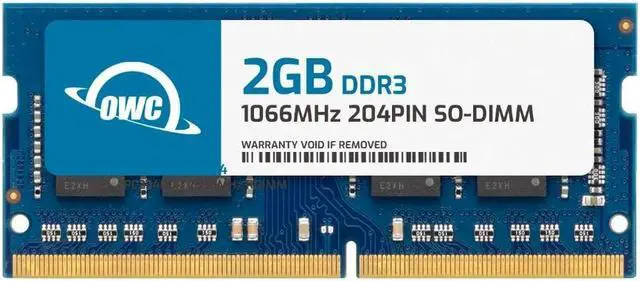
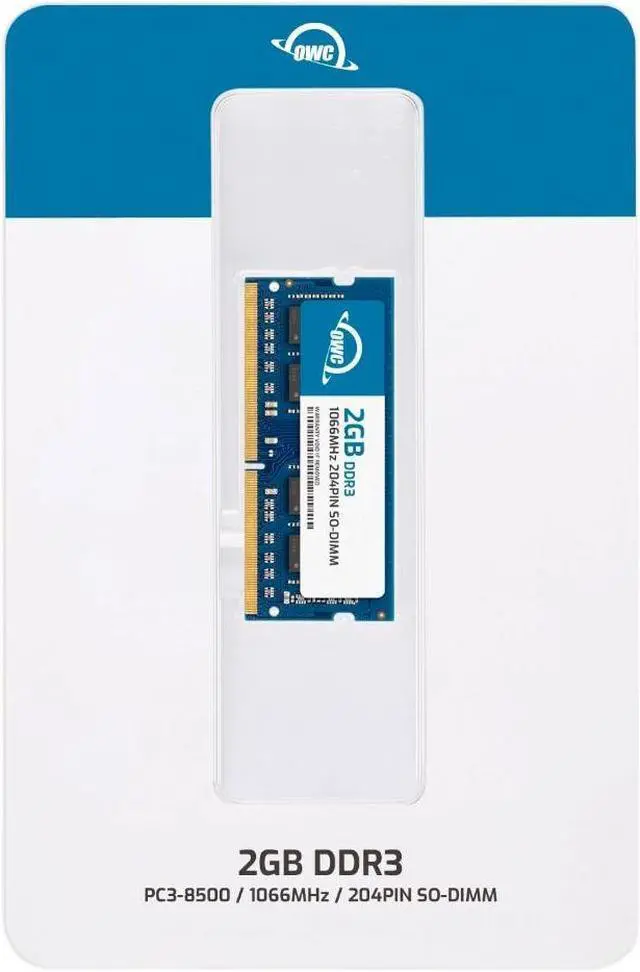
The OWC 2GB DDR3-1066 SODIMM is a single 204-pin, 1.5V non-ECC laptop memory module for owners of Dell Latitude E4200, E4300, E4310, E5420m, or E5520m models seeking a compatible memory upgrade or replacement.
| Attribute | Value |
|---|---|
| Best For | Adding 2GB of DDR3 laptop memory to compatible Dell Latitude E4200, E4300, E4310, E5420m, or E5520m systems |
| Capacity And Module Count | 2GB memory module; 1 item |
| Memory Type And Form Factor | DDR3 1066 (PC3-8500) unbuffered, non-ECC SODIMM with a 204-pin connector |
| Memory Timing And Configuration | 1066 MHz speed, CL7 latency, 1Rx8 rank, 1.5V; no heat spreader |
| Model Identifiers | OWC; part number 8S5D31R802GB; model number OWC8S5D31R802GB-B281-SF |
Q: For a Latitude E4300, should I choose this 2GB OWC module or OWC’s 4GB (2×2GB) kit?
A: Choose the 2GB module for a one-module memory upgrade; choose OWC’s 4GB (2×2GB) kit when you want a matched pair totaling 4GB. The Latitude E4300 has two memory sockets and supports dual-channel memory, so the kit fills both sockets with matching modules.
Q: For a Latitude E4310, should I choose this 2GB OWC module or a 4GB OWC module?
A: Choose this 2GB module for a smaller capacity increase; choose a compatible 4GB OWC module when you want more memory from one socket. Dell specifies two SODIMM sockets, supports 4GB modules, and lists an 8GB maximum for the E4310. Check the installed configuration and operating-system limit when planning the total.
Q: Does this 1066MHz OWC module match the memory speed of the Latitude E4200 and E4300 equally?
A: It is a closer speed match to the Latitude E4300, which supports DDR3-1066. The E4200’s memory runs at 800MHz, so the 1066MHz module operates at the system’s supported speed. Both models are listed as compatible with this OWC module.
Q: Will this 2GB RAM module work in my laptop?
A: It is listed as compatible with the Dell Latitude E4200, E4300, E4310, E5420m, and E5520m. For another laptop, check its specifications for support for 204-pin DDR3-1066 (PC3-8500) 1.5V SODIMM memory and a 2GB module; matching only the speed does not confirm compatibility.
Q: Can I add this module to the RAM already in my laptop?
A: Possibly. The laptop needs an available memory slot and must support this module’s specifications and capacity. Check the laptop’s maximum total and per-slot memory limits, and confirm the existing module and system support are compatible before buying.
Q: Is a single 2GB module enough for a useful upgrade?
A: It adds 2GB of memory, so it may suit a compatible older laptop that needs a replacement module or a modest capacity increase. Whether that is enough depends on the laptop’s current memory, supported capacity, operating system, and intended use.
Q: Can I use this RAM in a desktop computer?
A: Usually not. This is a 204-pin SODIMM intended for compatible laptops and other systems with a matching SODIMM slot. Most standard desktop motherboards use a different memory form factor, so check the device manual before buying.
Q: Will this RAM work in my Dell Latitude?
A: The listed compatible models are the Latitude E4200, E4300, E4310, E5420m, and E5520m. It is a 204-pin DDR3-1066, 1.5V SODIMM. Check your exact model and existing memory configuration before buying; Reddit upgrade discussions report that an incompatible module configuration can prevent a Latitude from booting.
Q: Can one 2GB module upgrade my Latitude E4310 to 8GB?
A: No. This is a single 2GB module, so it adds 2GB rather than bringing the system to 8GB on its own. An E4310 Reddit discussion describes reaching 8GB with two 4GB modules; verify the laptop’s current memory and supported configuration before choosing an upgrade.
Q: Can I install or replace the RAM myself?
A: A YouTube walkthrough for the Latitude E4310 demonstrates removing and reinstalling its RAM. The video supports that this model’s memory can be accessed for a DIY replacement; confirm the instructions for your specific Latitude model.


















