• $23.50
  • Free 30-day Returns
  • Sold by Direct from manufacturerOWC
    4.7 (29 seller ratings)

    Shipped by Direct from manufacturerOWC

    Price alert
    Shop it at NeweggBusiness.

    Meet Your Seller

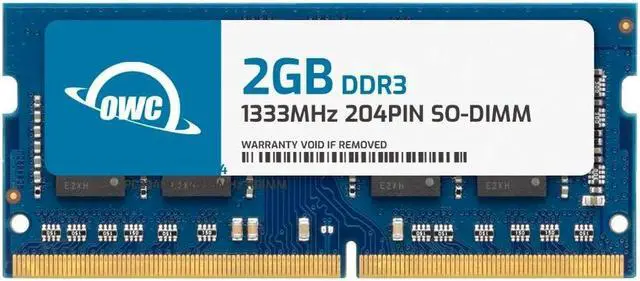
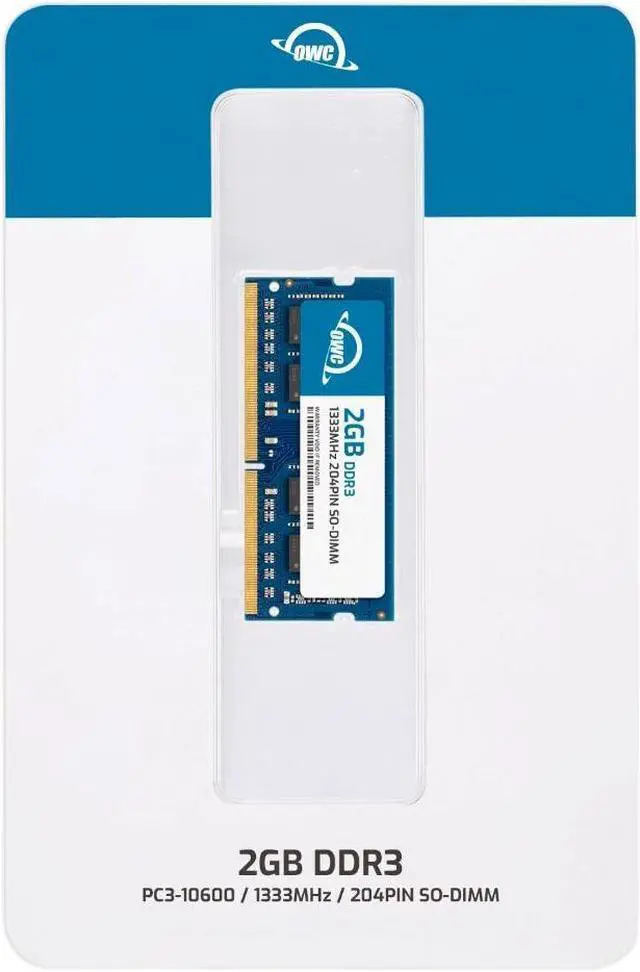
    OWC 2GB DDR3 1333 PC3-10600 CL9 1Rx8 204-pin 1.5V Non-ECC SODIMM Memory RAM Module Upgrade Compatible with HP ProBook 4431s 4435s 4436s 4440s 4520s

    • 2GB
    • 4GB
    • OWC 2GB UPGRADE: Consists of a single 2GB DDR3 1333 PC3-10600 CL9 1Rx8 204-pin 1.5V SODIMM Memory RAM Module Upgrade memory module compatible with HP ProBook models 4431s, 4435s, 4436s, 4440s And 4520s.
    • 100% COMPLIANT: JEDEC-Standard and ROHS Compliant. Warranty-Safe Upgrade. Designed and Tested to Meet or Exceed all Manufacturer OEM Specs.
    • INCREASED PERFORMANCE: Memory Upgrades are the Most Effective and Easy Way to Boost your PC's Performance.
    • INDUSTRY LEADING: Consumer-friendly Advanced Replacement Program and Limited Lifetime Warranty, which includes Free Tech Support by Other World Computing.
    • EASY INSTALLATION: In Most Cases, Installing Memory is an Easy DIY project. Watch our OWC Basic Installation Video for Help.
    +
    +
    Overview
    Specs
    Reviews
    See all Q & A

    Any questions? Ask CelesteSM will help you find out quickly.

    OWC DDR3 PC3-10600 1333MHz SO-DIMM SPECIFICATIONS

    Technology DDR3
    Speed PC3-10600 1333MHz CL9
    Form Factor 204PIN DIMM
    ECC Type NON ECC
    Voltage 1.5v
    Compatibility LAPTOP, MINI PC, NAS SYSTEM
    DDR3 PC3-10600 4GB 2GB 8GB 16GB DDR3 1333MHZ 204PIN SO DIMM IMAC MACBOOK PRO MAC MINI MEMORY RAM
    imac 667 mhz ddr2 MAC MINI MACBOOK PRO white black ram owc 4gb upgrade 4 PC2-5300 mac memory
    DDR3 PC3-10600 4GB 2GB 8GB 16GB DDR3 1333MHZ 204PIN SO DIMM IMAC MACBOOK PRO MAC MINI MEMORY RAM

    OWC DDR3 PC3-10600 1333MHz SO-DIMM SPECIFICATIONS

    Technology DDR3
    Speed PC3-10600 1333MHz CL9
    Form Factor 204PIN DIMM
    ECC Type NON ECC
    Voltage 1.5v
    Compatibility LAPTOP, MINI PC, NAS SYSTEM
    4GB 2GB 8GB 16GB DDR4 204PIN LAPTP NOTEBOOK SODIMM SO-DIMM SO DIMM NAS MEMORY RAM UPGRADE STICK
    4GB 2GB 8GB 16GB DDR4 204PIN LAPTP NOTEBOOK SODIMM SO-DIMM SO DIMM NAS MEMORY RAM UPGRADE STICK
    4GB 2GB 8GB 16GB DDR4 204PIN LAPTP NOTEBOOK SODIMM SO-DIMM SO DIMM NAS MEMORY RAM UPGRADE STICK
    OWC DDR3 memory is Fully compliant with JEDEC specifications, ROHS compliant, providing a warranty safe upgrade. OWC Memory is the most cost effective and simple DIY upgrade you can install to unleash your Mac or PC's full potential and speed up overall responsiveness. Become a multitasking maven when you upgrade your Mac or PC with OWC Memory. Open more apps. Open larger files. Plus, work with multiple files all at the same time. We test every OWC memory module at our in house lab so you can upgrade with the confidence that your memory is built to last.

    We built your OWC Memory upgrade to meet or exceed the toughest industry specs to provide years of worry-free service. OWC recommends that all DIMMs be the same capacity, speed, and manufacturer to ensure optimal memory performance.

    Warranty & Returns

    Warranty, Returns, And Additional Information

    Warranty

    • Please contact the Seller directly for warranty information. Warranty information may also be found on the Manufacturer's website.
    • CONTACT

    Return Policies

    • Return for refund within: 30 days
    • Return for replacement within: 60 days
    • This item is covered by OWC Return Policy

    Manufacturer Contact Info

    LOADING...

    The OWC 2GB DDR3-1333 204-pin SODIMM is a non-ECC, 1.5V laptop memory module for owners upgrading compatible HP ProBook 4431s, 4435s, 4436s, 4440s, or 4520s models.

    Recommended For

    • Owners or repairers of a listed HP ProBook with a failed or missing memory module who need a 2GB DDR3-1333 SO-DIMM replacement.
    • HP ProBook 4431s, 4435s, or 4436s owners with a compatible memory configuration who want to add 2GB; HP documents these models as supporting DDR3-1333 memory.
    • ProBook 4520s owners matching an existing 2GB DDR3 module who want a like-for-like replacement or a supported memory configuration; HP documents 2GB DDR3-1333 module configurations for this model.
    • Legacy-laptop refurbishers maintaining basic-use HP ProBooks who need a small, model-compatible memory addition rather than a full system overhaul.

    Real-World Use Scenarios

    • On a listed ProBook that is short on memory, add this module for light Word, Excel, email, and web use; it may reduce slowdowns from limited RAM, though the improvement depends on the laptop’s existing memory and software.
    • When an existing RAM module is missing or suspected to be faulty, use this compatible module as a replacement in a listed ProBook; if the module was the cause, the laptop can return to its intended memory configuration.
    • For someone keeping an older ProBook for basic home or school tasks, this can be a small memory upgrade for documents, spreadsheets, and everyday browsing; it does not address limits caused by an older processor or slow storage.
    • For a do-it-yourself upgrade or repair, install the module in a supported ProBook after checking the exact model and current memory setup; HP’s service documentation and model-specific demonstrations can help users follow the replacement process.

    Spec Summary

    AttributeValue
    Best ForA 2GB memory upgrade for HP ProBook 4431s, 4435s, 4436s, 4440s, and 4520s
    Capacity2GB
    Memory Type And Form FactorDDR3 laptop SODIMM, 204-pin
    Speed And LatencyDDR3-1333 (PC3-10600), CL9
    Electrical And Module Configuration1.5V, 1Rx8, non-ECC, unbuffered, without a heat spreader
    Package Quantity1 item
    Model IdentifiersOWC (Other World Computing); part number 1S3D31R802GB; model OWC1S3D31R802GB-B393-SF

    Reference Q&A

    Q: Should I choose this OWC 2GB module or a single OWC 4GB module for an HP ProBook 4520s?

    A: Choose the OWC 4GB module when you want a larger capacity increase from one module; choose this 2GB module for a smaller, incremental upgrade. HP lists two memory slots and support for up to 8GB in the ProBook 4520s.

    Q: For 4GB total, should I use one 2GB module or an OWC 2x2GB kit?

    A: The OWC 2x2GB kit provides 4GB across two matched modules, which follows HP’s guidance that matching module sizes support dual-channel memory. This single 2GB module is the more incremental option when adding one module to a compatible configuration.

    Q: For an HP ProBook 4520s, should I choose this 2GB module or an OWC 2x4GB kit?

    A: Choose the OWC 2x4GB kit when your target is 8GB total; HP lists 8GB as the ProBook 4520s maximum and notes that using 4GB or more requires a 64-bit operating system to access the full capacity. This 2GB module is suited to a smaller capacity step.

    Q: Will this memory work in my laptop?

    A: It is listed as compatible with the HP ProBook 4431s, 4435s, 4436s, 4440s, and 4520s. For another laptop, check that it supports 204-pin DDR3 SO-DIMM memory at 1333 MHz and 1.5V before buying.

    Q: Is 2GB enough for everyday use?

    A: This module adds 2GB of memory, but 2GB by itself is a modest amount for multitasking. It may suit a compatible older laptop needing a small memory addition or replacement; the benefit depends on the laptop’s existing memory and workload.

    Q: Can I add this alongside the RAM already in my laptop?

    A: Possibly, if the laptop supports the combined memory capacity and the existing module is compatible. Check the laptop’s specifications and existing RAM; matching memory size and speed is generally recommended for best results.

    Q: Is this memory difficult to install?

    A: Installation is often a DIY task, but the steps depend on the laptop. The module is a laptop SO-DIMM; power off the computer and follow the laptop’s service instructions, taking care to avoid static discharge.

    Q: Is this 2GB module listed as compatible with my HP ProBook?

    A: The provided product information lists the HP ProBook 4431s, 4435s, 4436s, 4440s, and 4520s as compatible. Confirm your exact model before buying; the YouTube sources show RAM upgrades for some of these models but do not test this specific OWC module.

    Q: Is installing RAM in the HP ProBook 4520s a straightforward DIY job?

    A: It is possible to access and upgrade the memory yourself, but the 4520s video shows that the RAM is under the keyboard rather than behind a bottom access panel. That makes the job less direct than on laptops with an external memory cover.

    Q: Can the HP ProBook 4431s be opened for memory upgrades?

    A: A YouTube disassembly video for the 4431s covers what can be upgraded and identifies the laptop as having 4GB of RAM. The video supports that upgrades are considered for this model, but it does not establish the maximum supported capacity or test this specific 2GB module.