




 here!
I’m your shopping assistant for PC builds, upgrades, and everything tech.
Got questions? Ask away!
Start a conversation
here!
I’m your shopping assistant for PC builds, upgrades, and everything tech.
Got questions? Ask away!
Start a conversation








Any questions? Ask CelesteSM will help you find out quickly.
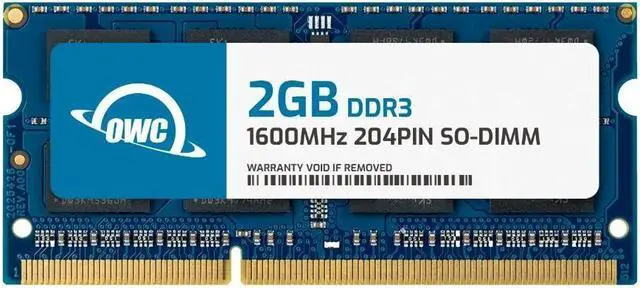
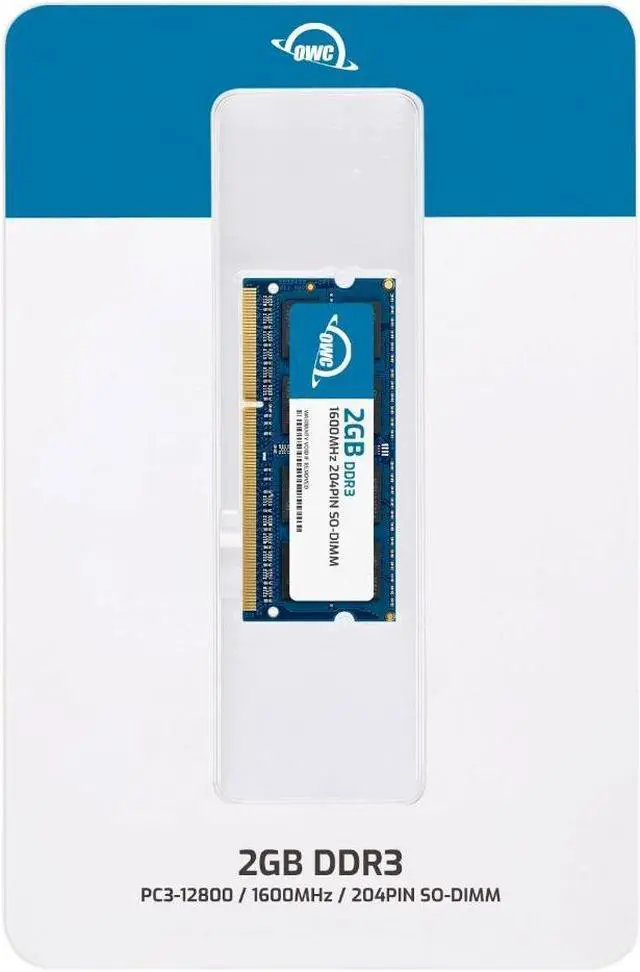
The OWC 2GB DDR3-1600 204-pin SODIMM is a non-ECC laptop memory module for HP ProBook 6450b, 6455b, 6550b, and 6555b owners seeking a compatible RAM upgrade for these models.
| Attribute | Value |
|---|---|
| Best For | Adding 2GB of DDR3 SODIMM memory to an HP ProBook 6450b, 6455b, 6550b, or 6555b |
| Capacity | 2GB |
| Memory Type And Form Factor | DDR3 1600 (PC3-12800) 204-pin SODIMM memory |
| Speed And Latency | 1600 MHz with CL11 latency |
| Memory Configuration | Non-ECC, unbuffered, 1Rx8, 1.5V; no heat spreader |
| System Compatibility | HP ProBook 6450b, 6455b, 6550b, and 6555b |
| Model Identifiers | OWC; part number 1S6D31R802GB; model number OWC1S6D31R802GB-B446-SF |
Q: OWC 2GB or 4GB DDR3-1600 SO-DIMM: which should I choose?
A: Choose this 2GB module when you want a 2GB stick for a compatible HP ProBook configuration. Choose OWC’s 4GB DDR3-1600 module when you want twice the capacity from one stick and your system configuration supports it. Both are 204-pin DDR3-1600 SO-DIMMs.
Q: Should I use one 2GB stick or an OWC 8GB (2 x 4GB) kit in an HP ProBook 6550b?
A: Choose this single 2GB module for a smaller, incremental memory configuration. Choose OWC’s 8GB kit if you want to populate both slots with 4GB modules: HP lists two memory slots and up to 8GB for the ProBook 6550b. HP also notes that matching module sizes and speeds maximize dual-channel performance.
Q: For 4GB total, should I use one 4GB stick or two 2GB sticks?
A: Choose one 4GB stick when you want 4GB from a single module. Choose two 2GB modules when you want a matched pair; HP says equal-size, equal-speed modules in both slots maximize dual-channel performance. This OWC module can serve as one of those 2GB sticks.
Q: Will this RAM fit my laptop?
A: It is a 204-pin DDR3 1600 (PC3-12800) SODIMM module rated at 1.5V. The listing identifies the HP ProBook 6450b, 6455b, 6550b, and 6555b as compatible. For another laptop, confirm its supported memory type, voltage, speed, and maximum capacity before buying.
Q: Can I add this module to the RAM already in my laptop?
A: Possibly, if the laptop has an available SODIMM slot and supports the combined memory capacity. The module is DDR3, 1600 MHz, and 1.5V; check the laptop’s specifications and existing RAM before combining modules. Matching memory specifications is generally preferable for consistent operation.
Q: Will adding this RAM make my laptop faster?
A: It may help if the laptop is short on memory, but the benefit depends on the system’s current RAM and workload. This is a single 2GB module, so it is best viewed as a small memory expansion for a compatible older laptop, not a guaranteed fix for slow performance.
Q: Is this module difficult to install?
A: Memory installation is generally a straightforward DIY task, but the exact steps vary by laptop. Follow the HP service instructions for your specific model, power the laptop off before installation, and confirm that the module is recognized after startup.
Q: Does this work in a laptop that requires DDR3L memory?
A: This module is specified as standard DDR3 at 1.5V, not DDR3L. Do not assume compatibility with a laptop that requires DDR3L; check the laptop’s specifications for supported memory type and voltage before ordering.
Q: Can I install this RAM myself in an HP ProBook 6450b or 6455b?
A: A YouTube walkthrough demonstrates RAM replacement in both models, so a DIY installation is possible. This module is listed as compatible with them; power off and unplug the laptop before starting, and check its current memory configuration first.
Q: Is a single 2GB module enough to speed up an HP ProBook 6550b?
A: It may help if the laptop has less memory or needs a replacement module, but 2GB is a small capacity for a broader upgrade. In a Reddit discussion about a slow 6550b, users suggested considering more RAM and an SSD; check the laptop’s supported capacity and existing modules before buying.
Q: Is this a sensible replacement for a faulty RAM module in an HP ProBook 6455b?
A: It matches the 6455b in the supplied compatibility list and could serve as a replacement if the laptop’s existing module is faulty. A Reddit user reported that reseating RAM coincided with one recovery from a wake-up problem, but the issue returned, so a new module is not a guaranteed fix for unrelated faults.


















