




 here!
I’m your shopping assistant for PC builds, upgrades, and everything tech.
Got questions? Ask away!
Start a conversation
here!
I’m your shopping assistant for PC builds, upgrades, and everything tech.
Got questions? Ask away!
Start a conversation








Any questions? Ask CelesteSM will help you find out quickly.
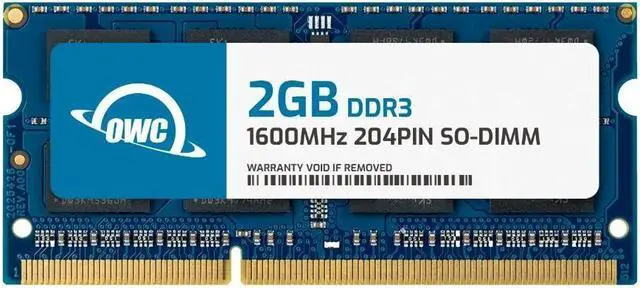
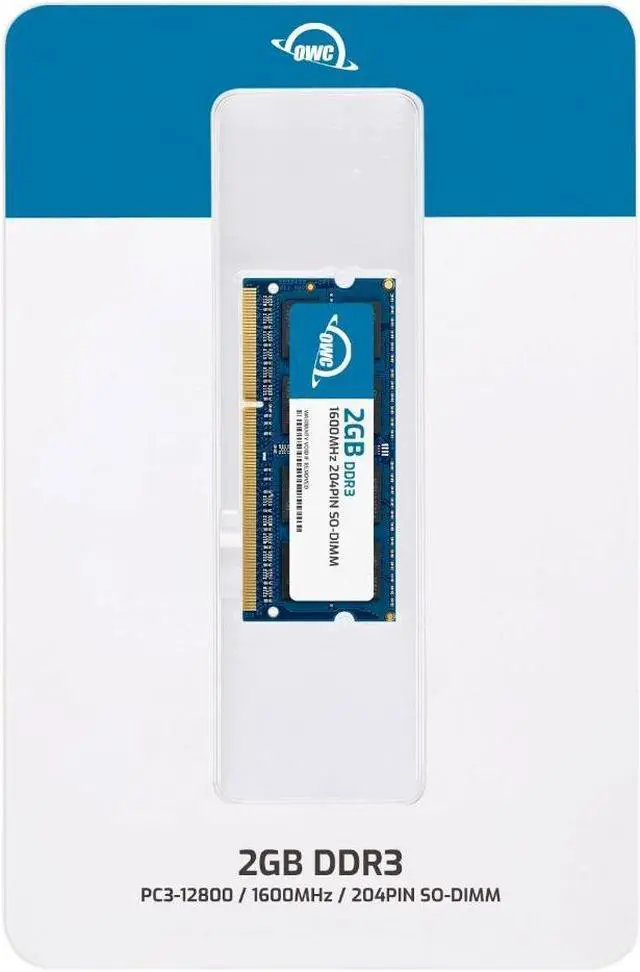
The OWC 2GB DDR3-1600 SODIMM is a single-module memory upgrade for HP Omni 120 Series systems that use DDR3 memory, suitable for owners seeking a system-specific 204-pin, non-ECC replacement or addition.
| Attribute | Value |
|---|---|
| Best For | A 2GB memory upgrade for HP Omni 120 Series systems that use DDR3 memory |
| Capacity And Memory Configuration | 2GB DDR3 laptop memory in a 204-pin, 1Rx8 SODIMM module; non-ECC, unbuffered, with no heat spreader |
| Speed And Latency | DDR3 1600 (PC3-12800) with CL11 latency |
| Voltage | 1.5V |
| Compatibility | Compatible with HP Omni 120 Series systems using DDR3 memory |
| Brand And Model Identifiers | OWC; part number 1S6D31R802GB; model number OWC1S6D31R802GB-B436-SF |
Q: Should I choose this OWC 2GB stick or OWC’s 4GB DDR3-1600 stick for an HP Omni 120?
A: Choose this 2GB module for a 2GB memory addition or to match a 2GB module. Choose OWC’s 4GB DDR3-1600 module when you want more capacity from one slot and your specific Omni 120 configuration supports it. Both are 204-pin, 1.5V DDR3-1600 SO-DIMMs; check the system’s supported total capacity and slot configuration before selecting capacity.
Q: For an HP Omni 120, should I get this OWC 2GB DDR3-1600 or OWC’s 2GB DDR3-1333 module?
A: Choose this DDR3-1600 module when matching a 1600MHz memory specification; choose OWC’s DDR3-1333 module when the system specification calls for 1333MHz memory. Both are 2GB, 204-pin, 1.5V DDR3 SO-DIMMs, so use the speed specified for your Omni 120 configuration.
Q: Is one OWC 2GB module or two compatible 2GB modules a better memory upgrade?
A: Choose this single 2GB module for a 2GB addition or a one-module replacement. Choose two compatible 2GB modules when you want 4GB of memory across two slots and the HP Omni 120 configuration supports that capacity. Confirm the available slots and supported total memory for the specific model.
Q: Will this memory work in an HP Omni 120?
A: It is listed for HP Omni 120 Series systems that use DDR3 memory. Before buying, verify that your exact model supports a 204-pin, 1.5V DDR3 SO-DIMM and a 2GB module; matching the memory type alone does not confirm compatibility.
Q: Can I add this 2GB module to the RAM already in my computer?
A: Possibly, if the system has an available memory slot and supports the added capacity. Check the HP Omni 120 model’s maximum total and per-slot memory limits, and confirm the installed memory does not conflict with the system’s requirements. This listing is for one 2GB module.
Q: Will adding this RAM make my computer faster?
A: It may help if the computer is running short of memory, but the result depends on the system and the tasks being used. This is a single 2GB module, so check the computer’s supported capacity and current memory configuration before expecting a noticeable improvement.
Q: Can I install this memory myself?
A: The product listing describes memory installation as a DIY task in most cases. Follow the HP Omni 120 service instructions, handle the module carefully, and do not force it into the slot; seek help if you are not comfortable opening the computer.
Q: Will this 2GB OWC module work as a RAM upgrade in an HP Omni 120?
A: The product is listed as compatible with HP Omni 120 systems using DDR3 memory, and an HP Omni 120 memory-upgrade video shows that the system’s memory can be replaced or upgraded. Check your exact Omni 120 model before buying: the video specifies DDR3-1333, while this module is DDR3-1600, so confirm the model supports the listed module specifications.
Q: Should I add this 2GB module or replace my existing RAM?
A: It depends on the installed memory and the exact Omni 120 model. A YouTube upgrade guide describes both adding and replacing memory, while a Reddit user reported upgrading an Omni 120 from 2GB to 4GB. This product is one 2GB module; check available slots and the system’s supported capacity before deciding.
Q: What should I check if my HP Omni 120 does not show all the installed RAM?
A: Check whether the module is seated correctly and compare the capacity shown in system settings with a hardware-information tool. A Reddit post describes an Omni 120 showing 2GB in Windows while CPU-Z reported 4GB, so differing readings can occur; verify the system’s reported memory before assuming the module itself is faulty.


















