




 here!
I’m your shopping assistant for PC builds, upgrades, and everything tech.
Got questions? Ask away!
Start a conversation
here!
I’m your shopping assistant for PC builds, upgrades, and everything tech.
Got questions? Ask away!
Start a conversation








Any questions? Ask CelesteSM will help you find out quickly.
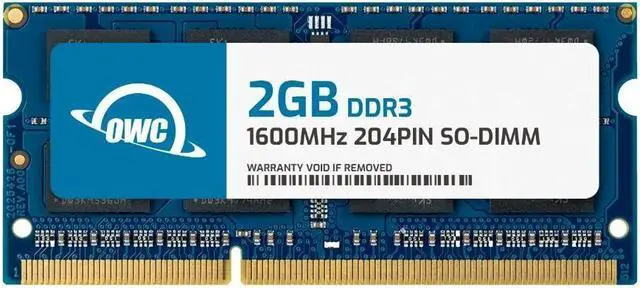
The OWC 1S6D31R802GB is a 2GB DDR3-1600 SODIMM memory module for HP Pavilion TouchSmart Sleekbook 14 Series systems that use DDR3 memory, suited to owners looking for a model-specific RAM replacement or upgrade.
| Attribute | Value |
|---|---|
| Best For | A DDR3 memory upgrade for the HP Pavilion TouchSmart Sleekbook 14 Series |
| Capacity | 2GB |
| Memory Type And Configuration | 204-pin DDR3 laptop SODIMM; non-ECC, unbuffered, single-rank 1Rx8 |
| Speed, Timing And Voltage | DDR3-1600 (PC3-12800), CL11, 1.5V |
| Model Identifiers | OWC part number 1S6D31R802GB; model OWC1S6D31R802GB-B443-SF |
Q: OWC 2GB or OWC 4GB DDR3-1600— which module should I choose?
A: Choose the OWC 2GB module when a 2GB stick matches your replacement or upgrade plan. Choose the OWC 4GB module when you want twice the capacity per stick. Both are 204-pin, 1.5V DDR3-1600 PC3-12800 SO-DIMMs; check the exact laptop model’s supported capacity.
Q: Should I add this OWC 2GB stick or replace a 2GB stick with OWC 4GB?
A: Choose this 2GB module to add 2GB in a compatible system with an available memory slot. Choose the OWC 4GB module when you want a 4GB replacement stick. HP’s service guide lists two memory slots and DDR3-1600 2GB and 4GB module configurations for the Pavilion TouchSmart 14-b100 family.
Q: For an 8GB upgrade, should I choose this 2GB module or OWC’s 8GB kit?
A: Choose this 2GB module for a smaller capacity addition or replacement. Choose OWC’s 8GB kit, which contains two 4GB DDR3-1600 SO-DIMMs, when targeting an 8GB total configuration in a compatible two-slot Pavilion TouchSmart 14 model. HP’s service guide lists an 8GB configuration for applicable models.
Q: Will this RAM work in my HP Pavilion TouchSmart Sleekbook 14?
A: It is listed for HP Pavilion TouchSmart Sleekbook 14 Series models that use DDR3 memory. Before buying, confirm your exact model supports 204-pin DDR3 SODIMM memory at 1.5V and can use an additional 2GB module.
Q: Is this laptop RAM or desktop RAM?
A: It is laptop-style memory: a 204-pin DDR3 SODIMM. It is not a standard desktop DIMM, so check that your computer has a compatible SODIMM slot.
Q: Can I install this alongside the RAM already in my laptop?
A: Possibly. This is one 2GB module, so adding it depends on whether the laptop has an open slot and supports the resulting total memory. If modules have different speeds, the system may run them at a supported common speed; check your exact model’s memory requirements.
Q: Will adding this 2GB module make my laptop faster?
A: It may help if the laptop is short on memory and supports this module, but the result depends on the laptop’s existing memory and workload. A single 2GB module is a modest-capacity upgrade; it does not guarantee a noticeable speed increase.
Q: What should I check before buying this RAM for an HP Pavilion TouchSmart Sleekbook 14?
A: Check your exact laptop configuration and available memory slot first. The product is a 2GB, 204-pin DDR3-1600, 1.5V SODIMM listed for Pavilion TouchSmart Sleekbook 14 models using DDR3. A Reddit owner of a TouchSmart Sleekbook 14 reported having 8GB of DDR3-1600 in one of two slots, so this 2GB module may not be a useful upgrade for every configuration.
Q: Would adding this 2GB module help if my Sleekbook 14 feels slow?
A: It adds 2GB of memory, but whether that helps depends on the laptop’s current memory and configuration. One Reddit owner asking about a TouchSmart Sleekbook 14 already had 8GB installed, so this module would not necessarily be a worthwhile upgrade for that setup.
Q: Can I install or replace the RAM in a Pavilion TouchSmart Sleekbook 14 myself?
A: A model-specific video demonstrates opening an HP 14 TouchSmart Sleekbook and upgrading or replacing its memory. The job involves disassembling the laptop, so check the guide for your exact model before attempting it.


















