




 here!
I’m your shopping assistant for PC builds, upgrades, and everything tech.
Got questions? Ask away!
Start a conversation
here!
I’m your shopping assistant for PC builds, upgrades, and everything tech.
Got questions? Ask away!
Start a conversation







Any questions? Ask CelesteSM will help you find out quickly.
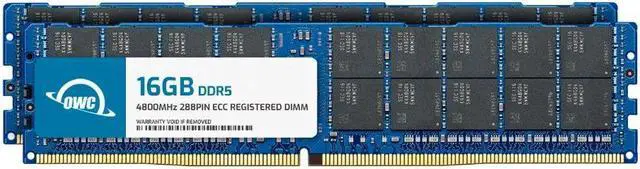
| Technology | DDR5 |
|---|---|
| Speed | PC5-38400 4800MHz CL40 |
| Form Factor | 288PIN ECC REG DIMM |
| ECC Type | ECC REGISTERED |
| Voltage | 1.1v |
| Compatibility | Workstation, NAS System, , Servers, Network Switch |
















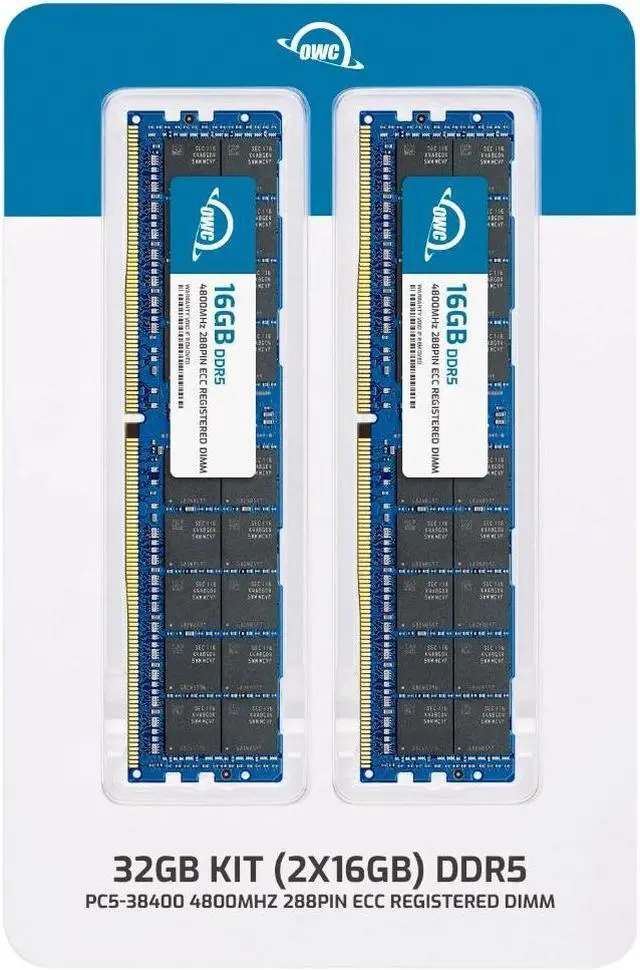
The OWC 32GB DDR5-4800 ECC Registered memory kit includes two 16GB RDIMMs for upgrading compatible HP ProLiant DL320 Gen11, DL380a Gen11, and DX320 Gen11 servers.
| Attribute | Value |
|---|---|
| Best For | ECC-registered memory upgrades for HP ProLiant DL320 Gen11, DL380a Gen11, and DX320 Gen11 servers |
| Capacity And Configuration | 32GB kit with two 16GB modules |
| Memory Type And Form Factor | DDR5 ECC registered RDIMM, 288-pin, 1Rx8 |
| Speed, Timing And Voltage | 4800 MHz (PC5-38400), CL40, 1.1V |
| Physical Details | Black chips; no heat spreader |
| Model Identifiers | OWC part number 4R8D51R8032P; model number OWC4R8D51R8032P-B892-SF |
Q: OWC 32GB DDR5-4800 or 32GB DDR5-5600 RDIMM: which should I choose?
A: Choose this 32GB (2 x 16GB) DDR5-4800 kit when 4800 MT/s matches the server’s supported memory configuration; it is rated CL40. OWC’s 32GB DDR5-5600 kit is rated for a higher transfer rate of 5600 MT/s and CL46. HPE notes that the actual memory speed depends on the processor and memory configuration, so check the server’s supported configuration when choosing between them.
Q: Should I choose this 32GB OWC kit or the 64GB DDR5-4800 kit?
A: Choose this kit when a 32GB memory addition is the target: it contains two 16GB DDR5-4800 ECC registered DIMMs. Choose OWC’s 64GB DDR5-4800 kit when the planned addition is 64GB; it contains two 32GB DIMMs. Both kits are rated DDR5-4800, so the main difference is capacity and module size.
Q: OWC 32GB as 2 x 16GB or one 32GB RDIMM—which fits my upgrade plan?
A: Choose this kit when your memory plan calls for 32GB across two 16GB modules. Choose OWC’s single 32GB DDR5-4800 RDIMM when your plan calls for the same capacity in one module. Compare the module layout with your server’s memory population guidance before selecting.
Q: Will this memory work in my server?
A: This 32GB kit contains two 16GB DDR5-4800 ECC Registered RDIMMs and is listed as compatible with the HP ProLiant DL320 Gen11, DL380a Gen11, and DX320 Gen11. Before buying, confirm your server’s supported DIMM type, capacity, slot population order, and memory configuration.
Q: Can I use this RAM in a regular desktop PC?
A: No. This is ECC Registered DIMM (RDIMM) server memory, not standard unbuffered desktop memory. Use it only in a system that specifically supports DDR5 ECC RDIMMs.
Q: Can I add this kit alongside the RAM already in my server?
A: Check the server’s memory rules before mixing modules. This kit is registered ECC memory and should not be mixed with unbuffered or load-reduced DIMMs. The server may also restrict combinations by capacity, rank, speed, or slot placement.
Q: Will this memory always run at 4800 MT/s?
A: Not necessarily. DDR5-4800 is the kit’s rated speed; the server’s processor, motherboard, BIOS, and installed DIMM configuration can limit the operating speed. Check the system documentation for supported speeds with your planned memory configuration.


