




 here!
I’m your shopping assistant for PC builds, upgrades, and everything tech.
Got questions? Ask away!
Start a conversation
here!
I’m your shopping assistant for PC builds, upgrades, and everything tech.
Got questions? Ask away!
Start a conversation







Any questions? Ask CelesteSM will help you find out quickly.
| Technology | DDR5 |
|---|---|
| Speed | PC5-38400 4800MHz CL40 |
| Form Factor | 288PIN ECC REG DIMM |
| ECC Type | ECC REGISTERED |
| Voltage | 1.1v |
| Compatibility | Workstation, NAS System, , Servers, Network Switch |
















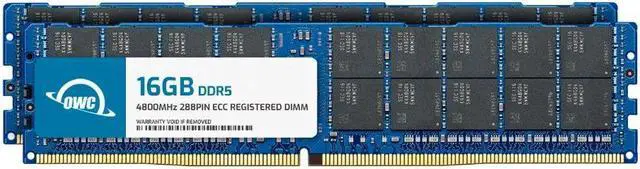
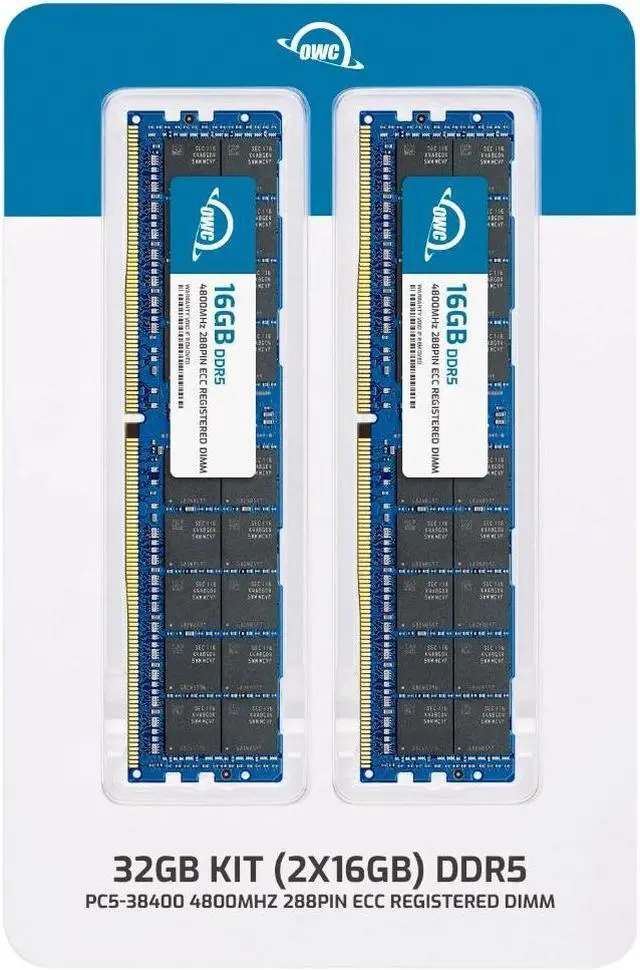
The OWC 32GB DDR5-4800 ECC Registered memory kit includes two 16GB RDIMMs for upgrading a Lenovo ThinkStation P5, and is suited to workstation users who need registered ECC memory.
| Attribute | Value |
|---|---|
| Best For | ThinkStation P5 workstation or server memory upgrades using a 32GB kit of ECC registered DDR5 RDIMMs |
| Capacity And Configuration | 32GB total, supplied as 2 × 16GB modules |
| Memory Type And Compatibility | 288-pin DDR5 ECC registered RDIMM, compatible with Lenovo ThinkStation P5 |
| Speed And Timing | DDR5-4800 (PC5-38400) with CL40 latency |
| Electrical And Physical Specifications | 1.1V, 1Rx8 rank, no heat spreader; black chips |
| Model Identifiers | OWC; part number 4R8D51R8032P; model OWC4R8D51R8032P-B895-SF |
Q: Should I choose this OWC 32GB kit or OWC’s 64GB (2x32GB) DDR5-4800 RDIMM kit for a ThinkStation P5?
A: Choose this 32GB (2x16GB) kit for a 32GB memory configuration or upgrade; choose OWC’s 64GB (2x32GB) kit when you want twice the capacity in the same two-module configuration. Both are DDR5-4800 ECC registered DIMMs, and OWC lists both for the ThinkStation P5.
Q: For 32GB in a ThinkStation P5, should I use this 2x16GB kit or one OWC 32GB RDIMM?
A: Both options provide 32GB of DDR5-4800 ECC registered memory. Choose this kit when you want two 16GB modules installed; choose OWC’s single 32GB RDIMM when you want the same capacity from one module. Lenovo lists the P5 as supporting one- and two-DIMM configurations.
Q: Is this OWC 32GB kit or the OWC 64GB (4x16GB) kit a better fit for a ThinkStation P5 upgrade?
A: Choose this 32GB kit for a two-module, 32GB upgrade; choose the 64GB (4x16GB) kit when you want twice the capacity across four modules. Lenovo lists the ThinkStation P5 as supporting configurations with up to four DIMMs at DDR5-4800, subject to the installed processor.
Q: Will this RAM work in a standard desktop PC?
A: Generally, no. This kit is ECC Registered DDR5 RDIMM memory, not standard unbuffered desktop memory. Use it only in a system that specifically supports DDR5 ECC RDIMMs.
Q: Is this 32GB kit compatible with a ThinkStation P5?
A: It is specified for the ThinkStation P5 and matches the system’s DDR5-4800 ECC RDIMM memory type. Confirm your P5 configuration and memory-slot requirements before installation; some configurations may operate at a lower speed depending on the processor.
Q: Can I mix this kit with the RAM already installed?
A: Do not assume it can be mixed with existing memory. This kit is registered ECC RDIMM and should not be combined with unbuffered or load-reduced DIMMs. Check the ThinkStation P5 memory guidance for supported combinations and slot order.
Q: Is 32GB enough, and what exactly comes in the kit?
A: The kit includes two 16GB modules for 32GB total. Whether that is enough depends on your applications and existing memory; it is a 32GB memory addition, not a single 32GB module.
Q: Would this 32GB kit be enough for several VMs and a local LLM on a ThinkStation P5?
A: The kit provides 32GB total. A Reddit user considering a P5 for several VMs and a 7–8B LLM also planned to start with 32GB and upgrade later. That makes this a possible starting capacity, but whether it is enough depends on the number of VMs and the workload; choose more memory if you need greater headroom.
Q: Is 32GB enough for ThinkStation P5 work that sometimes needs 128GB of RAM?
A: No. This kit totals 32GB, while a Reddit researcher considering a ThinkStation P5 said some statistical-modeling work required at least 128GB. The kit could be part of a larger memory configuration, but it does not meet that stated capacity on its own.
Q: Is ECC memory relevant for a ThinkStation P5 used for 24/7 node workloads?
A: The kit is ECC registered memory, and a Reddit user evaluating a P5 for 24/7 nodes specifically asked about ECC. It is a relevant option if you want ECC memory in a compatible P5 configuration; this 32GB kit alone does not establish whether ECC is necessary for a particular node workload.


