• $797.58
  • Free 30-day Returns
  • Sold by Direct from manufacturerOWC
    4.7 (29 seller ratings)

    Shipped by Direct from manufacturerOWC

    Price alert
    Shop it at NeweggBusiness.

    Meet Your Seller

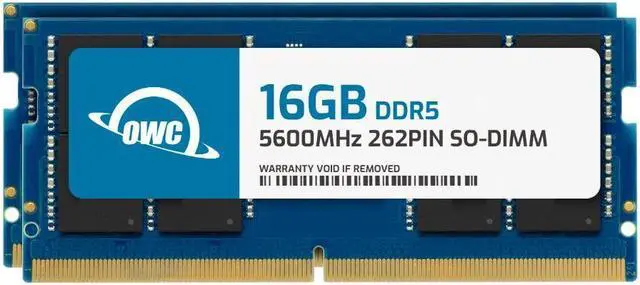
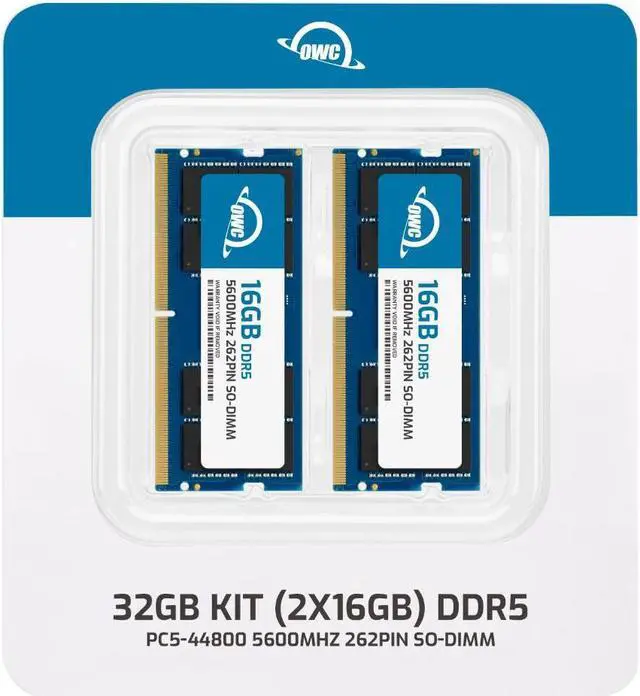
    OWC 32GB (2x16GB) DDR5 5600 PC5-44800 CL46 1Rx8 262-pin 1.1V Non-ECC SODIMM Memory RAM Module Upgrade Kit Compatible with Dell OptiPlex 7420 AIO 7420 AIO Plus

    • 16GB
    • 32GB
    • 32GB (2 x 16GB)
    • 64GB (2 x 32GB)
    • OWC 32GB UPGRADE: Consists of 2pcs of 16GB DDR5 5600 PC5-44800 CL46 1Rx8 262-pin 1.1V SODIMM Memory RAM Module Upgrade compatible with Dell OptiPlex models 7420 AIO And 7420 AIO Plus.
    • 100% COMPLIANT: JEDEC-Standard and ROHS Compliant. Warranty-Safe Upgrade. Designed and Tested to Meet or Exceed all Manufacturer OEM Specs.
    • EASY INSTALLATION: In Most Cases, Installing Memory is an Easy DIY project. Watch our OWC Basic Installation Video for Help.
    • INDUSTRY LEADING: Consumer-friendly Advanced Replacement Program and Limited Lifetime Warranty, which includes Free Tech Support by Other World Computing.
    • Replacement for Dell part number SNPW1KKYC/16G.
    +
    +
    Overview
    Specs
    Reviews
    See all Q & A

    Any questions? Ask CelesteSM will help you find out quickly.

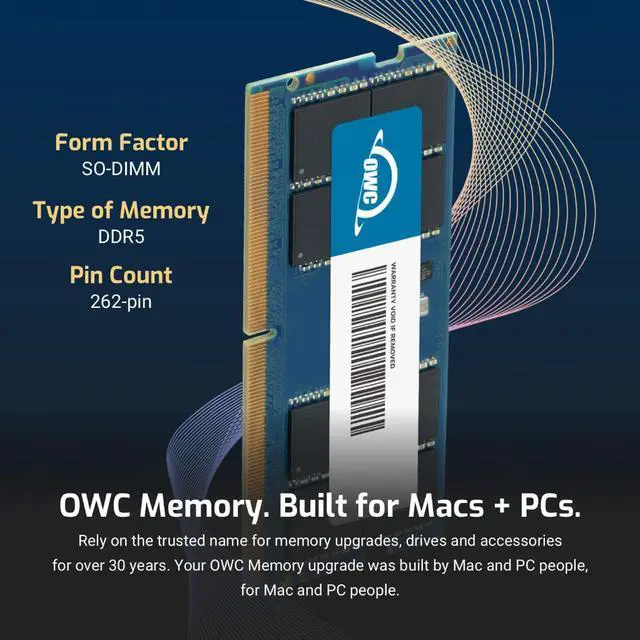
    OWC DDR5 PC5-44800 5600MHz SO-DIMM SPECIFICATIONS

    Technology DDR5
    Speed PC5-44800 5600MHz CL46
    Form Factor 262PIN SO-DIMM
    ECC Type NON ECC UNBUFFERED
    Voltage 1.1v
    Compatibility Laptops, Notebooks, , NAS System, All In One
    DDR5 LAPTOP NOTEBOOK MEMORY RAM MODULE SO-DIMM STICK 32gb 16gb 8gb 262pin 4800MHz PC5-38400 CL40
    imac 667 mhz ddr2 MAC MINI MACBOOK PRO white black ram owc 4gb upgrade 4 PC2-5300 mac memory
    DDR5 LAPTOP NOTEBOOK MEMORY RAM MODULE SO-DIMM STICK 32gb 16gb 8gb 262pin 4800MHz PC5-38400 CL40

    OWC DDR5 PC5-44800 5600MHz SO-DIMM SPECIFICATIONS

    Technology DDR5
    Speed PC5-44800 5600MHz CL46
    Form Factor 262PIN SO-DIMM
    ECC Type NON ECC UNBUFFERED
    Voltage 1.1v
    Compatibility Laptops, Notebooks, , NAS System, All In One
    DDR5 LAPTOP NOTEBOOK MEMORY RAM MODULE SO-DIMM STICK 32gb 16gb 8gb 262pin 4800MHz PC5-38400 CL40
    DDR5 LAPTOP NOTEBOOK MEMORY RAM MODULE SO-DIMM STICK 32gb 16gb 8gb 262pin 4800MHz PC5-38400 CL40
    DDR5 LAPTOP NOTEBOOK MEMORY RAM MODULE SO-DIMM STICK 32gb 16gb 8gb 262pin 4800MHz PC5-38400 CL40
    OWC DDR5 memory is Fully compliant with JEDEC specifications, ROHS compliant, providing a warranty safe upgrade. OWC Memory is the most cost effective and simple DIY upgrade you can install to unleash your Mac or PC's full potential and speed up overall responsiveness. Become a multitasking maven when you upgrade your Mac or PC with OWC Memory. Open more apps. Open larger files. Plus, work with multiple files all at the same time. We test every OWC memory module at our in house lab so you can upgrade with the confidence that your memory is built to last.

    We built your OWC Memory upgrade to meet or exceed the toughest industry specs to provide years of worry-free service. OWC recommends that all DIMMs be the same capacity, speed, and manufacturer to ensure optimal memory performance.

    Warranty & Returns

    Warranty, Returns, And Additional Information

    Warranty

    • Please contact the Seller directly for warranty information. Warranty information may also be found on the Manufacturer's website.
    • CONTACT

    Return Policies

    • Return for refund within: 30 days
    • Return for replacement within: 60 days
    • This item is covered by OWC Return Policy

    Manufacturer Contact Info

    LOADING...

    The OWC 32GB DDR5-5600 kit includes two 16GB SODIMMs for upgrading a Dell OptiPlex 7420 AIO or 7420 AIO Plus, making it suitable for users who need more system memory in either compatible model.

    Recommended For

    • OptiPlex 7420 AIO or 7420 AIO Plus owners replacing or expanding a lower-memory setup who keep several office, email, browser, or database applications open at once; this matched 2×16GB kit provides 32GB total, a configuration Dell lists as dual-channel for supported 7420 Plus systems.
    • Front-desk, medical-office, school, or retail teams using a 7420 AIO for client records and multiple everyday business apps, where added memory capacity can support those concurrent workloads.
    • 7420 AIO owners who want a matched 32GB memory upgrade rather than mixing a new module with existing RAM; the system uses laptop-style SO-DIMM slots, and Dell lists 2×16GB as a supported dual-channel configuration for the 7420 Plus.
    • Business users whose 7420 AIO serves as a compact workstation and need more memory for everyday administrative multitasking, rather than a graphics-focused upgrade.

    Real-World Use Scenarios

    • When an office user keeps many browser tabs, email, spreadsheets, and business apps open at once, upgrading a memory-limited OptiPlex 7420 AIO to this 32GB kit can reduce slowdowns from memory pressure and make switching between tasks feel smoother.
    • At a reception desk or in a small business, staff can keep a client database, email, and other administrative programs available together; the extra memory can help avoid pauses when moving between them if the original RAM was limiting performance.
    • During a video meeting, a user can keep presentation slides, notes, and a browser open alongside the meeting app; 32GB provides more room for this workload when a lower-memory setup is running short, but it does not guarantee faster calls or improve the webcam.
    • For accounting or administrative work with large spreadsheets alongside email and reference documents, the added memory can help keep several files and apps open without frequent slowdowns caused by running out of available RAM.
    • In a classroom or small retail workspace, an employee can leave several everyday apps open while handling routine records and browser-based tasks; the upgrade is most noticeable if the existing system is low on memory, rather than for graphics-heavy work.

    Spec Summary

    AttributeValue
    Best ForDell OptiPlex 7420 AIO and 7420 AIO Plus owners upgrading system memory with a 32GB two-module kit
    Capacity And Kit Configuration32GB kit comprising two 16GB modules
    Memory Technology And SpeedDDR5-5600 (PC5-44800)
    Form Factor And Compatibility262-pin SODIMM memory compatible with Dell OptiPlex 7420 AIO and 7420 AIO Plus
    Timing And Module SpecificationsCL46, 1.1V, 1Rx8, non-ECC, unbuffered, without a heat spreader
    Model IdentifiersOWC part number 5S6D51R8032P; model OWC5S6D51R8032P-C131-SF

    Reference Q&A

    Q: OWC 32GB (2x16GB) vs a 16GB OptiPlex 7420 configuration: which is the better upgrade?

    A: Choose this OWC kit to increase the system’s memory from 16GB to 32GB while installing a matched 2x16GB DDR5-5600 kit. Dell lists 32GB (2x16GB) as a supported dual-channel configuration for the OptiPlex 7420; the operating memory speed depends on the system’s processor.

    Q: OWC 2x16GB vs one 32GB memory module: which 32GB setup should I choose?

    A: Choose this kit if you want 32GB as two matched 16GB modules: Dell lists that configuration as dual-channel for the OptiPlex 7420. Dell also lists a single 32GB module as a supported single-channel configuration, so the choice is between the matched dual-channel arrangement and a one-module arrangement.

    Q: OWC 32GB vs 64GB for the OptiPlex 7420: which capacity should I choose?

    A: Choose this 32GB kit for a 2x16GB DDR5-5600 configuration; choose OWC’s 64GB (2x32GB) kit when you want more total memory. Dell lists 64GB (2x32GB) as a supported OptiPlex 7420 configuration. The maximum operating speed depends on the processor and memory configuration.

    Q: Is this memory kit compatible with the Dell OptiPlex 7420 AIO and 7420 AIO Plus?

    A: Yes. This 32GB kit is listed as compatible with the Dell OptiPlex 7420 AIO and 7420 AIO Plus. It uses DDR5 262-pin SO-DIMM modules; confirm your system model before installation.

    Q: Does this kit include two 16GB memory modules?

    A: Yes. The kit contains two 16GB DDR5-5600 SO-DIMMs, for 32GB total.

    Q: Will the memory run at 5600MHz in my system?

    A: The modules are rated for DDR5-5600, but the OptiPlex system’s supported memory speed determines the actual operating speed. Check the system specifications if you need to confirm its speed support.

    Q: Who is a 32GB memory upgrade suitable for?

    A: A 32GB upgrade may suit users who regularly keep multiple applications open or run memory-intensive workloads. The benefit depends on whether their current memory capacity is limiting those tasks.

    Q: Is upgrading the memory in an OptiPlex 7420 AIO a straightforward DIY job?

    A: The OWC kit is specified for the OptiPlex 7420 AIO and 7420 AIO Plus, but a Reddit discussion describes upgrading the 7420 AIO as somewhat awkward. If you are not comfortable opening an all-in-one PC, consider getting help with installation.