• $797.58
  • Free 30-day Returns
  • Sold by Direct from manufacturerOWC
    4.7 (29 seller ratings)

    Shipped by Direct from manufacturerOWC

    Price alert
    Shop it at NeweggBusiness.

    Meet Your Seller

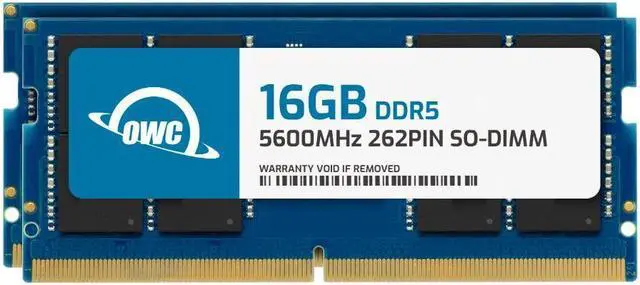
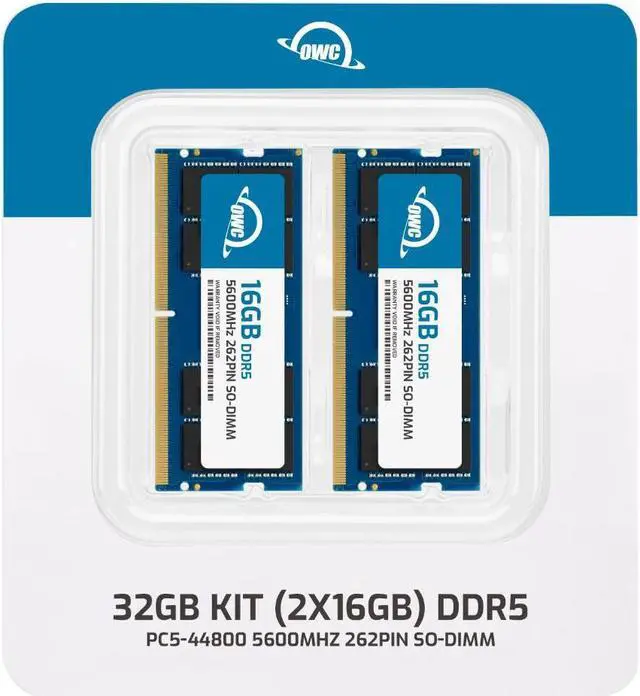
    OWC 32GB (2x16GB) DDR5 5600 PC5-44800 CL46 1Rx8 262-pin 1.1V Non-ECC SODIMM Memory RAM Module Upgrade Kit Compatible with Dell Precision 3280 CFF

    • 16GB
    • 32GB
    • 32GB (2 x 16GB)
    • 64GB (2 x 32GB)
    • OWC 32GB UPGRADE: Consists of 2pcs of 16GB DDR5 5600 PC5-44800 CL46 1Rx8 262-pin 1.1V SODIMM Memory RAM Module Upgrade compatible with Dell Precision model 3280 CFF.
    • 100% COMPLIANT: JEDEC-Standard and ROHS Compliant. Warranty-Safe Upgrade. Designed and Tested to Meet or Exceed all Manufacturer OEM Specs.
    • EASY INSTALLATION: In Most Cases, Installing Memory is an Easy DIY project. Watch our OWC Basic Installation Video for Help.
    • INDUSTRY LEADING: Consumer-friendly Advanced Replacement Program and Limited Lifetime Warranty, which includes Free Tech Support by Other World Computing.
    • Replacement for Dell part number SNPW1KKYC/16G.
    +
    +
    Overview
    Specs
    Reviews
    See all Q & A

    Any questions? Ask CelesteSM will help you find out quickly.

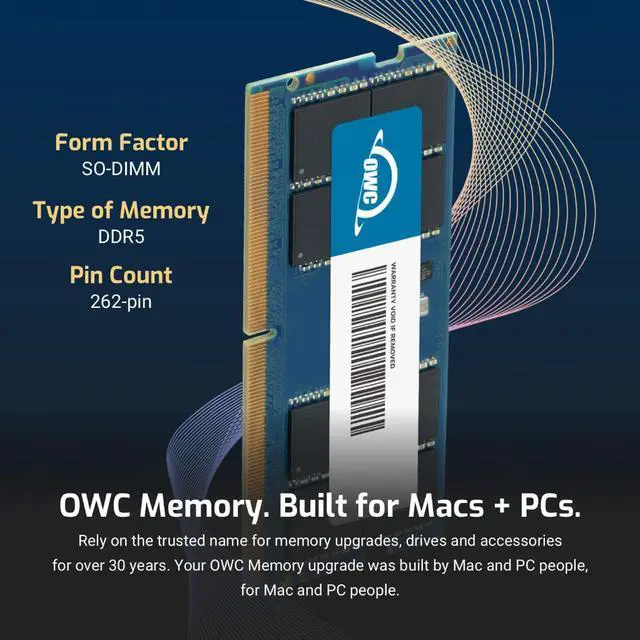
    OWC DDR5 PC5-44800 5600MHz SO-DIMM SPECIFICATIONS

    Technology DDR5
    Speed PC5-44800 5600MHz CL46
    Form Factor 262PIN SO-DIMM
    ECC Type NON ECC UNBUFFERED
    Voltage 1.1v
    Compatibility Laptops, Notebooks, , NAS System, All In One
    DDR5 LAPTOP NOTEBOOK MEMORY RAM MODULE SO-DIMM STICK 32gb 16gb 8gb 262pin 4800MHz PC5-38400 CL40
    imac 667 mhz ddr2 MAC MINI MACBOOK PRO white black ram owc 4gb upgrade 4 PC2-5300 mac memory
    DDR5 LAPTOP NOTEBOOK MEMORY RAM MODULE SO-DIMM STICK 32gb 16gb 8gb 262pin 4800MHz PC5-38400 CL40

    OWC DDR5 PC5-44800 5600MHz SO-DIMM SPECIFICATIONS

    Technology DDR5
    Speed PC5-44800 5600MHz CL46
    Form Factor 262PIN SO-DIMM
    ECC Type NON ECC UNBUFFERED
    Voltage 1.1v
    Compatibility Laptops, Notebooks, , NAS System, All In One
    DDR5 LAPTOP NOTEBOOK MEMORY RAM MODULE SO-DIMM STICK 32gb 16gb 8gb 262pin 4800MHz PC5-38400 CL40
    DDR5 LAPTOP NOTEBOOK MEMORY RAM MODULE SO-DIMM STICK 32gb 16gb 8gb 262pin 4800MHz PC5-38400 CL40
    DDR5 LAPTOP NOTEBOOK MEMORY RAM MODULE SO-DIMM STICK 32gb 16gb 8gb 262pin 4800MHz PC5-38400 CL40
    OWC DDR5 memory is Fully compliant with JEDEC specifications, ROHS compliant, providing a warranty safe upgrade. OWC Memory is the most cost effective and simple DIY upgrade you can install to unleash your Mac or PC's full potential and speed up overall responsiveness. Become a multitasking maven when you upgrade your Mac or PC with OWC Memory. Open more apps. Open larger files. Plus, work with multiple files all at the same time. We test every OWC memory module at our in house lab so you can upgrade with the confidence that your memory is built to last.

    We built your OWC Memory upgrade to meet or exceed the toughest industry specs to provide years of worry-free service. OWC recommends that all DIMMs be the same capacity, speed, and manufacturer to ensure optimal memory performance.

    Warranty & Returns

    Warranty, Returns, And Additional Information

    Warranty

    • Please contact the Seller directly for warranty information. Warranty information may also be found on the Manufacturer's website.
    • CONTACT

    Return Policies

    • Return for refund within: 30 days
    • Return for replacement within: 60 days
    • This item is covered by OWC Return Policy

    Manufacturer Contact Info

    LOADING...

    The OWC 32GB DDR5-5600 SODIMM kit includes two 16GB modules for upgrading a compatible Dell Precision 3280 CFF, making it suitable for users who need more memory in this compact workstation.

    Recommended For

    • Dell Precision 3280 CFF owners upgrading a lower-memory configuration to 32GB for heavier multitasking or memory-hungry work apps; the matched 2×16GB kit is a Dell-supported dual-channel non-ECC configuration.
    • Precision 3280 CFF users running professional workloads such as product development, media work, or engineering applications whose memory needs fit within 32GB and who want a matched memory pair.
    • Precision 3280 CFF owners replacing existing RAM who want a 32GB non-ECC kit that matches a configuration Dell lists as supported at up to 5600 MT/s.

    Real-World Use Scenarios

    • When a Precision 3280 with less memory slows down while juggling work apps, many browser tabs, and large files, replacing its existing RAM with this 32GB kit gives those tasks more room to run together and can reduce slowdowns caused by memory pressure.
    • For CAD or 3D work involving sizable models and several related applications, 32GB can help keep more project data available in memory; it supports the Precision 3280’s documented 2 × 16GB configuration, though it does not replace the need for a suitable graphics card.
    • When editing media projects while keeping editing, asset-management, and reference apps open, upgrading to 32GB can reduce memory-related interruptions if the current system is running short; rendering speed still depends on the processor, graphics, and software.
    • For GIS or other projects with large datasets, 32GB provides more headroom for keeping data and analysis tools open together; it may ease memory pressure, but does not guarantee faster processing of every dataset.
    • If the Precision 3280 uses integrated graphics, increasing system memory can give everyday apps and graphics workloads more shared memory capacity; it does not turn integrated graphics into a discrete workstation GPU.

    Spec Summary

    AttributeValue
    Best ForUpgrading a Dell Precision 3280 CFF with a 32GB kit made up of two 16GB laptop memory modules
    Capacity And Configuration32GB total, supplied as 2 × 16GB modules
    Memory Technology And SpeedDDR5-5600 (PC5-44800)
    Timing And ElectricalCL46 latency, 1.1V, non-ECC and unbuffered; 1Rx8 rank
    Module Design262-pin SODIMM modules without heat spreaders
    Model IdentifiersOWC part number 5S6D51R8032P; model OWC5S6D51R8032P-C132-SF

    Reference Q&A

    Q: Should I choose this OWC 32GB kit or a 16GB configuration for a Precision 3280 CFF?

    A: Choose this 32GB (2 × 16GB) kit if you want twice the capacity of a 16GB configuration while using both memory slots in a dual-channel setup. Dell lists 32GB (2 × 16GB) DDR5-5600 non-ECC as a supported configuration for the Precision 3280 CFF.

    Q: Is this 32GB OWC kit or a 64GB kit a better upgrade for the Precision 3280 CFF?

    A: Choose this 32GB kit for a supported dual-channel DDR5-5600 configuration with 2 × 16GB modules. Choose a 64GB (2 × 32GB) kit when you want the Precision 3280 CFF’s listed maximum memory capacity; Dell lists both configurations as supported.

    Q: Should I use this 2 × 16GB kit or one 16GB module in my Precision 3280 CFF?

    A: Choose this kit if you want 32GB total across two matched 16GB modules. Dell lists 2 × 16GB DDR5-5600 as a supported dual-channel configuration; a single 16GB module is also listed as a supported configuration when keeping one slot available for a later upgrade is the priority.

    Q: Will this memory work in my computer?

    A: This kit is specified as compatible with the Dell Precision 3280 CFF. For other computers, check that the system supports DDR5-5600 262-pin SODIMM memory and 32GB capacity before buying.

    Q: How much memory is included in the kit?

    A: The kit includes two 16GB DDR5 SODIMM modules, for 32GB total.

    Q: Does this memory support ECC?

    A: No. These are non-ECC, unbuffered DDR5 SODIMM modules.

    Q: Can I install the memory myself?

    A: Installation is described as a DIY upgrade in most cases. Follow the computer’s service instructions and confirm the memory is compatible before installation.

    Q: Is this kit compatible with the Dell Precision 3280 CFF?

    A: The product information lists the kit as compatible with the Precision 3280 CFF. It is a 32GB kit made of two 16GB, 5600 MT/s, non-ECC DDR5 SODIMMs. A Reddit post also describes a Precision 3280 configured with 64GB of DDR5-5600, but does not confirm this specific OWC kit.

    Q: Should I choose this 32GB kit or a 64GB kit for the Precision 3280?

    A: Choose 32GB if that capacity meets your workload; consider 64GB if you regularly need more memory for demanding multitasking or larger projects. A Reddit post shows a Precision 3280 running 64GB DDR5-5600, and a YouTube video discusses an OWC 64GB upgrade, but neither establishes that every user needs 64GB.

    Q: Is this OWC RAM upgrade worth buying?

    A: It may suit a Precision 3280 CFF owner who wants a matched 32GB kit and prefers a model-specific listing. The provided product information specifies the kit’s capacity and speed, but the available community sources do not establish its price-to-performance value or confirm hands-on results for this exact 32GB kit.