• $24.99
  • Free 30-day Returns
  • Sold by Direct from manufacturerOWC
    4.7 (29 seller ratings)

    Shipped by Direct from manufacturerOWC

    Price alert
    Shop it at NeweggBusiness.

    Meet Your Seller

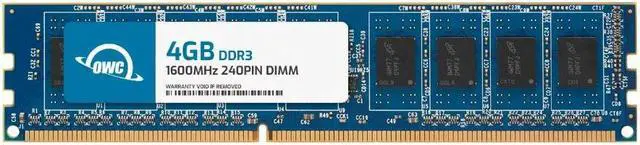
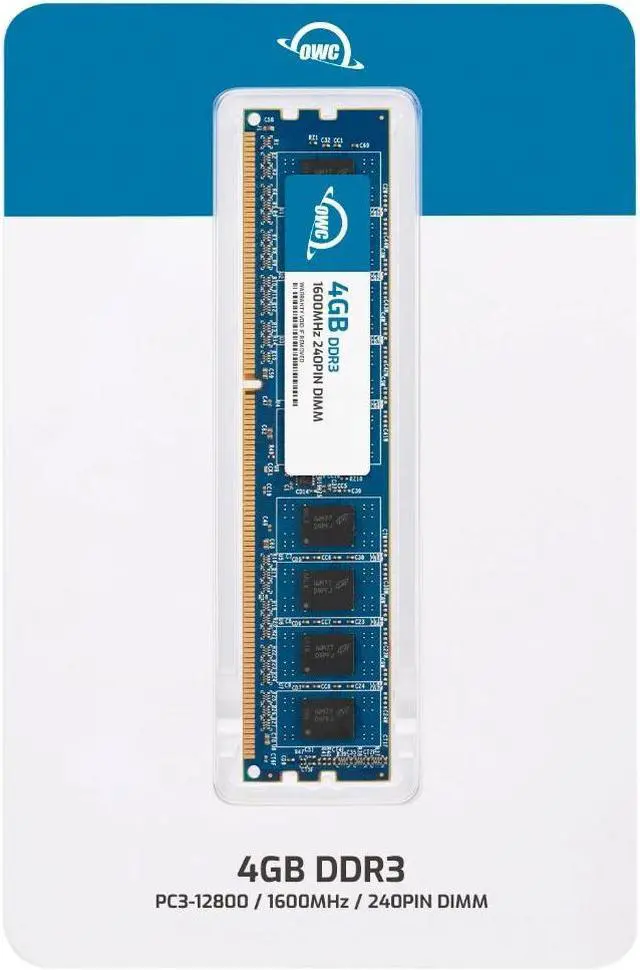
    OWC 4GB DDR3 1600 PC3-12800 CL11 1Rx8 240-pin 1.5V Non-ECC UDIMM Memory RAM Module Upgrade Compatible with Dell Precision T1700

    • 4GB
    • 8GB
    • OWC 4GB UPGRADE: Consists of a single 4GB DDR3 1600 PC3-12800 CL11 1Rx8 240-pin 1.5V Non-ECC Unbuffered DIMM Memory RAM Module Upgrade memory module compatible with Dell Precision model T1700.
    • 100% COMPLIANT: JEDEC-Standard and ROHS Compliant. Warranty-Safe Upgrade. Designed and Tested to Meet or Exceed all Manufacturer OEM Specs.
    • INCREASED PERFORMANCE: Memory Upgrades are the Most Effective and Easy Way to Boost your PC's Performance.
    • INDUSTRY LEADING: Consumer-friendly Advanced Replacement Program and Limited Lifetime Warranty, which includes Free Tech Support by Other World Computing.
    • EASY INSTALLATION: In Most Cases, Installing Memory is an Easy DIY project. Watch our OWC Basic Installation Video for Help.
    +
    +
    Overview
    Specs
    Reviews
    See all Q & A

    Any questions? Ask CelesteSM will help you find out quickly.

    OWC DDR3 PC3-12800 1600MHz UNBUFFERED DESKTOP DIMM SPECIFICATIONS

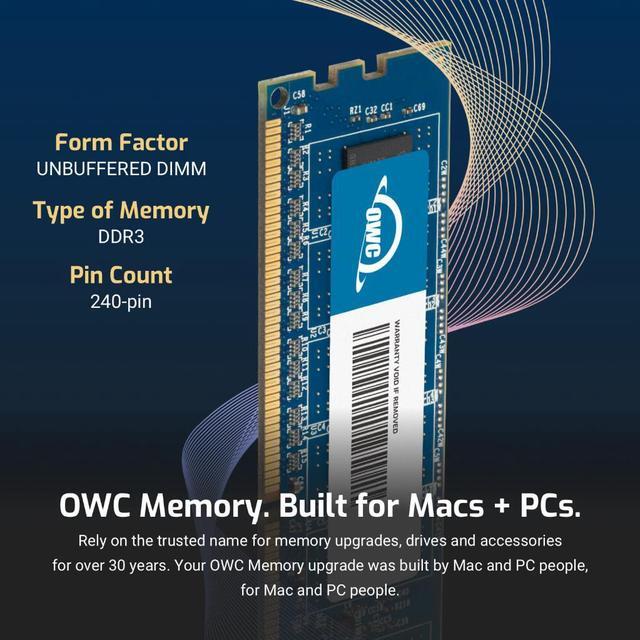
    Technology DDR3
    Speed PC3-12800 1600MHz CL11
    Form Factor 240PIN DIMM
    ECC Type NON ECC
    Voltage 1.5v
    Compatibility DESKTOP, WORKSTATION
    4GB 16GB 8GB DDR4 240PIN DESKTOP DIMM UNBUFFERED NON ECC DUAL RANK NAS MEMORY RAM UPGRADE STICK
    DDR5 ECC REGISTERED REG MEMORY RAM MODULE DIMM STICK 32gb 16gb 8gb 288pin 4800MHz PC5-38400 CL40
    unbuffered dimm memory ram upgrade desktop workstation non ecc ram 240pin stick module

    OWC DDR3 PC3-12800 1600MHz UNBUFFERED DESKTOP DIMM SPECIFICATIONS

    Technology DDR3
    Speed PC3-12800 1600MHz CL11
    Form Factor 240PIN DIMM
    ECC Type NON ECC
    Voltage 1.5v
    Compatibility DESKTOP, WORKSTATION
    4GB 16GB 8GB DDR4 240PIN DESKTOP DIMM UNBUFFERED NON ECC DUAL RANK NAS MEMORY RAM UPGRADE STICK
    unbuffered dimm memory ram upgrade desktop workstation non ecc ram 240pin stick module
    unbuffered dimm memory ram upgrade desktop workstation non ecc ram 240pin stick module
    OWC DDR3 memory is Fully compliant with JEDEC specifications, ROHS compliant, providing a warranty safe upgrade. OWC Memory is the most cost effective and simple DIY upgrade you can install to unleash your Mac or PC's full potential and speed up overall responsiveness. Become a multitasking maven when you upgrade your Mac or PC with OWC Memory. Open more apps. Open larger files. Plus, work with multiple files all at the same time. We test every OWC memory module at our in house lab so you can upgrade with the confidence that your memory is built to last.

    We built your OWC Memory upgrade to meet or exceed the toughest industry specs to provide years of worry-free service. OWC recommends that all DIMMs be the same capacity, speed, and manufacturer to ensure optimal memory performance.

    Warranty & Returns

    Warranty, Returns, And Additional Information

    Warranty

    • Please contact the Seller directly for warranty information. Warranty information may also be found on the Manufacturer's website.
    • CONTACT

    Return Policies

    • Return for refund within: 30 days
    • Return for replacement within: 60 days
    • This item is covered by OWC Return Policy

    Manufacturer Contact Info

    LOADING...

    The OWC 1U6D31R804GB is a single 4GB DDR3-1600, 240-pin, non-ECC unbuffered memory module designed as an upgrade for Dell Precision T1700 owners seeking a system-compatible RAM option.

    Recommended For

    • Dell Precision T1700 owners replacing a failed or missing memory module who need a single 4GB, 1600MHz non-ECC unbuffered DIMM matching the system’s supported memory type.
    • T1700 owners adding memory incrementally to an existing compatible configuration, provided they have an open DIMM slot and the system’s total memory remains within its configuration limits.
    • Refurbishers maintaining Dell Precision T1700 desktops who need a standard-size DDR3 replacement module for a verified non-ECC-compatible system.

    Real-World Use Scenarios

    • When a Precision T1700 feels constrained during everyday email, document, and browser use, adding this module can give open applications more memory to share; any improvement is most noticeable if the computer was running short on RAM.
    • When keeping an older T1700 in service as a basic home or office computer, this module can be a small memory-capacity upgrade; it will not by itself make an aging processor or storage drive faster.
    • When upgrading a T1700 that already has memory installed, this single module can add capacity without replacing every stick, provided the resulting memory configuration is supported and installed in the correct slot.
    • When troubleshooting a T1700 that fails to start after a memory change, using a compatible unbuffered module can help rule out an unsuitable registered-memory stick; it is not a fix for unrelated hardware faults.
    • For a T1700 used with older workstation applications such as AutoCAD, adding memory may help when a project or other open programs are pushing available RAM near its limit; it does not guarantee faster modeling or rendering.

    Spec Summary

    AttributeValue
    Best ForA 4GB desktop memory upgrade for the Dell Precision T1700
    Capacity And ConfigurationOne 4GB memory module
    Memory Type And Form FactorDDR3 240-pin unbuffered, non-ECC UDIMM for desktop systems
    Speed And Latency1600 MHz (PC3-12800), CL11
    Voltage And Rank1.5V, 1Rx8
    CompatibilityDell Precision T1700
    Model IdentifiersOWC part number 1U6D31R804GB; model OWC1U6D31R804GB-B366-SF

    Reference Q&A

    Q: Should I choose this OWC 4GB module or an OWC 8GB DDR3-1600 module for a Dell Precision T1700?

    A: Choose the OWC 4GB module for a 4GB capacity increase; choose an OWC 8GB module when you want twice the capacity from one module. Dell lists four DIMM slots and support for up to 16GB of 1600MHz non-ECC DDR3 memory in the T1700, so keep the system total within that limit.

    Q: Is one OWC 4GB stick or an OWC 8GB configuration a better T1700 upgrade?

    A: One OWC 4GB stick adds 4GB, while OWC lists an 8GB configuration made from two 4GB modules. Choose the single module for a 4GB increase or the two-module configuration for an 8GB increase; the T1700 has four DIMM slots and supports up to 16GB of non-ECC DDR3 memory.

    Q: How does this OWC 4GB DDR3-1600 module compare with OWC's 4GB DDR3-1600 2Rx8 option?

    A: Both OWC options provide 4GB at DDR3-1600; this module is 1Rx8, while OWC also lists a 2Rx8 4GB option. Choose this 1Rx8 module when matching the listed T1700-compatible part, or compare the module’s rank with the memory already installed when selecting the 2Rx8 option.

    Q: Will this RAM work in a Dell Precision T1700?

    A: Yes. The product is listed as compatible with the Dell Precision T1700 and is a 4GB, 240-pin DDR3-1600, 1.5V, non-ECC unbuffered desktop DIMM. Confirm your system is a T1700 and has an available compatible memory slot before ordering.

    Q: Is this one 4GB stick or a 4GB kit?

    A: It is one 4GB memory module, not a multi-stick kit. If installed alongside compatible existing memory, it adds 4GB; the computer’s total memory depends on its other installed modules.

    Q: Can I install this RAM myself?

    A: Usually, yes. The product information describes memory installation as a DIY task in most cases. Make sure the computer is powered off and unplugged, and check the system’s instructions for the correct slot and installation procedure.

    Q: Will this non-ECC RAM work in a Dell Precision T1700?

    A: It matches the product’s listed T1700 compatibility and is a 240-pin, DDR3-1600, non-ECC unbuffered DIMM. T1700 discussions also distinguish supported unbuffered DIMMs from registered memory, so check that any other installed modules use a compatible type.

    Q: Can I install one 4GB stick, or do I need to buy a pair?

    A: This is a single 4GB module. A T1700 owner discussion describes using one 4GB stick for testing and adding memory later; buying a pair is not required just to install this module. Check the system’s current configuration and slot-population guidance before adding it.

    Q: Will this RAM actually run at 1600MHz in my T1700?

    A: The module is rated DDR3-1600, but its rated speed does not guarantee the system will run it at that speed. T1700 discussions report that CPU, BIOS, and memory configuration can affect the operating speed, so verify the system’s configuration if 1600MHz is essential.