




 here!
I’m your shopping assistant for PC builds, upgrades, and everything tech.
Got questions? Ask away!
Start a conversation
here!
I’m your shopping assistant for PC builds, upgrades, and everything tech.
Got questions? Ask away!
Start a conversation








Any questions? Ask CelesteSM will help you find out quickly.
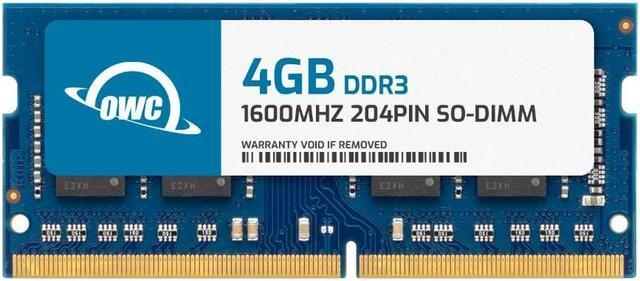
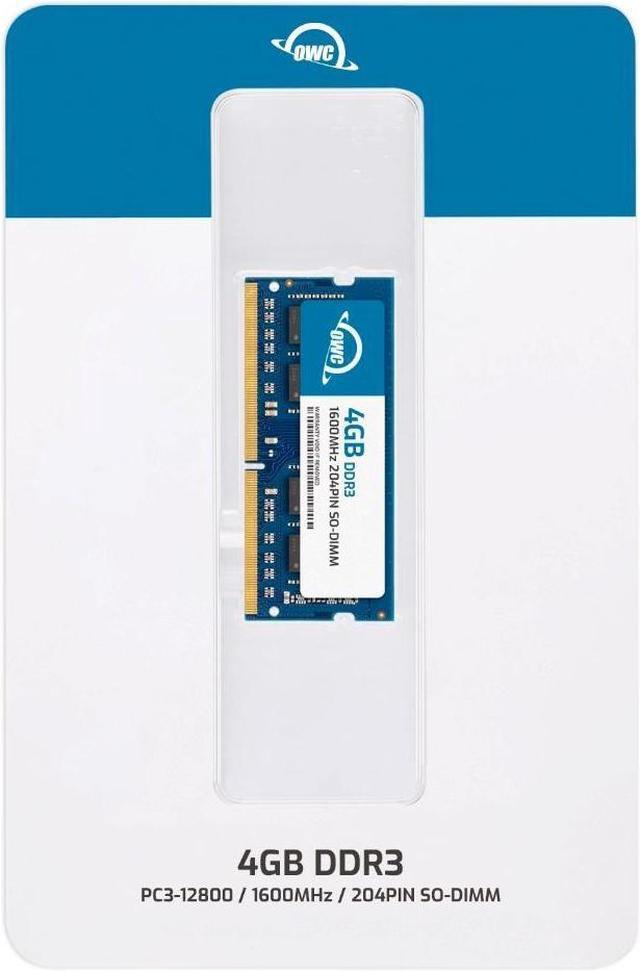
The OWC 4GB DDR3 1600 SODIMM is a memory upgrade for HP ProOne 400 G1 and 600 G1 owners seeking a compatible 204-pin, 1.5V, non-ECC module to expand system memory.
| Attribute | Value |
|---|---|
| Best For | HP ProOne 400 G1 and 600 G1 systems needing a 4GB DDR3 SODIMM memory module |
| Capacity And Module Configuration | 4GB single memory module, 1Rx8 rank |
| Memory Type And Performance | DDR3 1600 (PC3-12800), CL11 |
| Electrical And Error Correction | 1.5V, non-ECC, unbuffered |
| Form Factor And Cooling | 204-pin SODIMM with no heat spreader |
| System Compatibility | Compatible with HP ProOne 400 G1 and HP ProOne 600 G1 |
| Model Identifiers | OWC; part number 1S6D31R804GB; model number OWC1S6D31R804GB-B449-SF |
Q: Should I choose this OWC 4GB module or an OWC 16GB (2×8GB) kit for an HP ProOne 400 G1 or 600 G1?
A: Choose this 4GB module for a smaller capacity upgrade or to pair with existing memory. Choose the OWC 16GB kit when you want a matched 2×8GB setup: HP lists up to 16GB and dual-channel memory support for both ProOne models. Check the installed memory and system configuration before selecting the kit.
Q: Is this single OWC 4GB stick or the OWC 8GB (2×4GB) kit a better fit?
A: Choose this single 4GB stick when you want to add or replace one module while keeping a compatible installed module. Choose the 8GB kit when you want two matched 4GB modules; HP specifies that equal-size, equal-speed modules support maximized dual-channel operation in the ProOne 600 G1.
Q: For an HP ProOne G1, should I buy this OWC 4GB module or an OWC 8GB DDR3-1600 module?
A: Choose the 4GB module for a 4GB-per-module upgrade or to match an existing 4GB module. Choose an 8GB module when you want more capacity from one slot; HP lists support for up to 16GB across two slots, so confirm the planned total matches your system’s supported configuration.
Q: Is this OWC 4GB module a better choice than an OWC 2GB DDR3-1600 module?
A: Choose this 4GB module when you want twice the capacity per module while keeping the same DDR3-1600, 204-pin, 1.5V SODIMM format. Choose the 2GB module when a 2GB capacity step matches your planned memory configuration.
Q: Will this 4GB memory module work with my computer?
A: It is listed as compatible with the HP ProOne 400 G1 and HP ProOne 600 G1. It is a 4GB, 204-pin DDR3-1600 (PC3-12800), 1.5V, non-ECC unbuffered SO-DIMM. For other computers, check the system’s manual for supported memory type, voltage, capacity, and slot configuration before buying.
Q: Does this add 4GB of RAM or replace the memory already installed?
A: The package is one 4GB memory module. It adds 4GB only if the computer has an available compatible slot; otherwise, it may replace an installed module. The resulting total depends on the computer’s current memory and supported configuration.
Q: Can adding this RAM make an older computer run faster?
A: It may help if the computer is slowing down because it lacks memory, but a 4GB module does not guarantee a speed increase. The effect depends on how much RAM is already installed and whether the system supports adding this module.
Q: Can I install this memory myself?
A: The product information describes memory installation as a DIY task in many cases. Check the HP ProOne service instructions first, and confirm the computer’s memory configuration before opening it; installation difficulty can vary by system.
Q: Can I add this 4GB SODIMM to an HP ProOne 600 G1?
A: The product data lists the HP ProOne 600 G1 as compatible and identifies the module as a 204-pin DDR3 SODIMM. A Reddit discussion about upgrading the same model raises a possible 1.35V-versus-1.5V mismatch, so check the computer’s memory requirements and installed module before buying.
Q: Should I add 4GB or 8GB to my HP ProOne 600 G1?
A: This module adds 4GB. Choose it if that amount suits your upgrade plan; compare it with an 8GB option if you want a larger increase. Check your system’s supported memory and available slots before choosing.
Q: Can I replace the memory in an HP ProOne 400 G1 myself?
A: HP provides a memory-replacement video for the ProOne 400 G1, so replacement is a documented procedure. Follow the model-specific instructions and check warranty conditions before opening the computer.


















