




 here!
I’m your shopping assistant for PC builds, upgrades, and everything tech.
Got questions? Ask away!
Start a conversation
here!
I’m your shopping assistant for PC builds, upgrades, and everything tech.
Got questions? Ask away!
Start a conversation








Any questions? Ask CelesteSM will help you find out quickly.
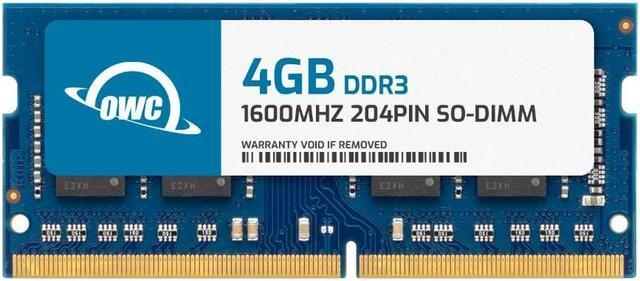
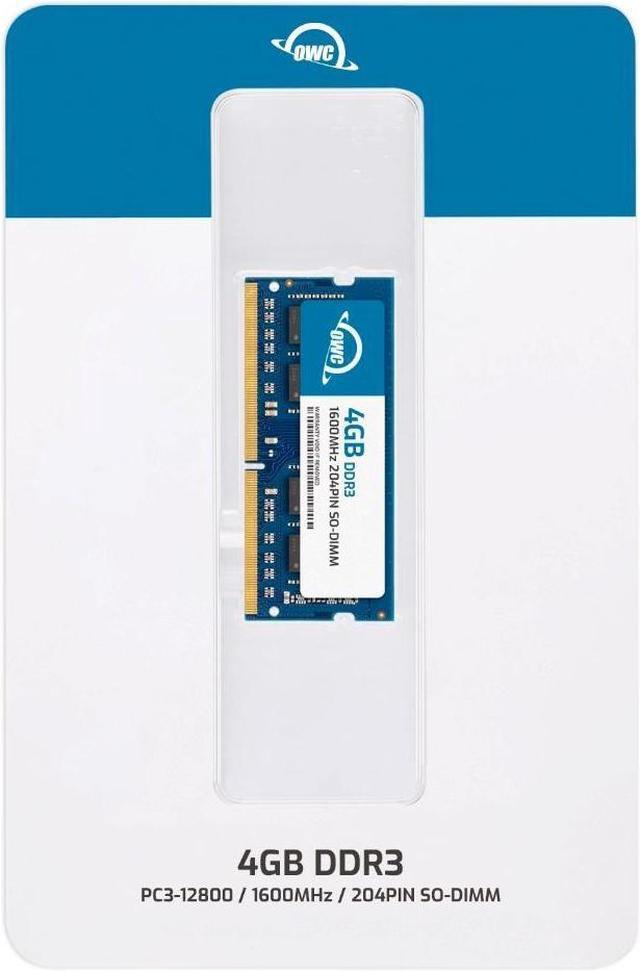
The OWC 4GB DDR3L 1600 SODIMM is a single-module memory upgrade for compatible Lenovo Flex laptops, including the Flex 14, Flex 15, Flex 2-14, Flex 2-14D, and Flex 2-15. It uses 1.35V, CL11, non-ECC, unbuffered memory.
| Attribute | Value |
|---|---|
| Best For | A laptop memory upgrade for Lenovo Flex 14, Flex 15, Flex 2-14, Flex 2-14D, Flex 2-15, and Flex 2-15D systems |
| Capacity And Module Quantity | 4GB capacity in a single memory module |
| Memory Type And Configuration | DDR3L 204-pin SODIMM, 1Rx8, unbuffered and non-ECC |
| Speed And Latency | 1600 MHz (PC3L-12800) with CL11 latency |
| Voltage | 1.35V |
| Model Identifiers | OWC; part number 1S6T31R804GB; model number OWC1S6T31R804GB-B495-SF |
Q: OWC 4GB vs. OWC 8GB DDR3L-1600: which should I choose for a Lenovo Flex?
A: Choose this 4GB module for a smaller memory addition or when matching an existing 4GB module; choose OWC’s 8GB module when you want more capacity from one module and your Flex model supports it. Both are 204-pin DDR3L-1600, 1.35V SO-DIMMs, so check your specific Flex model’s supported capacity and slot configuration before choosing.
Q: Should I use one OWC 4GB module or an OWC 8GB kit with two 4GB modules?
A: Choose this single 4GB module when you want to add memory incrementally or keep a slot available on a Flex model with two SO-DIMM sockets. Choose the 8GB (2 × 4GB) kit when you want 8GB total as a matched pair and your model has two sockets. Lenovo’s Flex 2 specifications list different socket counts across configurations, so confirm your exact model.
Q: For an 8GB total upgrade, should I add this OWC 4GB module or replace the current memory with one OWC 8GB module?
A: Add this 4GB module if the Flex has a free compatible slot and the added capacity brings the system to 8GB. Choose one OWC 8GB module when you prefer a single-module 8GB configuration and the model supports that module capacity. The two options use DDR3L-1600 memory; the right fit depends on the installed memory, available slots, and the model’s supported configuration.
Q: Will this RAM work in my Lenovo Flex?
A: It is listed as compatible with the Lenovo Flex 14, Flex 15, Flex 2-14, Flex 2-14D, Flex 2-15, and Flex 2-15D. Before buying, confirm your exact model supports a 4GB, 204-pin DDR3L-1600 SO-DIMM at 1.35V and has an available slot or needs a replacement module.
Q: Can I add this module to the RAM already in my laptop?
A: Possibly. This is one 4GB module; adding it depends on whether your laptop has an available compatible slot and supports the resulting memory capacity and configuration. Check the laptop’s specifications before combining it with existing RAM.
Q: Will adding 4GB of RAM make my laptop faster?
A: It may improve responsiveness if the laptop is running short on memory during everyday tasks. The benefit depends on the laptop’s current memory and workload; adding RAM does not upgrade the processor or fix other performance bottlenecks.
Q: Is this a DIY laptop memory upgrade?
A: The product information describes installation as a DIY task in most cases. The process depends on the laptop’s design and access to its memory slots, so check the device’s service instructions before installing it.
Q: Is this RAM compatible with my Lenovo Flex 2-14?
A: The product listing specifies compatibility with the Lenovo Flex 2-14 and 2-14D, and it matches the DDR3L 1600, 204-pin SO-DIMM type discussed in Flex 2-14 upgrade posts and videos. Check your laptop’s exact model and memory requirements before buying; “Flex 14” models can use different RAM generations.
Q: Will adding this 4GB module help an older Flex laptop that feels slow?
A: It adds 4GB of memory, which may help if limited RAM is causing slowdowns. It will not by itself address other possible bottlenecks, such as an older processor or hard drive. A Flex 2-14D owner discussing sluggish browsing considered both a RAM upgrade and an SSD replacement.
Q: Can I add this module to the RAM already in my Flex, or does it replace it?
A: This product is one 4GB module. Whether it adds to existing memory or replaces it depends on your laptop’s installed configuration and available slot; check the exact model and current RAM before ordering. A Flex 2-14 upgrade video shows a RAM-module installation, but does not establish that every Flex configuration has the same setup.
Q: Is installing RAM in a Flex 2-14 a straightforward DIY job?
A: A YouTube walkthrough shows RAM installation on a Flex 2-14, but the process includes opening the laptop and removing components. The exact steps may vary by model, so use instructions for your specific laptop and avoid forcing parts.


