• $31.24
  • Free 30-day Returns
  • Sold by Direct from manufacturerOWC
    4.7 (29 seller ratings)

    Shipped by Direct from manufacturerOWC

    Price alert
    Shop it at NeweggBusiness.

    Meet Your Seller

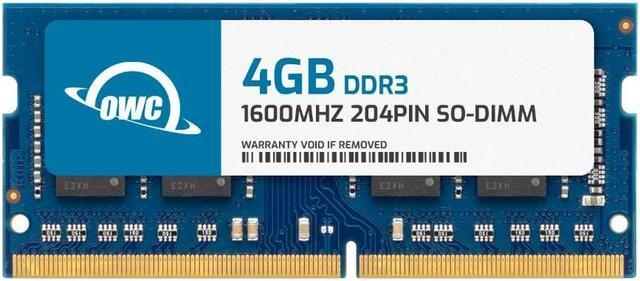
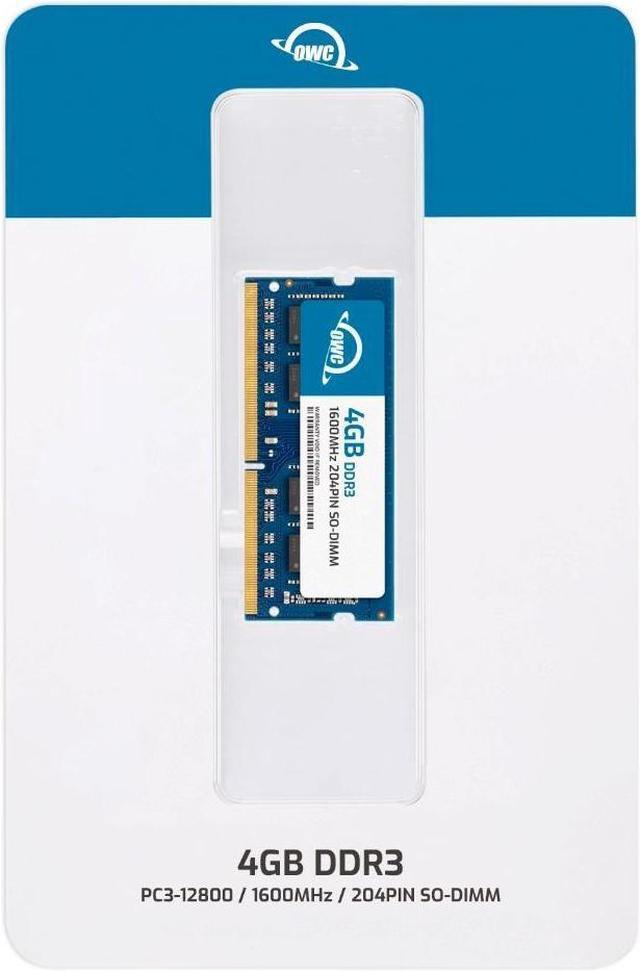
    OWC 4GB DDR3L 1600 PC3L-12800 CL11 1Rx8 204-pin 1.35V Non-ECC SODIMM Memory RAM Module Upgrade Compatible with POS Columbus 900 P1235 POS (7745)

    • 4GB
    • 8GB
    • OWC 4GB UPGRADE: Consists of a single 4GB DDR3L 1600 PC3L-12800 CL11 1Rx8 204-pin 1.35V SODIMM Memory RAM Module Upgrade compatible with POS models Columbus 900 And P1235 POS (7745).
    • 100% COMPLIANT: JEDEC-Standard and ROHS Compliant. Warranty-Safe Upgrade. Designed and Tested to Meet or Exceed all Manufacturer OEM Specs.
    • INCREASED PERFORMANCE: Memory Upgrades are the Most Effective and Easy Way to Boost your PC's Performance.
    • INDUSTRY LEADING: Consumer-friendly Advanced Replacement Program and Limited Lifetime Warranty, which includes Free Tech Support by Other World Computing.
    • EASY INSTALLATION: In Most Cases, Installing Memory is an Easy DIY project. Watch our OWC Basic Installation Video for Help.
    +
    +
    Overview
    Specs
    Reviews
    See all Q & A

    Any questions? Ask CelesteSM will help you find out quickly.

    OWC DDR3 PC3L-12800 1600MHz 1.35V SO-DIMM SPECIFICATIONS

    Technology DDR3
    Speed PC3L-12800 1600MHz CL11
    Form Factor 204PIN DIMM
    ECC Type NON ECC
    Voltage 1.35v
    Compatibility LAPTOP, MINI PC, NAS SYSTEM
    DDR3 PC3-10600 4GB 2GB 8GB 16GB DDR3 1333MHZ 204PIN SO DIMM IMAC MACBOOK PRO MAC MINI MEMORY RAM
    imac 667 mhz ddr2 MAC MINI MACBOOK PRO white black ram owc 4gb upgrade 4 PC2-5300 mac memory
    DDR3 PC3-10600 4GB 2GB 8GB 16GB DDR3 1333MHZ 204PIN SO DIMM IMAC MACBOOK PRO MAC MINI MEMORY RAM

    OWC DDR3 PC3L-12800 1600MHz 1.35V SO-DIMM SPECIFICATIONS

    Technology DDR3
    Speed PC3L-12800 1600MHz CL11
    Form Factor 204PIN DIMM
    ECC Type NON ECC
    Voltage 1.35v
    Compatibility LAPTOP, MINI PC, NAS SYSTEM
    4GB 2GB 8GB 16GB DDR4 204PIN LAPTP NOTEBOOK SODIMM SO-DIMM SO DIMM NAS MEMORY RAM UPGRADE STICK
    4GB 2GB 8GB 16GB DDR4 204PIN LAPTP NOTEBOOK SODIMM SO-DIMM SO DIMM NAS MEMORY RAM UPGRADE STICK
    4GB 2GB 8GB 16GB DDR4 204PIN LAPTP NOTEBOOK SODIMM SO-DIMM SO DIMM NAS MEMORY RAM UPGRADE STICK
    OWC DDR3L memory is Fully compliant with JEDEC specifications, ROHS compliant, providing a warranty safe upgrade. OWC Memory is the most cost effective and simple DIY upgrade you can install to unleash your Mac or PC's full potential and speed up overall responsiveness. Become a multitasking maven when you upgrade your Mac or PC with OWC Memory. Open more apps. Open larger files. Plus, work with multiple files all at the same time. We test every OWC memory module at our in house lab so you can upgrade with the confidence that your memory is built to last.

    We built your OWC Memory upgrade to meet or exceed the toughest industry specs to provide years of worry-free service. OWC recommends that all DIMMs be the same capacity, speed, and manufacturer to ensure optimal memory performance.

    Warranty & Returns

    Warranty, Returns, And Additional Information

    Warranty

    • Please contact the Seller directly for warranty information. Warranty information may also be found on the Manufacturer's website.
    • CONTACT

    Return Policies

    • Return for refund within: 30 days
    • Return for replacement within: 60 days
    • This item is covered by OWC Return Policy

    Manufacturer Contact Info

    LOADING...

    The OWC 4GB DDR3L 1600 SODIMM is a system-specific memory upgrade for NCR POS Columbus 900 and P1235 POS (7745) systems, suited to users who need a compatible 204-pin, 1.35V non-ECC module.

    Recommended For

    • Retailers or service technicians maintaining an NCR Columbus 900 POS who need a 4GB DDR3L SO-DIMM for a documented compatible memory configuration.
    • Repair technicians servicing an NCR P1235 POS (7745) who are replacing or installing a 4GB memory module that matches the system’s requirements.
    • Retail or restaurant IT teams keeping compatible Columbus 900 and P1235 terminals in service, especially when they need a spare module for planned repairs.
    • POS operators whose goal is to restore a compatible terminal’s memory configuration for routine checkout or order-entry use, rather than upgrade it for demanding computing tasks.

    Real-World Use Scenarios

    • When an NCR Columbus 900 or P1235 needs a memory-module replacement, use this compatible 4GB module to restore the terminal’s memory configuration; check the unit’s existing configuration before installation.
    • For a Columbus 900 with a supported open memory socket, a store technician can install the module as a memory expansion, giving the POS system additional RAM for its configured checkout software.
    • When refurbishing or maintaining a compatible P1235 checkout terminal, a technician can replace its existing memory module with this part and continue using the installed POS setup, subject to the terminal’s configuration.
    • For a store standardizing spare parts across compatible Columbus 900 and P1235 terminals, this module can serve as a model-specific replacement option; confirm the terminal model and memory setup before fitting it.

    Spec Summary

    AttributeValue
    Best ForMemory upgrades for compatible NCR POS Columbus 900 and P1235 POS (7745) systems
    Capacity And Configuration4GB in a single memory module
    Memory Type And Form FactorDDR3L unbuffered, non-ECC SODIMM with a 204-pin interface
    Speed And Latency1600 MHz (PC3L-12800) with CL11 latency
    Voltage And Rank1.35V, 1Rx8 rank
    Model IdentifiersOWC; part number 1S6T31R804GB; model number OWC1S6T31R804GB-B924-SF

    Reference Q&A

    Q: For a Columbus 900 or P1235, should I choose this OWC 4GB module or an 8GB memory configuration?

    A: Choose this OWC 4GB module when you want a 4GB replacement; choose an 8GB configuration when you want more total memory. The POS upgrade guide lists both 4GB and 8GB memory configurations for these systems.

    Q: For an 8GB target, should I buy one 4GB module or a 2×4GB OWC setup?

    A: Choose a 2×4GB setup for 8GB total using two 4GB modules. This product is a single 4GB module, so one unit provides 4GB; confirm the configuration matches the POS model’s memory-upgrade instructions.

    Q: On a Columbus 900, should I replace the installed 4GB module or add this one as a second module?

    A: For a 4GB replacement, use this single module in place of the installed module. To build an 8GB configuration, the Columbus 900 upgrade instructions describe using a second memory socket for expansion; follow the guide’s socket and configuration details.

    Q: How can I tell if this RAM is compatible with my POS system?

    A: This module is listed for the NCR POS Columbus 900 and P1235 POS (7745). It is a 4GB, 204-pin DDR3L-1600 SO-DIMM rated at 1.35V, non-ECC and unbuffered. Confirm your exact system model supports these specifications and the module capacity before buying; matching the slot alone does not guarantee compatibility.

    Q: Can I add this module alongside the RAM already installed?

    A: Possibly. This is one 4GB module, so adding it depends on whether the POS system has an available memory slot and supports the resulting memory configuration and total capacity. Check the system documentation before combining it with existing RAM.

    Q: Will installing this 4GB module make my POS system faster?

    A: It may improve responsiveness if the system is limited by insufficient memory and supports this module. The benefit depends on the POS system’s current memory and workload; adding RAM will not address limits caused by its processor or storage.

    Q: Is this a suitable DIY memory upgrade?

    A: It may be suitable if the POS system provides accessible memory slots and its service instructions permit user installation. This is a single 4GB SO-DIMM; check the system’s installation guidance and memory limits first, since access and upgrade procedures vary by model.