




 here!
I’m your shopping assistant for PC builds, upgrades, and everything tech.
Got questions? Ask away!
Start a conversation
here!
I’m your shopping assistant for PC builds, upgrades, and everything tech.
Got questions? Ask away!
Start a conversation








Any questions? Ask CelesteSM will help you find out quickly.
| Technology | DDR3 |
|---|---|
| Speed | PC3L-12800 1600MHz CL11 |
| Form Factor | 204PIN DIMM |
| ECC Type | NON ECC |
| Voltage | 1.35v |
| Compatibility | LAPTOP, MINI PC, NAS SYSTEM |
















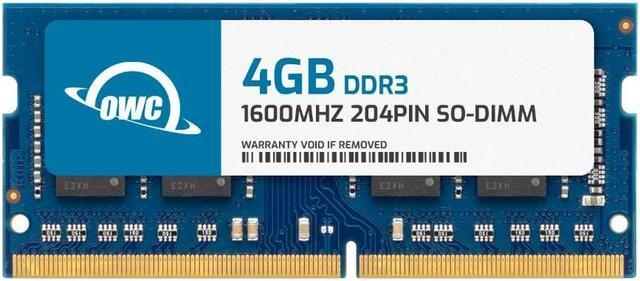
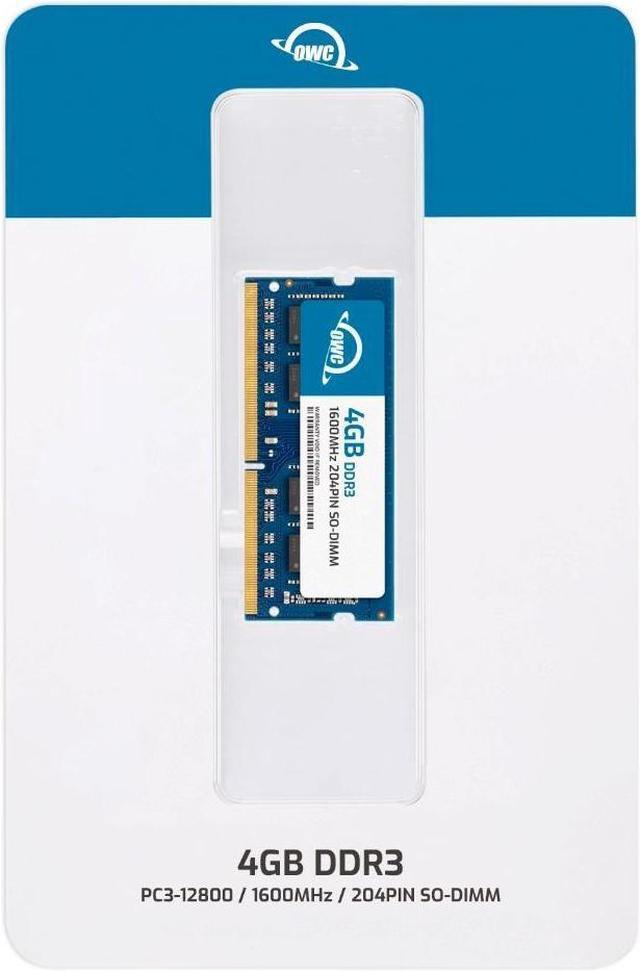
The OWC 1S6T31R804GB is a 4GB DDR3L-1600, 204-pin non-ECC SODIMM memory module for users upgrading a compatible QNAP TS-963X, TVS-463, TVS-663, TVS-863, or TVS-863+ system.
| Attribute | Value |
|---|---|
| Best For | A 4GB DDR3L memory upgrade for the listed QNAP TS-963X and TVS-series systems |
| Capacity | 4GB in a single memory module |
| Memory Type And Configuration | DDR3L, 204-pin SODIMM, 1Rx8, unbuffered, non-ECC, with no heat spreader |
| Speed And Latency | 1600 MHz (PC3L-12800), CL11 |
| Voltage | 1.35V |
| Compatibility | QNAP TS-963X, TVS-463, TVS-663, TVS-863, and TVS-863+ |
| Model Identifiers | OWC; part number 1S6T31R804GB; model number OWC1S6T31R804GB-B532-SF |
Q: OWC 4GB vs. 8GB DDR3L 1600 SODIMM for a QNAP NAS: which should I choose?
A: Choose this 4GB OWC module when a 4GB memory increase suits your upgrade plan. Choose OWC’s 8GB module when you want a higher-capacity single module. QNAP lists two SODIMM slots and support for up to 16GB on the TS-963X and TVS-863, so check the NAS’s current memory configuration and model limit before choosing.
Q: Is one OWC 4GB module or two 4GB modules a better choice for an 8GB upgrade?
A: Choose one 4GB module when a single-module purchase fits your planned configuration. Choose two matching 4GB modules when you want 8GB total across both slots. QNAP advises using modules with identical specifications in dual-module configurations; this OWC module is a single 4GB, DDR3L-1600, 1Rx8 SODIMM.
Q: Should I choose this OWC 4GB module or a 2GB module for a QNAP TS-963X?
A: Choose this 4GB module when you want a larger-capacity module than the 2GB memory configuration listed for the TS-963X-2G. The TS-963X has two DDR3L SODIMM slots and supports up to 16GB total, giving room for a planned memory upgrade.
Q: How can I tell if this RAM is compatible with my QNAP NAS?
A: The product listing identifies the QNAP TS-963X, TVS-463, TVS-663, TVS-863, and TVS-863+ as compatible. It is a single 4GB, 204-pin DDR3L-1600 SO-DIMM rated at 1.35V. Confirm your exact NAS model and supported memory configuration before buying; matching the slot type alone does not guarantee compatibility.
Q: Can I add this 4GB module to the RAM already in my NAS?
A: Possibly. This is one 4GB module, so adding it depends on whether your NAS has an available compatible slot and supports the resulting total capacity and memory configuration. Check your NAS specifications before combining it with existing RAM.
Q: Is this RAM difficult to install?
A: The product listing describes installation as a DIY upgrade in most cases, but access and installation steps vary by NAS model. Check the instructions for your exact QNAP model, power the NAS off before opening it, and take precautions against static discharge.
Q: Will adding this RAM make my NAS faster?
A: It may help if the NAS is short on memory during its workload and supports this module. The module adds 4GB of RAM; it does not upgrade the processor or storage, so improvement depends on the NAS’s current configuration and how it is being used.
Q: Is a 4GB RAM upgrade worth it for a QNAP NAS?
A: It may be useful if the NAS is running short on memory or handling memory-intensive tasks such as virtual machines or containers. A Reddit discussion about the TS-963X describes adding memory to support extra services, but a 4GB module alone does not guarantee faster transfers or application performance.
Q: Will this module work with my QNAP NAS?
A: The product listing identifies compatibility with the TS-963X, TVS-463, TVS-663, TVS-863, and TVS-863+. Check your NAS’s exact model before buying; the YouTube upgrade video specifically shows a TS-963X, while the Reddit discussion mentions a TVS-863.
Q: Can I install the RAM upgrade myself?
A: A DIY installation is plausible for someone comfortable opening their NAS: a YouTube video demonstrates a RAM upgrade on the TS-963X. The product is a single 4GB SODIMM; check the installation steps for your specific model before starting.
Q: Will adding this RAM make my NAS faster for video editing?
A: Not necessarily. A Reddit TS-963X owner reported using 16GB while editing video, but the discussion does not establish that RAM alone improves editing speed. This module adds 4GB of memory; transfer and editing performance also depend on other system components and the network.


