




 here!
I’m your shopping assistant for PC builds, upgrades, and everything tech.
Got questions? Ask away!
Start a conversation
here!
I’m your shopping assistant for PC builds, upgrades, and everything tech.
Got questions? Ask away!
Start a conversation







Any questions? Ask CelesteSM will help you find out quickly.
| Technology | DDR5 |
|---|---|
| Speed | PC5-38400 4800MHz CL40 |
| Form Factor | 288PIN ECC REG DIMM |
| ECC Type | ECC REGISTERED |
| Voltage | 1.1v |
| Compatibility | Workstation, NAS System, , Servers, Network Switch |
















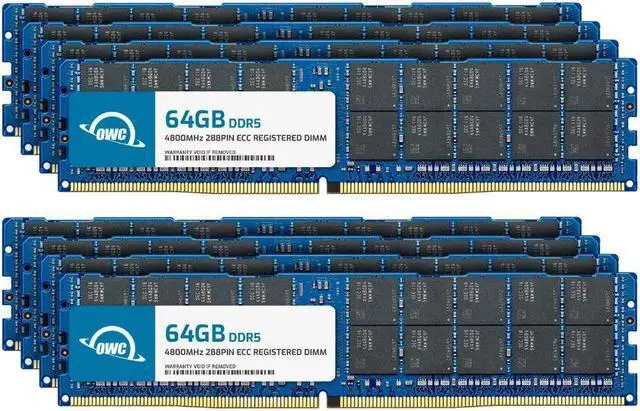
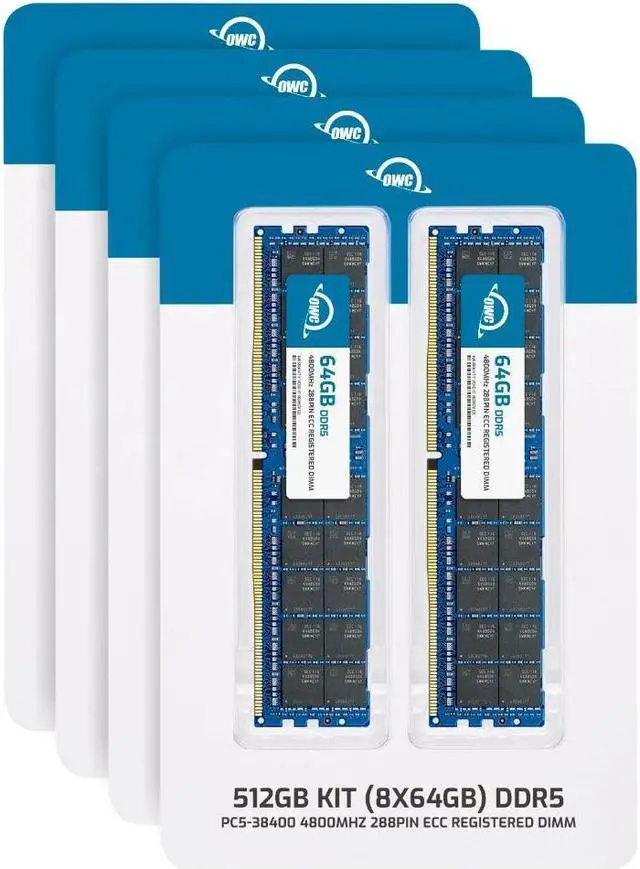
The OWC 512GB DDR5-4800 ECC Registered RDIMM kit combines eight 64GB modules for upgrading compatible Dell PowerEdge R760xa, R860, or R960 servers. It suits server administrators and workstation teams needing high-capacity registered memory; it is not intended for standard desktop PCs.
| Attribute | Value |
|---|---|
| Best For | ECC registered server or workstation memory upgrades for the listed PowerEdge systems |
| Capacity And Kit Configuration | 512GB kit with 8 × 64GB modules, configured as 2Rx4 |
| Memory Type And Form Factor | DDR5 ECC Registered RDIMM with a 288-pin form factor; no heat spreader |
| Speed And Timing | DDR5-4800 (PC5-38400) with CL40 latency |
| Voltage | 1.1V |
| System Compatibility | PowerEdge R760xa, R860, and R960 |
| Model Identifiers | OWC part number 4R8D52R4512K; model number OWC4R8D52R4512K-C072-SF |
Q: OWC 512GB vs 256GB DDR5-4800 for a PowerEdge R760xa: which should I choose?
A: Choose the OWC 512GB kit when you want 512GB total memory: it includes eight 64GB RDIMMs. Choose the 256GB kit for a 256GB total: it includes four 64GB RDIMMs. Both kits are DDR5-4800 ECC Registered memory with 64GB modules; match the total capacity to your server’s workload and memory plan.
Q: For 512GB, should I get OWC’s 8x64GB kit or its 4x128GB kit?
A: Both kits provide 512GB of DDR5-4800 ECC Registered memory. Choose the 8x64GB kit for eight 64GB modules; choose the 4x128GB kit for four 128GB modules and fewer occupied DIMM slots. Dell lists both 64GB 2-rank and 128GB 4-rank RDIMMs among the R760xa’s supported memory configurations; follow Dell’s population rules for your server.
Q: Should I choose OWC’s 512GB kit or its 1TB kit for a PowerEdge R760xa?
A: Choose the 512GB kit for 512GB total using eight 64GB modules. Choose the 1TB kit when your memory plan calls for 1TB; it uses eight 128GB modules. Dell lists 128GB 4-rank RDIMMs as a supported R760xa configuration, alongside 64GB 2-rank RDIMMs.
Q: OWC 512GB DDR5-4800 vs OWC 512GB DDR5-5600 for a PowerEdge R760xa: which speed should I pick?
A: Both OWC kits provide 512GB as eight 64GB ECC Registered RDIMMs. Choose the DDR5-4800 kit to match a 4800 MT/s configuration. Consider the DDR5-5600 kit when the R760xa has a 5th Generation Intel Xeon Scalable processor and its memory configuration supports that speed; Dell specifies up to 4800 MT/s with 4th Generation and up to 5600 MT/s with 5th Generation processors.
Q: Will this memory work in my server?
A: This kit is listed as compatible with the PowerEdge R760xa, R860, and R960. For other systems, check the server documentation for support for 64GB DDR5-4800 ECC Registered RDIMMs with a 2Rx4 layout and confirm the required memory-slot configuration before buying.
Q: Can I use this RAM in a standard desktop PC?
A: No. This is ECC Registered DDR5 RDIMM server memory, not standard desktop memory. Use it only in a system that supports registered RDIMMs; the product listing says it is not compatible with standard desktop computers.
Q: Can I mix this kit with the RAM already in my server?
A: Do not mix it with unbuffered or load-reduced memory; the product listing says those configurations are incompatible. If the existing memory is registered, check the server’s population rules and module specifications before combining them.
Q: What comes in the 512GB kit, and will it run at 4800?
A: The kit contains eight 64GB DDR5-4800 ECC Registered RDIMMs, for 512GB total. The modules are rated at 4800 MT/s; the server’s supported memory speed and configuration determine the speed they actually run at.


