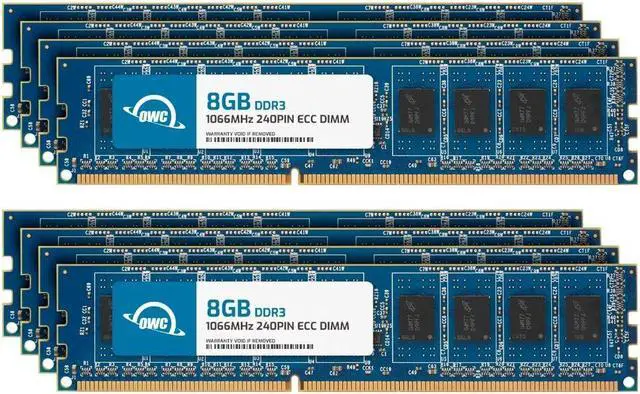
The OWC 64GB DDR3-1066 ECC Unbuffered UDIMM kit includes eight 8GB modules for compatible desktops, workstations, servers, or NAS systems that support 240-pin DDR3 memory.
Recommended For
- Owners of older DDR3 workstations or servers whose motherboard and CPU support 8GB ECC UDIMMs, 1066 MT/s memory, and the full 64GB across eight slots; this kit is intended as a complete-capacity upgrade for a compatible platform.
- Home-lab builders upgrading a compatible older DDR3 NAS or file server who want ECC UDIMM memory for always-on storage and services; verify the system supports this memory type and the kit’s full capacity before buying.
- Homelab users running several virtual machines or lab services on a compatible legacy server who need a 64GB memory pool and whose platform supports eight ECC UDIMMs.
- Technicians or refurbishers restoring a specific older workstation or server that calls for DDR3-1066 ECC unbuffered DIMMs and can use all eight 8GB modules.
Real-World Use Scenarios
- On a compatible 2009 Mac Pro or similar workstation that is running short on memory, installing the full kit can give memory-intensive apps and larger projects more room to run before the system needs to rely on disk swap. The benefit depends on the workload and system compatibility.
- For a compatible home lab or small server running several virtual machines, extra memory can let more guest systems stay active at once, reducing the need to shut down or consolidate lighter workloads when memory is constrained.
- In an ECC-capable workstation or server used for long-running jobs, such as rendering or data processing, ECC can detect and correct certain memory errors during operation. It is not a substitute for backups or protection against every kind of data loss.
- For a compatible NAS or home server hosting file services alongside containers or other background tasks, the added capacity can help keep multiple services running together when the existing memory is a bottleneck. The improvement will vary with the system and workload.
- When a workstation user regularly keeps many applications and files open, a memory upgrade can reduce slowdowns caused by running out of available RAM. It is most useful when the system is actually memory-constrained; it will not automatically speed up every task.




 here!