




 here!
I’m your shopping assistant for PC builds, upgrades, and everything tech.
Got questions? Ask away!
Start a conversation
here!
I’m your shopping assistant for PC builds, upgrades, and everything tech.
Got questions? Ask away!
Start a conversation







Any questions? Ask CelesteSM will help you find out quickly.
| Technology | DDR5 |
|---|---|
| Speed | PC5-38400 4800MHz CL40 |
| Form Factor | 288PIN ECC REG DIMM |
| ECC Type | ECC REGISTERED |
| Voltage | 1.1v |
| Compatibility | Workstation, NAS System, , Servers, Network Switch |
















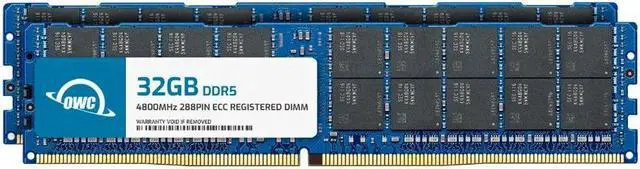
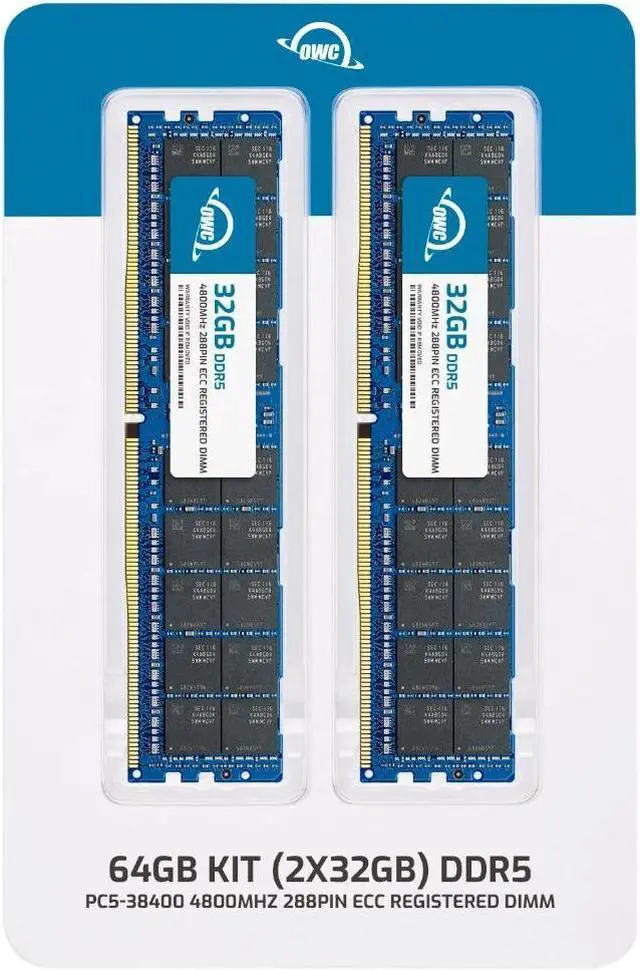
The OWC 64GB DDR5-4800 ECC Registered RDIMM kit includes two 32GB modules for upgrading compatible Lenovo ThinkStation P7 and PX workstations. It suits users who need registered ECC memory for a supported workstation or server; it is not for standard desktop PCs.
| Attribute | Value |
|---|---|
| Best For | ECC registered memory upgrades for Lenovo ThinkStation P7 and PX workstation/server systems |
| Capacity And Kit Configuration | 64GB kit with two 32GB modules |
| Memory Type And Compatibility | DDR5 ECC registered RDIMM, 288-pin; compatible with Lenovo ThinkStation P7 and PX |
| Speed And Latency | 4800 MHz (PC5-38400) with CL40 latency |
| Rank And Voltage | 2Rx8 rank, 1.1V |
| Module Design | No heat spreader; black chips |
| Model Identifiers | OWC; part number 4R8D52R8064P; model number OWC4R8D52R8064P-B896-SF |
Q: OWC 64GB (2x32GB) vs. OWC 32GB (2x16GB): which kit should I choose for a ThinkStation P7?
A: Choose the 64GB kit if you want twice the installed capacity: both OWC kits are DDR5-4800 ECC registered RDIMMs, but the 64GB kit contains two 32GB modules and the 32GB kit contains two 16GB modules.
Q: Should I get this OWC 64GB kit or the OWC 128GB (4x32GB) kit?
A: Choose this 64GB kit for a 64GB upgrade with two 32GB modules. Choose the OWC 128GB kit when you want twice the total capacity; it uses four 32GB DDR5-4800 ECC registered modules. Lenovo lists the ThinkStation P7 with eight DDR5 DIMM slots and support for 32GB RDIMMs.
Q: OWC 64GB (2x32GB) vs. OWC 128GB (2x64GB): which is the better capacity step?
A: Choose the 64GB kit for 64GB total memory using two 32GB modules. Choose the 128GB kit for double the capacity using two 64GB modules. Both are DDR5-4800 ECC registered RDIMM configurations; Lenovo lists 64GB RDIMMs among the ThinkStation P7’s supported memory sizes.
Q: Will this RAM work in a standard desktop PC?
A: No. This is ECC registered DDR5 RDIMM memory, intended for a compatible workstation or server—not a standard desktop that requires unbuffered UDIMMs. Check the system’s memory specifications before buying.
Q: Is this kit compatible with a ThinkStation P7 or PX?
A: The kit is listed as compatible with the ThinkStation P7 and PX. The P7 supports DDR5-4800 ECC RDIMMs; confirm the exact system configuration and memory-population requirements before installation.
Q: Can I mix this kit with the RAM already in my workstation?
A: Do not mix it with unbuffered memory or ECC load-reduced memory. Before combining it with existing RDIMMs, check your workstation’s memory population rules and confirm the modules’ type and configuration are supported together.
Q: Will the memory run at 4800 MT/s in a ThinkStation P7?
A: The kit is rated for DDR5-4800. The actual speed can depend on the processor and system configuration; Lenovo notes that some P7 configurations run memory at DDR5-4400.
Q: Is this a suitable 64GB memory upgrade for a ThinkStation P7?
A: The kit is 64GB total as two 32GB DDR5-4800 ECC registered DIMMs. The product listing identifies it as compatible with the ThinkStation P7, and a P7 upgrade video shows a 64GB DDR5-4800 ECC configuration. Confirm your system’s current DIMM type and supported configuration before ordering.
Q: Does this memory match the type and speed shown for the ThinkStation PX?
A: The kit is DDR5-4800 ECC registered memory, matching one of the PX memory types described in the video. The listing names the PX as compatible, but verify that your specific PX configuration supports this capacity and module arrangement.
Q: Is workstation memory worth considering over a standard desktop upgrade?
A: This kit is intended for compatible workstations: it is ECC registered RDIMM, not standard unbuffered desktop memory. A Reddit discussion comparing ThinkStation models also raises the cost-versus-workstation-use trade-off, but it does not establish that this specific memory kit is worth its price.


